 Autodesk Forma Team
Forma Site Design, available in the AEC Collection or as a standalone subscription, offers powerful AI-powered tools for architects and designers in pre-design and schematic design phases.
Author: Daniel (Onyema) Udeze, Educational Consultant at Global eTraining
With the accelerating pace of technological change today, AEC firms don’t want to risk being left behind. The most effective approach for helping teams adapt to disruptive technologies is to provide training in sync with these changes. Data shows that firms with a proactive approach to learning adapt to industry changes 2.3x faster than those that don’t.
Investing a little time upskilling with Forma Site Design goes a long way. We see that the earlier users engage with learning content means the sooner you’ll discover the potential of Forma to help you deliver schematic designs, faster. Browser-based, Forma is intuitive and easy to learn, meaning there’s no steep learning curve before you can get started.
Here are five practical tips on how to learn Forma Site Design:
- Pick a small site to start with: It can be a site from a current project you’re working on or even your own address. If you don’t have something in mind, it’s easy to set up a demo site. Forma gives you access to accurate 3D and 2D site context from free or paid integrated datasets; select the ones you find interesting and watch how your canvas builds up!
- Create a massing model: Experiment with the quick design tools to sketch your site limits and 2D building footprint, then effortlessly extrude it into a 3D volume. You can even divide your model and assign different functions to each block or floor such as residential, commercial, and more. Have fun with it and get creative with your volumes.
- Check the area metrics analysis: This helps you understand the capacity of your site, so you can design a proposal that fits both the site constraints and client brief. The numbers update instantly as you are shaping your model, meaning no more hassles with spreadsheets!
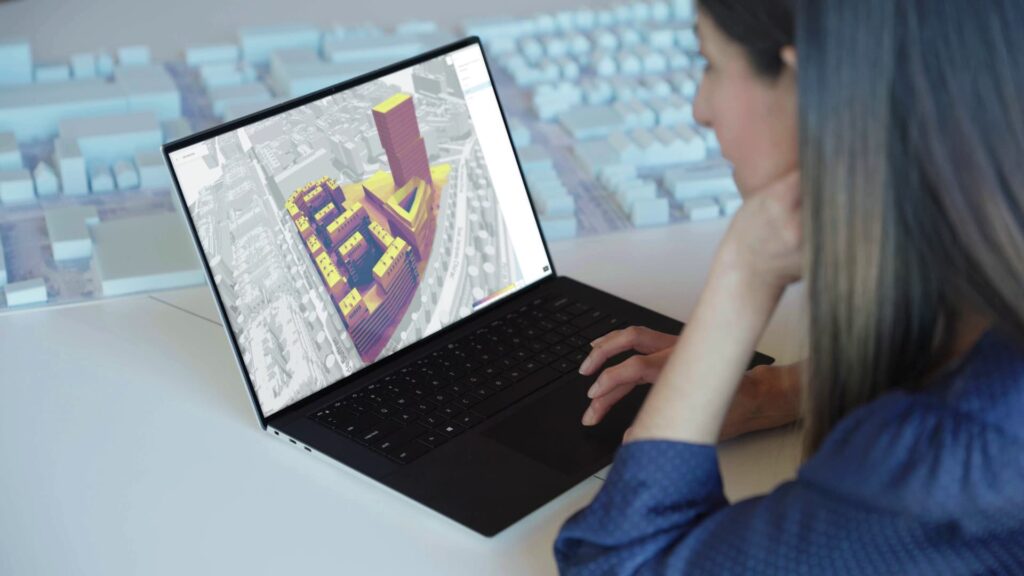
- Run your first site analysis: Try sun hours, daylight, or wind analysis to familiarize yourself with the analysis panel and see how each environmental factor impacts your design. You can even create several massing options to visually compare their analysis results side-by-side using the Compare tool.
- Send the proposal to Revit: Now it’s time to move to the detailed design phase by seamlessly sending your preferred proposal to Revit. Your massing model will appear along with its contextual data so you can refine your design and add more detailed components using Revit elements.
If you’re excited to get started learning Forma Site Design, then log in or start a free trial here.

To accelerate your learning, check out Global eTraining’s Introduction to Forma Site Design course here for free.