

 Save
Save
Note: Images are of Cost Management in Autodesk Build and links direct to the Autodesk Build Help Site. However, the functionality is the same within BIM 360 Cost Management.
Budget Tool
- Forecast Option Enhancements: The following additional forecast adjustment options are now available for both Cost and Budget forecast.
- Output Complete – New Option
- Enter forecasted units, completed units, or percent complete.
- Requires Actual Costs. If Budget Forecast is turned on, Billed to Date Costs is required.
- Manual Adjustment – Enhancement
- Use subitems if required.
- Directly enter cost to complete or forecast final.
- Final Variance – Auto Create Adjustment or Save Variance options
- Both enhancements auto calculate the final variance.
- Users can choose to adjust, in which case the adjustment is automatically calculated, or leave as a variance as preferred.
- Output Complete – New Option
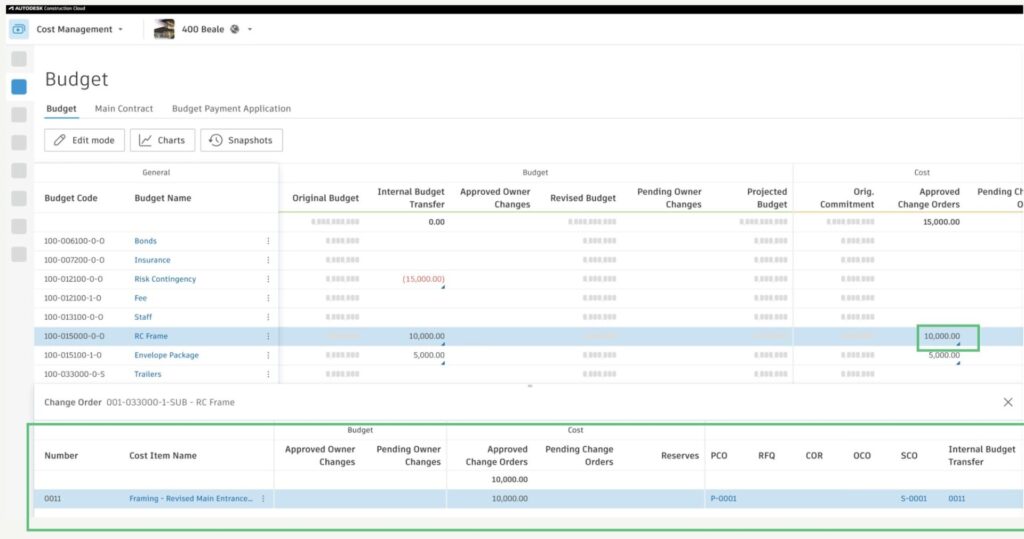
- Budget Overview – Change Order Bottom Flyout: A new bottom flyout displays related Change Order numbers with direct links for quick access. Click the blue triangle to expand the flyout and view connected Change Orders.
Cost Tool
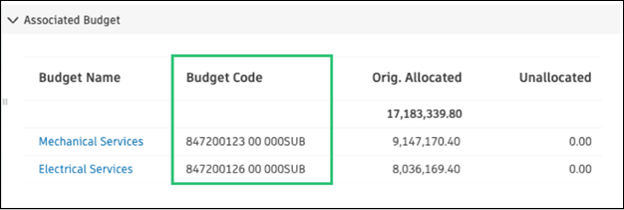
- Associated Budget – In the Supplier Contract, an additional column has been added to the Associated Budget section to display the Budget Code to help identify Budgets when there are multiple with similar descriptions.
Change Order Tool
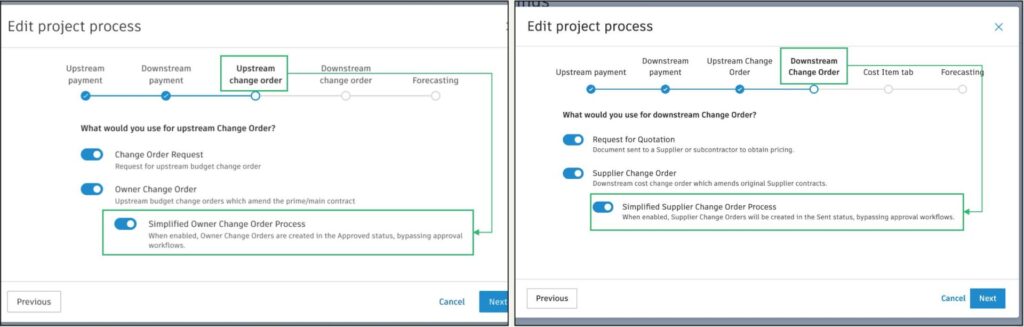
- Simplified OCO and SCO Creation: A new option has been added to Project Process that allows the creation of Owner Change Orders (OCO) and Supplier Change Orders (SCO) directly in an approved status without the need to compile or send them. Great for cases where you only need to update the system to reflect accurate values.
- Admin toggles the option on within Project Process, as shown below.
- Generate Approved OCO:
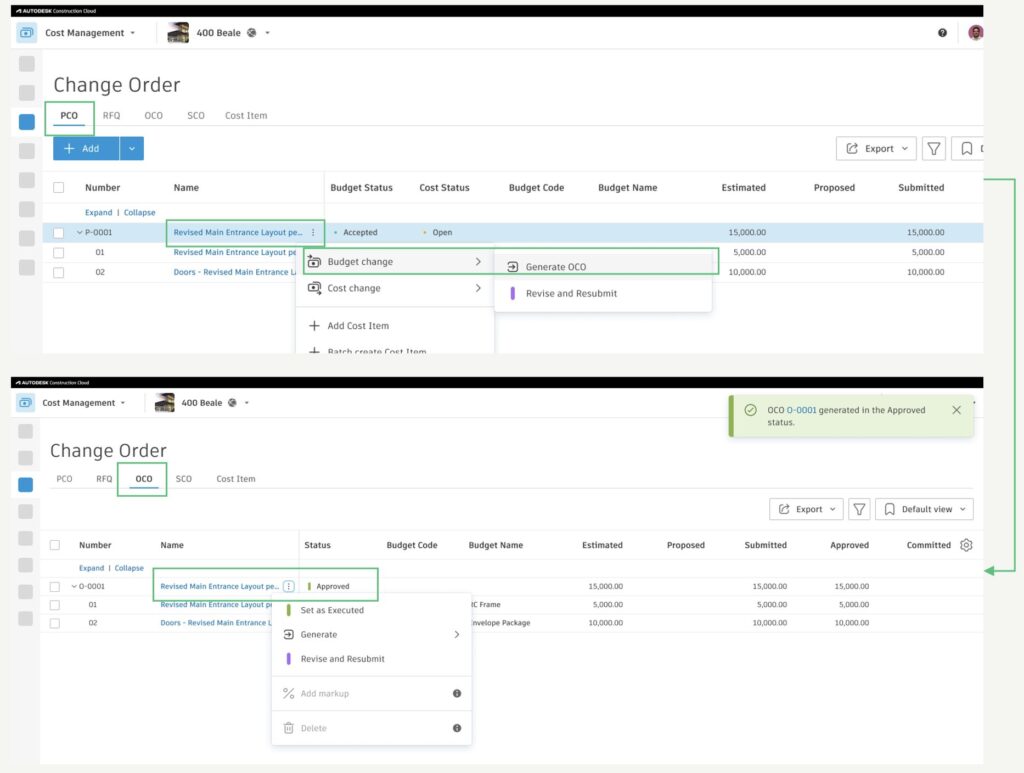
- Once simplified OCO Process is turned on, OCOs will be generated directly in the Approved status, including generate from PCO or COR.
- OCO will be generated in Approved status.
- Approval workflows will be bypassed.
- Required fields will not be checked when creating the Approved OCO. Those fields will remain empty in the Approved status. Set as Executed will be disabled until required fields are filled in.
- The directly approved OCO is no different from regular approved ones. Status actions are still available, including revert to previous statuses.
- Generate Sent SCO:
- Once simplified SCO Process is turned on, SCOs will be generated directly in the Sent status, including generate from PCO, RFQ, COR, OCO, Cost Item.
- SCO will be generated in Sent status.
- Approval workflows will be bypassed.
- Required fields will not be checked when creating the Sent SCO. Those fields will remain empty in the Sent status. Set as Executed will be disabled until required fields are filled in.
- Compliance requirements will not be checked when creating the Sent SCO. Compliance requirements will remain noncompliant. Set as Executed will be disabled until compliance requirements are met.
- The directly sent SCO is no different from regular sent ones. Status actions are still available, including revert to previous statuses.
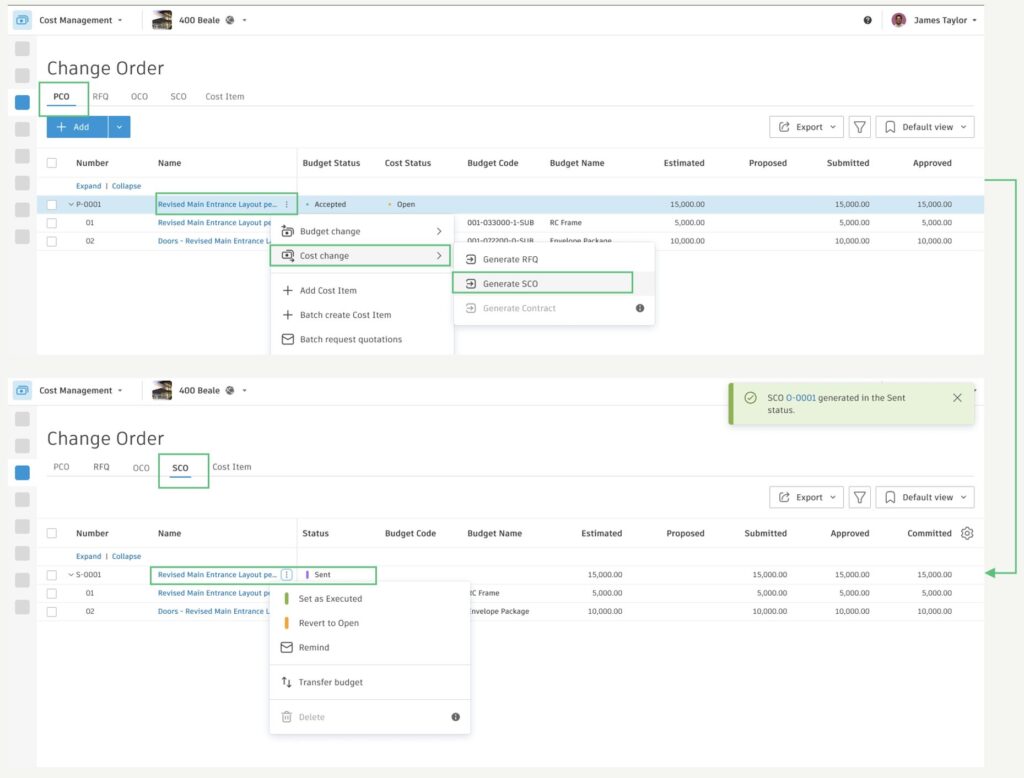
To learn more, see Simplified Change Order Process.
Settings
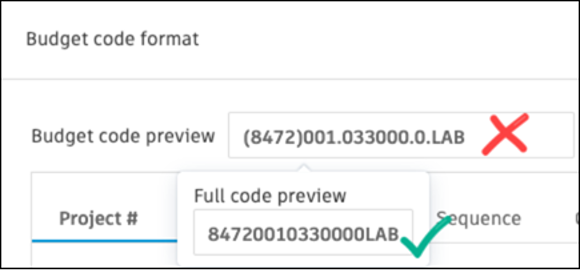
- Addition of Budget in Expense Item Import: Now when importing expenses via a spreadsheet, budget codes can be added to the template and imported directly.
Note: The budget code needs to be the unformatted ‘Full Code’.
- Approval Workflow Enhancement: “Reject” is now added as a Response option on the Supplier Change Order (SCO) approval workflow response page.

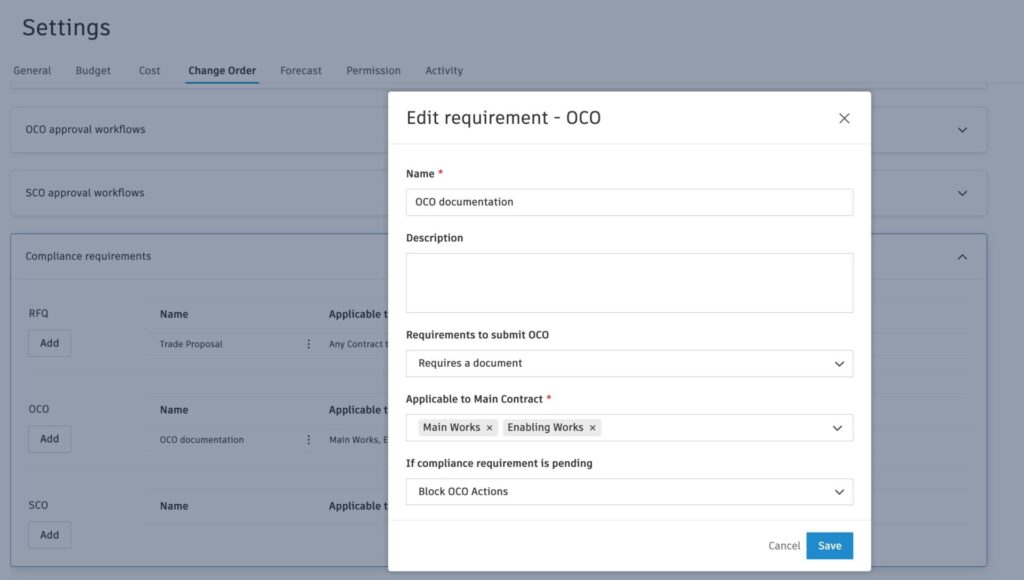
- Compliance Enhancement for Owner Change Order: A new option has been added to enforce required document attachments/expiration dates before sending OCOs.
- Cost Management’s Settings (Settings > Change Order > Compliance Requirements)
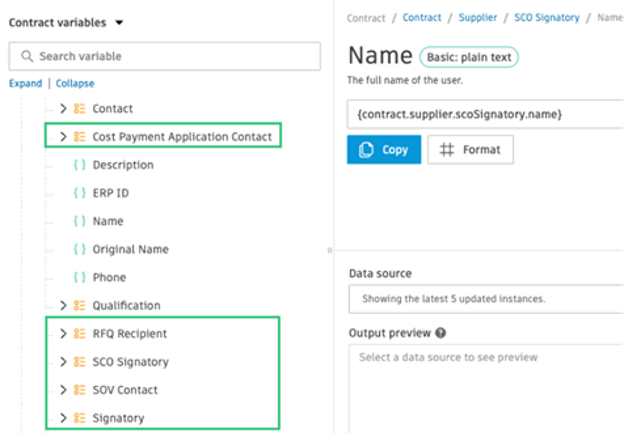
- New Document Variables: The following variables are now available for use within document templates.
- New Supplier Contract variables:
- Building on the e-signature enhancement above, new document variables are now available for additional contacts. These complement the existing ‘Supplier Contact’ variable, which continues to auto-direct to the correct contact.
- New Supplier Contract variables:
- New variables for total paid to date per contract:
- payment.contract.totalPaidAmount (Expenses’ paid + cost pay apps’ paid)
- payment.contract.totalPayAppPaidAmount (cost pay apps’ paid)
- payment.contract.totalExpensePaidAmount (Expenses’ paid)
- Data Connector Schema Enhancement: Locations attribute has been added to the data connector schema (cost_budgets).
