Save
Save
Note: Images are of Cost Management in Forma Build (previously known as Autodesk Build) and links direct to the Forma Build Help Site. However, the functionality is the same within BIM 360 Cost Management.
Budget Tool
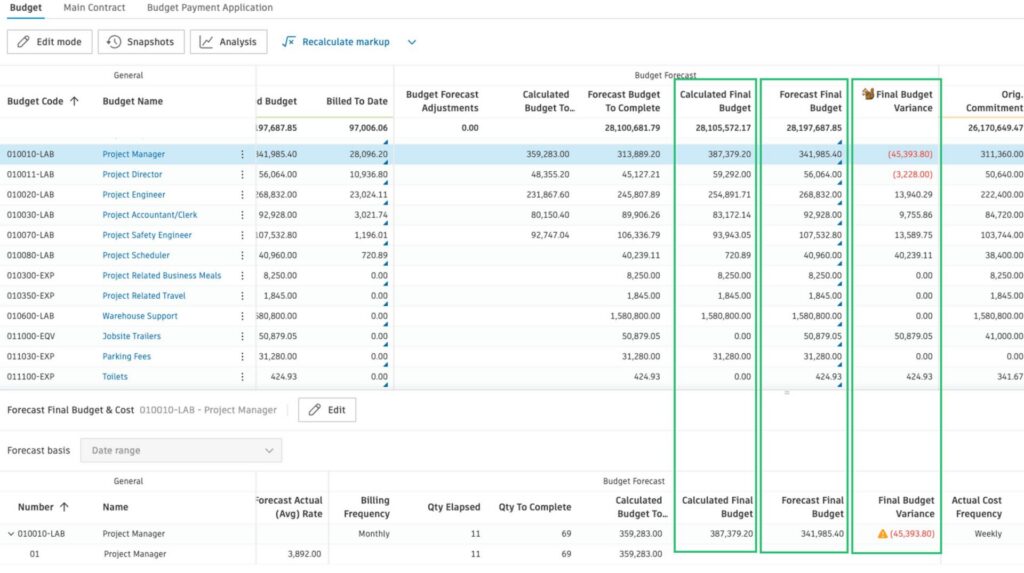
- Add Forecast Option Columns to Budget Overview Table – For teams using Date Range Resources and the newer forecasting options, this update makes it easier to access key final cost insights without expanding each line item individually.
- Two new standard columns—Calculated Final Budget and Calculated Final Cost—are now available in the budget overview table (they can be enabled from the gear icon).
- These values are derived from the project’s actuals and automatically update based on the Date Range Resource update schedule defined in Cost’s settings.
- This release also adds new base values that can be used when building custom calculated columns.
- Calculated Final Budget
- Calculated Final Cost
- Calculated Budget to Complete
- Calculated Cost to Complete
- Output Complete Qty
- In the example shown below, the Final Budget Variance column is a custom calculated field created using Forecast Final Cost and Calculated Final Cost.
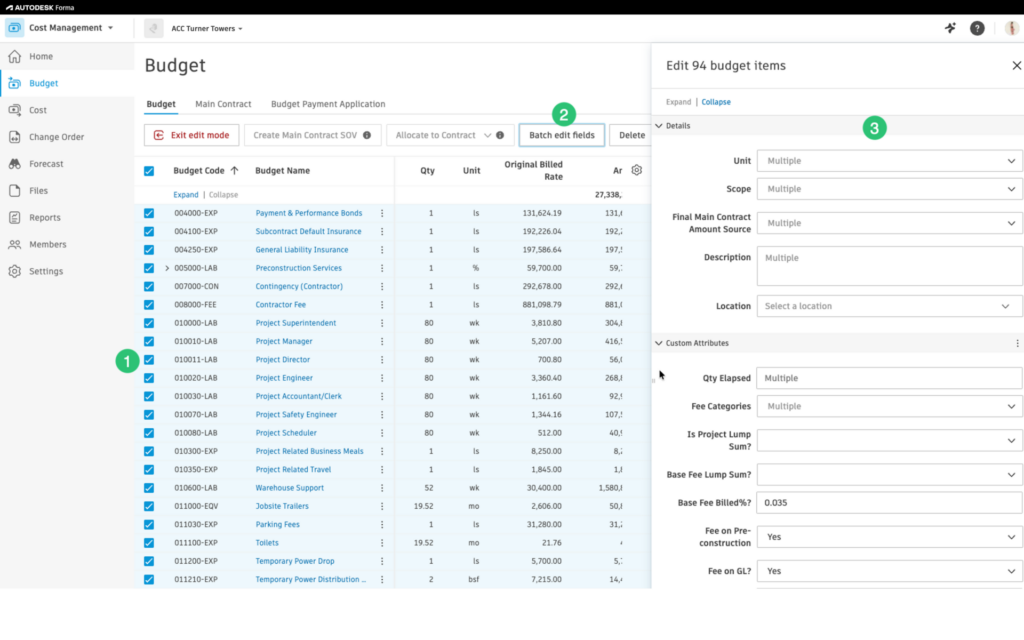
- Batch Apply Fields in Budget View – The new Batch edit fields button in the budget view allows teams to update fields across multiple budget line items at once.
- Enter Edit Mode and multi-select the desired line items.
- Click the new Batch Edit Fields button.
- Update the fields in the flyout and select Save to apply changes.Click the new Batch Edit Fields button.
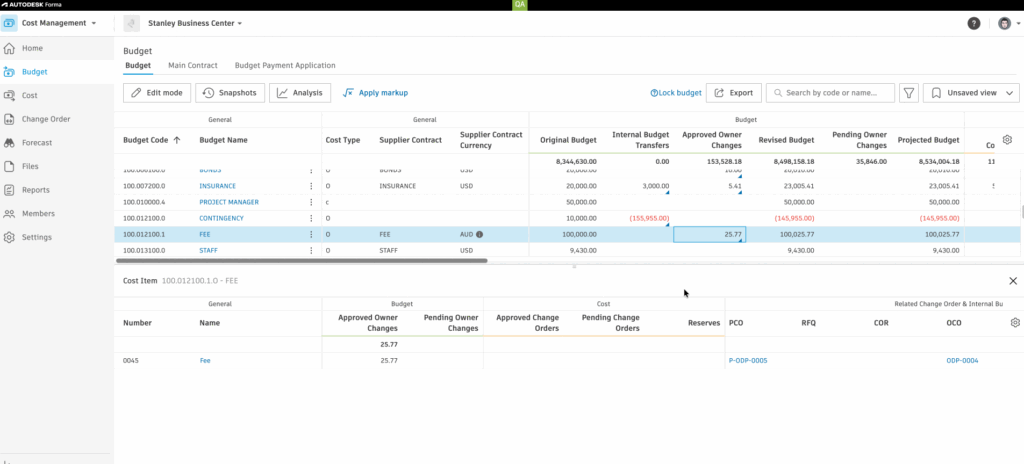
- Bottom Flyout Accessibility Enhancement –Now, when the bottom flyout is open, members can simply click a budget item name to access the desired information.
Settings Tool
- Custom Attributes & Required Fields for Collaborators – Project Admins can now make custom attributes visible to collaborators. And when needed, require them to complete specific fields.
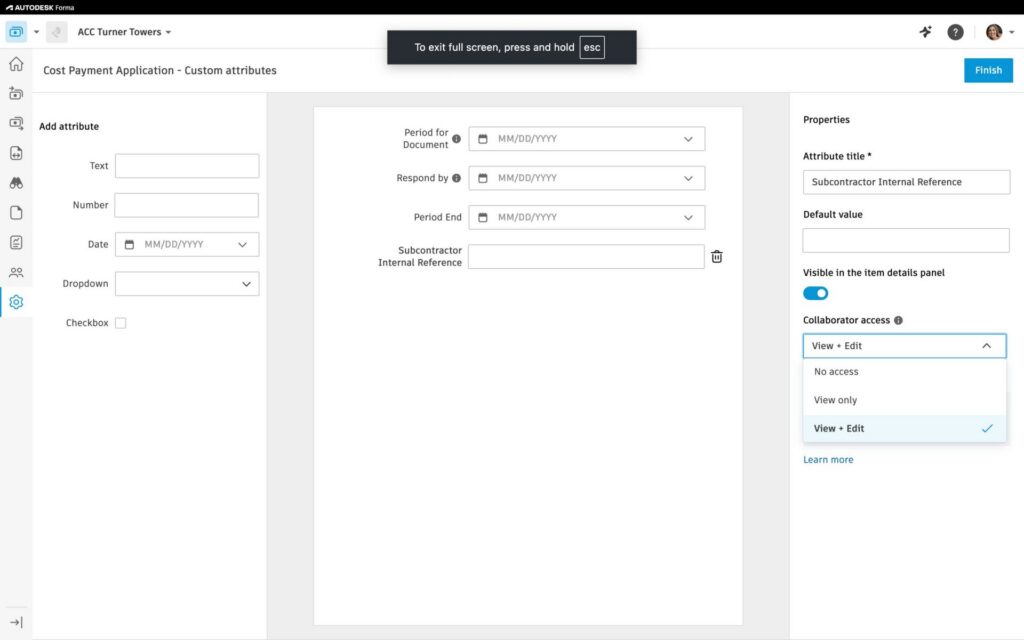
- Required Field Details:
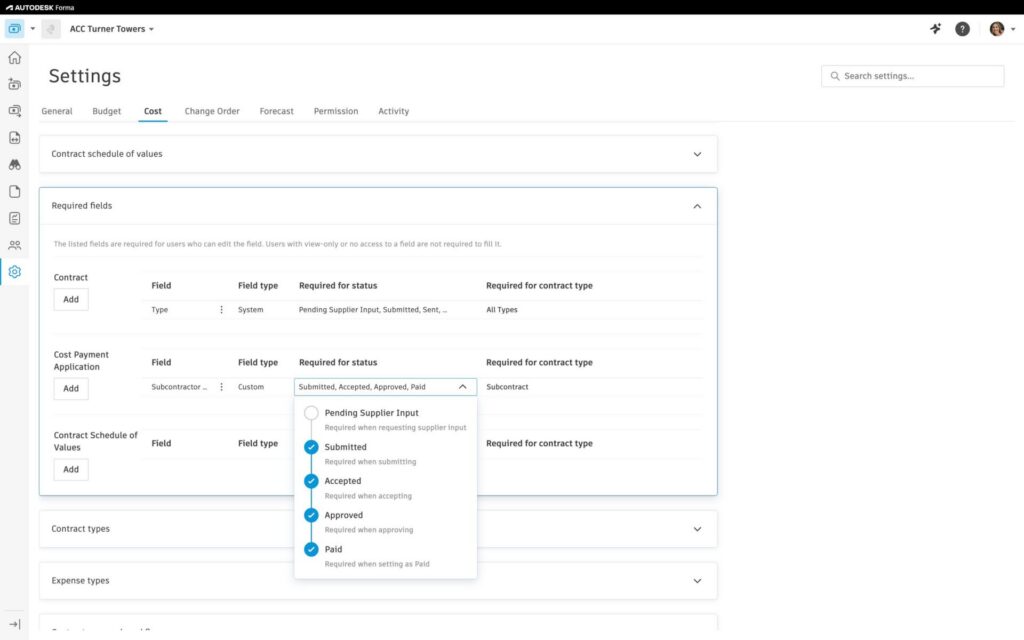
- In either Cost or Change Order settings navigate to the Required Fields section
- Click ‘Add’ and select the Required Field
- Define when completion is required based on status
- Apply requirements by contract type, if applicable
Cost Tool
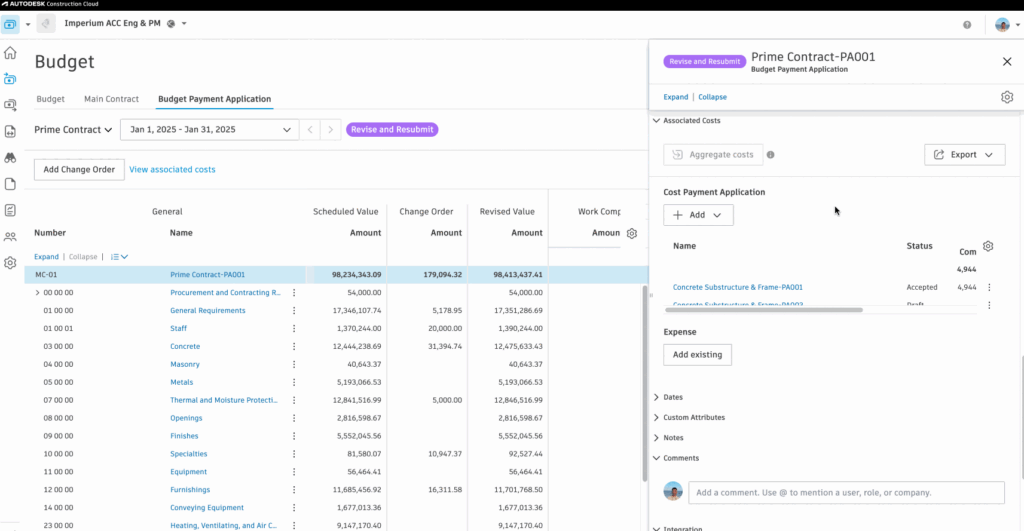
- Batch Create Cost Payment Application – Members now have the ability to batch create cost payment applications.
Change Order Tool
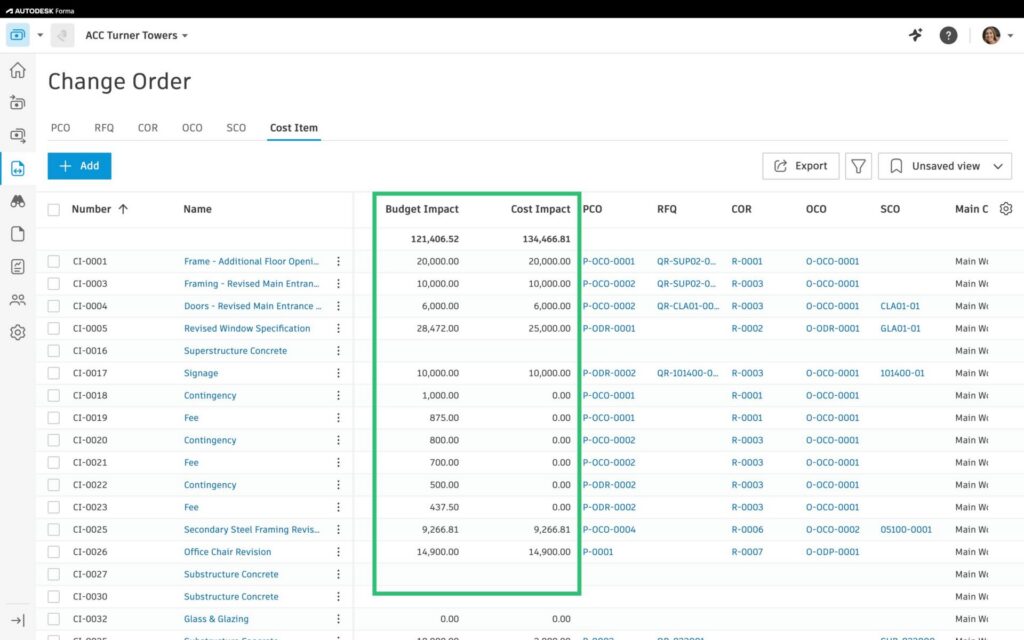
- Change Order and Cost Item Table Enhancement – Both Cost Impact and Budget Impact have been added as new standard columns in the change order and cost items overview tables (they can be enabled from the gear icon). This column shows the ‘active’ change order amount being used in the Budget overview table.