

 Save
Save
Note: Images are of Cost Management in Forma Build (previously known as Autodesk Build) and links direct to the Forma Build Help Site. However, the functionality is the same within BIM 360 Cost Management.
Budget Tool
- 3-Point Fee Forecast – Added 3-Point Fee Analysis to budget and revenue forecasting. This update introduces a fee analysis chart driven by admin-defined budget columns to surface fee opportunities, a markup calculator in the Budget view to recalculate markups based on the current forecasted Main Contract amount, and support for snapshot comparison. Together, these features give clearer visibility into the original plan, current forecast, and fee goal, helping teams project the final contract value and fee more accurately. To learn more, see Fee Analysis, Apply Markup Formula on Budget Columns, and Budget Snapshots.
My Home
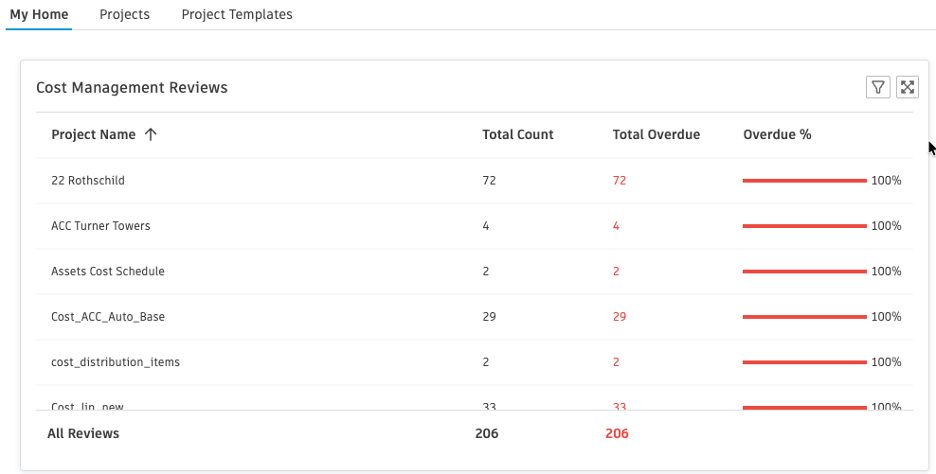
- Cross-Project Review Status Card – Extended the project-level Reviews card to My Home, giving members a consolidated view of in-review items across all cost projects they belong to. To learn more, see Cost Home.
- To add the card in My Home, select Customize > Card Library > Cost Management Reviews, then click Add Card.
Change Order
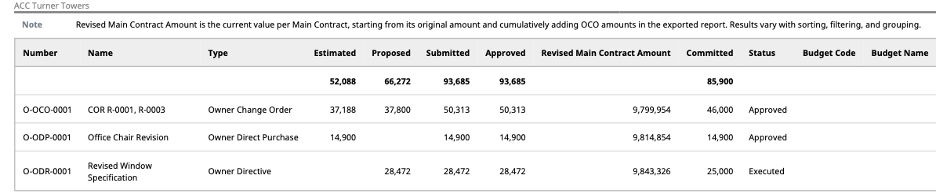
- Owner Change Order (OCO) Report Enhancement – The feature is opt-in: members toggle it on before running the report. When enabled, the exported report adds a new Revised Main Contract Amount column showing the running cumulative contract value per main contract, including all approved OCO amounts. To learn more, see CORs, OCOs, and SCOs.
- Time-Range Filter and Project Totals on List Views – Added a time-range filter to the Change Order list views (PCO, RFQ, COR, OCO, SCO, Cost Item) and the Cost Payment Application list view, so you can quickly narrow the table to a specific period (past month, three months, six months, year, or a custom range). Applying any filter — time-range or panel — also adds Project Total and Filtered Total rows at the top of the table, so you can compare the filtered slice against the full project at a glance. To learn more, see Filter and Group.
Forecasting
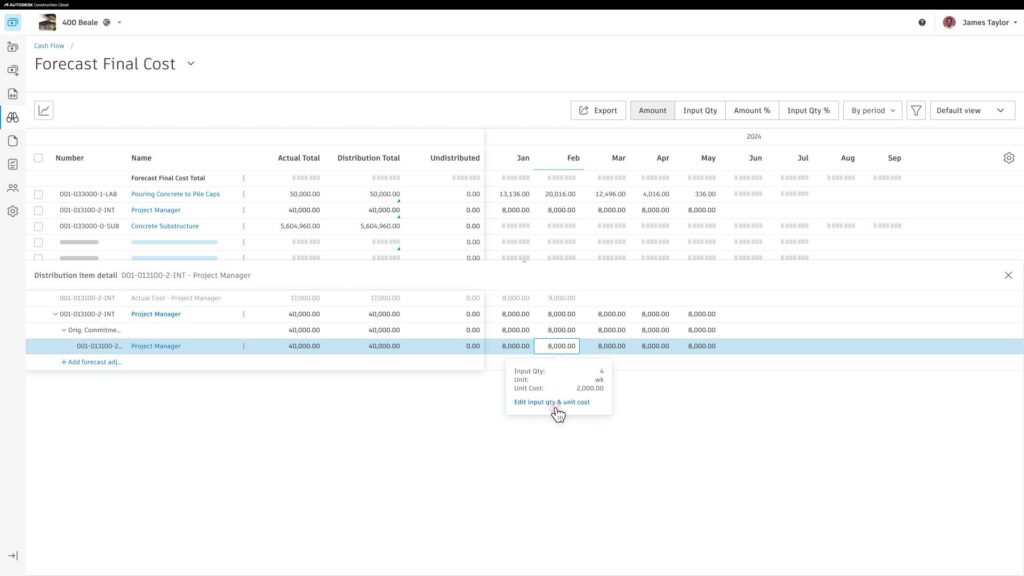
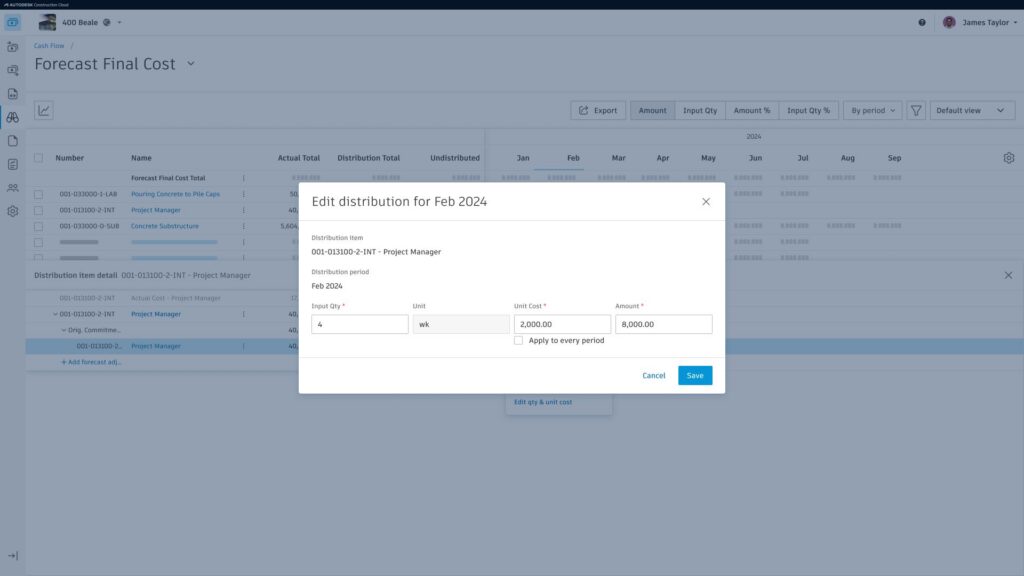
- Cash Flow Enhancement – Members can now modify quantity and unit cost per cost period directly in the cash flow table, making it easier to plan labor and other time-based resources. To learn more, see Quantity Distribution.
Settings
- Compliance for Tax Calculation – Adds new compliance rules that require tax to be calculated before submission. Teams can block submissions until tax is applied. Applies to:
- ContractsChange OrdersBudget Payment ApplicationsCost Payment Applications
- To learn more, see Compliance Requirements.
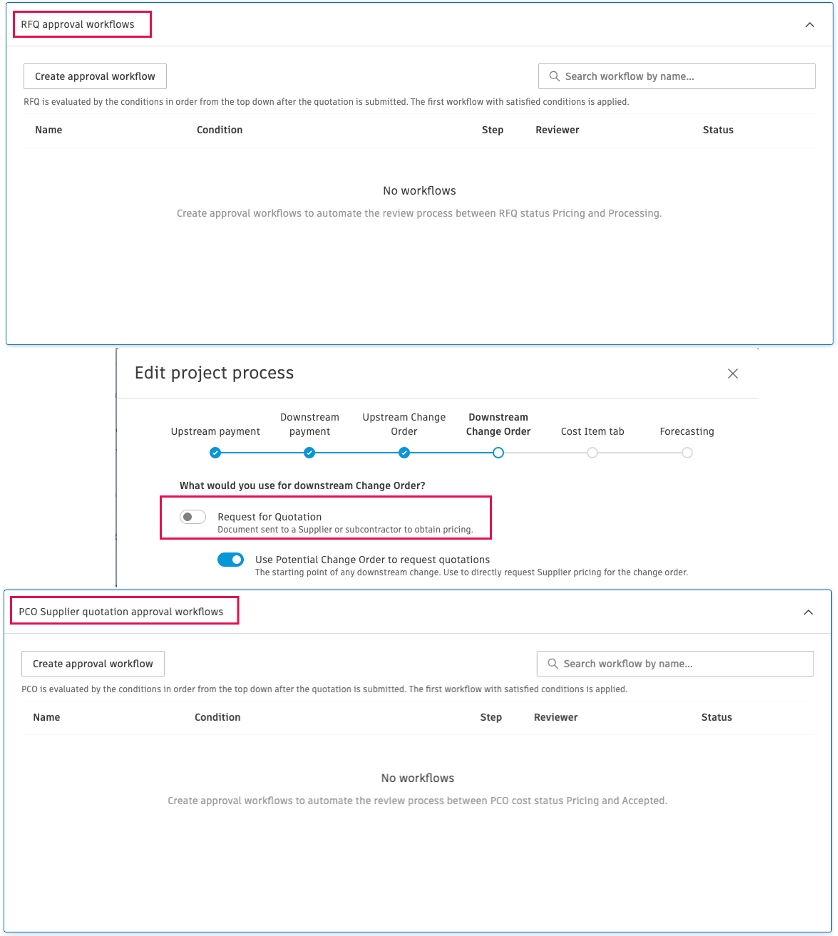
- Approval Workflows for RFQs and Collaborator PCO Submissions – For projects using the Use Potential Change Order to request quotations setting (which lets suppliers enter change requests directly), there is now an approval workflow to route requests through multiple reviewers. The same workflow can also be applied to regular RFQs. To learn more, see Approval Workflows, Requests for Quotation, and General Cost Settings.
- Document Template Enhancement – Document templates now expose Tax Base Amount as a variable. To learn more, see Document Templates.
