 Zach Kron
Autodesk Forma, available in the AEC Collection or as a standalone subscription, offers powerful AI-powered tools for architects and designers in pre-design and schematic design phases.
Executive summary
- This blog post is based on the Autodesk University 2025 session:
Get Dirty with Data: Building Forma Cloud Data with Dynamo. Watch the full session here. - Exchanging data between applications is a recurring problem in architecture, engineering, and construction. We risk under-sharing and over-sharing, we worry about working on different versions of a project, and we find our data formats have become incompatible!
- In this article we show an example of how a user can retain data integrity across applications by deconstructing data in one place and then translating and reconstructing it in a meaningful and additive way somewhere else so that we can get the most out of each application.
- We offer a reusable Dynamo script to share data, which in this example takes a model designed elsewhere and reconstructs it as a native building in Forma. This of course is just an example workflow to show what is possible more than it is necessarily a frequent use case.
AEC workflows still rely heavily on file exchange. Despite our best efforts we often lose data fidelity along the way. But what if instead of moving files, we could reconstruct them and utilize the special sauce each application offers? A new workflow using Dynamo’s Forma extension demonstrates how to deconstruct BIM building and room data and reconstruct it as Forma buildings, maintaining data relationships while unlocking cloud-based analysis capabilities that weren’t possible before.
When smart data becomes dumb files
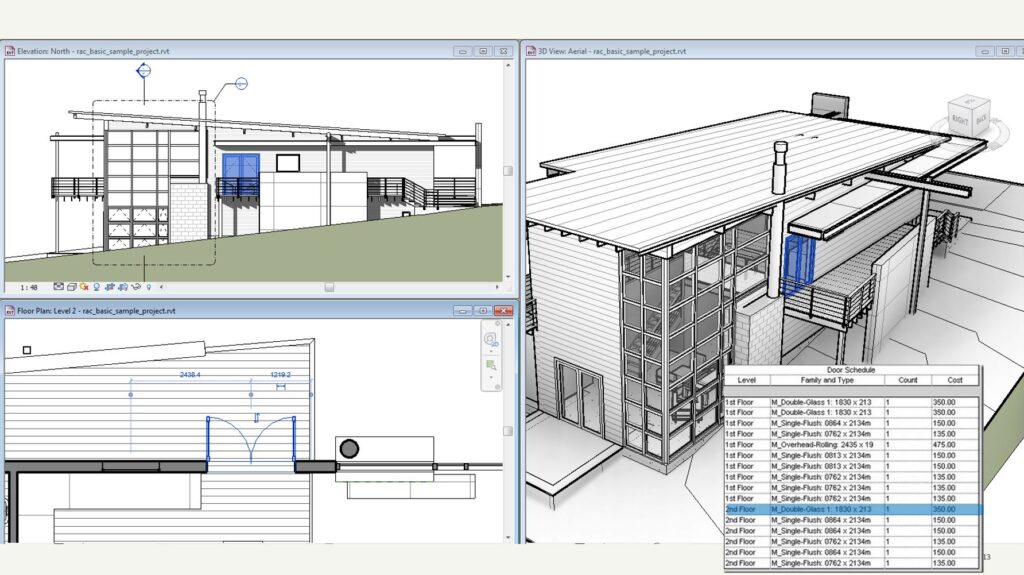
BIM applications like Revit excel at creating models where data and data behavior are closely connected. For instance, a door or a room in Revit knows its boundaries, function, and relationships etc, and packages this system and information into the object itself.
However, if you want to leverage Forma Site Design to analyze building performance e.g. daylight potential on facades or embodied carbon, trouble sets in. The traditional solution involves exporting geometry and hoping the receiving application can make sense of it. Data gets flattened, relationships are severed, and what was once an intelligent building element becomes a collection of surfaces with no memory of its original purpose or context.
Separating data and behaviors
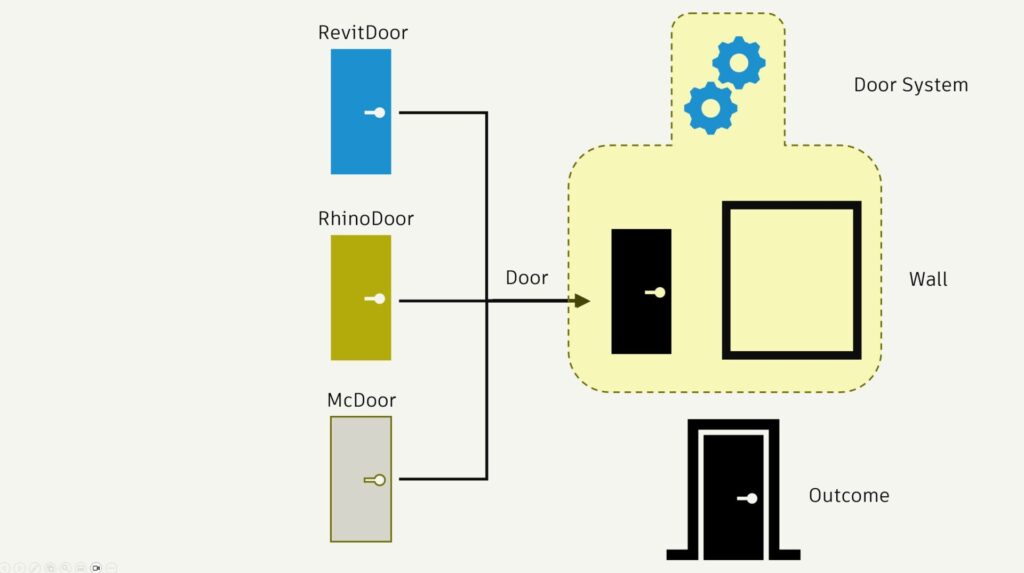
BIM software, for example Revit, authors doors or room data that is only natively fully consumed by itself. While Revit creates powerful outcomes by combining this data and behavior (The door contains a system that knows to cut holes in Walls) it also silos this information. If the same door is consumed by another application the system is not recognized.
Forma’s element system uses a method that allows independent systems to act on partially intelligent or simple mesh objects. These elements can participate in a system without necessarily having been designed by or for that system. This approach has been in use in many other modern applications (such as game engines or other applications that need massive numbers of elements in complex interaction).
The DynamoForma extension works directly with this approach of data and behavior separation. Instead of treating applications as silos that communicate through files, it enables direct data transformation between platforms.
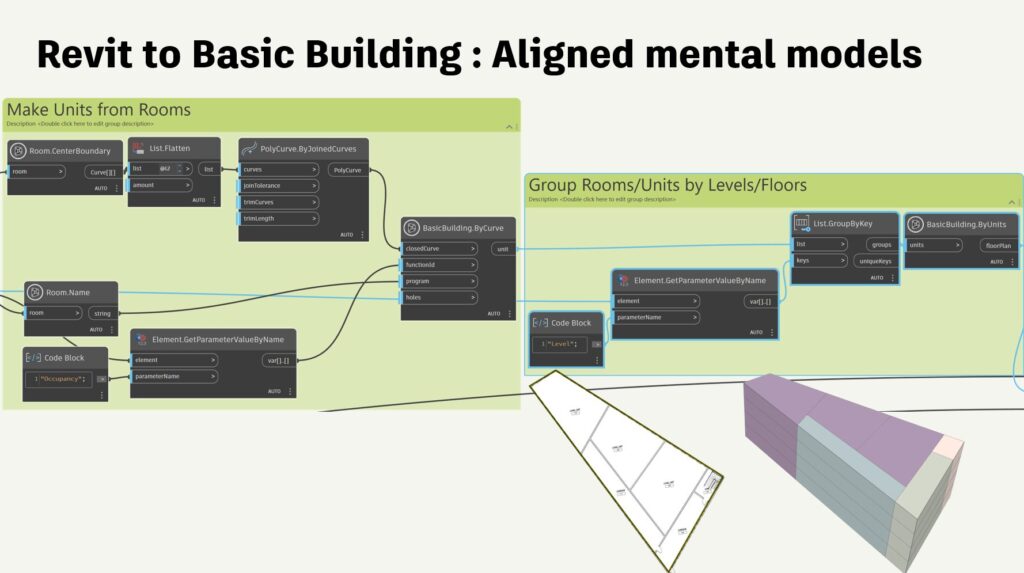
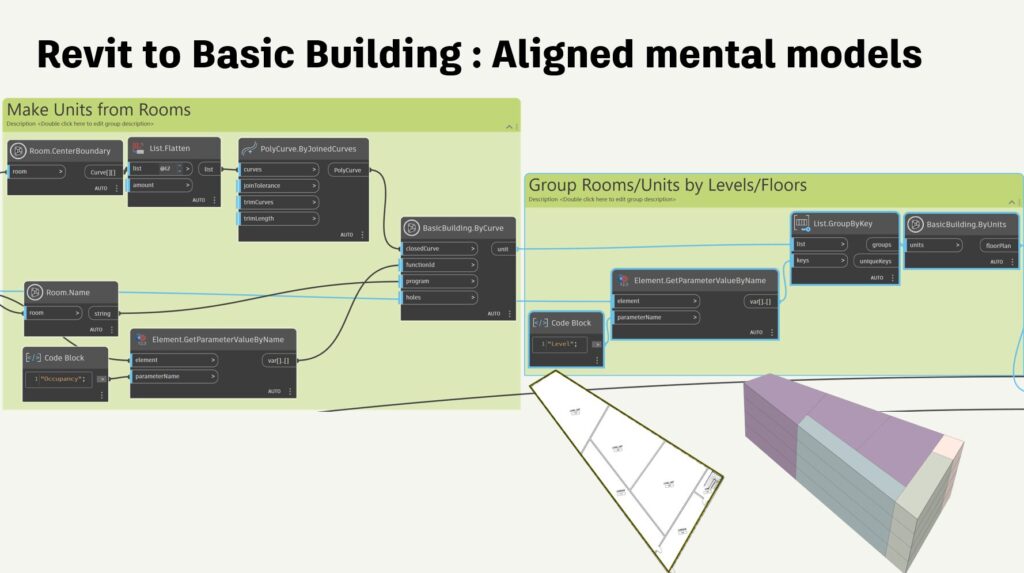
The process begins by reading Revit rooms as discrete data packets—extracting their boundaries, heights, functions, and spatial relationships. We use Dynamo to deconstruct it into component parts that can be reassembled according to Forma’s data structure and keeping data integrity on both sides. Revit rooms become Forma units. Revit levels translate to Forma floors. Which enables us to make Forma buildings. All through Dynamo.
Intelligence that transcends applications
When the reconstructed data arrives in Forma, something remarkable happens. The building doesn’t just look the same—it behaves as if it was designed in Forma Site Design from scratch. Forma’s analysis systems immediately recognize the facade elements, understand the roof geometry, and can differentiate between interior and exterior spaces.


This means daylight analysis can focus on facade performance rather than roof surfaces, Carbon assessments can account for the building’s actual envelope characteristics, and building key metrics can track for changes made in floorplan layouts. The workflow preserves not just geometry, but the semantic relationships that make analysis meaningful. A room that was “residential” in Revit remains “residential” in Forma, participating in program calculations and unit counting automatically.
Beyond beta: the future of extensibility
While both Dynamo’s Forma extension and Forma’s API remain in beta, this workflow points toward a more fundamental shift in how design applications interact. Rather than each tool maintaining its own isolated data universe, we’re moving toward systems that can share intelligence directly.
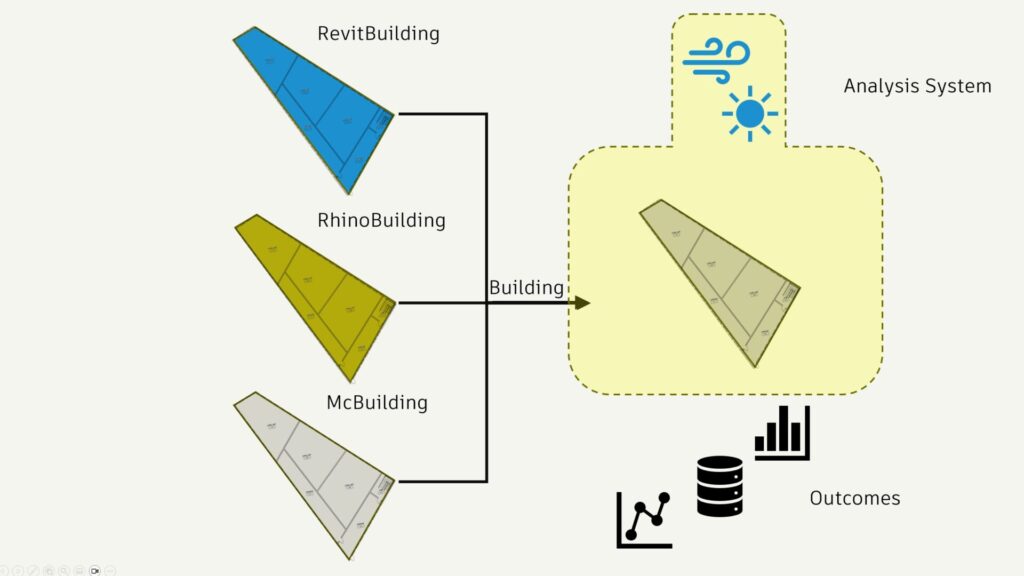
This isn’t just about Revit and Forma. The same principles apply to any workflow where intelligent data needs to cross application boundaries while maintaining its analytical value. Rhino models, SketchUp geometries, or custom parametric tools could all participate in this kind of direct intelligence transfer.
As AEC software continues evolving toward connected cloud platforms, workflows like this preview a future where data intelligence flows as freely as geometry—opening new possibilities for analysis, collaboration, and design optimization that no single application could achieve alone.
The complete Dynamo script used in this demonstration is available for and free to use providing you a concrete starting point for cross-application intelligence. Download it here.