 Blake Avery
 Brandy Ryan

Presentation 1: AI-accelerated Design & Engineering — Matthias Bauer
At AIF 2025, the Autodesk NavPack team presented a clear message: AI is rapidly reshaping the relationship between design and engineering. Across “AI-accelerated Design and Engineering” and “Deep Dive: How to leverage simulation data for AI-accelerated design and engineering,” Matthias Bauer and Jakob Lohse demonstrated not only why AI-driven workflows matter, but how designers and engineers can build and deploy these systems using their own high-quality simulation data.
Presentation 2: Deep Dive on how to leverage simulation data for AI-accelerated design & engineering — Jakob Lohse
NavPack offers a future where real-time engineering insight becomes a natural part of early creative exploration—and where simulation data becomes a living asset that powers ongoing innovation.
“AI-Accelerated Engineering and Design”: Why AI acceleration matters
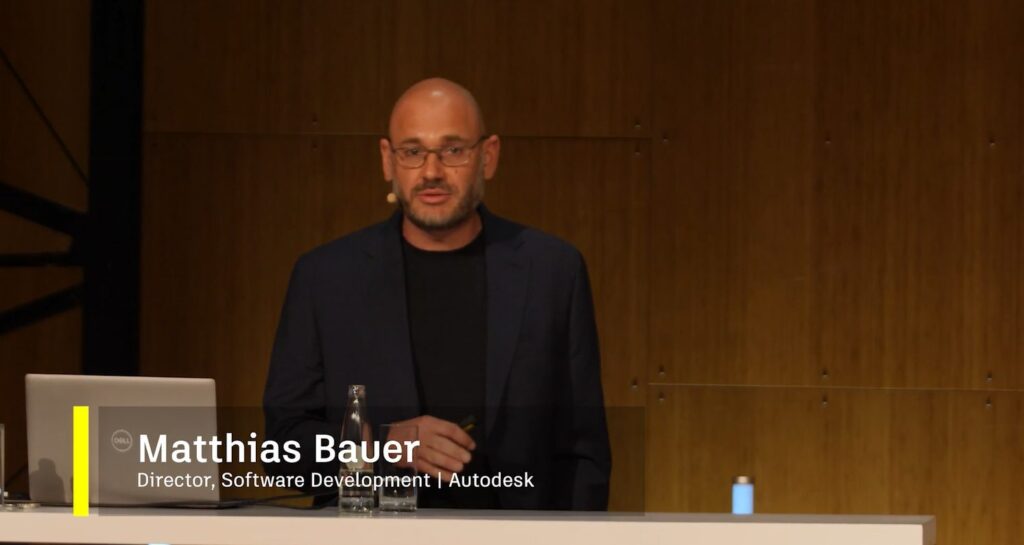
NAVASTO cofounder Matthias Bauer opened with his decade-long journey into the world of AI models. NAVASTO, now part of Autodesk, began exploring machine learning for engineering problems long before today’s AI momentum.
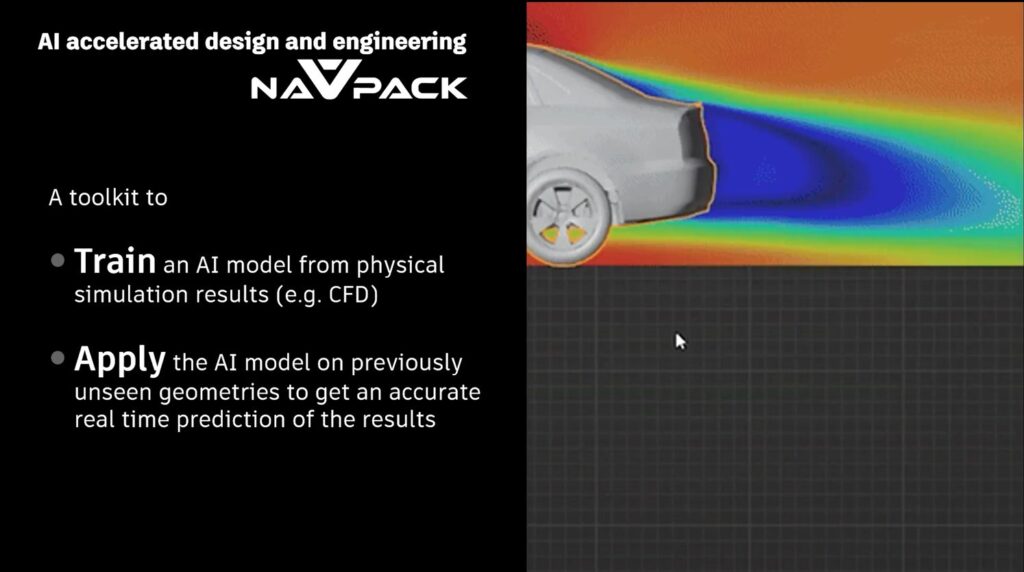
Their flagship technology, NavPack, enables customers to train custom physics-based AI models using their own simulation datasets: CFD, crash, thermal, durability, and any other domain where geometry can be linked to performance.
NavPack features two core capabilities:
1. Predictive AI for Real-Time Performance
Designers can bring a geometry from Alias directly into a NavPack-trained model and receive instant predictions of performance metrics like drag, lift, pressure fields, or flow structures. This process once required days or weeks and a lengthy workflow: geometry cleanup, engineering handoff, simulation runs, post-processing. It’s now compressed into seconds.
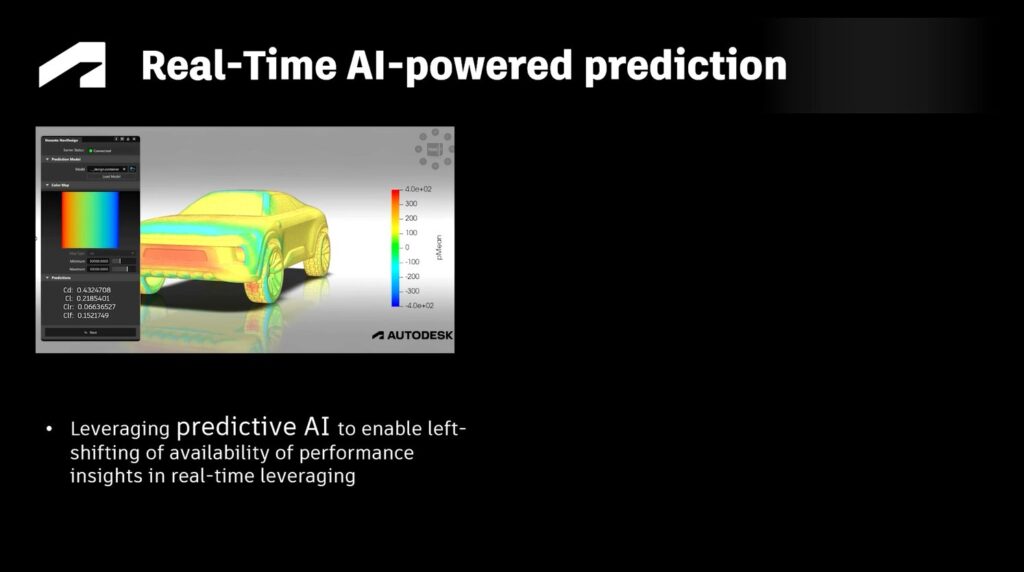
Predictive AI doesn’t replace simulation. Instead, it left-shifts engineering insight so designers can rapidly test ideas, evaluate their impact, and enter discussions with engineering armed with data rather than guesswork.
2. Generative AI for Design Variation
NavPack’s generative capabilities create new geometry variants based on customer-specific design data. Unlike unconstrained optimizers that would converge on unrealistic “droplet-like” shapes, generative models remain grounded in brand identity and surface quality.

This enables exploration of a range of plausible shapes within the expected design language, each of which can be evaluated instantly using predictive AI.
Accuracy, Trust, and the Value of Your Data
A recurring question in every engineering conversation is: Can we trust AI predictions?
It’s a crucial question, Matthias acknowledges.
When trained on validated, high-quality simulation data, NavPack models can produce predictions that match CFD within the noise level of the simulation itself. Wake slices, in-plane velocities, and drag curves all showed near-identical behavior between NavPack and first-principles solvers.
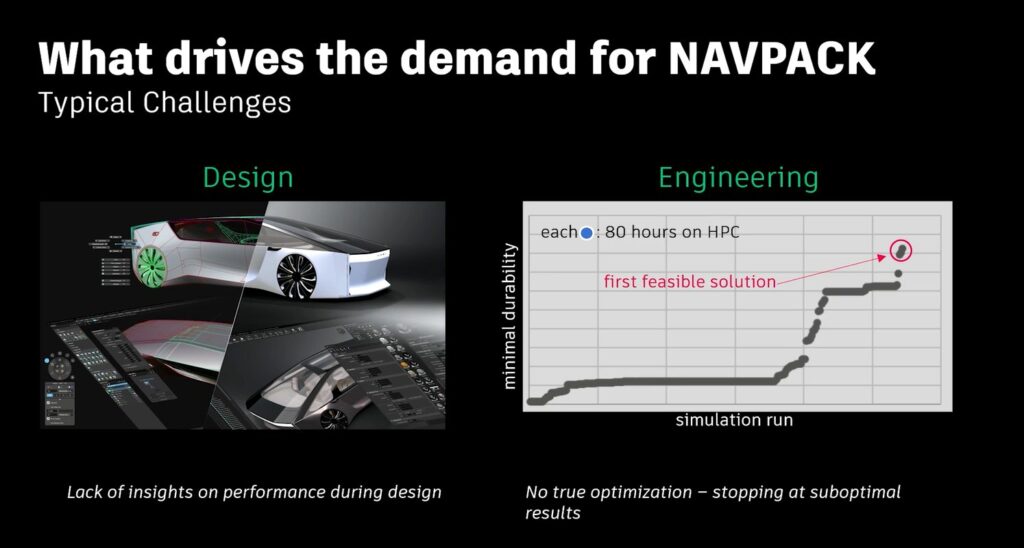
But accuracy is only part of the story. Trust also requires knowing when not to trust a prediction.
Using AI simulations is not a magic trick. By left-shifting insights and making them available within Alias, we are trading the generalizability of a “first principle” tool for the speed of an AI model. This is not a “solver.” The AI model will work on what it was trained to do, but it can’t solve every problem, and it’s not going to replace simulation.
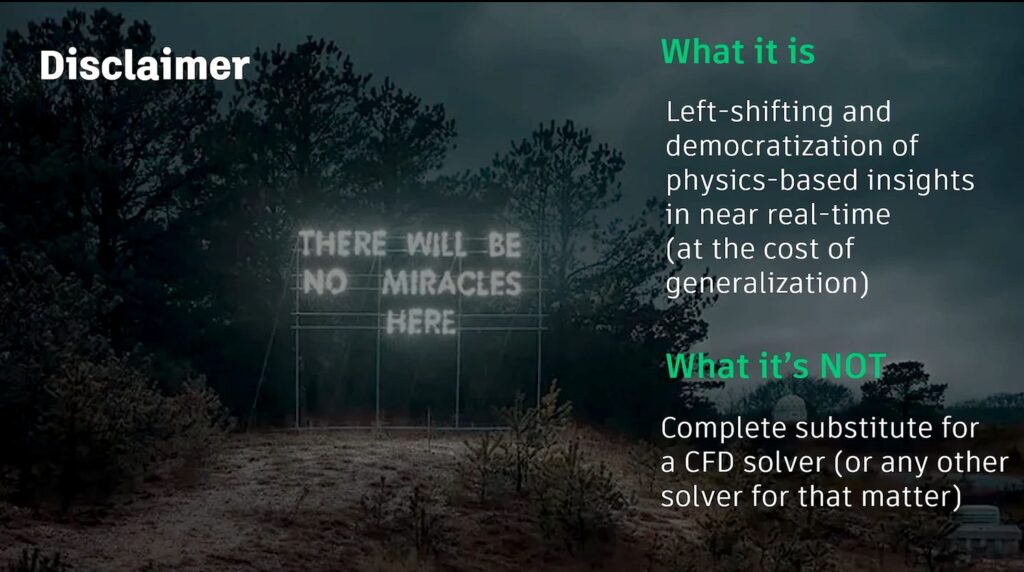
NavPack incorporates uncertainty quantification to flag results that fall outside the model’s training domain. If a geometry includes features the model has never seen—like adding a spoiler when the dataset includes only spoiler-free variants—the system warns the user and highlights the affected regions. Engineers can then run targeted simulations to expand the model’s knowledge.

Over time, NavPack becomes more than a model; it becomes a knowledge base distilled from years of simulation work.
NavPack in action: GM Motorsports and Audi
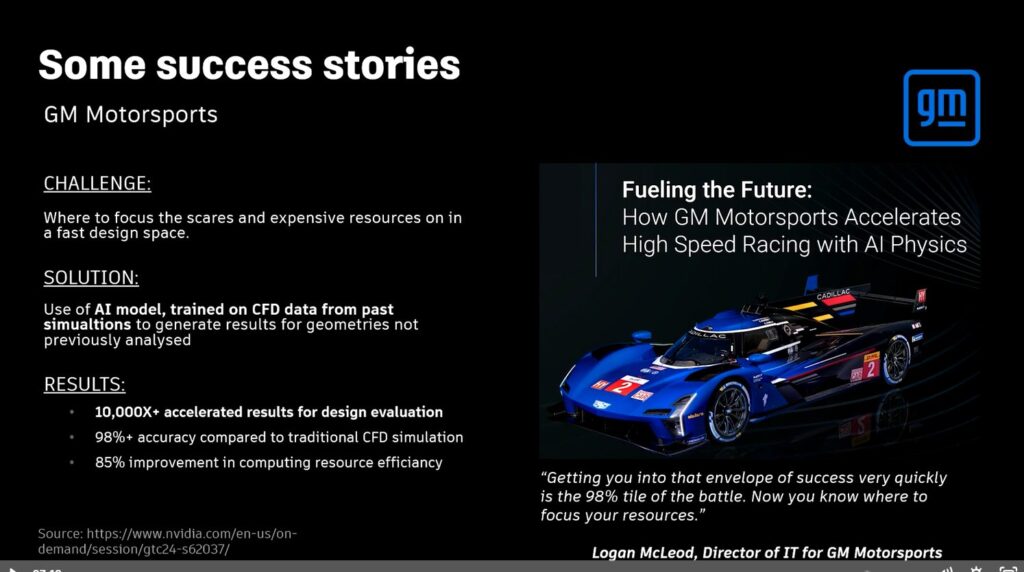
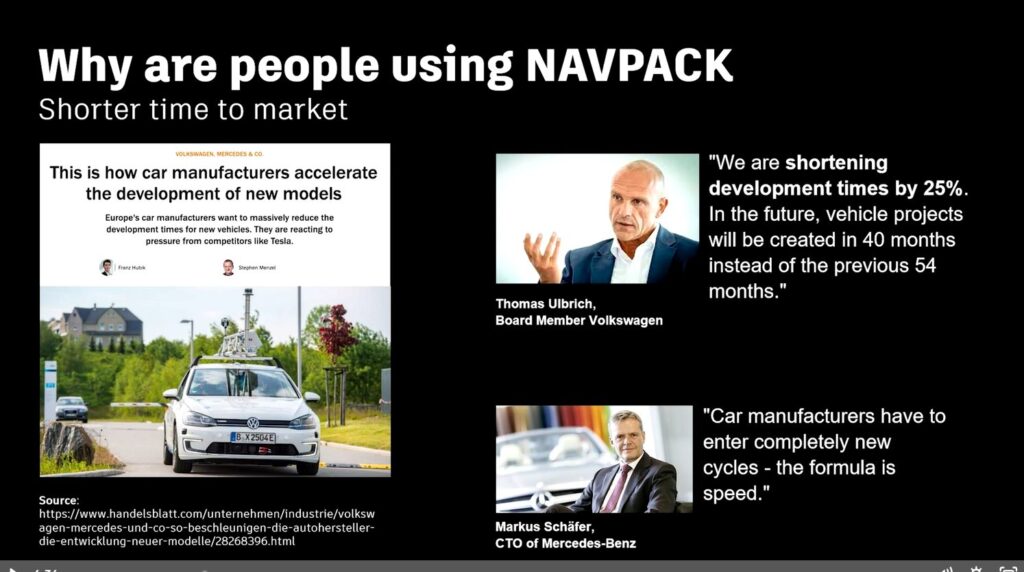
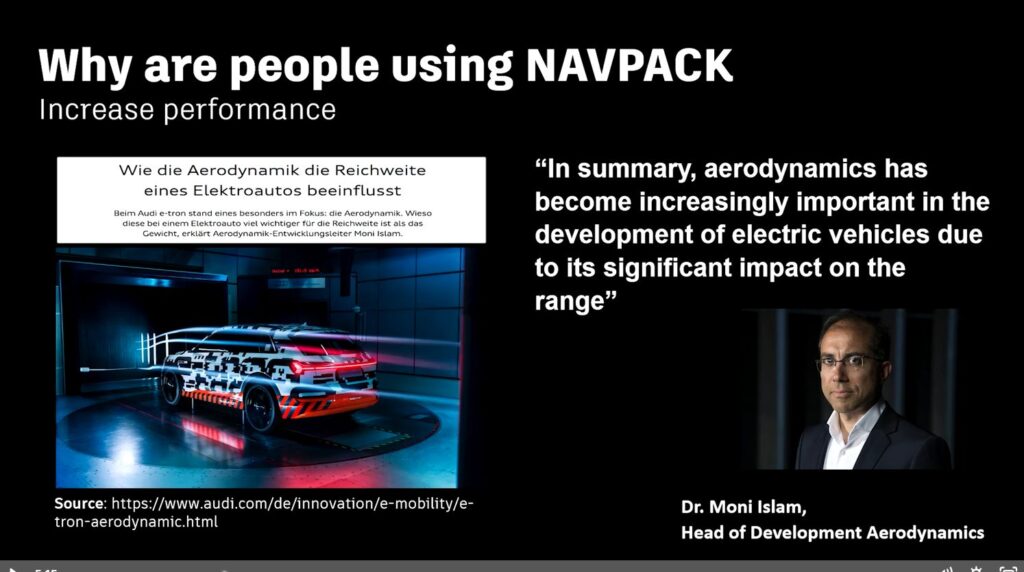
Matthias noted that companies like GM Motorsports and Audi have already begun leveraging AI-accelerated workflows to transform their development cycles.
GM Motorsports used NavPack’s predictive capabilities to evaluate subtle aerodynamic adjustments across racing geometries, dramatically reducing iteration time during competitive season development—where every hour matters.
Audi explored the use of AI-driven sensitivity maps and rapid drag predictions to guide surface refinement, enabling their teams to validate design directions earlier and reduce late-stage simulation churn.
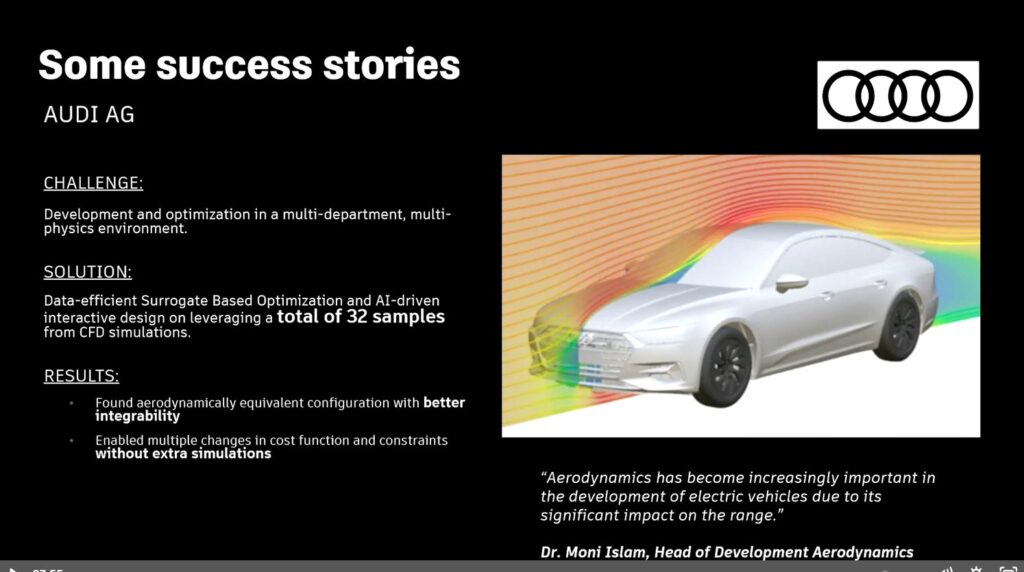
These examples reinforced a shared message: when predictive AI is paired with high-quality simulation data, teams gain speed, confidence, and clearer communication between design and engineering.
“Deep Dive: how to leverage simulation data for AI-accelerated design and engineering”

Jakob Lohse’s Deep Dive built on Matthias’s presentation, moving from why the technology matters to how it works behind the scenes. Jakob dug into data preparation, model training, and deployment workflows, all key considerations for teams planning to integrate AI into their engineering and design processes.
How simulation data becomes a real-time AI model
1. Start With the Right Questions
AI models offer the most value if they are built with purpose, so Jakob recommends that before teams begin training their model, they must understand their data landscape:
- Which simulation results exist? CFD? Structural? Thermal?
- How many variants? A handful? Hundreds? Thousands?
- Which geometry types must the model learn? NURBS, SubDs, meshes, or mixed?
- Who will use the model? Designers? Engineers? Both?
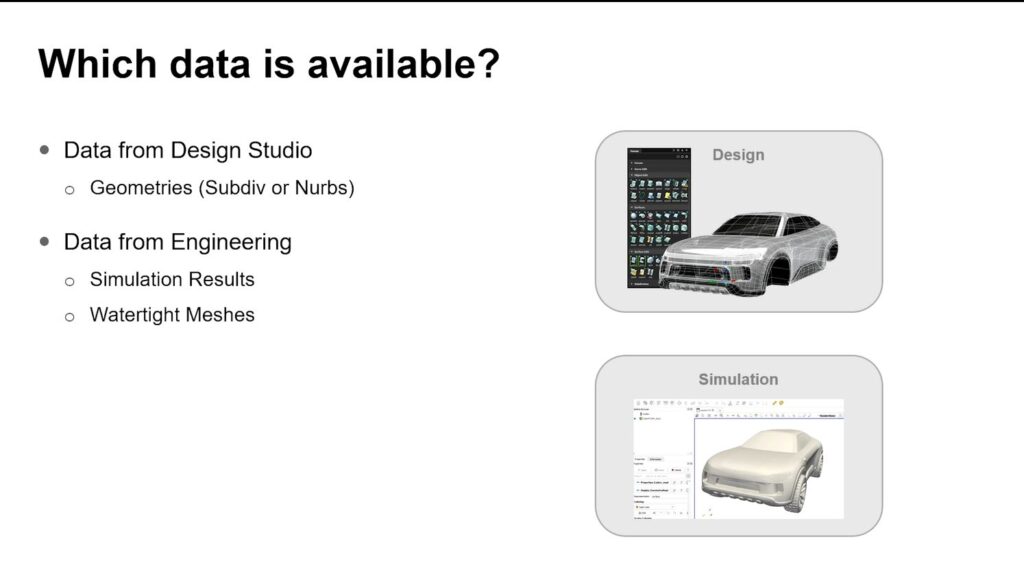
NavPack models don’t require watertight geometry. They simply need consistent examples of the geometry representations the team wants the model to evaluate.
2. From Parametric ML to Direct Geometry Learning
NavPack evolved from early parametric models to modern geometric deep learning.
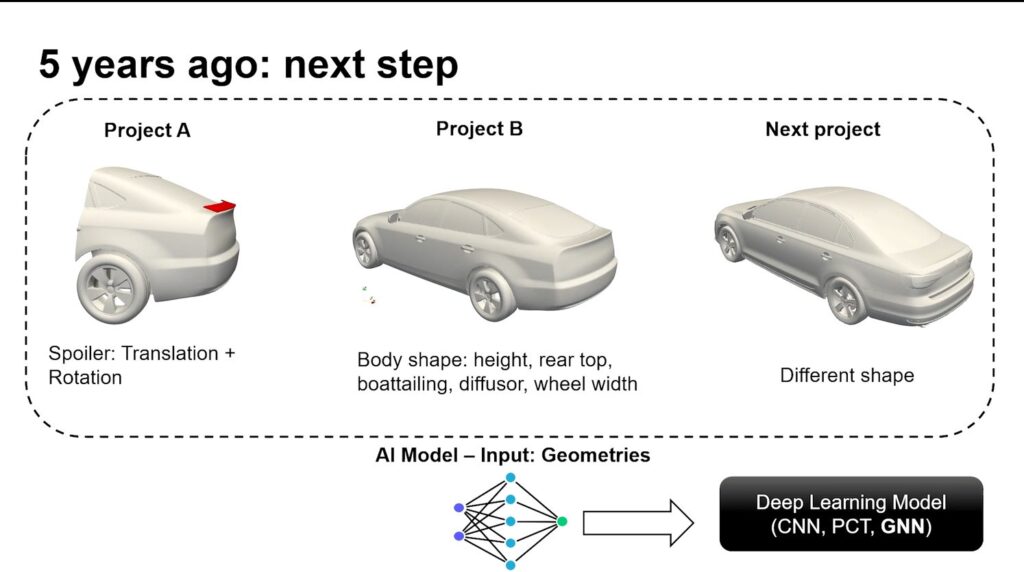
GNNs (Graph Neural Networks), for example, allow NavPack to operate directly on complex 3D geometry, giving designers complete freedom to push, pull, sculpt, and refine surfaces without being constrained by predefined parameters.
3. An example of the NavPack AI Training Pipeline
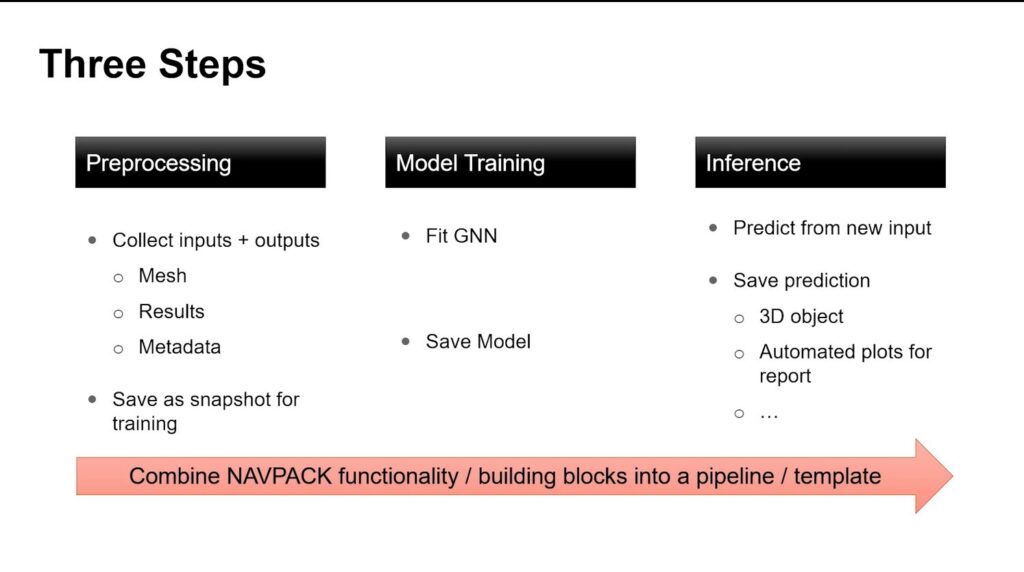
The pipeline has three major phases:
Pre-processing
Simulation results are collected from engineering environments—often tens or hundreds of gigabytes per case—and converted into an efficient snapshot format. NavPack’s geometry-transfer tools ensure simulation outputs can be mapped to the geometry types used in Alias.
Model Training
Teams use NavPack’s Python API or browser tools to train deep learning models, optimize losses, tune hyperparameters, and validate predictive accuracy.
Inference & Deployment
Trained models run in seconds—even on a laptop. Predictions can be accessed through:
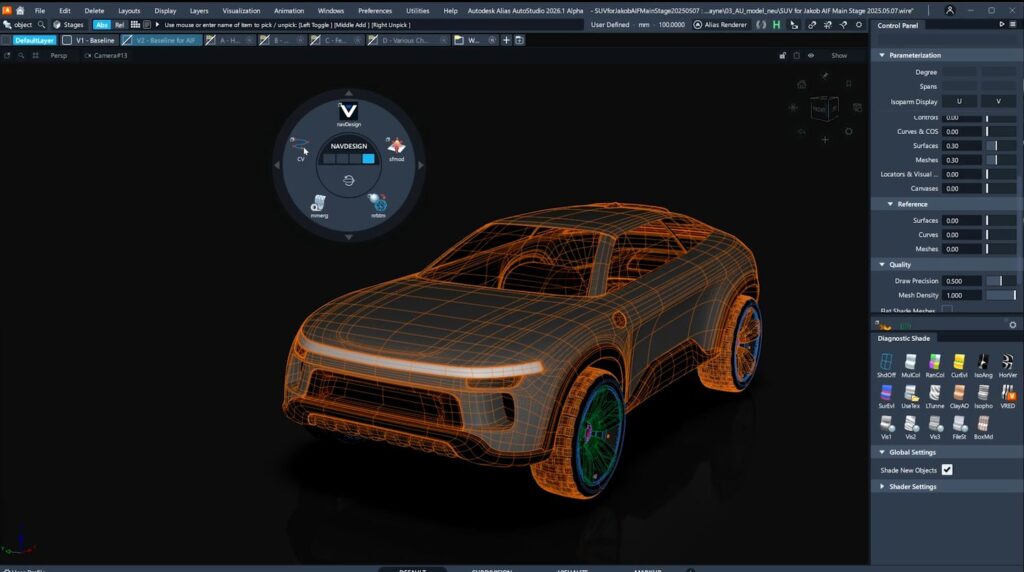
- NavDesign inside Alias
- ParaView
- Blender
- Python workflows
- Custom Integrations in tools like Beta Ansa

This flexibility allows organizations to integrate AI-powered engineering insight across design, visualization, and simulation teams.
Real-Time Insight Inside Alias
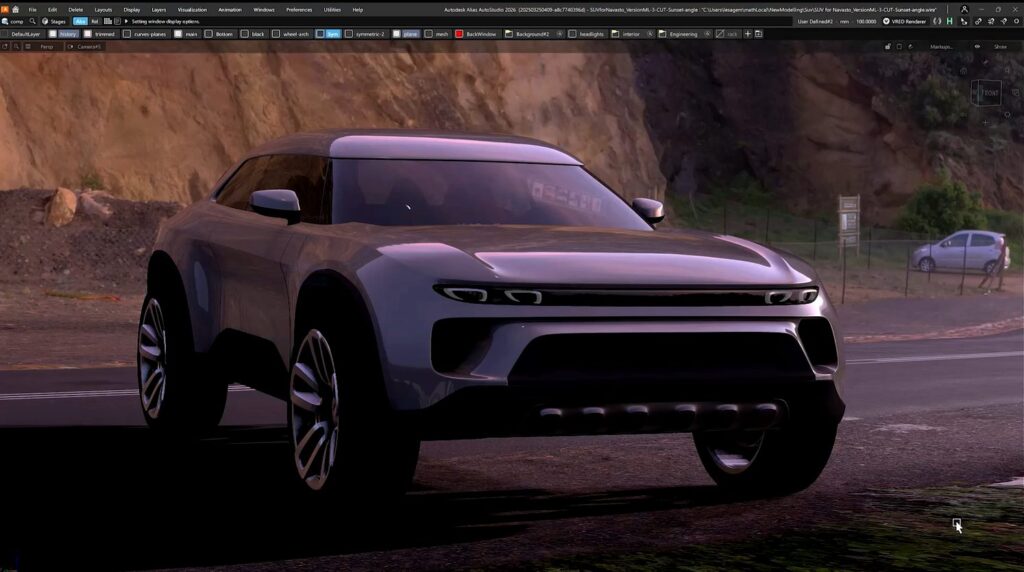
The integration of NavDesign within Alias brings design and engineering closer. Designers can load a trained model, select geometry, and access the information stored in the model with the click of a button to see pressure fields, KPIs, and sensitivity maps overlaid directly onto their surface models.
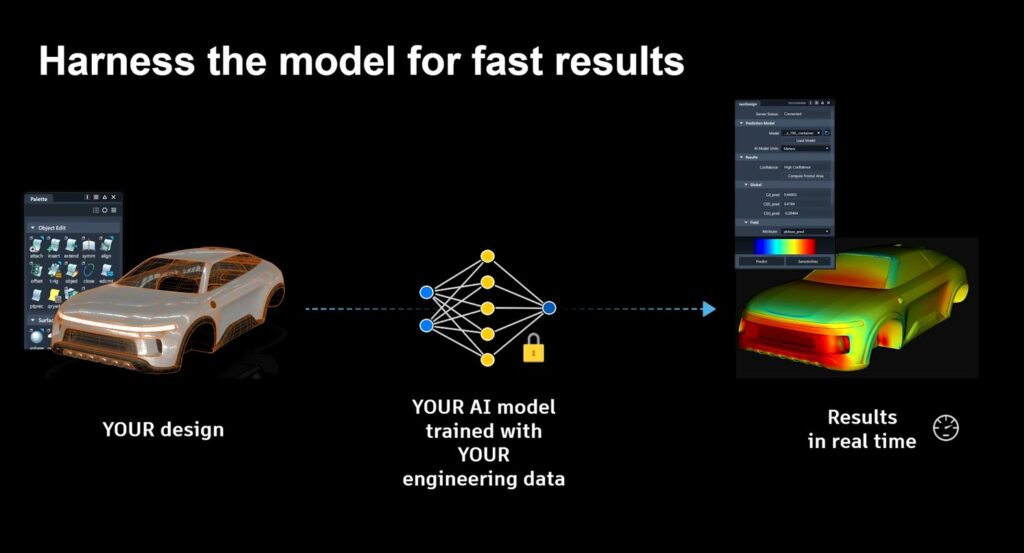
These sensitivity maps reveal:
- which regions most affect drag or lift
- where pushing or pulling surfaces will have the greatest effect
- how design decisions propagate into performance outcomes
This brings engineering insight into the design process, from the earliest creativity-driven phases of design to the final surfacing steps.
Recommendation Systems: Exploring possibilities, not just optimizing
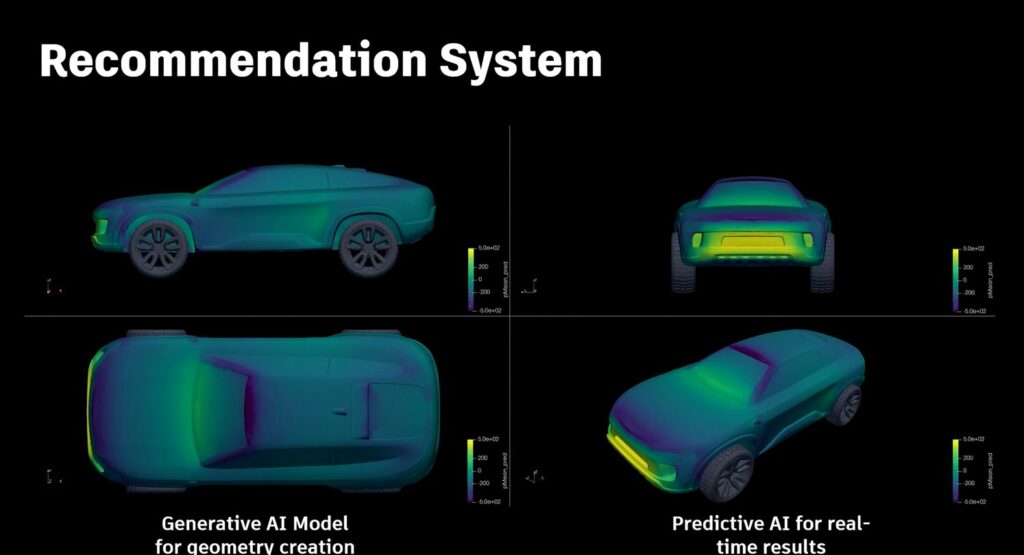
Jakob notes that design rarely converges on a single “best” shape. Instead, most projects seek a beneficial region of the design space that balances competing requirements—brand identity, aerodynamics, packaging, manufacturability, cost.
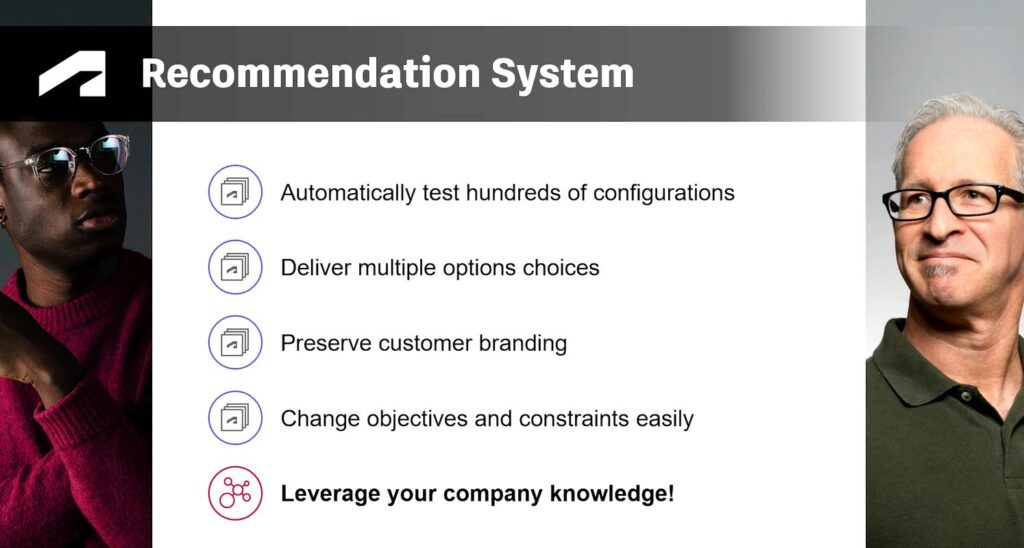
By combining Generative and Predictive AI, NavPack can evaluate hundreds of configurations in minutes, narrowing the field to a curated set of strong candidates. Designers can trust the predictions, run targeted simulations, reuse design inspiration, or rerun the loop entirely with new constraints.
The key is speed: a full design–evaluate–refine cycle can now run in the time of a lunch break.
NavPack key highlights
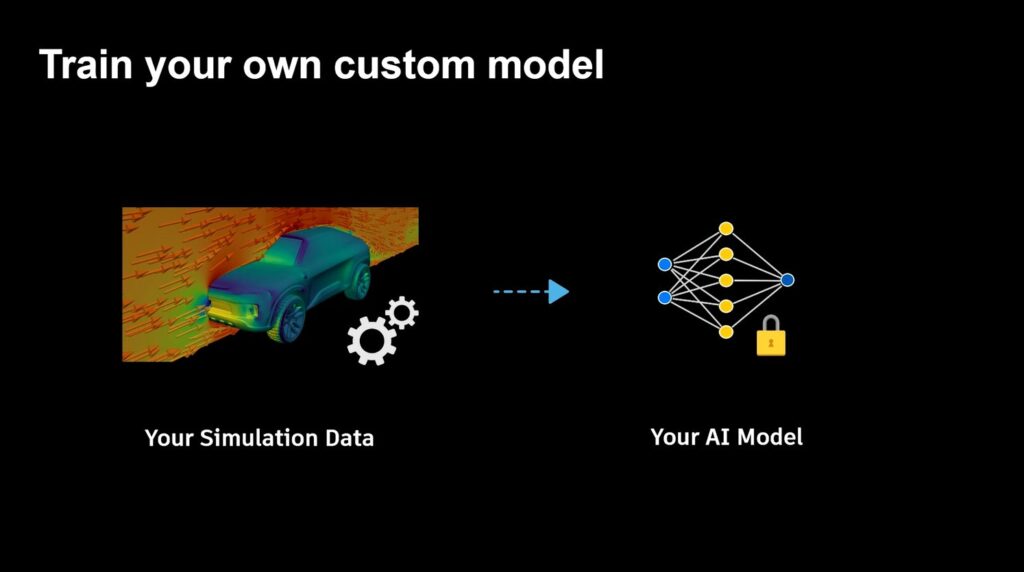
1. Simulation data is the foundation
Matthias and Jakob emphasized that trustworthy AI comes from validated simulation data. NavPack is not a generic model; it learns directly from each company’s geometry, methods, and engineering standards.
2. Continuous design-engineering collaboration
Matthias demonstrated real-time engineering feedback in Alias. Jakob explained the cross-format geometry strategy that makes this possible. Designers gain early insight; engineers receive more mature concepts.
3. Predictive + Generative AI power a single loop
Together, what Matthias and Jakob shared illustrates a new workflow pattern:
Generate → Predict → Refine → Repeat
This yields a curated set of strong candidates rather than a single “optimized” shape, supporting broader exploration.

4. Geometric Deep Learning makes “full-freedom” design possible
Modern Geometric Deep Learning architectures are crucial to enabling freeform surface operations and thus integral for early design.
5. Confidence Indicators Support Informed Judgment
Trustworthy AI doesn’t hide uncertainty. Confidence scores guide designers and engineers toward safe, reliable predictions.
6. Autodesk Tool Integration Enables a Unified Workflow
Alias, VRED, NavPack, and Python workflows form an ecosystem—not isolated tools—allowing AI-powered insight to flow throughout the design-to-engineering pipeline.
A new relationship between design and engineering
AI doesn’t replace simulation or engineering judgment. Instead, NavPack gives designers access to meaningful engineering insight exactly when they need it.
When Predictive and Generative AI operate in the same loop, teams move faster, collaborate more deeply, and make better-informed decisions. And with every new simulation added to the dataset, the AI model grows stronger, smarter, and more reflective of a company’s engineering expertise.
Autodesk’s integration of NAVASTO technology marks a new chapter, one where design intuition and engineering intelligence work side by side, in real time.
This story was developed using a blend of human expertise and AI tools supporting the research and drafting. Our team shaped, edited, and fact-checked the final content to ensure accuracy and alignment.
Check out our Autodesk Automotive on LinkedIn and visit the Design Studio YouTube channel for product updates, resources, and more.

Sharpen Your Skills
Alias and VRED Learning Editions are free for non-commercial use. Learn more and start your journey today.