 Brandy Ryan
 Timo Gmeiner
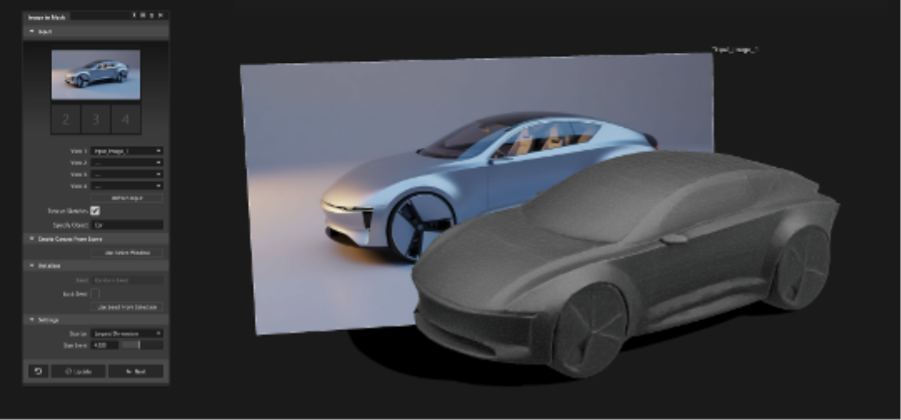
Multi-view reference images converted into a proportionally scaled 3D mesh inside Alias.
From sketch to model, faster
Before a surface is ever finalized, designers need to answer a fundamental question: Does this proportion work?
Traditionally, that meant building early NURBS or SubD geometry — not to resolve Class-A surfacing, but simply to evaluate stance, overhangs, and overall volume. It’s necessary work, but it slows early exploration.
With Form Explorer 0.2.0, Autodesk introduces Canvas to Mesh — AI-powered generation that converts sketches, renderings, and Alias canvases into proportionally scaled 3D meshes.
The result is a faster transition from visual intent to volumetric evaluation — with a controlled path into production surfacing workflows.
What’s new in Form Explorer v0.2
Multi-image input with a controlled dimensional envelope.
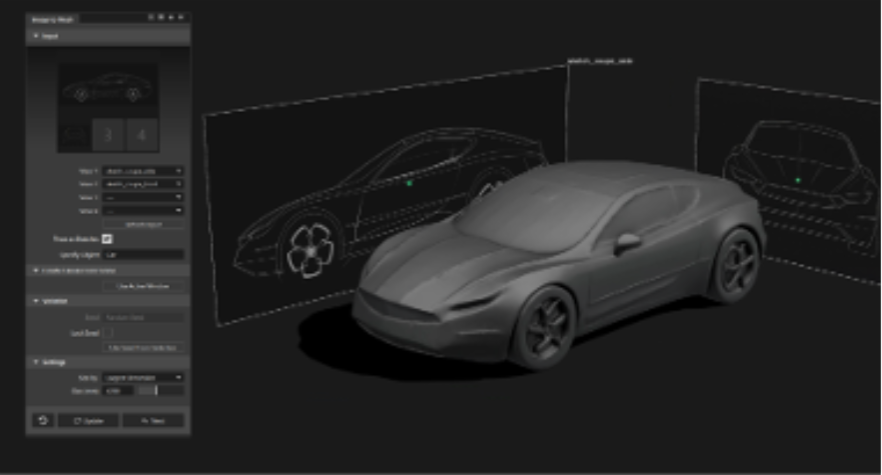
Earlier iterations focused on text-driven generation. With 0.2, the emphasis shifts to visual input — allowing teams to generate scaled meshes directly from sketches, renderings, photography, or Alias canvases.
Design teams can now:
- Generate a mesh from 1–4 reference images
- Use Alias canvases, active windows, or markup layers as input
- Combine sketches, renderings, and photography in a single generation
- Define a target size to establish a realistic dimensional envelope
- Control variations with seed locking
- Regenerate meshes with updated imagery while preserving metadata
For automotive exteriors, Text-to-Mesh also includes improved segmentation of wheels and mirrors, producing cleaner starting geometry for downstream workflows.
Together, these updates shorten the path from visual exploration to surfacing-ready geometry.
From 2D intent to proportional 3D
Use Alias Paint and Markup tools to refine intent, then generate updated geometry directly from the viewport.

Canvas to Mesh allows designers to move directly from 2D intent to volumetric evaluation.
Using Alias Paint and Markup tools, teams can sketch feature lines, adjust proportions, or refine design language directly in the viewport — then capture the active window and generate a mesh from that visual intent.
Instead of building preliminary NURBS surfaces simply to assess stance, teams can:
- Capture design intent inside Alias
- Generate a mesh within a defined dimensional envelope
- Refine global proportion using Alias Lattice Rig
- Evaluate and iterate immediately
By defining overall vehicle length or key dimensions at generation, designers establish realistic volume from the outset. Lattice Rig enables controlled adjustments to wheelbase emphasis, overhangs, and global form — without rebuilding geometry.
The result is a shorter transition from sketch to viable 3D evaluation, while maintaining alignment with package hardpoints.
Integrated into OEM workflows
Controlled progression from AI-assisted exploration to surfacing-ready geometry — using Alias Reform or Retopo.
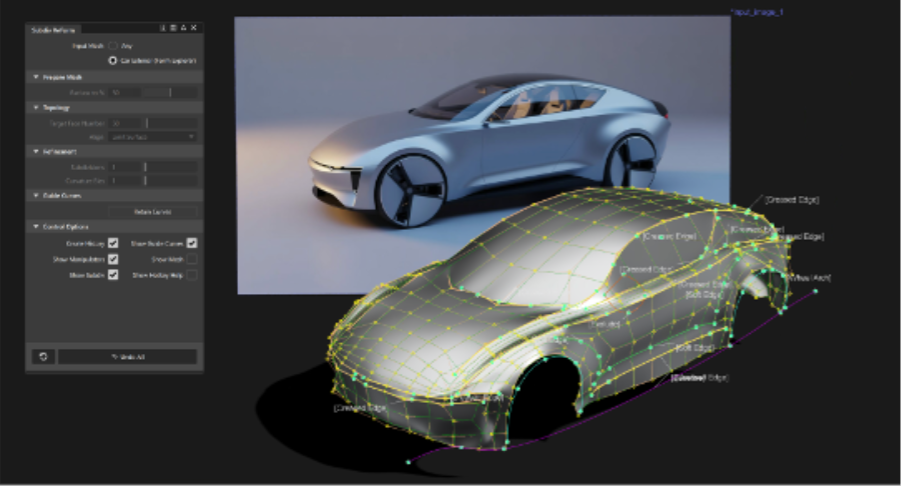
AI-generated geometry only matters if it fits into real production pipelines.
Canvas to Mesh outputs can be aligned to engineering hardpoints, refined globally with Lattice Rig, validated for scale, and prepared for subdivision conversion.
Using Alias Reform in Car Exterior mode, a full vehicle mesh can be converted into an editable SubD model. Reform uses guide curves — including wheel arches and baselines — to structure topology flow and preserve character lines.
For localized development, Alias Retopo workflows allow teams to generate subdivision surface patches over selected regions — refining fascias or specific volumes without committing to a full rebuild.
In this workflow, AI accelerates early exploration, while Alias ensures surface continuity and engineering alignment.
Built for Enterprise OEM environments
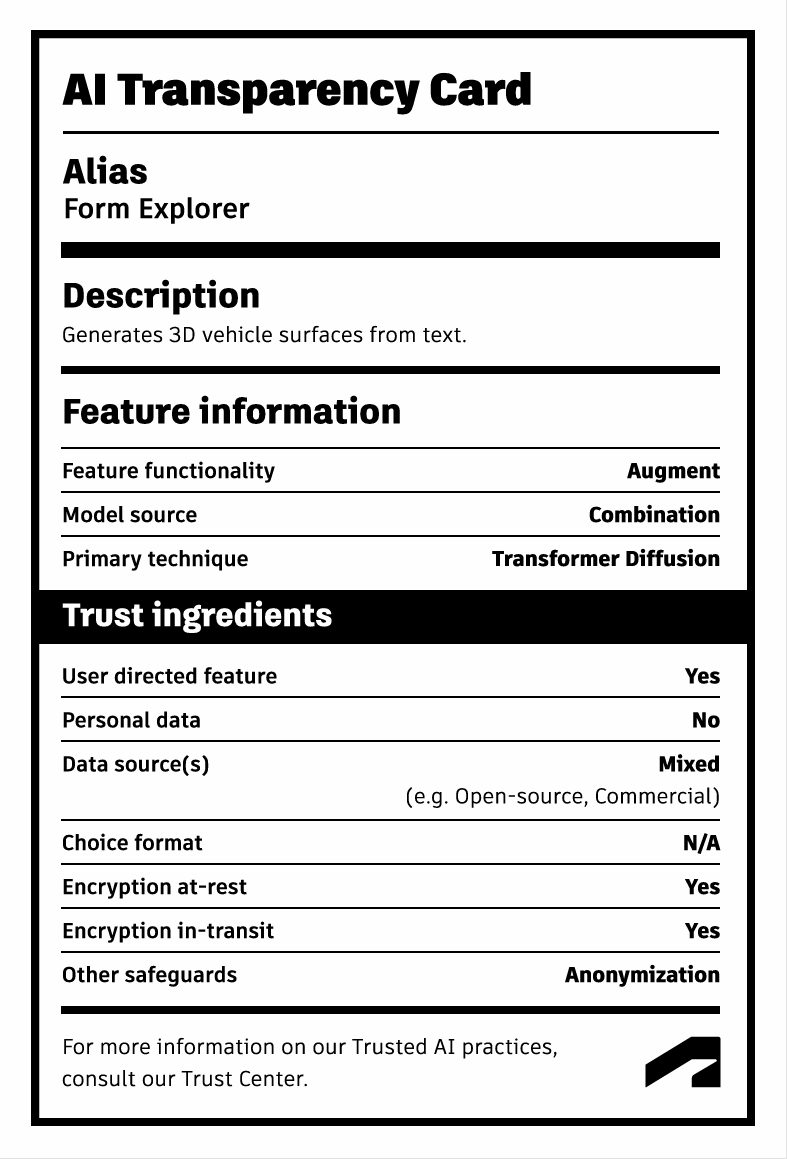
In OEM environments, increased exploration speed cannot come at the expense of governance or IP control.
Form Explorer is designed to operate within professional enterprise standards:
- OEMs retain full ownership of generated designs
- Customer data is not used to train Autodesk models
- Prompts are securely processed in the cloud
- Generated meshes remain within the customer environment
Exploration expands — without compromising compliance requirements or intellectual property protections.
From intent to surface
Canvas to Mesh does not replace surfacing. It accelerates the earliest stage of proportion and volume validation.
Sketch or Markup
→ AI-generated mesh within a defined dimensional envelope
→ Lattice-based proportion refinement
→ Reform-structured SubD conversion
→ Patch refinement and production surfacing
This creates a controlled progression from concept intent to surfacing-ready geometry.
Learn more
Form Explorer 0.2.0 shortens the distance between sketch intent and surfacing-ready geometry — giving automotive design teams more room to explore without delaying commitment.
The Alias 2026 Help documentation for Form Explorer is your place for detailed guidance on:
- Image-to-Mesh workflows
- Using Paint and Markup as generation input
- Lattice-based proportion refinement
- Reform guide curves and Car Exterior mode
- Retopo patch creation workflows
This story was developed using a blend of human expertise and AI tools supporting the research and drafting. Our team shaped, edited, and fact-checked the final content to ensure accuracy and alignment.
Check out our Autodesk Automotive on LinkedIn and visit the Design Studio YouTube channel for product updates, resources, and more.

Sharpen Your Skills
Alias and VRED Learning Editions are free for non-commercial use. Learn more and start your journey today.