 Autodesk Forma Team
Design reviews are one of the most important parts of any AECO project – and one of the easiest places for teams to lose momentum.
Too often, feedback is spread across PDFs, screenshots, slide decks, email threads, and chat messages. Iterations become harder to track. Decisions lose connection to the BIM model. Teams spend valuable time rebuilding context and revisiting discussions instead of moving forward.
That is why we are excited to share that Forma Board is now available for all users of Autodesk Forma Data Management (previously Autodesk Docs) and Forma Data Management Essentials.
What is Forma Board
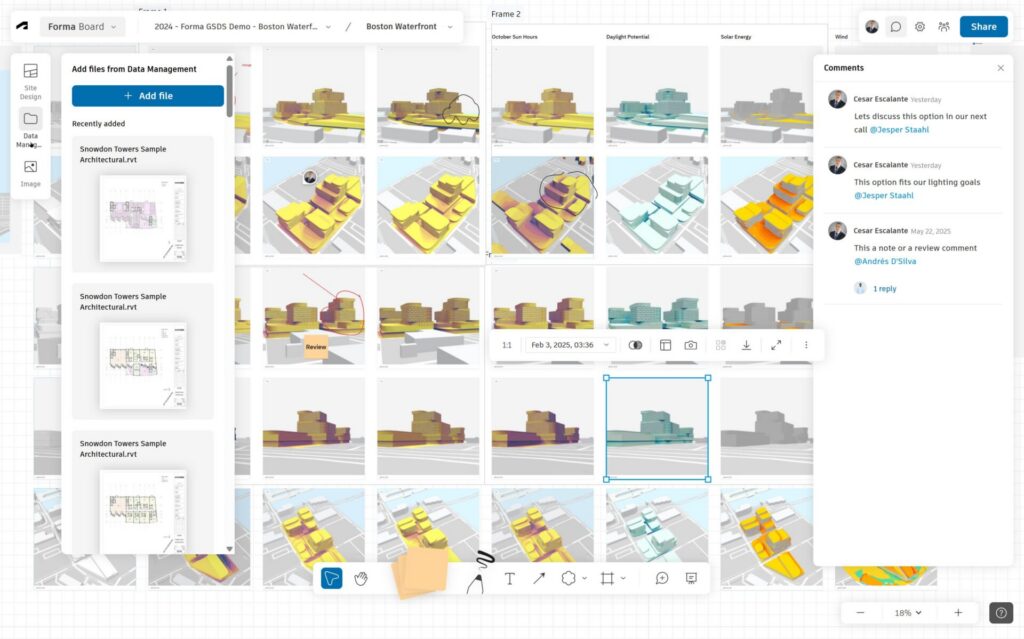
Forma Board is a BIM-connected collaborative visual workspace for AECO teams.
It keeps your design reviews anchored to project data from concept through delivery – so you can compare options, capture markups, align direction, and present your ideas clearly without endlessly exporting screenshots or rebuilding decks.
The result: decisions that stay connected to the model – and carry forward across the project lifecycle.
Log in to Forma Board to get started.
Forma Board helps you to:
• Preserve direction across the lifecycle. Decisions stay connected to BIM data, so design activity remains aligned at every stage.
• Make trade-offs obvious in context. Compare options side-by-side with performance insights attached, so decisions are grounded in real project data.
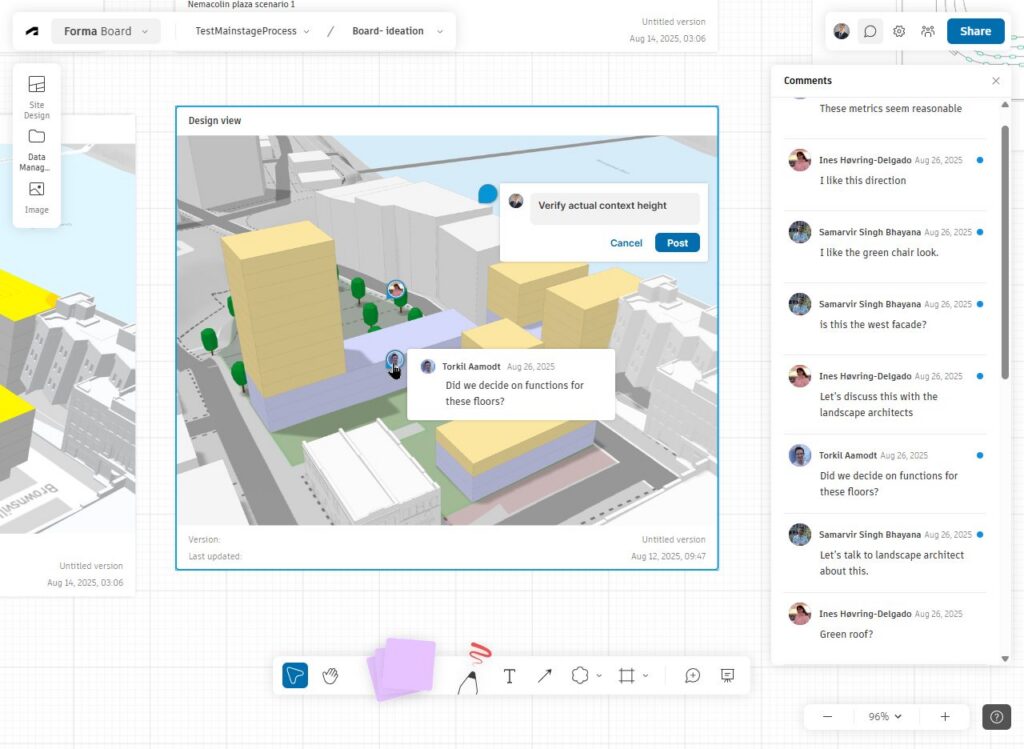
• Keep feedback tied to the work. Comments and markups stay attached to the board – not buried in email or lost between phases.
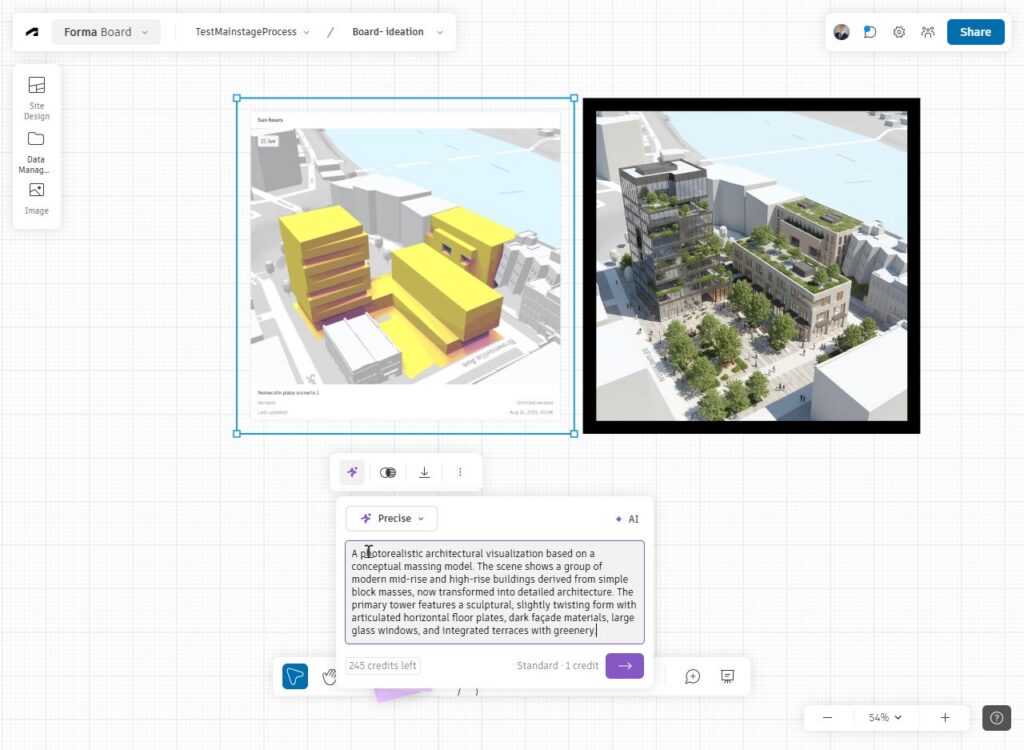
• Bring your design intent to life, fast. Generate multiple AI renderings in seconds directly in the board. (Includes 250 renderings/month/seat.)
Forma Board brings together a set of capabilities that support more connected design reviews and collaboration.
Key capabilities include:
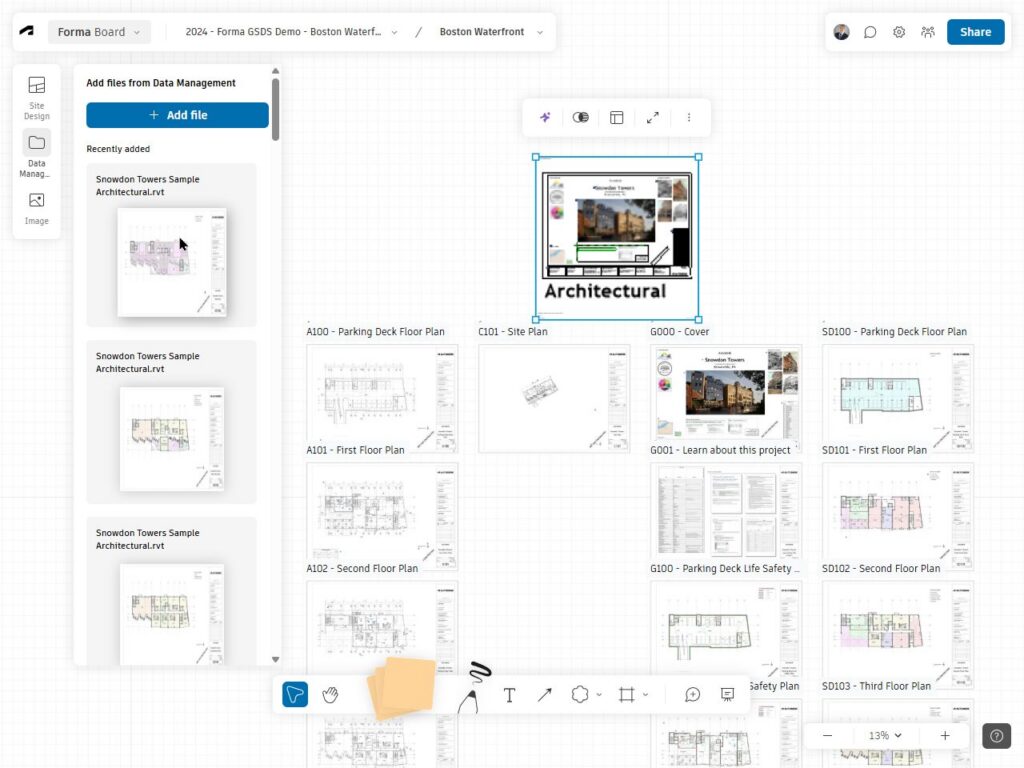
Live BIM content placement
Teams can place dynamic Revit sheets and views, along with building and site design options, directly into the board. This helps keep reviews tied to current project information instead of static exports.
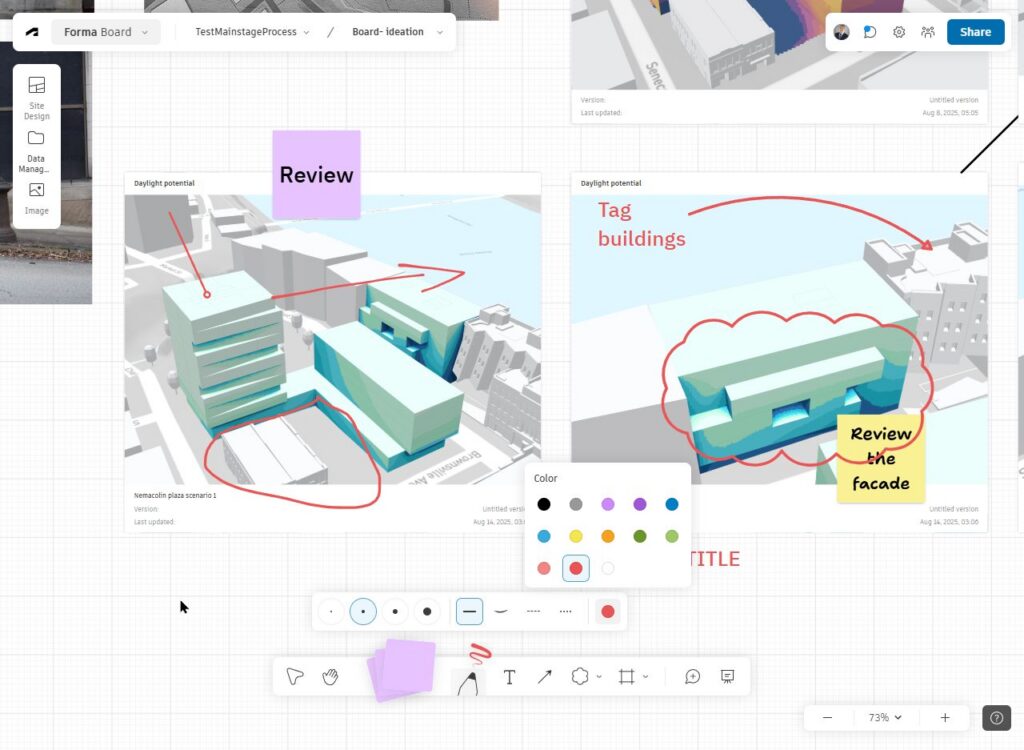
In-canvas markups and threaded comments
Visual markups and contextual comment threads can be added directly on the board, so feedback stays attached to the design being reviewed.
Multi-user editing and access controls
Support real-time collaboration with shared board access, Autodesk authentication, and role-based permissions.
AI-driven visualization
Teams can generate renderings of ideas from sketches and images directly in the board to explore atmosphere, materiality, and mood. Forma Board includes 250 renderings per month per seat.
Now included across both Forma Data Management offerings
Forma Data Management Essentials is a foundational entry point to organized project data management for AECO teams. Included with standalone subscriptions of AutoCAD, Revit, and Civil 3D, it connects desktop workflows to a cloud-based project workspace for organizing, viewing, and sharing information from the start of a project. It supports essential collaboration through viewing, markups, issue tracking, search, permissions, and controlled information exchange.
Forma Data Management (previously Autodesk Docs)is the cloud-native common data environment of Autodesk Forma, connecting AECO project data across teams, workflows, and phases. It goes beyond file sharing to support more structured collaboration with reviews, transmittals, packages, metadata standards, permissions, and insights.
With Forma Board, those teams gain a collaborative visual layer that complements structured data management with clearer review, communication, and alignment.
What this means for AECO teams
Forma Board helps AECO teams move beyond fragmented review processes and toward a more connected way of working. It supports faster alignment, clearer communication, and better continuity from concept through delivery.
Interested to try it out? Log in to Forma Board and start using it today.
Frequently asked questions
How do I access Forma Board?
Revit
AEC Collection
Forma Site Design
Forma Building Design
Login to Forma Board here.
Can I share a Forma Board with clients and stakeholders?
Can I export the content of a Forma Board?
Can Forma Board be used across disciplines?
When should I use markups in Forma Board versus Forma Data Management?
Use Forma Data Management markups during governed coordination and project delivery processes. These document-based annotations integrate with structured coordination workflows, including issue management, and provide visibility into status, traceability, accountability, and formal resolution tracking.