 Autodesk Forma Team
Forma Building Design, available in the AEC Collection, Revit standalone license, and Forma for Buildings bundle, helps architects explore more ideas before it’s time for BIM.
A main challenge architects face during schematic design is exploring facade strategies while the building form is still evolving. They need to quickly test multiple facade options with, for example, different window patterns, glazing ratios, and modular systems without overcommitting time to detailed modeling too early in the design process. At this stage, speed and flexibility are essential.
Forma Building Design supports this early exploration by offering two complementary approaches to facade design: automated facade generation and manual placement. Together, they allow teams to quickly shape massing options, visualize facade concepts, and iterate them immediately as the building massing changes.
Two approaches to facade design in schematic design
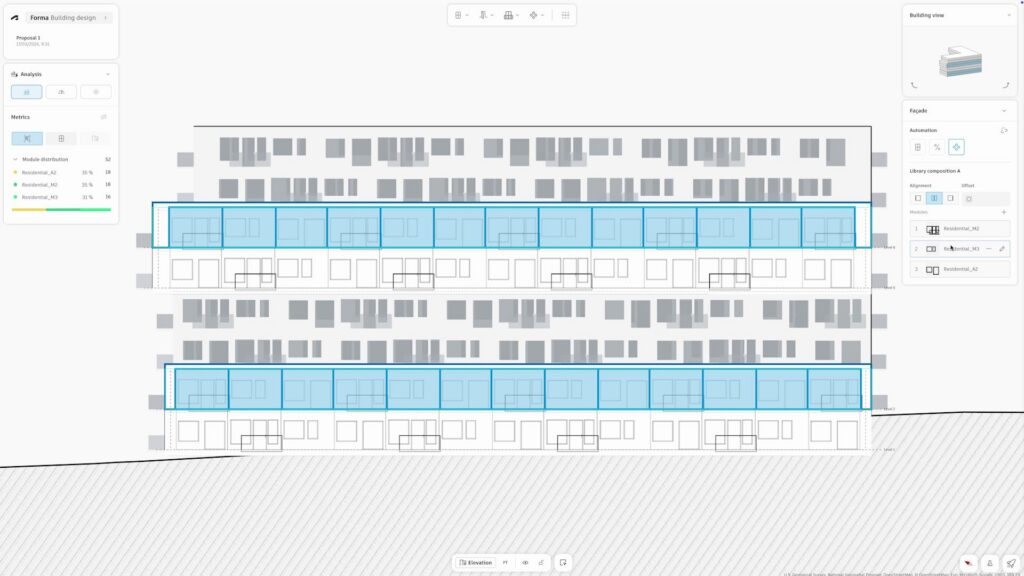
Architects can use automations to quickly populate modular facades from templates, enabling them to visualize and test strategies faster. These automations adapt automatically when the building geometry changes, making them especially useful during early-stage building design when massing is still shifting.
Manual design gives architects precise control over individual elements such as windows, doors, and balconies. This approach is ideal when shaping specific aspects of the facade or refining details that require careful placement.
In Building Design, it’s easy to combine both for flexibility and control. Automations of typical facade patterns can be released at any time, allowing individual elements to be manually refined.
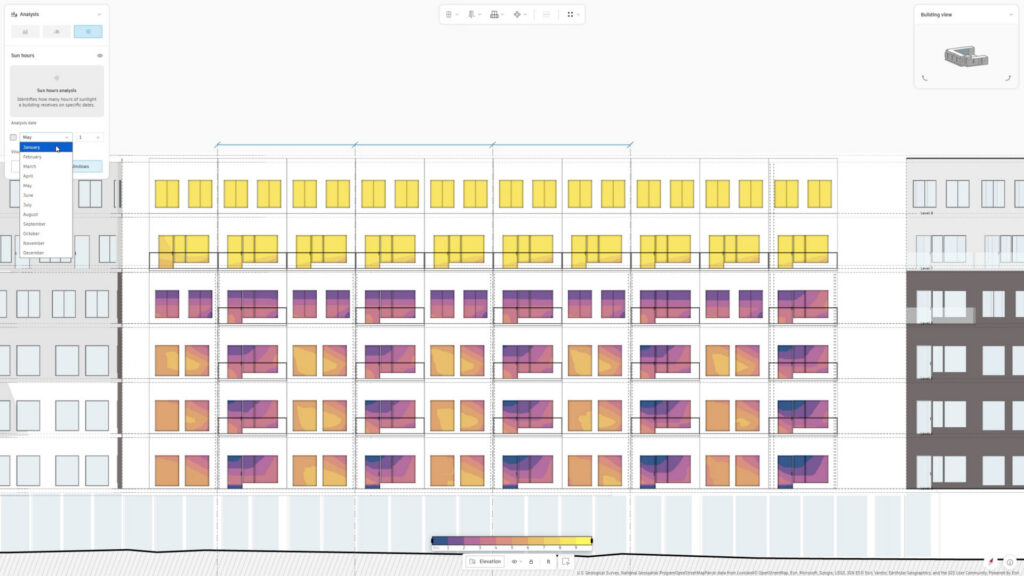
In parallel, architects can run the integrated sun hours and daylight potential analyses whenever they need during the façade exploration process to check building performance.
Importantly, whether architects are designing facades manually or automatically, their facade changes will reflect in the floor plans, saving time and manual rework.
Facade automations for rapid exploration
In Building Design, automations can be applied at several scales to quickly explore facade strategies: across the entire building; on individual floors; or on specific facades.
Single window automation distributes windows evenly across a facade. Designers can define window size, spacing, and sill height, and the automation populates the facade with a consistent window pattern. This approach works well when testing simple, repetitive layouts.
Window-to-wall ratio (WWR) automation focuses on glazing percentages. Instead of placing windows individually, designers can specify how much of the facade should be glass. The automation then distributes glazing as a pattern of ribbons, bars, or squares. This makes it easy to test glazing ratios and explore daylight strategies in early-stage building design.
Module automation distributes predefined modules across the facade. Modules contain differing combinations of windows, doors, and/or balconies. Designers can create and test different configurations and specify the distribution. Because the modules adapt automatically to building geometry, this allows the facade design to evolve together with the massing.
Manual facade design for control
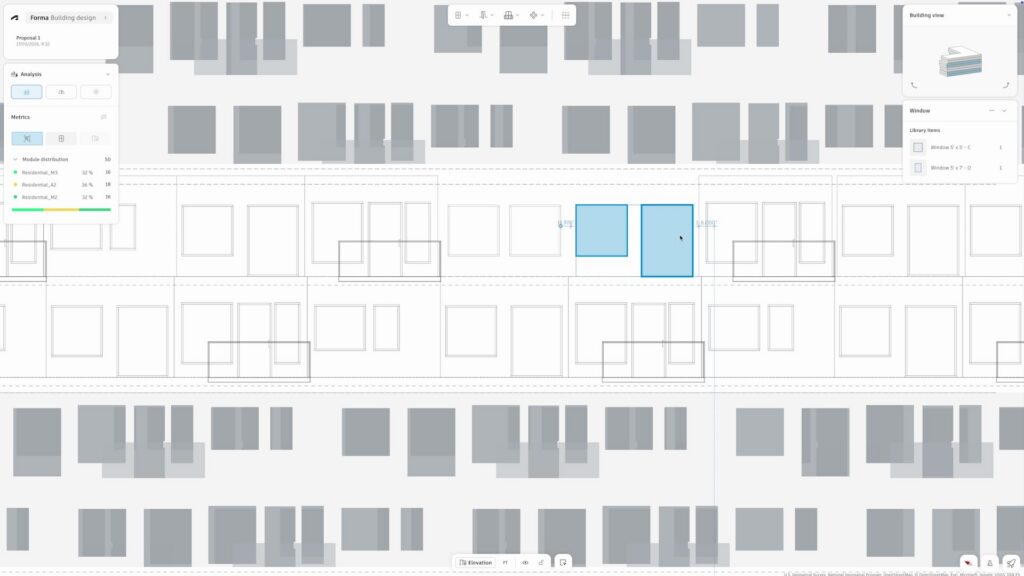
Manual facade design allows designers to place and edit individual elements where they want them.
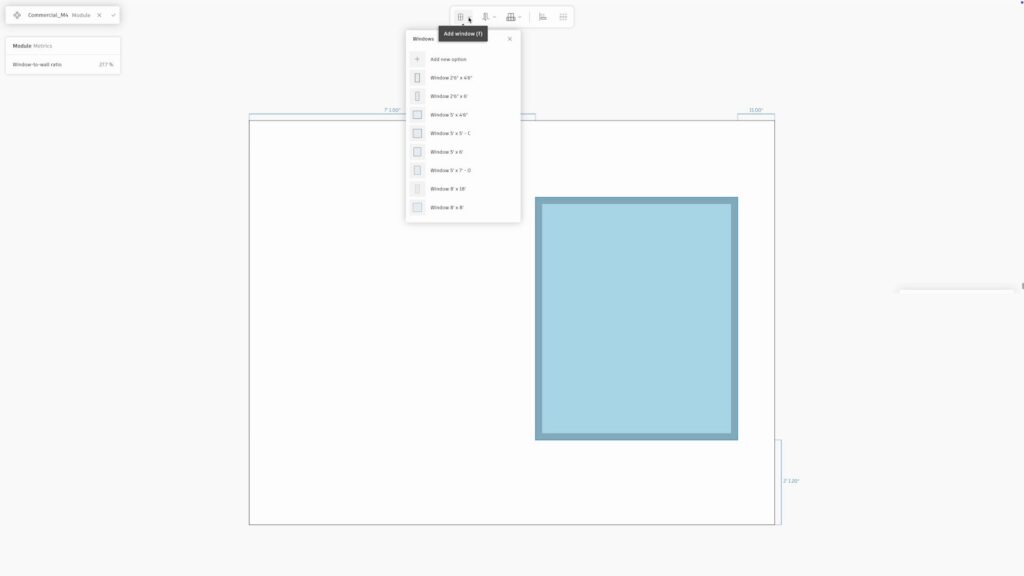
In elevation view, architects can begin shaping the facade one component at a time. Individual facade elements — like windows, doors, and balconies — can be positioned across the building surface. Designers can adjust their size, placement, and type to explore how the facade responds to program, daylight, or form.
Facade modules in Building Design
In addition to placing individual elements, architects can also shape the facades using facade modules which are predefined compositions of facade elements that can be placed as a single unit. There are two types of facade modules: curtain walls and window walls.
Modules offer a powerful advantage: consistency and efficiency. Once a module is defined, it can be used repeatedly across the facade both manually and in automations. If the module configuration changes, every instance updates automatically, avoiding the hassle and rework to update facades manually.
Supporting early design exploration
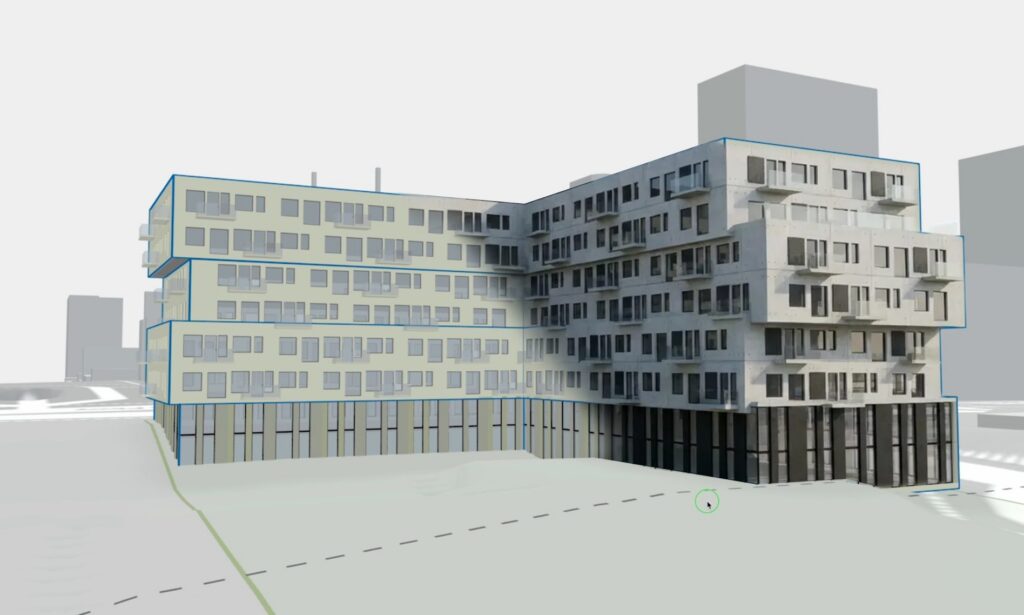
Whether testing glazing ratios, exploring modular systems, or refining balcony placement, Building Design helps teams visualize facade ideas quickly so they can focus on shaping the ideas rather than managing complex modeling workflows.
Ultimately, facade design in Building Design is about enabling exploration before locking in detail. As facade design becomes more iterative during schematic design, having tools that support both flexibility and control is key. By allowing designers to move easily between manual edits and automated systems, Building Design supports a more fluid workflow — one where facade strategies can be developed in parallel with massing and floor plans, without slowing down the design process and, ultimately, project schedules.
What is Forma Building Design?
Who is Forma Building Design for?
What is difference between Forma Site Design and Forma Building Design?
Forma Building Design helps teams determine building design direction for specific plots and blocks, including unit mix — so they can explore more ideas before it’s time for BIM and then move forward. It is used for schematic design.
Teams can easily switch between Site Design and Building Design with the direct integration.