 Autodesk Forma Team
Forma Building Design, available in the AEC Collection, Revit standalone license, and Forma for Buildings bundle, helps architects explore more ideas before it’s time for BIM.
Maintaining continuous workflows across design phases is a common headache for most architects. Moving from early concepts to design development usually introduces friction: teams might spend valuable time remodelling a design instead of progressing it; design intent gets lost in translation. In the meantime, the submission deadline looms. For architects working in Revit, this disconnect–and rework–probably sounds familiar.
Forma Building Design is built to address this gap. By supporting connected workflows across schematic design, site planning, and BIM, it allows architects to carry schematic design exploration forward—reducing rework and enabling a more continuous design process.
In this post, we’ll explore three workflows that help achieve that:
- From Forma Building Design to Revit
- Between Forma Site Design and Building Design
- From Building Design to Forma Board
Workflow 1: From early schematic design to Revit without rework
A key workflow for Revit users is starting in Forma Building Design and continuing in Revit—without needing to rebuild the model.
Start with real site context
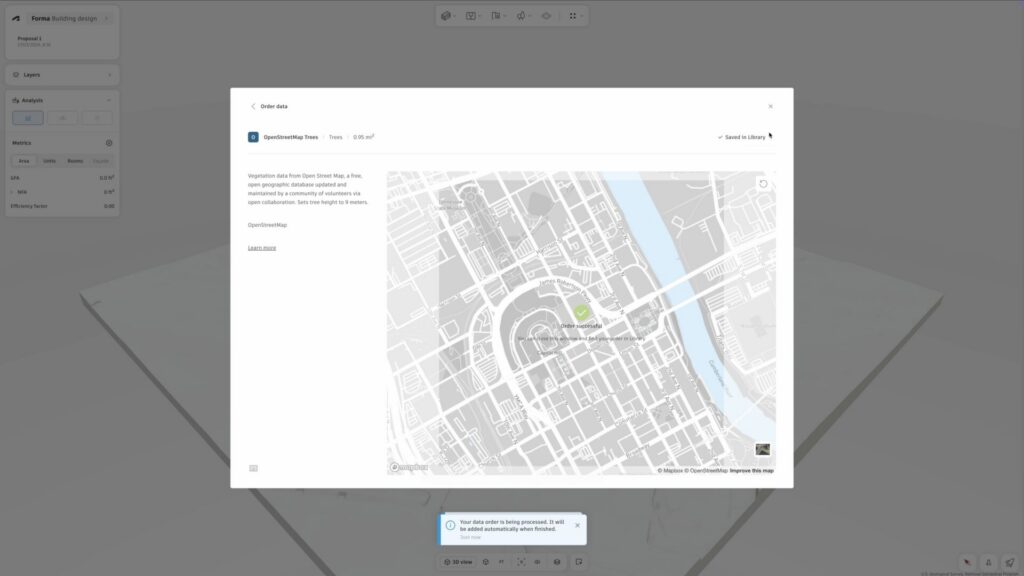
Projects can begin with automatically generated contextual data, including terrain, surrounding buildings, and site conditions. This creates a shared foundation for design decisions from the start. It takes minutes to set up a site instead of hours to collect site information. Alternatively, architects can import existing data such as site plans or models.
Explore options while staying grounded
During schematic design, teams often generate multiple building options. In many workflows, these options remain disconnected from downstream development.
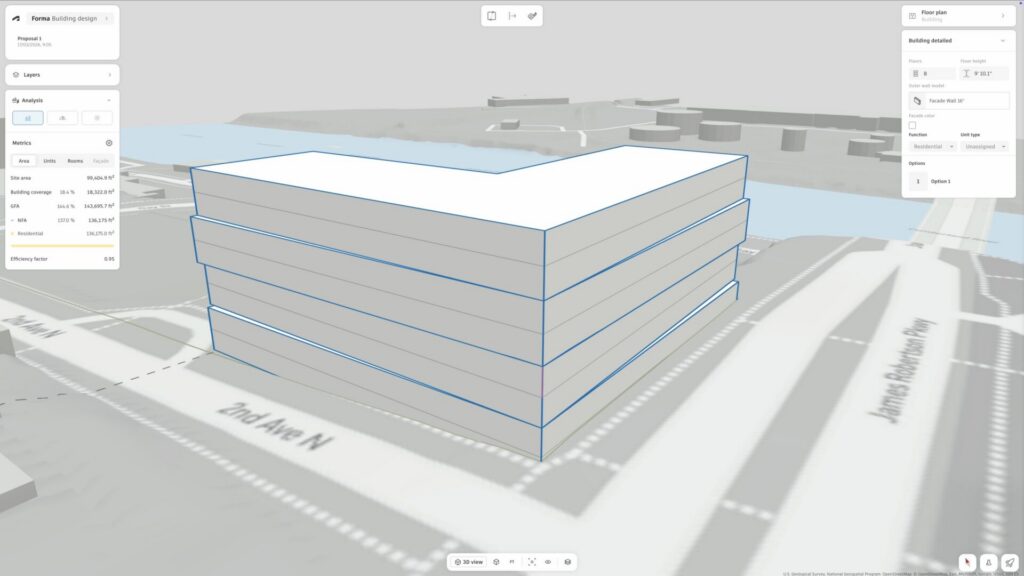
In Forma Building Design, options are created within a structured, data-informed environment. Designers can test different massing strategies, unit layouts, and facade expressions while accounting for actual constraints like:
- Site boundaries
- Setbacks
- Building heights
- View corridors
Because these constraints are embedded early, selected options are more likely to carry forward with the right foundations already in place.
Design with metrics and performance in mind
Rather than treating early design as purely conceptual, Forma introduces metrics and analysis from the start.
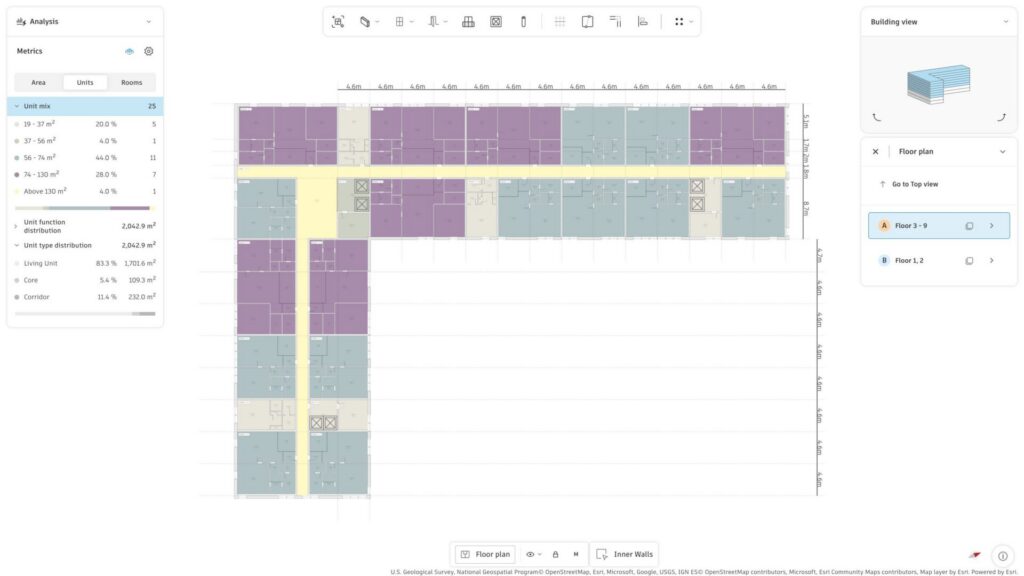
Architects can evaluate facade and floor plan options based on:
- Area metrics (GFA, NFA, efficiency)
- Unit counts and layouts
- Environmental factors like daylight potential and sun exposure
- Total carbon: embodied and operational (available currently for the US)
This reduces the risk of costly late-stage changes, as decisions are informed with data earlier in the process.
Carry the model into Revit
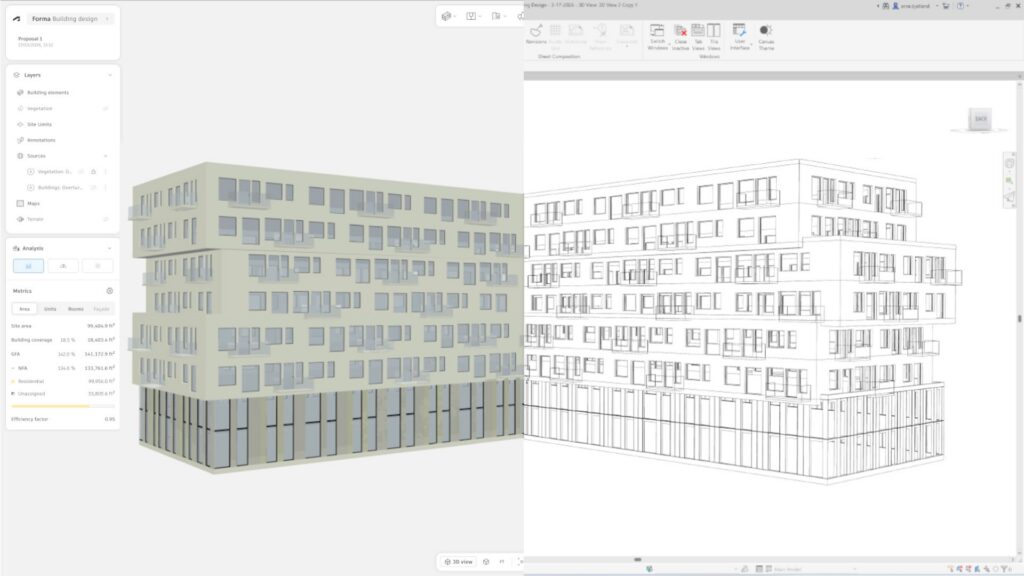
When it’s time to move into detailed design, the project can be exported as a native Revit geometry.
Instead of rebuilding geometry, architects receive a geolocated BIM model complete with site context and with walls, slabs, windows, and roofs already defined as Revit elements in generic families. This allows teams to continue developing the design using familiar tools—without losing time or design intent.
Workflow 2: Bridging site planning and building design
Another common source of rework occurs between site planning and building design.
Traditionally, urban-scale concepts are developed separately from building-level models. When the project progresses, building designs often need to be recreated from site-level massing, leading to duplicated effort and inconsistencies.
Forma addresses this by connecting Forma Site Design and Forma Building Design into a continuous workflow.
Site Design focuses on the broader context: analyzing site conditions and planning the wider site with buildings, infrastructure, and landscape. Building Design allows architects to zoom in and develop individual plots and buildings in more detail.
By linking these two environments, architects can:
- Transition between site-level massing and building design more smoothly
- Maintain alignment between urban intent and architectural detail
- Reduce the need to remodel or reinterpret earlier work
This creates a workflow where design evolves across scales, rather than restarting at each stage.
While this integration is still developing, it represents a shift toward maintaining the digital thread throughout the design process.
Workflow 3: Communicating design without starting over
Rework doesn’t only happen in modeling—it also happens in communication.
Preparing design presentations or reviews often involves recreating visuals, exporting files, or reformatting content for different audiences.
With Forma Board, architects can bring their work directly from Building Design into a collaborative space with minimal effort.
Designs can be shared by:
- Capturing views directly from the model
- Importing Revit exports for more detailed review
This allows teams to present and discuss design options without rebuilding content for each review cycle.
Bridging gaps in the design process
Across these workflows, the goal is the same: reduce rework by connecting the design process. Ideas developed early can be refined, evaluated, and carried forward with confidence—rather than recreated.
Connecting early schematic design, site planning, and design development, Forma enables a shift from fragmented processes to a more continuous and efficient way of designing—where each step confidently builds on the last.