 Justyne Yan
After an incredible week at Autodesk University 2026, the Forma team showed up with live demos, new sessions, and a handful of things we’d been sitting on for a while and were finally ready to share. Before we get into what’s next, let’s recap what got announced, whether you were there with us in Las Vegas or following along from home.
Here are the biggest Autodesk Forma updates announced at AU 2026.
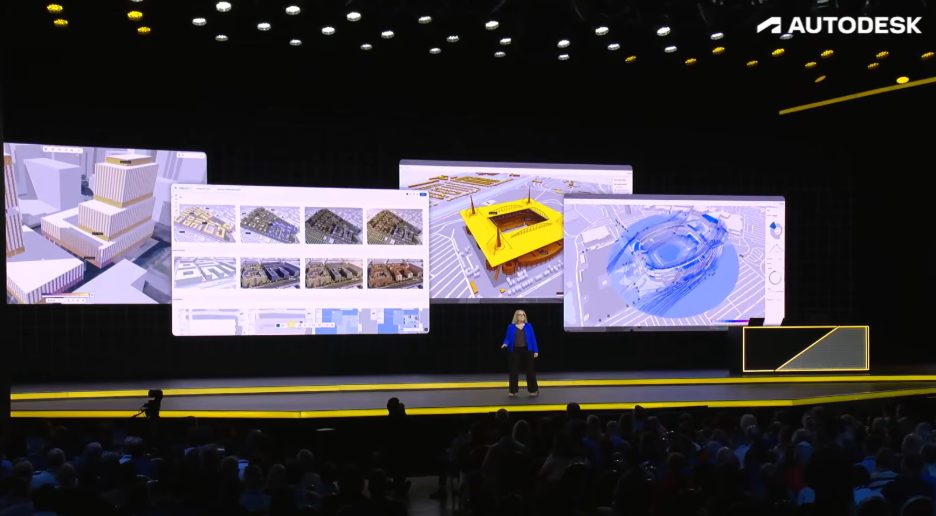
1. Autodesk Forma Street Design
Forma Street Design was announced at AU. It brings engineering workflows that start earlier, in the cloud, and across domains, with a credible handoff to Civil 3D.
Street design today works backwards: the earliest and most consequential decisions about a corridor, how wide it is, where the lanes go, what happens to the sidewalk, how the intersections resolve, get made in tools that were never built for them, then get rebuilt properly only once the design is largely settled. Rebuilding the design to test one alternative costs real time, and by the time it’s done, there’s often no time left to act on what was learned.
In the demo video shown on stage, we showed how Street Design allows for designing streets and intersections in plan and section together, adjusting intersections on the spot, and testing turning radius with swept path analysis powered by Autodesk Vehicle Tracking, and bringing the strongest options into Forma Board.
Street Design is currently in development. Join the waitlist for closed beta.
2. Civil 3D is becoming a Forma Connected Client
Civil 3D is becoming a Forma Connected Client, joining Revit.
The Forma Connected Client designation recognizes when an Autodesk desktop product is deeply integrated with the Forma industry cloud. It enables teams to continue working within detailed design tools they trust, while tapping into the cloud data, context, and workflows from Forma. For Civil 3D, this begins as a tech preview: reference-based interoperability with Forma and Revit, so civil engineers can connect to Forma, reference planning and building designs from within the Civil 3D environment, and carry that context into detailed engineering. Civil 3D information can also contribute back to the shared project context, giving other disciplines more visibility into the civil design.
For civil teams, that connection to Forma is the whole point. Early-stage work has historically been stranded. Site context gets assembled, options get tested, analysis gets run, and then detailed design starts and a good deal of that gets rebuilt because the decisions lived in one place and the production work lives in another. Connecting Civil 3D to the Forma industry cloud means the context and the decisions travel with the project instead of being recreated at the handoff.
It also means that civil engineers, transportation designers, urban planners, and architects can finally start working against the same cloud data. It’s early days, and it will take time, but we’re working towards a future where civil and architecture share one source of truth instead of exchanging files across a gap. Anyone who has spent a week reconciling a site model against a survey that moved will understand why that matters.
Keeping project location consistent is part of the same push. Autodesk is unifying geolocation workflows across Forma, Revit, and Civil 3D, with more products expected to follow. In practice, that means models stop drifting out of alignment between tools, and the manual transforms teams currently do to reconcile them start to disappear.
That geolocation work sits inside a broader push to connect infrastructure workflows. Civil 3D data can feed into Forma as a starting point for planning and building design, Forma Street Design lets civil engineers and transportation planners explore street designs earlier before continuing in Civil 3D for detailed engineering, and deeper integrations with Esri ArcGIS and Fugro GeoDin and Ground IQ will bring additional geospatial and subsurface context into these workflows.
None of this replaces Civil 3D: it remains the tool for detailed engineering, design, and documentation on infrastructure projects. What’s changing is how early that work can draw on the same context everyone else on the project is already using.
3. Connected design, from site to detailed design
Our site-to-detailed-design workflow, got measurably more connected this year.
Forma Site Design will soon pull project-specific data directly from Forma Data Management,
a DWG import that keeps its layers intact, nothing to convert, nothing to clean up. Reactive modeling in Site Design now allows elements to interact with each other in new ways: draw a road through a building element, and it automatically splits the massing into two, allowing for faster design iterations at the site planning level. From there, the massing models travel downstream to Forma Building Design, where a saved library of preferred apartment types will be able to populate the building directly, and a new interior daylight analysis will measure lux from every window in every room as you design, catching problems while they are still cheap to fix.
Once that connection between Forma Site Design and Forma Data Management is live, Civil 3D will be able to see the Site Design proposal, share the same model, and read and write to the same shared project. That lets civil engineers join architects and site planners in developing projects from early on, cutting down on coordination issues, rework, and misunderstandings, and saving everyone time.
4. Forma Board and Forma Data Management
At AU, we showed what’s changed since Forma Board was integrated with Forma Data Management: a team can review project information, markup ideas, pull in models, drawings and PDFs, and compare design options and analysis results, all in one shared workspace, with comments, markups, annotations and notes updating in real time for everyone on the project. AI visualization turns a sketch or image into a design rendering in seconds, useful for getting a stakeholder conversation moving before the design is fully resolved. And issues raised in Forma Data Management now surface directly inside Forma Board, so design review feedback and issue tracking stay in the same place instead of living in separate tools.
The part worth emphasizing is what happens as the project changes: Forma Board stays connected to Forma Data Management throughout, so decisions stay tied to the model from concept through delivery, and teams stop rebuilding decks to reflect the latest state or wondering which version they’re actually looking at.
5. Autodesk Assistant answers natural-language questions about a project site.
In the keynote demo, an architect starting a new site in Forma Site Design asked Autodesk Assistant to pull orthophotos from Esri, gather the surrounding buildings for context, and list what other data providers were available for that location, running all three at once instead of working through them one by one while the context needed came together in the background.
The value is in who can ask: site information is usually locked behind either a file or a person. If you want to know something about a site, you open the model, or you find whoever built it and wait. Neither scales, and both mean the question often does not get asked. Junior staff ask fewer questions than they should because each one costs someone else’s time. Decisions get made on assumptions nobody checked.
Asking in plain language changes who has access to the project’s own information, which changes how often it actually gets used.
6. Building Layout Explorer
Forma Building Layout Explorer generates and compares multifamily layouts against a client’s unit mix.
Multifamily layout work is repetitive: a client gives you a unit mix, and you produce options that hit it, balancing circulation, core placement and efficiency. It is days of work, and the number of options you can realistically produce is set by how much time you have rather than by how many are worth seeing.
This is early research, not a finished capability, exploring whether a model trained on real building data can help generate and compare layout options faster than doing it by hand. What it produces today is a starting point for exploration, not something to rely on directly, and we’ll share more as the research matures.
Try Forma’s design solutions today
If you have an active AEC Collection, Revit, or Forma for Buildings subscription, you can log in to Forma Site Design and Forma Building Design with your Autodesk account today. If you don’t, you can get started with the Forma for Buildings bundle.
FAQ
Civil 3D becoming a Forma Connected Client, Autodesk Forma Street Design, deeper site-to-detailed-design connectivity, advances to Forma Board and Forma Data Management, Autodesk Assistant, and Forma Building Layout Explorer.
A designation for a desktop product that is deeply integrated with the Forma industry cloud, giving it access to shared data, AI-powered workflows and collaboration. Revit is one. Civil 3D is becoming one.
Street Design is pre-launch. Join the waitlist for closed beta.
Yes. On demand sessions are available on the Autodesk University website.