 Brandy Ryan
Inside Alias 2027
Automotive design depends on a constant exchange between creative intent and technical precision. A surface may begin as a gesture, a proportion, or a design theme — but at every stage, it has to be evaluated, refined, communicated, and carried forward without losing the original idea.
In our Design Deep Dive at AIF 2026, Barry Kimball (Technical Manager, Alias) brings an expert modeler’s perspective to that challenge. Rather than walking through a simple feature list, Barry connects the latest Alias workflows to a larger question: how can designers and modelers see what is happening in the geometry sooner, make better decisions faster, and spend less time rebuilding work as a design evolves?
Most of the Deep Dive focuses on released Alias 2027 functionality – remember the future-facing tools demonstrated here should not be used as the basis for purchasing decisions.
Watch the video and/or scroll down for highlights.
Read the form beneath the surface
Barry starts with visibility: how modelers can better understand what the control cage is doing before surface issues become harder to resolve.
Key topics include:
- Box mode shading for evaluating subdivision control cage structure
- Face analysis to visualize angle changes between faces
- Edge display options to reveal subtle topology transitions
- Open-edge identification to help spot holes or discontinuities
- NURBS control cage shading for additional structural insight
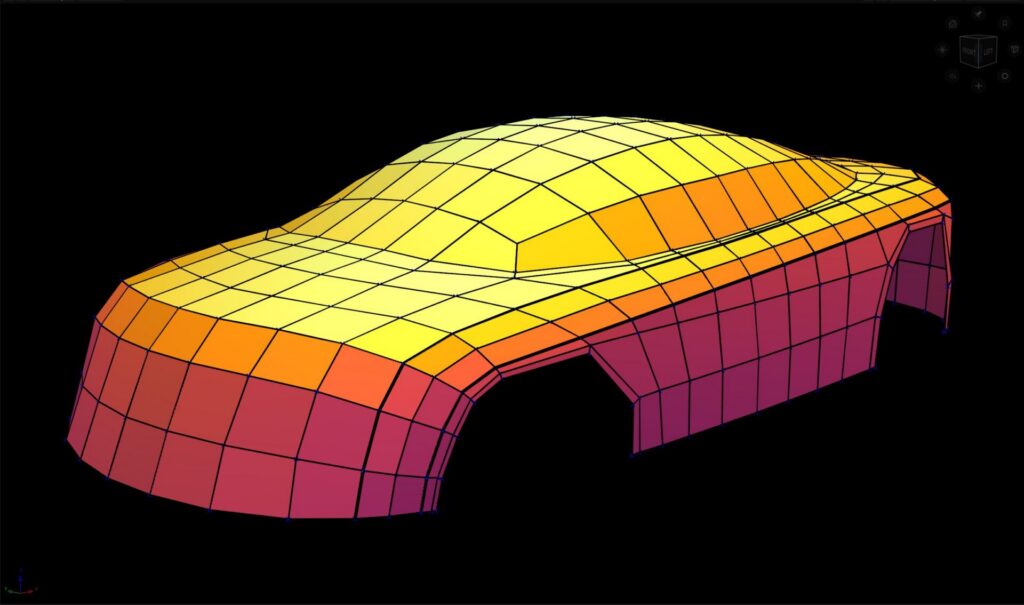
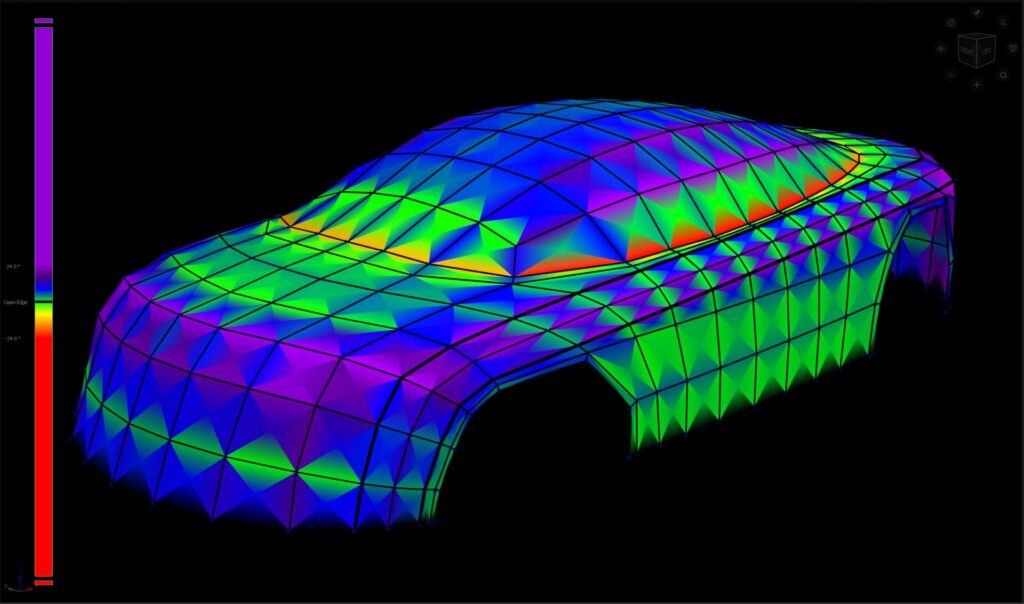
For automotive workflows, this is especially useful because small topology changes can affect crown, reflection behavior, and surface transitions. The goal is to help modelers diagnose form earlier, not just react to problems later.
Make retopology more fluid
We move from form into retopology, with a focus on the new Regions mode.
Instead of building topology one quad at a time, Regions mode lets users:
- Block in larger topology areas quickly
- Adjust density in different directions
- Bias spacing based on curvature
- Add points along boundaries where topology needs more control
- Mix Regions mode with traditional quad-based workflows
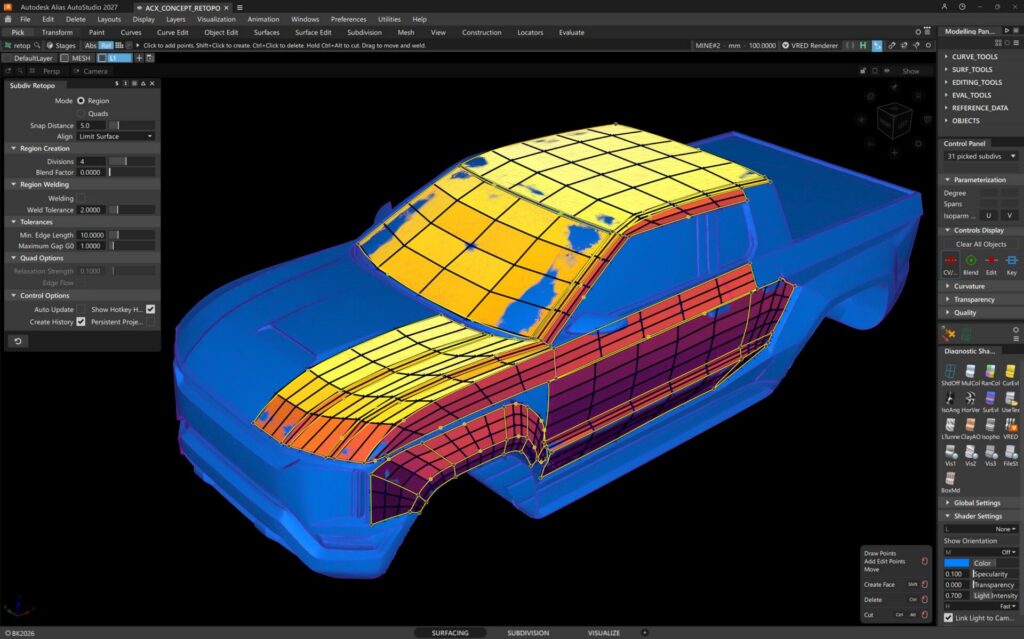
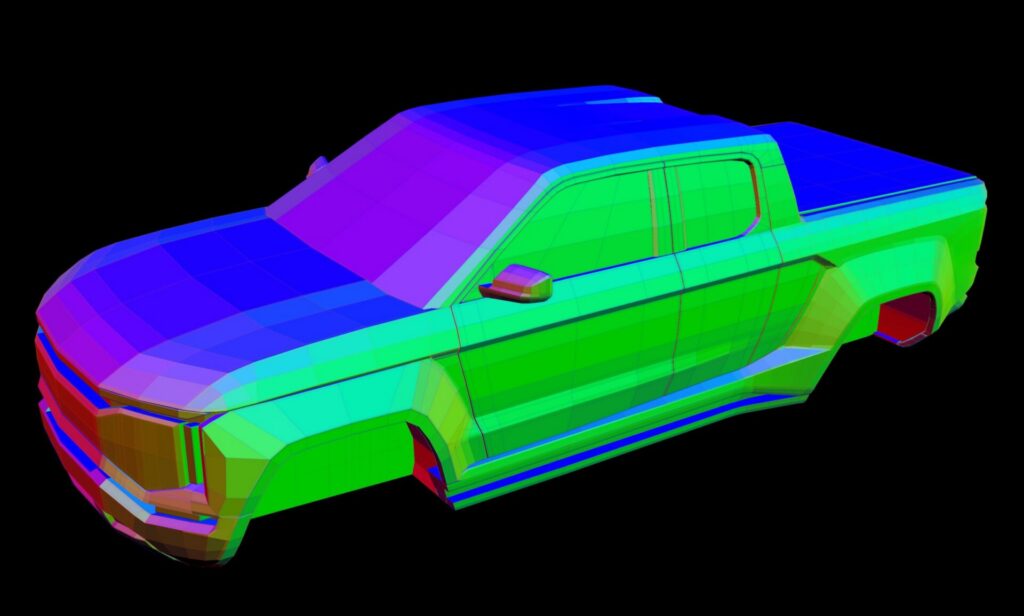
For teams moving between scan data, NURBS surfaces, subdivision models, and concept geometry, this helps make retopology feel less like manual construction and more like an editable design framework.
Reduce rework in surfacing workflows
This Deep Dive also highlights improvements aimed at reducing repetitive surfacing tasks.
Two areas stand out:
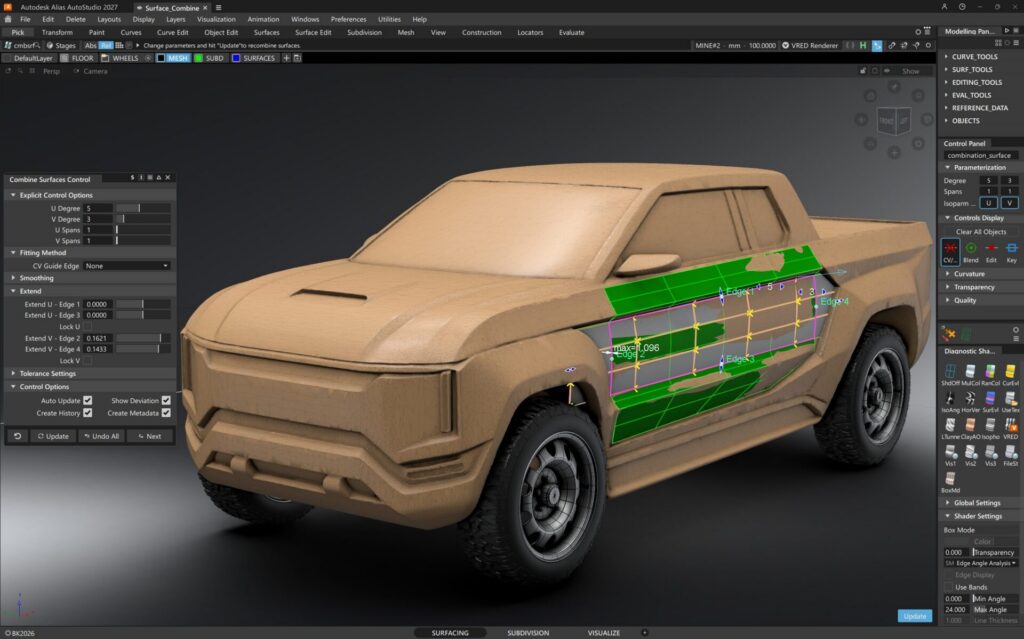
- Surface Combine
- Reworked mathematics under the hood
- Helps approximate multiple surfaces as cleaner, larger NURBS surfaces
- Includes smoothing and deviation feedback
- Supports surface extension to cover broader design areas
- Curve Trim
- Supports history-based trimming
- Allows trimmed curves to update when source curves or surfaces change
- Preserves original curves for later edits
- Makes complex trim patterns faster to revise
For design teams, the value is not just speed. It is the ability to keep working as the design changes without rebuilding the same steps from scratch.
Simplify complex tools for focused work
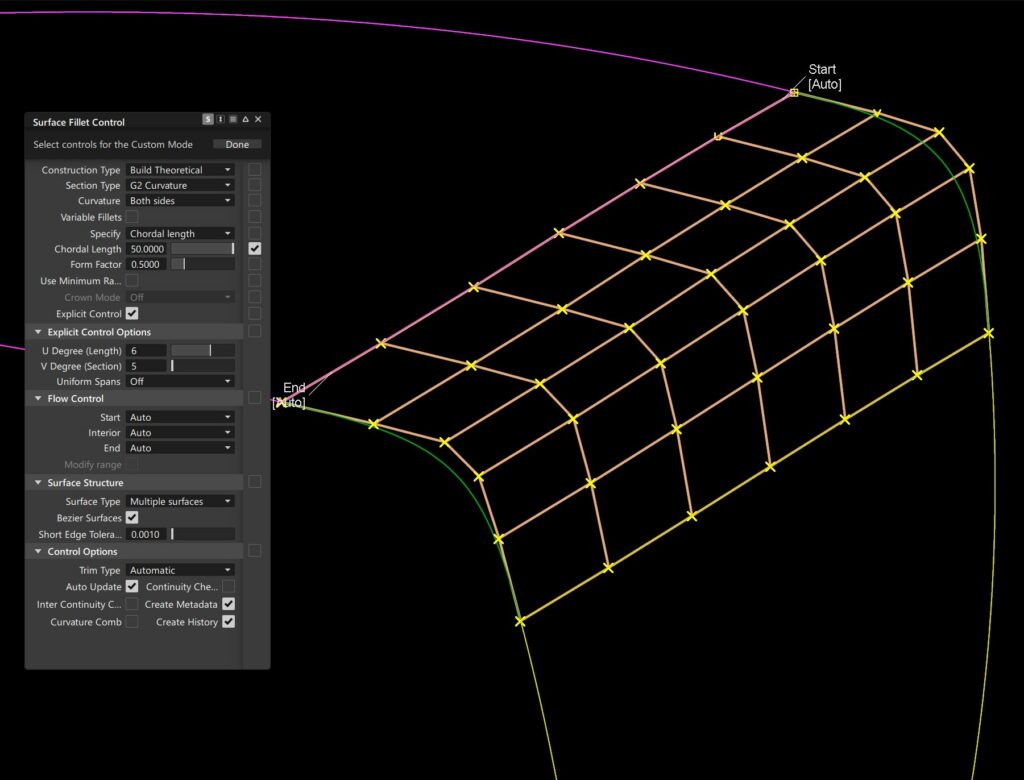
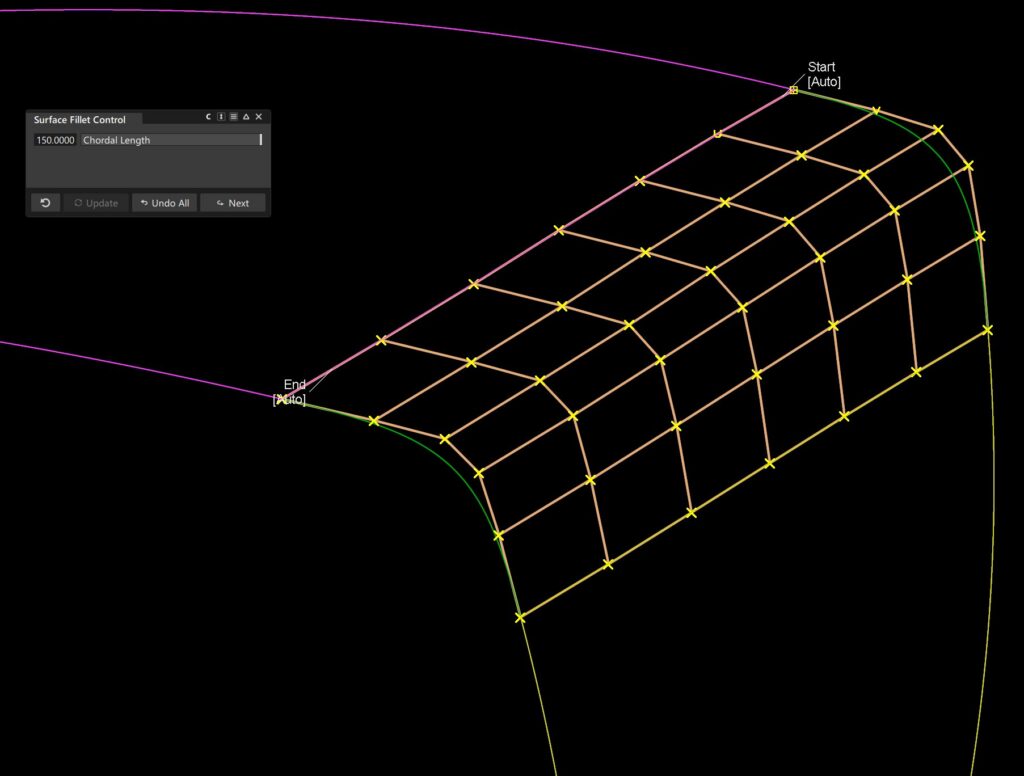
Alias tools can offer deep control, but not every workflow needs every option visible all the time.
That’s where Alias’s UI customization can help users:
- Expose only the controls needed for a specific task
- Create simplified tool layouts for newer users
- Reduce visual clutter in complex commands
- Share focused tool setups across a team
- Preserve access to advanced controls when needed
In a studio environment, that flexibility can make expert tools easier to adopt without reducing their depth.
Close the loop between Alias and VRED
As Autodesk continues to refine its solutions for customers, live reference workflows are becoming even stronger and more interconnected. Designers can now connect review activity in VRED back to modeling work in Alias.
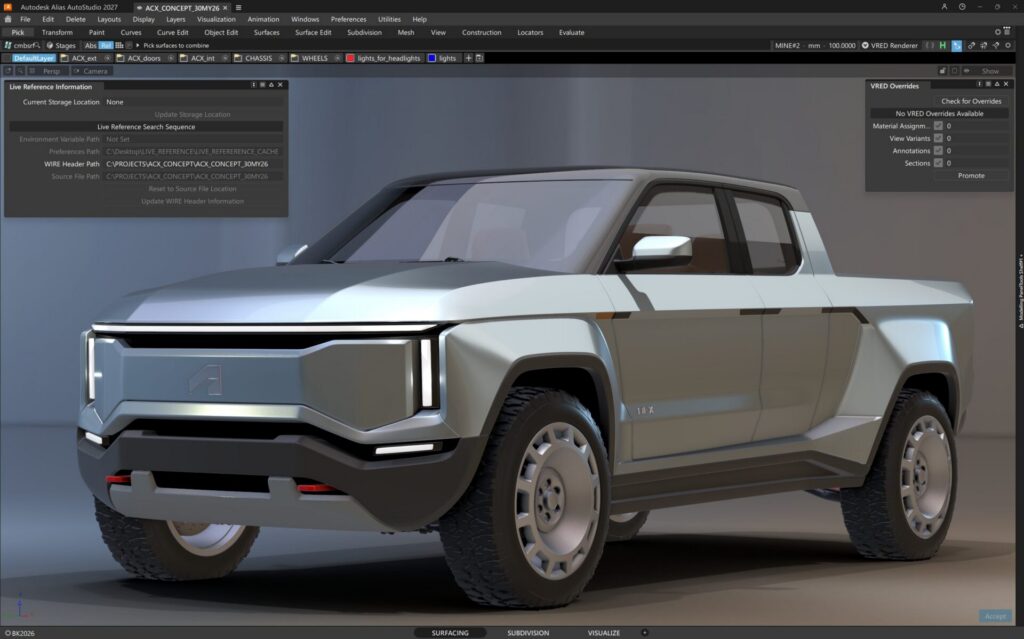
The workflow can bring back:
- Review annotations
- Material assignments
- Cross sections
- Visual feedback tied to specific geometry
This creates a more direct path from design review to surface refinement. Feedback made in VRED can return to Alias with clearer spatial context, helping teams move from critique to action with less translation between tools.
Explore what comes next
The Design Deep Dive closes with a look at technology previews and proof-of-concept work.
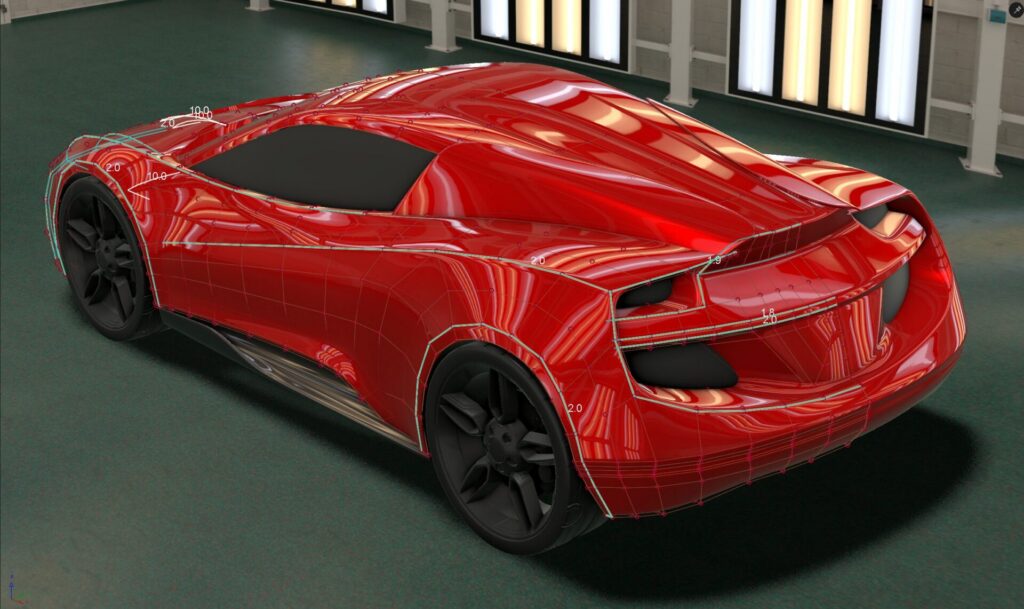
Future-facing topics include:
- Smooth creases
- A proof-of-concept approach for making hard subdivision creases appear more naturally softened
- Variable creasing
- A tech preview workflow for exploring radius-like behavior on subdivision edges without changing the control cage
- Python API customization
- Early examples of user-built tools for cleanup, beveling, normal unification, file maintenance, and import workflows
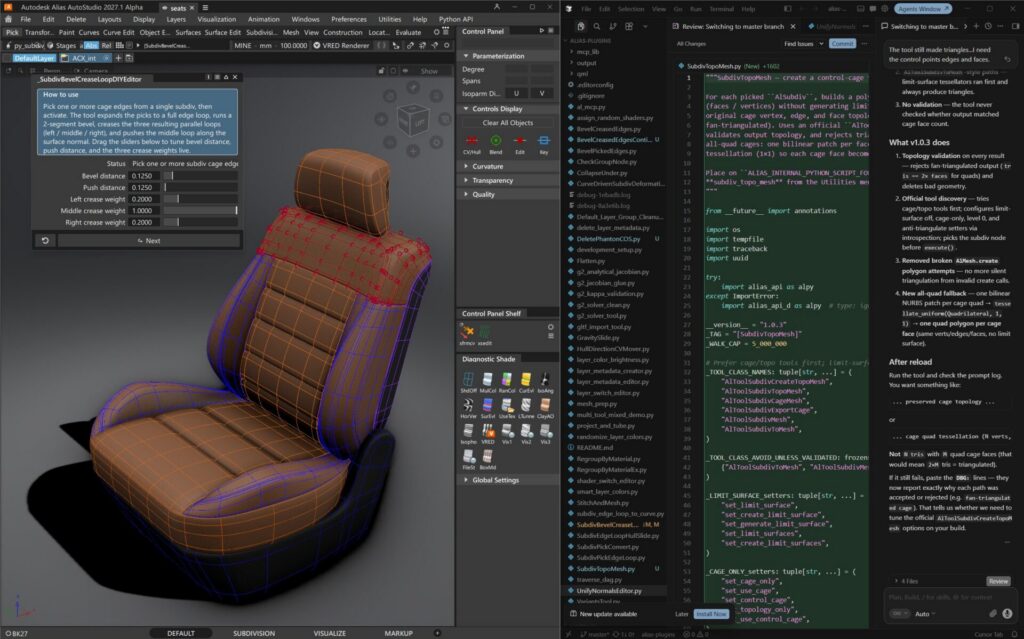
The Python API examples are especially notable because they point toward more studio-specific automation. The idea isn’t that every designer needs to become a developer, but that teams may be able to remove more repetitive work from their day-to-day modeling process.
Spend more time on design judgment
Across the session, Barry reinforces a central idea: better tools should help designers and modelers spend less time managing modeling overhead and more time evaluating the work itself.
For automotive design teams, that matters. Speed is only useful when it supports better decisions. These workflows point toward an Alias environment with clearer feedback, faster iteration, and more room for the craft of shaping surfaces
This story was developed using a blend of human expertise and AI tools supporting the research and drafting. Our team shaped, edited, and fact-checked the final content to ensure accuracy and alignment.
Keep an eye on our blog for more session posts, including keynotes and customer presentations from AIF26 coming soon.
Stay connected with the Automotive Design team – browse our videos on our Autodesk Design Studio YouTube channel and get the latest from our Autodesk Automotive LinkedIn page.