 Autodesk Media & Entertainment

The director calls “cut” on a scene that took hours to set up. Rain machines are running. The location permit expires at sunset. The cast and crew are scheduled to move to another set before lunch.
Years ago, everyone would have waited. Footage would be backed up, delivered to editorial, and reviewed later that night or the following day. Only then might someone discover a continuity issue or realize that another angle was needed.
Today, productions can work differently.
With a modern camera to cloud (C2C) workflow, authorized collaborators can review footage, discuss creative decisions, and begin editorial work while production is still underway. Directors, producers, editors, and executives no longer have to wait for physical media to travel before they can start making decisions.
Camera to cloud has evolved beyond simply moving footage faster. For many productions, it now connects capture, review, editorial, and creative decision-making into a continuous workflow.
Autodesk Flow Capture with PIX brings camera to cloud delivery together with digital dailies, live and asynchronous review, layered content protection, and connected editorial workflows in one secure, cloud-based solution. Rather than treating camera to cloud as the end of the workflow, Flow Capture helps production teams carry footage, metadata, feedback, and creative context forward from set into editorial and post-production.
Whether a team is working on set, across editorial suites, or from different locations, the goal is the same: reduce friction between capturing footage and making creative decisions.
What is camera to cloud?
Camera to cloud is a production workflow that transfers recorded footage—or production-ready proxy files—and their associated metadata from set to a secure cloud platform over an internet connection.
Rather than waiting for physical media to arrive at editorial, authorized reviewers can begin working with footage shortly after it has been captured.
It is important to distinguish camera to cloud from simple cloud storage.
A professional camera to cloud workflow is designed to support production, not replace established media management practices. Camera originals continue to be recorded and backed up locally, while lightweight proxy files are securely uploaded for review, collaboration, and editorial preparation.
This hybrid approach allows productions to maintain trusted backup procedures while reducing the time between capture and creative review.
For productions using Flow Capture, the Immediates workflow delivers camera to cloud footage for review through supported on-set partners such as QTAKE. With a stable internet connection and a correctly configured workflow, teams can begin reviewing footage within minutes of a shoot wrapping.
Why camera to cloud matters for productions today
Film and television productions rarely happen in one place.
A director may be on location. Editorial may be working in another city. Visual effects teams may be spread across several countries. Studio executives may need to review footage remotely.
Without camera to cloud, every handoff can introduce delay. Teams wait for media to arrive before they can review, discuss, and approve creative work.
Camera to cloud changes that dynamic by allowing production and post-production to work in parallel rather than sequentially.
For directors, it can mean making creative decisions while the set is still active.
For heads of production, it can reduce delays caused by disconnected review workflows and scattered feedback.
For CTOs and production technology leaders, it can create a more connected path between capture, review, editorial, and production systems.
The value is not simply moving files faster. It is reducing the time between capturing footage and acting on it.
How a modern camera to cloud workflow works
Although every production has its own pipeline, most camera to cloud workflows follow five broad stages.
1. Capture footage on set
Camera originals are recorded according to the production’s media management and backup plan. At the same time, proxy files can be created for rapid transfer and review.
For productions using Flow Capture Immediates, supported on-set partners such as QTAKE securely transfer recently captured footage and metadata into Flow Capture.
2. Upload proxies and production metadata
A useful camera to cloud workflow transfers more than video.
Production metadata can travel with the footage, helping editorial and production teams identify, organize, and review assets more efficiently. That context may include information such as scene, shot, take, camera, reel, and timecode.
Maintaining that context can reduce the need for downstream teams to reconstruct information manually.
3. Distribute secure digital dailies
Once footage is uploaded, it can be organized and shared with the appropriate stakeholders.
Instead of waiting for overnight delivery, cinematographers, producers, editorial teams, and executives can begin reviewing dailies sooner. That helps creative conversations happen while production is still moving.
4. Review and collaborate
Not every review requires a meeting.
Some collaborators need to watch footage independently and leave comments or annotations. Other decisions require everyone to look at the same frame at the same time.
Flow Capture supports asynchronous review as well as synchronized sessions in Flow Capture Rooms. Authorized participants can review uploaded assets and live streams with synchronized playback, frame-accurate annotations, video, and chat, helping keep the discussion connected to the media being evaluated.
5. Continue into editorial and post-production
Once review is underway, footage and production context need to continue through the pipeline.
Flow Capture integrates with Avid Media Composer and Flow Production Tracking. These connected workflows can help reduce manual handoffs as teams move from on-set review into editorial and post-production.
Flow Capture also supports a bidirectional Immediates workflow through QTAKE and QTAKE Sync, allowing footage to move from QTAKE into Flow Capture and selected media to move from Flow Capture back to QTAKE on set.
What should production teams look for in camera to cloud software?
Transfer speed is only one consideration when evaluating camera to cloud software.
The strongest solution is the one that supports the production’s broader review and decision-making workflow, not only the initial transfer. Teams should consider what happens after footage reaches the cloud: how quickly it becomes playable, how metadata stays attached, how reviewers collaborate, how sensitive content is protected, and how decisions continue into editorial and post-production.
Fast delivery from set to review
A camera to cloud platform should reduce the time between capture and review without creating unrealistic expectations about connectivity.
Test the workflow using the production’s actual on-set equipment, proxy settings, internet connection, and expected shooting conditions. The most useful measurement is the time between the end of a take and playable footage—not transfer speed in isolation.
Production metadata that stays connected
Metadata should travel with the footage so production and editorial teams can quickly identify and organize assets.
Scene, shot, take, camera, reel, and timecode information can be essential to downstream teams. A workflow that separates footage from its context may create additional manual work later.
Synchronous and asynchronous review
Production teams need flexibility.
Some reviewers need to watch footage on their own schedule. Other decisions require a synchronized session with frame-specific discussion.
A strong camera to cloud platform should support both asynchronous review and live collaboration without forcing teams to move between multiple tools.
Security appropriate for unreleased content
Sensitive production footage requires more than a secure upload.
Teams should evaluate viewing, sharing, and download controls, as well as capabilities such as Digital Rights Management, forensic and visible watermarking, multi-factor authentication, single sign-on, and granular permissions.
Security should support the complete review workflow—not stop once the file reaches the cloud.
Connected editorial workflows
Review should not become another isolated destination for media.
Connections to editorial and production tools can help teams maintain context and reduce manual handoffs as footage moves from set into post-production.
Playback quality that matches the decision
Not every review requires the same level of image fidelity.
A producer checking coverage may have different needs from a cinematographer, colorist, or VFX supervisor evaluating picture-critical work.
Teams should consider the resolution, dynamic range, supported devices, and viewing environment needed for the decisions being made. Flow Capture supports 4K, HDR10, and Dolby Vision playback, although support can vary by platform and device.
Why production teams choose Flow Capture
Camera to cloud is most valuable when it helps production teams make better decisions, not simply move files. The evaluation criteria above apply to any camera to cloud platform. Flow Capture is designed to address those needs by combining camera to cloud delivery with secure review, collaboration, and production-to-post workflows.
Flow Capture brings together camera to cloud workflows, advanced digital dailies, synchronized and asynchronous review, high-fidelity playback, and layered content protection into one cloud-based solution for production and post-production teams.
Accelerate creative decisions
Flow Capture Immediates can make footage available to stakeholders within minutes of a take wrapping when used with a supported on-set camera to cloud partner and a stable internet connection.
Earlier access can help teams identify creative or technical issues while corrective action may still be possible.
Replace fragmented review workflows
Feedback can easily become scattered across email, messaging applications, video calls, and separate file-sharing systems.
Flow Capture Rooms give distributed teams a shared environment for synchronized review, frame-accurate annotations, video, and chat. Flow Capture also supports asynchronous review, so not every stakeholder has to join a live session.
Protect sensitive production content
Flow Capture includes layered security capabilities such as Digital Rights Management for video playback, forensic and burnt-in watermarking, granular permissions, multi-factor authentication, and single sign-on.
These capabilities help production teams control how sensitive footage is viewed and shared across internal teams, external partners, and remote stakeholders. Digital Rights Management protects video playback, while forensic watermarking can support leak tracing.
Connect production and post-production
Flow Capture supports workflows that extend beyond camera to cloud delivery.
Connections with Avid Media Composer and Flow Production Tracking can help production and post-production teams maintain context as footage moves from set through review and editorial.
Review live streams and uploaded media together
Some production decisions involve recorded footage, while others require teams to review a live camera or editorial stream.
Flow Capture Rooms can bring uploaded assets and live streams into the same cloud-based review environment. This allows authorized participants to discuss footage, annotations, and live material without separating the conversation across multiple applications.
Support picture-critical review
Flow Capture supports 4K, HDR10, and Dolby Vision playback, subject to the supported platform, device, and viewing environment. Powerful color review capabilities help preserve image fidelity throughout the review process, delivering exceptional brightness, color, contrast, and a wider range of color detail.
From everyday reviews to picture-critical evaluation, Flow Capture enables cinematographers, color teams, executives, and other stakeholders to make creative decisions with greater confidence.
Return selected media to set
Camera to cloud workflows are often described as a one-way path from set to the cloud, but production decisions may also need to travel back to the crew.
Through QTAKE and QTAKE Sync, Flow Capture supports a bidirectional Immediates workflow. Footage and metadata can move from QTAKE into Flow Capture for distributed review, while selected media can move from Flow Capture back to QTAKE on set.
Real productions using Flow Capture
The best measure of any production tool is how it performs on set. Across a range of productions, Flow Capture has helped teams streamline collaboration and support higher-fidelity review.
44 Blue Productions
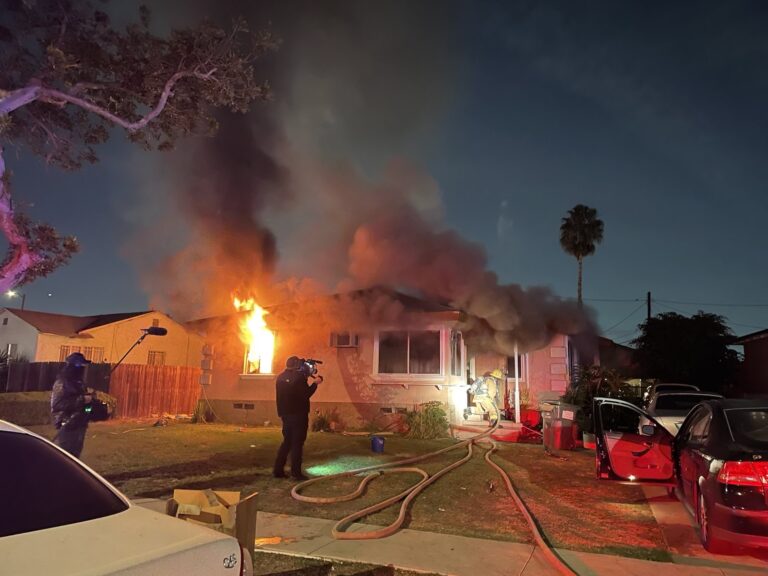
During production on LA Fire & Rescue for NBC, 44 Blue Productions used Flow Capture’s Playlink functionality to streamline its episodic clearance and blur-list workflow.
According to Co-Executive Producer Malia Marshall, the production reduced that specific process from approximately two days to six to eight hours, demonstrating how centralizing media and review can accelerate a time-sensitive production workflow.
Twisted Pictures
For Trust, Twisted Pictures used Flow Capture to securely collaborate across teams working in Mexico, the United States, and Canada.
The production used controlled, time-limited access to manage sensitive content across distributed teams and support the project’s handoff to Republic Pictures, a Paramount company. The result was a streamlined review process that helped distributed teams collaborate efficiently without compromising content security.
A camera to cloud planning checklist
Before principal photography begins, test the complete workflow under realistic production conditions.
- Assign a primary camera to cloud workflow owner and a backup operator.
- Confirm the camera, video-assist, proxy, and metadata configuration.
- Install and test supported on-set partner software, such as QTAKE and QTAKE Sync, where applicable.
- Test upload bandwidth at the actual production location.
- Configure Flow Capture folders, roles, permissions, and review access.
- Enable the required authentication, watermarking, Digital Rights Management, and download controls.
- Add editorial teams and remote reviewers before the shoot begins.
- Test the editorial handoff using representative media.
- Run a Flow Capture Rooms session using the devices reviewers will use.
- Simulate a network interruption and confirm how uploads resume.
- Document the camera-original and local backup process separately.
- Confirm storage, user, and Flow Capture Rooms requirements before production.
Bring production and post-production into the same workflow
Camera to cloud is not simply about getting footage off set faster.
It is about giving creative teams the ability to make informed decisions while production is still moving—and keeping directors, producers, editorial teams, and stakeholders connected throughout the filmmaking process.
As productions become more distributed, the most valuable camera to cloud solutions will be the ones that do more than upload proxies. They will connect capture, metadata, dailies, live and asynchronous review, content protection, editorial, and post-production in one cohesive workflow.
Flow Capture is designed to support that connection, helping production and post-production teams work together with less friction from the first take through final delivery.
Explore Flow Capture or request a demo to see how camera to cloud could fit into your production workflow.
Frequently asked questions about camera to cloud workflows
Camera to cloud (C2C) is a production workflow that transfers recorded footage, proxy files, and associated metadata from set to a secure cloud solution. Authorized directors, producers, editors, and other stakeholders can then review, organize, annotate, and share footage without waiting for physical media to be delivered.
A camera to cloud workflow typically creates a lightweight proxy of recorded footage on set and uploads it, along with production metadata, through an internet connection. The original camera files remain part of the production’s local media management and backup process, while the cloud-based proxies are used for digital dailies, remote review, collaboration, and editorial preparation.
The best camera to cloud software is the one that fits the production’s complete review and decision-making workflow.
Teams should evaluate transfer speed, metadata continuity, digital dailies, synchronous and asynchronous review, security controls, editorial integrations, image quality, and support for distributed collaborators.
Autodesk Flow Capture supports camera to cloud workflows through Immediates, used with supported on-set partners such as QTAKE, and connects footage delivery with secure dailies, live and asynchronous review, and production-to-post collaboration.
Immediates is Flow Capture’s camera to cloud workflow. When used with a supported on-set camera to cloud partner such as QTAKE, it securely transfers recently captured footage and production metadata to Flow Capture so authorized stakeholders can begin reviewing footage within minutes of a take wrapping, depending on the production’s internet connection and workflow configuration.
Immediates is one part of the broader digital dailies process. Once footage reaches Flow Capture, production and post-production teams can organize media, review clips, leave frame-specific comments, collaborate in Flow Capture Rooms, and continue into editorial workflows.
A strong camera to cloud solution for reviewing dailies should make footage available quickly, preserve relevant production metadata, support frame-specific feedback, and give teams control over who can view, share, or download media.
Flow Capture combines camera to cloud delivery with advanced dailies and Flow Capture Rooms, giving production teams options for individual review as well as synchronized sessions with playback, annotations, video, and chat.
Filmmakers should look for camera to cloud software that supports reliable proxy and metadata transfer, secure digital dailies distribution, synchronous and asynchronous review, frame-specific comments, layered security controls, editorial integrations, and high-quality playback.
Teams should also confirm the solution’s infrastructure, connectivity, storage, user, and on-set partner requirements before production begins.
The right tool should help the production make decisions more efficiently, not simply upload files.
Camera to cloud production gives authorized teams earlier access to footage, allowing production and post-production work to happen in parallel.
It can support faster creative decisions, remote dailies review, centralized feedback, more connected editorial handoffs, and earlier identification of issues while filming is still happening.
Camera to cloud workflows should complement, rather than replace, local recording, verified backups, and established media management practices.
Camera to cloud can support secure production workflows when transfer security is combined with strong viewing, sharing, and access controls.
Productions should evaluate permissions, multi-factor authentication, Digital Rights Management, download restrictions, and both visible and forensic watermarking.
Flow Capture includes layered security capabilities for production review. Digital Rights Management in Flow Capture protects video playback specifically, while forensic watermarking is applied to proxy video to support leak tracing.
Camera to cloud describes how footage and metadata move from set into a cloud platform. Digital dailies describe the broader process of organizing, distributing, and reviewing footage captured during production.
A camera to cloud workflow can accelerate digital dailies by making review proxies available sooner, but the two terms are not interchangeable. Flow Capture’s Immediates feature supports the camera to cloud stage, while its broader dailies and review capabilities support what happens after footage arrives.