 Autodesk Media & Entertainment
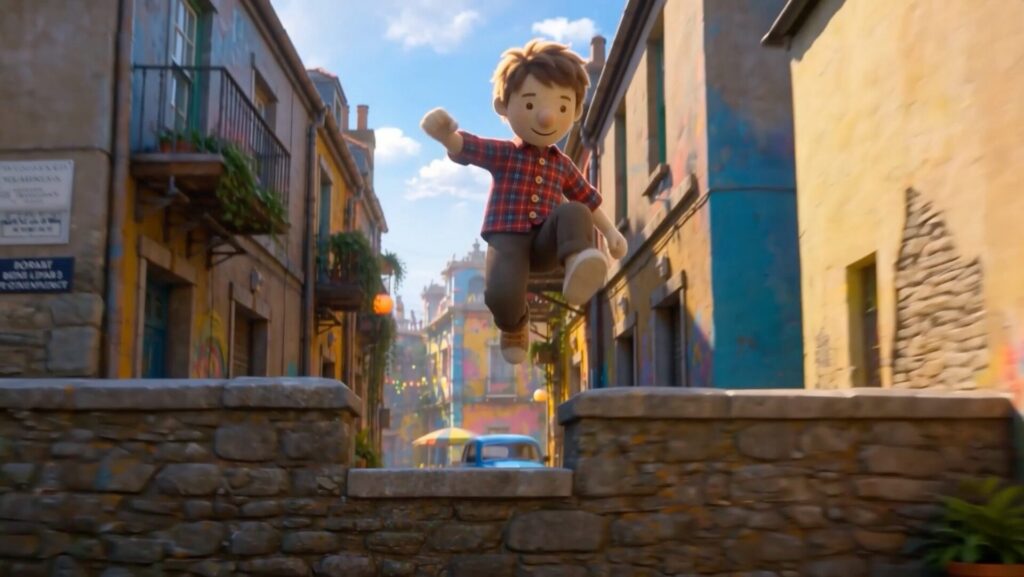
There’s never been a better time to have a story you want to tell.
Not because storytelling got easy. It didn’t. Building a world. Animating a performance. Getting a shot right on set. Learning a complicated piece of software. All of it still takes real craftsmanship. But it’s starting to take a little less of something else: the years, and the millions.
Autodesk AI and Flow, our industry cloud for media and entertainment, are chipping away at the price of entry, the cost that’s stood between you and making a film or building a game. We believe the best storytelling happens when those with something to say don’t need permission to create, and when the brightest professionals finally have time to go the extra mile.
At AU 2026, we brought together some of the latest AI tools we’ve been building across Media & Entertainment. Some give individual creators an easier way into 3D. Others tackle problems studios and professional artists deal with every day.
Here are the tools breaking the barriers to great storytelling.
Barrier #1: You can generate, but can’t direct
Breaking the barrier: 3D Editor + Canvas in Flow Studio
How do you tell your story if you can’t direct it? And what if you need CG characters and big worlds, but don’t have the runway, or the budget, to build them?
With 3D Editor + Canvas in Flow Studio, you can build and direct scenes in 3D. Assign a video performance to a generated character, drop the character in a world generated with World Labs’ Marble directly in Flow Studio, and direct the camera around it. Flow Studio keeps the character, performance, camera, environment, and animation separate and controllable, so each can be changed without rebuilding the whole shot.
- 3D Editor is where creators control the scene itself: performance, camera, staging, timing, and environment.
- Canvas complements that workflow with a node-based 2D workspace where a structured scene becomes the starting point for exploring and refining the final visual result.
- Canvas brings together the best image and video models like Seedance 2.5, Gemini Omni Flash 1.1, and Nano Banana 2 to create, shape, and refine every character, world, and moment in your story.
The opportunity is to use AI to need fewer resources, while giving creators more control, more room to learn, and more ways to practice the craft of filmmaking.
Barrier #2: You have to choose between real and editable
Breaking the barrier: Editable Gaussian Splats in 3ds Max
Building a world doesn’t always mean building from nothing. Sometimes the world already exists (a location, a set, a real object) and Gaussian Splats can capture it with startling accuracy. But until now, that accuracy came at a cost. You could view a splat. You couldn’t touch it. Capturing reality meant paying for it with control.
3ds Max changes that, introducing 3D Gaussian Splats (3DGS) as a fully editable format. A new point object system stores position, orientation, scale, color, custom attributes, and instanced geometry per point, light enough to handle complex datasets, but structured enough to give artists complete creative control. Captured data no longer sits apart from the scene; it becomes part of the same modeling, animation, and scene-building workflow as everything else.
That means artists can bring animated film or game environments created with AI tools like Marble directly into 3ds Max and refine them like any other asset. And with native 3DGS rendering in Arnold, that control extends all the way to the final image: lighting, shading, and color can be adjusted on splats in both 3ds Max and Maya, right up through render.
Barrier #3: Background character animation eats the clock
Breaking the barrier: MotionMaker in Maya
Not every character needs to be the hero, but a horse crossing in the background still needs to move convincingly. Gait, speed, steering, balance, timing, jumps. Multiply that across every background character in a scene, and the hours pile up. Time that isn’t going toward the performances carrying the story.
MotionMaker in Maya uses AI to generate that foundational movement for humans, canines, and horses from high-level direction, handing back editable animation curves the animator can keep refining with familiar Maya tools. The direction still comes from the animator; MotionMaker just takes the weeks off the parts of the job that were never the point.
New in Maya, MotionMaker Bring Your Own Data takes it further for professional teams. Studios can train custom generative motion models on their own rigs and animation libraries, so the output already carries the characteristics of their own work. Once trained, those models generate foundational motion that artists continue to direct and refine using familiar tools like Graph Editor, Time Editor, and Dope Sheet.
For studios, output quality is only part of the equation. They also need confidence in the provenance of the data used to train AI models. With MotionMaker, studios don’t have to guess. The model is trained on motion data captured by Autodesk, providing greater transparency into the data used for training.
Barrier #4: Too many takes, not enough eyes
Breaking the barrier: Smart Search & Actions in Flow Capture (Tech Preview)
A crew has a lot to watch for on set, and only so much attention to go around. And once the footage exists, finding the one moment you need inside hours of takes is its own problem. Flow Capture tackles both ends of that with AI.
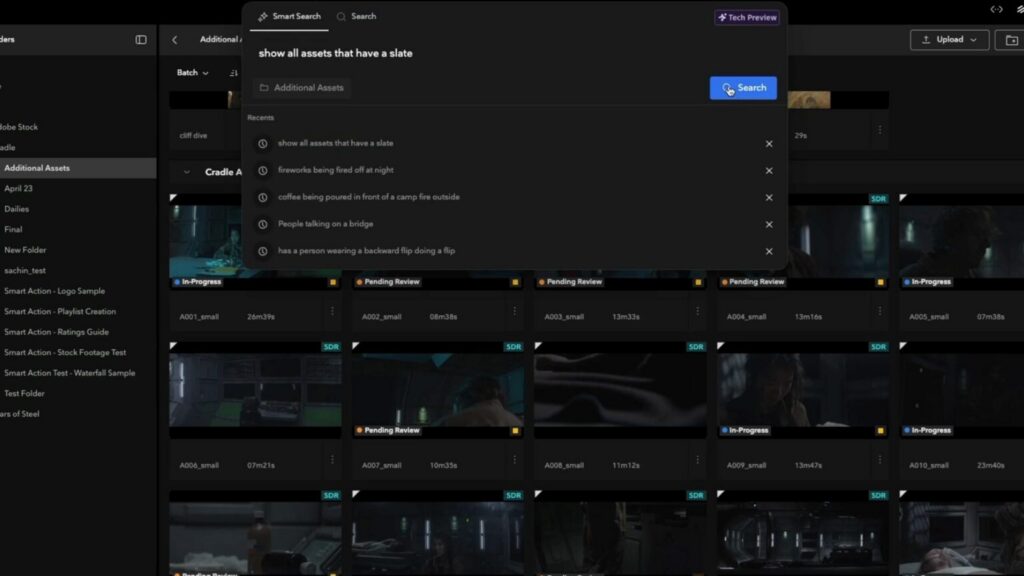
Smart Search in Flow Capture (Tech Preview) helps users find exact moments across their asset library by describing what they’re looking for in natural language, returning matching assets with precise time codes, timeline overlays, in-player seek markers, and metadata filters. Instead of scrubbing through footage by hand, you describe the shot and go straight to it.
Smart Actions (Tech Preview) lets users identify content in uploaded footage and choose what should happen when it’s found — applying tags, adding comments, updating asset information, or building a playlist. Think of it as another set of eyes across every take, flagging something worth checking while there’s still a chance to fix it. Catching a problem in post can be expensive. Catching it while you’re still shooting can be a completely different story.
Barrier #5: OpenUSD is the future, but it gets technical
Breaking the barrier: A friendlier path to open standards
AI is lending a hand, helping artists do more and move faster. But as we create more, how do we get all those assets moving smoothly between tools and teams? The future of production and game development isn’t going to happen inside one tool. Artists already know this. Studios definitely know it. But knowing OpenUSD is the future doesn’t make it easy to work with day to day. Building, changing, and moving complex 3D assets through an open pipeline still takes real technical skill. Autodesk continues to develop workflows that make working in OpenUSD friendlier.
- Component Creator makes building clean, production-ready USD assets easier by converting selected objects into a structured USD stage.
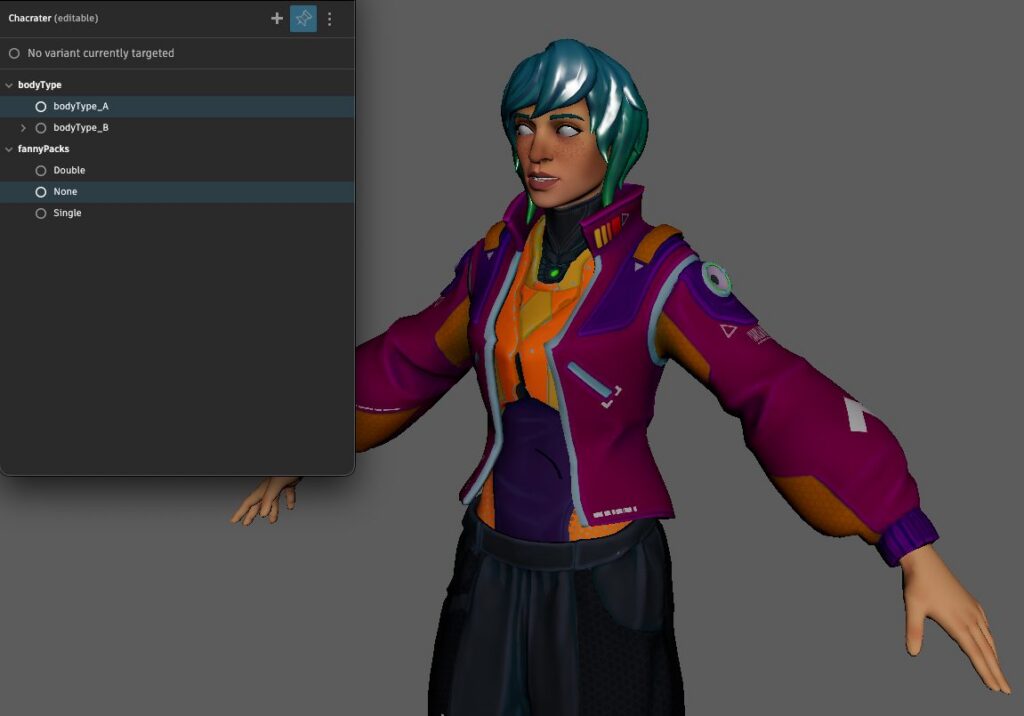
- Variant Manager provides a dedicated space for viewing variant seats, making it possible to add, remove, edit or switch between variant sets from a single interface.
- Path Editor now shows all paths within your stage in one view, so instead of hunting through a complex hierarchy path by path, artists can see and manage the whole structure at once.
Barrier #6: Professional tools are hard to learn
Breaking the barrier: Autodesk Assistant
Professional creative software can do an incredible amount. That also means there’s an incredible amount to learn.
Autodesk Assistant in Maya and 3ds Max, is designed to make that knowledge easier to reach, helping artists find trusted answers, discover tools, and even build scripts that automate tasks like quickly identifying every object in a game level that’s missing a material.
For experienced artists, that can mean less time searching documentation or writing repetitive code. For someone opening Maya or Max with a big idea and no idea where to start, it can help lower one of the biggest barriers of all: simply knowing what to do next.
The takeaway from Autodesk University 2026
More people have the tools to start telling stories, and professionals are getting more time back to tell great ones. That’s what connects all of this.
A creator shouldn’t need to become an expert in every part of 3D before they can start exploring an idea. A professional artist shouldn’t have to give up the control they spent years mastering just to benefit from AI. The tools are starting to meet somewhere in the middle.
None of that makes a great story for you. That part is still hard. And maybe it should be. But with the latest announcements in Autodesk AI and Flow, more of the stuff standing between you and telling it is starting to get out of the way.
Frequently asked questions
What new AI tools did Autodesk announce for media and entertainment at Autodesk University 2026?
At Autodesk University 2026, Autodesk showcased new AI-powered tools and workflows for media and entertainment designed to make content creation more accessible while helping professional artists and studios work faster. Highlights include 3D Editor + Canvas in Autodesk Flow Studio for building and directing scenes with greater control; MotionMaker Bring Your Own Data in Maya for generating editable character animation using studio-owned rigs and animation libraries; Smart Search and Smart Actions in Tech Preview in Flow Capture for finding exact moments across an asset library and choosing what should happen when it is found; and Autodesk Assistant for helping artists find trusted information, discover tools, and automate tasks in Maya and 3ds Max.
How is Autodesk using AI in animation, visual effects, and game development?
Autodesk is using AI to help filmmakers, animators, visual effects artists, and game dev artists automate time-consuming tasks, explore ideas faster, and maintain creative control over their work. AI-powered tools across Autodesk media and entertainment products can help creators generate and direct 3D scenes in Flow Studio, create foundational character movement with MotionMaker in Maya, and search and trigger actions on production footage with Flow Capture. Rather than treating AI as a black box that produces a finished result, Autodesk is focused on AI workflows that provide artists with greater control, editability, and directability.
How does Flow Studio give creators more control over AI-generated video and animation?
Autodesk Flow Studio combines 3D Editor and Canvas to give creators more control over how AI-generated content becomes a finished scene or shot. In 3D Editor, creators can work with characters, performances, cameras, timing, staging, and environments in a controllable 3D scene. Canvas complements that workflow with a node-based 2D workspace where creators can use multiple image and video AI models to explore, generate, render, and refine their results. By keeping scene elements separate and editable, Flow Studio lets creators make targeted changes without having to regenerate an entire shot.
What are Gaussian Splats, and how can artists edit them in 3ds Max and Maya?
Gaussian Splats are a way to represent detailed 3D scenes captured or generated from real-world and digital environments. Autodesk is bringing 3D Gaussian Splats (3DGS) into professional 3D workflows by introducing them as an editable format in 3ds Max. Artists can work with properties such as position, orientation, scale, color, custom attributes, and instanced geometry, making captured or AI-generated environments part of the same scene-building workflow as other assets. Native 3DGS rendering in Arnold also enables artists to adjust lighting, shading, and color on splats in both 3ds Max and Maya through final render.
How does AI help animators create character animation faster in Maya?
MotionMaker in Maya uses AI to help animators quickly generate foundational character movement while keeping the resulting animation editable. Animators can create movement for humans, canines, and horses from high-level direction, then continue refining the resulting animation curves using familiar Maya tools. With MotionMaker Bring Your Own Data, studios can also train custom generative motion models using their own rigs and animation libraries, helping generated movement reflect the characteristics of their existing work while keeping creative direction in the hands of the animator.
How does Autodesk make OpenUSD workflows easier for artists?
Autodesk is expanding its OpenUSD workflows to make it easier for artists to build, modify, and manage complex 3D assets using open standards. Component Creator helps artists convert selected objects into structured USD stages, Variant Manager provides a dedicated space for managing variant sets, and Path Editor makes it easier to view and manage paths across a USD stage. These tools build on Autodesk’s broader development of OpenUSD across products such as Maya, 3ds Max, Bifrost, and Arnold, helping artists work with open, interoperable production pipelines.