 Autodesk Media & Entertainment
What does it take for a small animation studio to become a leader in the development and production of premium character-driven animation for feature film and TV? For Triggerfish, Africa’s largest and most awarded animation studio, the answer lies in empowering animators and embracing new technologies that let artists be artists. From automated animation pipelines to cutting-edge simulation software and interoperable file formats, Triggerfish prioritizes tools that free its animators to craft characters and stories beloved around the world.

Director of Production Mike Buckland and CG Supervisor and Layout Supervisor Chris Cunnington both came up through the animator ranks, so they know firsthand how important systems and tools are to facilitating creative storytelling. Buckland studied graphic design in his native Zimbabwe and started his career working in advertising. After seeing Toy Story, he became excited about 3D animation and began an internship at a small animation studio in Harare. “We did a lot of work and a lot of variety, so I learned everything from dealing with clients to editing to compositing,” he says. “I’ve always had a passion for designing characters and making cartoons, so I started making short films.” Buckland moved to South Africa to focus on films and joined Triggerfish in 2007 to help transform the studio’s focus from stop-frame animation to CG animation.
Cunnington also began his career in advertising, specifically in the signage industry. “I started a small company with my father, creating vinyl signage, he says. “We bought ourselves one of those vinyl-cutting machines, saw a gap in the industry, and expanded out from there.” Sign creation evolved into graphic design and website work. Wanting to take his skills to the next step, Cunnington sold the company to a friend and used the proceeds to pay tuition in a 3D animation program. After earning his diploma, Cunnington worked for a gaming company before segueing into animation, joining Triggerfish in 2009 to lead the stereography department on a movie project.
It was around this time that Triggerfish began to take off on the global stage. “When Chris joined us in 2009, we’d just gotten funding for our first feature film, Adventures in Zambezia,” Buckland says. “Then we did another feature film called Khumba. Both got international distribution and release, which was really exciting and gratifying.”
Over the years, Triggerfish has grown into Africa’s leading animation studio, winning Emmys, Annies, and other international awards, and creating work for such prestigious clients and partners as Disney, the BBC, Netflix, Lucasfilm, Magic Light Pictures, Hasbro, eOne, Ubisoft, Cake, Nickelodeon, Warner Brothers Animation, Sesame Workshop, and Sony Pictures Animation.
A pipeline that lets artists be artists
When Triggerfish set out to make feature films, the projects quickly became too complex to manage with just a few spreadsheets. At first, Buckland says, the team created a homegrown solution. “We wrote our own production-management software, mostly around keeping track of tasks and the status of various departments. We used that for two or three projects, and it was great, but it was self-managed and became too much of a burden to maintain.” They shifted the pipeline to Autodesk Flow Production Tracking, and quickly came to rely on it for task management, review management, and more typical artist-related work.
About five years ago, during a period of downtime between major projects, Triggerfish undertook a massive overhaul of its animation pipeline. “Our pipeline at the time was kind of manual, a bit more human-managed, with a lot more internal messaging linking things in,” Cunnington says. Opting to start from scratch, the team built a new pipeline around the guiding principle of “let artists be artists.”
“The goal was to not have artists worrying about the technicalities of file storage and scene content,” Cunnington says. “We built a user-friendly interface that allows artists to focus on their work. For example, if they are working on an asset for look dev, they can do their work, and when they publish, the system takes over and places it in the correct location, whilst layering and merging other assets as required.”
In order for the new system to properly manage files, the team needed to standardize deliverables, creating, what Cunnington calls, “freedom within a framework.” He explains, “Artists have the freedom to be creative, but deliverables need to be structured within a more regimented framework. We have a validation tool that checks all assets and kicks back files with issues to be fixed before handing off to the next department.”
“We also do a lot of behind-the-scenes processing with mayapy, the Maya Python interpreter. An artist might publish something, and that asset is reprocessed multiple times in the background without their knowledge.”
It’s all managed in Flow Production Tracking, which gives the team a comprehensive database for tracking and managing assets of every type. “Not only do we create our main characters and main sets and publish those review turntables up onto Flow Production Tracking for review, but we then assign that same character to a shot as a sub asset,” Cunnington says. “We use that to track all the related assets that are supposed to be built into a shot for lighting and rendering.”
“When an artist says, ‘I want to work on shot 1010,’ Flow Production Tracking presents them with all the relevant assets—characters, environments, props—and then they can tick those boxes and import the assets for the shot.”
Working with this structured and automated pipeline for the past few years has reduced downstream problems and kept assets moving more smoothly, enabling the studio to streamline its departmental structure even as it has created its most ambitious projects to date.
Create, render, simulate—filling an animator’s toolbox
Triggerfish uses Autodesk Maya for modeling, rigging, and animation, as well as layout for previz and camera work, and set assembly. Buckland explains that Maya was the logical choice given the company’s size, the scale of its work, and the prevalence of Maya skills among the animators joining the team.
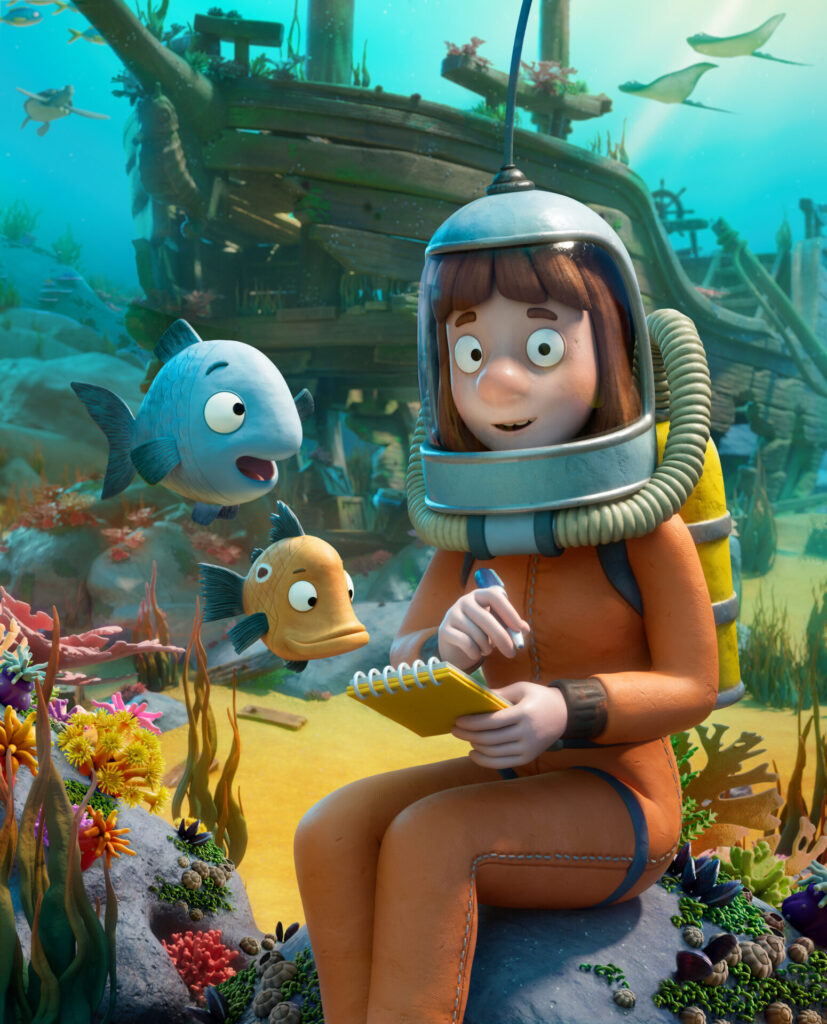
Similarly, the studio has used Autodesk Arnold rendering for years. “When Arnold came out, we immediately adopted it,” Buckland says. “It was just much easier to work with. We got better results, quicker renders, and better-looking lighting.”
“It’s basically the best third-party render engine available,” Cunnington adds. “The others don’t get near the speed and quality that Arnold has.” For future projects, the team is exploring the use of GPU rendering with Arnold. “We’re still in the testing stage, but we’ve been excited by the leaps and bounds that the GPU rendering side of Arnold has been taking.”
“We don’t want an artist sitting around waiting for their own machine to kick out a turntable when it’s not necessary.”
The team has taken advantage of the Autodesk Media & Entertainment Collection to bundle multiple Arnold seats with each Maya license. “It’s mainly about making sure that we have sufficient render nodes available,” Buckland says. “Again, it’s about letting artists be artists.”
Intricate environments made easy with procedural capabilities
Maya’s procedural content creation tool, Bifrost, has also proven useful on recent projects. Cunnington began using Bifrost several years ago during work on Tiddler, the Magic Light Pictures film about a fish, which required scatter systems for parts of the underwater environment. “I poked around with a different tool for a couple of weeks and could not make it do the things I needed to do,” Cunnington says. “I started asking, what are the other options? The one that came up very quickly and that answered a lot of my questions was Bifrost.” He found that Bifrost was compatible with the production’s pipeline and allowed him to create multiple instances of files.
“Bifrost checked all the boxes, one of the big ones being creating multiple vertex maps color sets on a single input mesh. It just gave me that power that I didn’t have in the other tool and solved all the problems that we were foreseeing, ” Cunnington adds.
“On The Scarecrows’ Wedding, our most recent work for Magic Light Pictures, it’s being used for actual prop work: for creating tree canopies, bales of hay, along with scattering massive fields of wheat and grass.”
“When it comes to complex asset creation, Bifrost has become one of our go-to tools, revolutionizing how we approach some of the most intricate environments.”
“Take, for example, the creation of five unique trees, each with a custom-designed canopy. By leveraging Bifrost’s power, we were able to instance every single twig and place apples on those twigs with precision, all while maintaining complete control over the canopy shape. This flexibility was key in achieving exactly what the directors envisioned.”
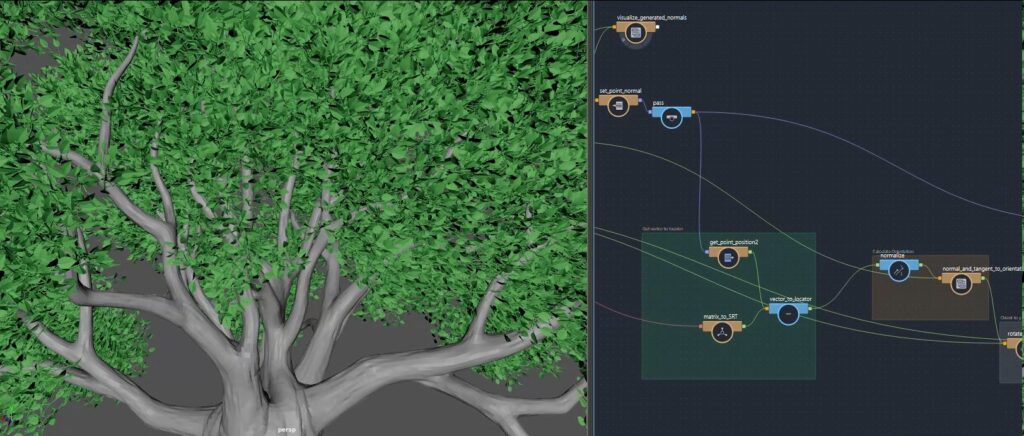
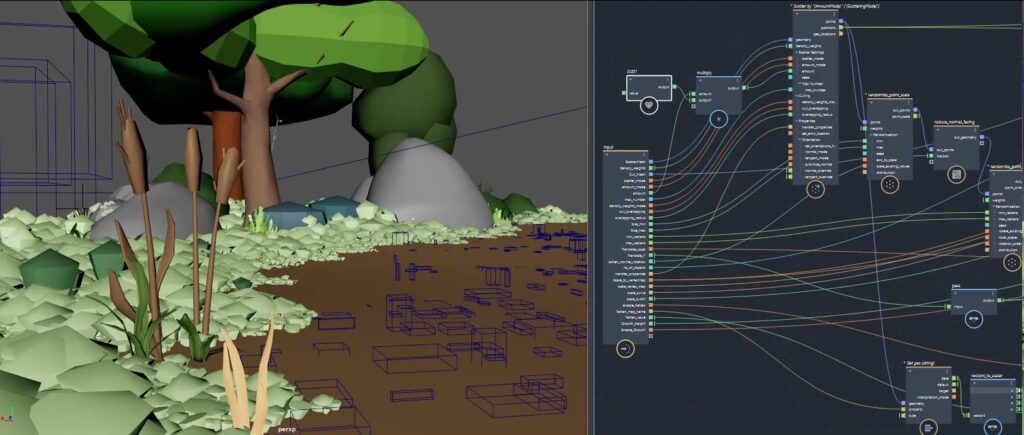
One of the standout challenges in the film required a vast wheat field, which needed to appear both in its fully grown and harvested states. Here, Bifrost’s procedural capabilities really shone. Instead of painstakingly painting new vertex maps or manually placing each row, they could effortlessly control the placement of the wheat. The rows were arranged as if sewn by a tractor, and during live reviews, they had the power to dial in the number of rows on the fly.
From the grass scatters that blanket the ground to the hay bales and even every tiny pebble, Bifrost played a huge role in ensuring that every shot of the film felt organic. “Bifrost gave our artists the freedom to focus on the art while it handled the heavy lifting, making it an indispensable part of our pipeline. In every frame, Bifrost played a role behind the scenes, creating the world our story inhabits.” says Cunnington.
Bifrost also made it easy for Cunnington to create scatters that can be shared with animators and readily managed within Triggerfish’s pipeline. “Bifrost is able to output an OpenUSD file of the proxy geometry of scatters that animators can import into their environment in a lightweight form. From a pipeline perspective, we can move the Bifrost graph into an object that we can parent into our assets for easy publishing.”
Three years on, Bifrost is an important tool for the studio’s current projects. “It’s slowly creeping more and more into the pipeline,” Cunnington says. “Where it was just used for dressing on the previous project, it’s now being used for actual prop work, for creating bales of hay, for destroying that bale of hay.”
Empowering data interchange with OpenUSD
One of the most significant factors in Triggerfish’s ability to take on increasingly complex projects while still giving animators freedom to focus on their art is the studio’s embrace of Universal Scene Description (OpenUSD) to ensure data interoperability. “It’s now the de facto standard in the studio,” Cunnington says. “Everything gets exported out as OpenUSD, and we know that any software will be able to read that OpenUSD in.”
“Where do we need assets to come from? It doesn’t matter. As long as it’s output in the correct OpenUSD structure, we can use it anywhere.”
But beyond OpenUSD’s usefulness for data interchange, Cunnington appreciates the format for its structure and portability. “OpenUSD’s power comes from its layer and composition arc systems,” he explains. “When you layer two OpenUSD files that have a similar scene, hierarchy, or graph structure, they overlay each other perfectly, and merge into each other.”
“The size of the files is actually quite amazing,” he adds. “A binary OpenUSD file is a massive size saving over any other file format. For example, when I initially exported grass scatters for the animation team, it was a 1.6 GB file, which is a bit too heavy to copy over to local computers and have in your viewport. OpenUSD’s native instancing solved that immediately. I instanced the standardized grass tufts, and we then could produce that same file with only 40MB. It loads in the viewport nearly instantly, the animators are happy, and there’s no like lag time for them.”
As Triggerfish continues to expand and scale, the team will continue to explore new tools that can help power their uniquely flexible, artist-focused animation pipeline. For Buckland and Cunnington, the priority will always be freeing animators from technical hassles so they can focus on doing what they do best: creating characters and stories that resonate on the global stage.
Learn more about Triggerfish.
Get all the tools you need, including x5 Arnold subscriptions and x15 the Bifrost for Maya simulation power, bundled in the Autodesk Media & Entertainment Collection.