 Autodesk Media & Entertainment
Original article published on Autodesk AREA Japan
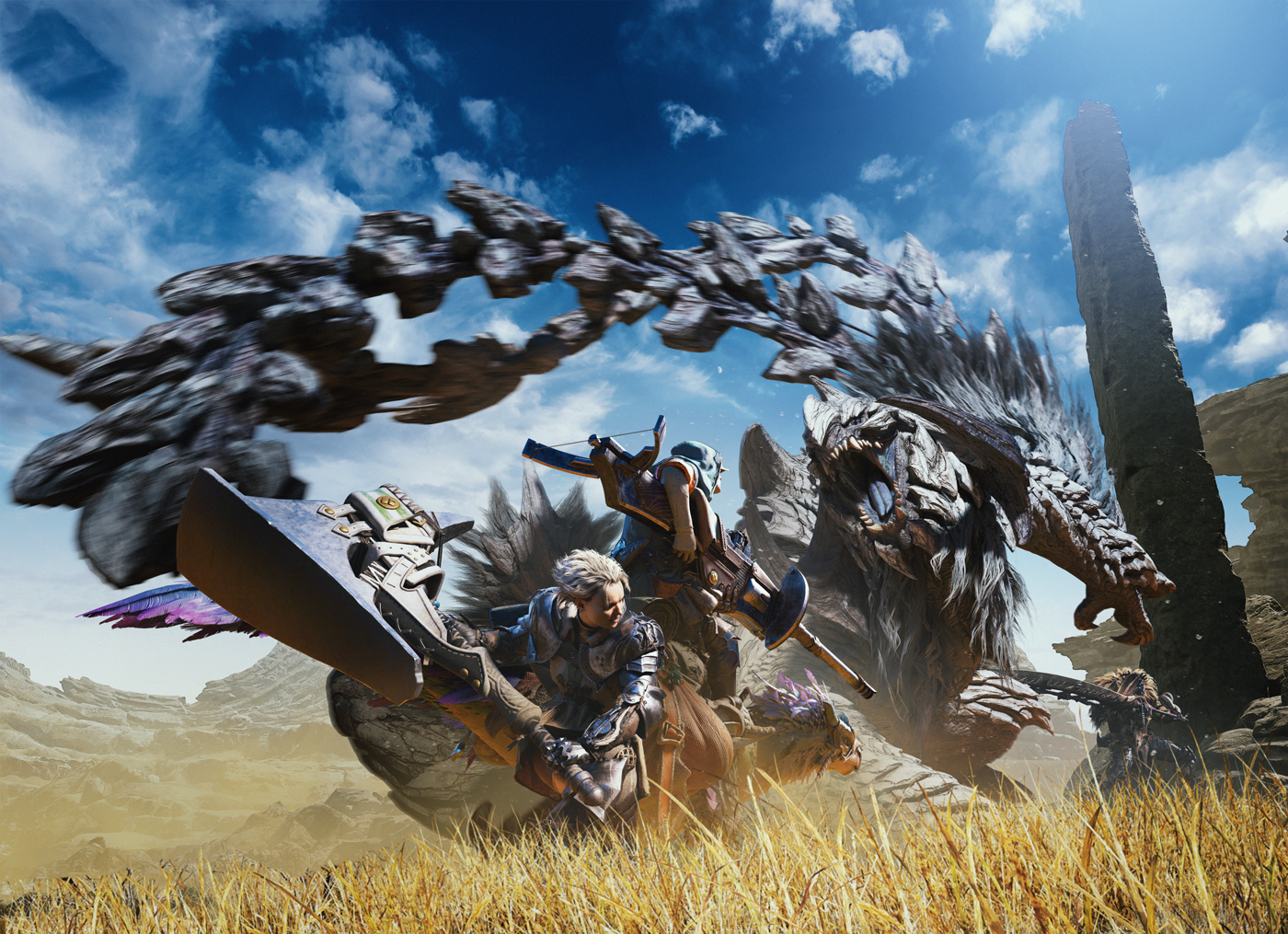
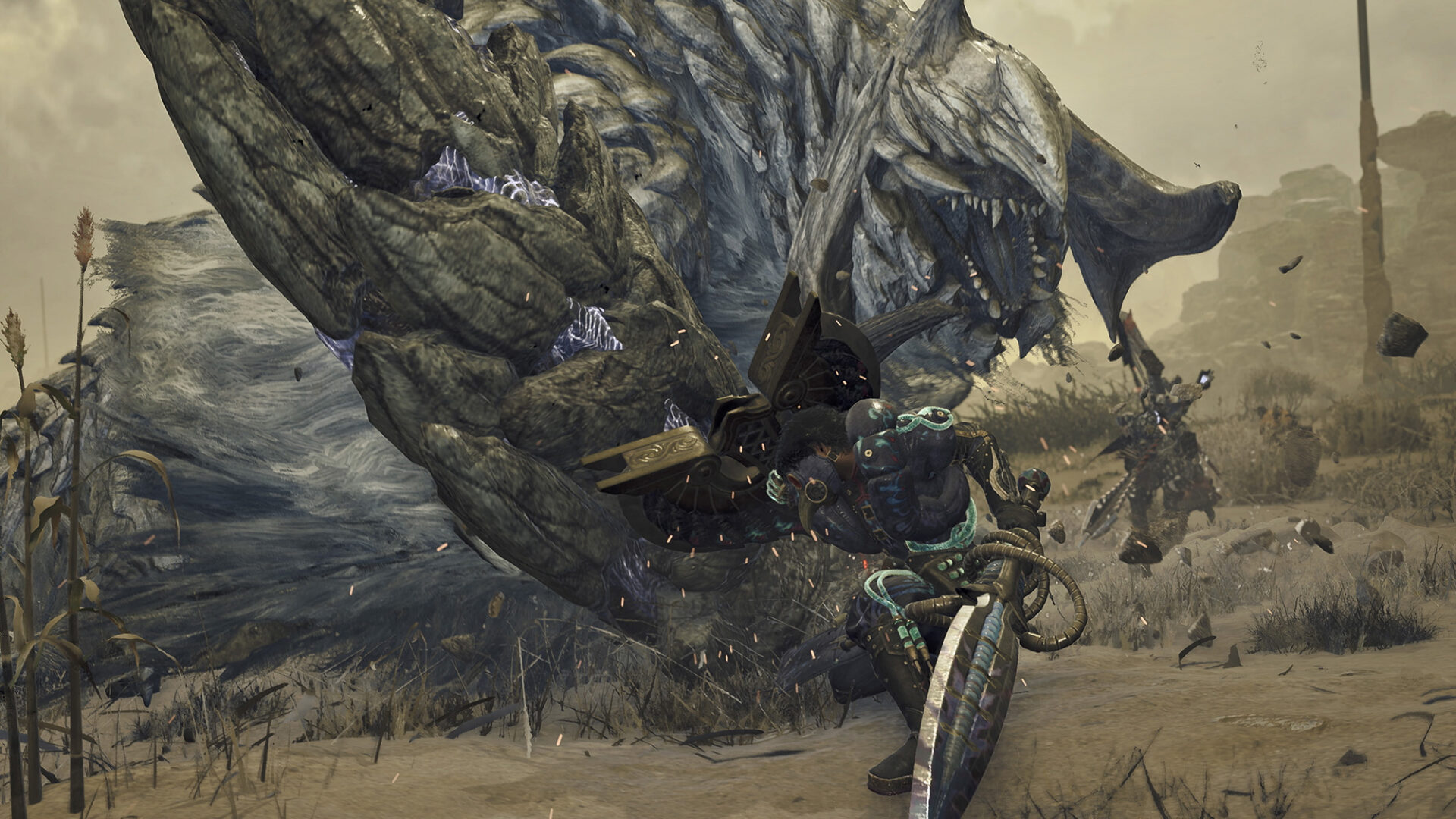
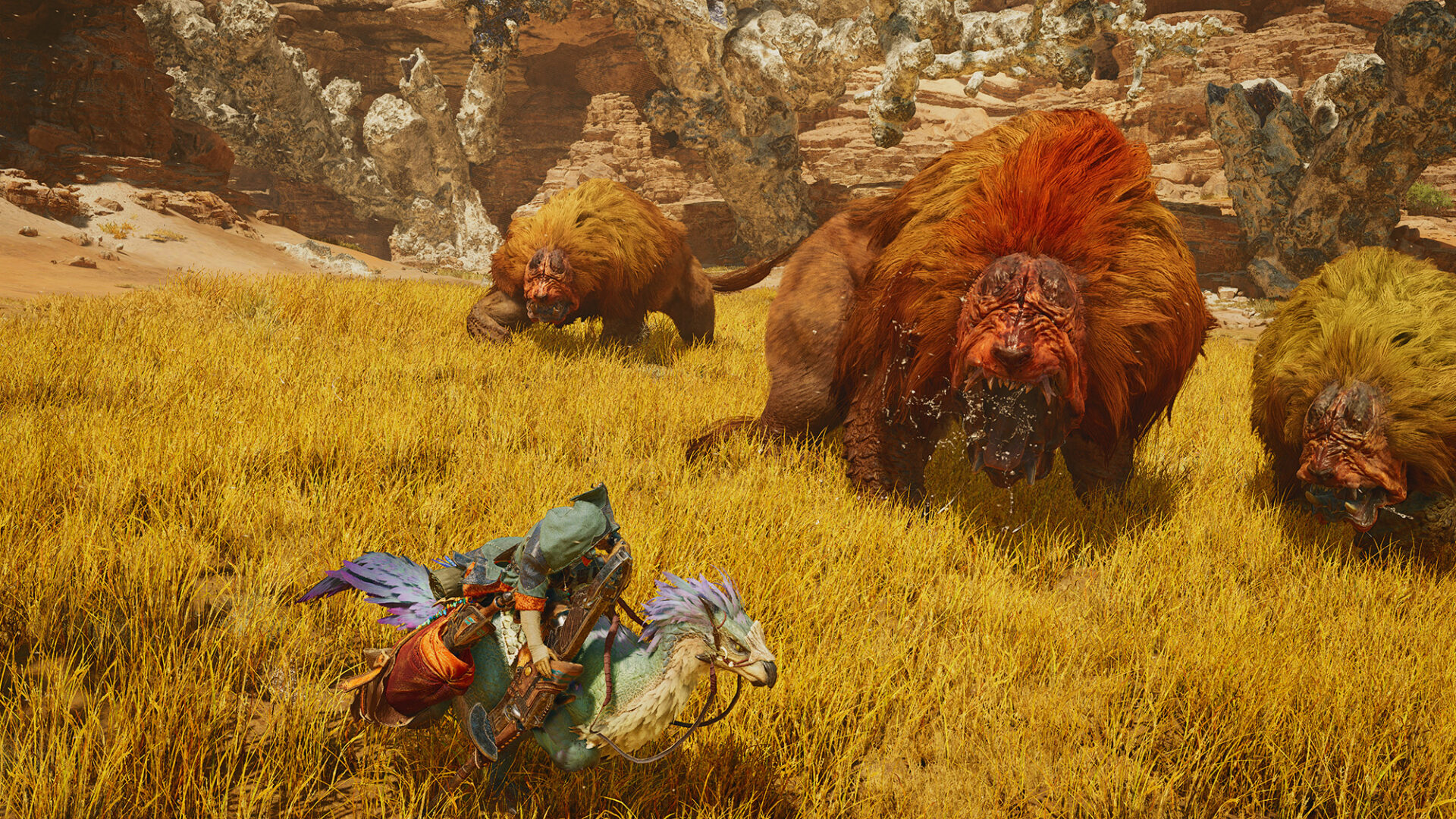
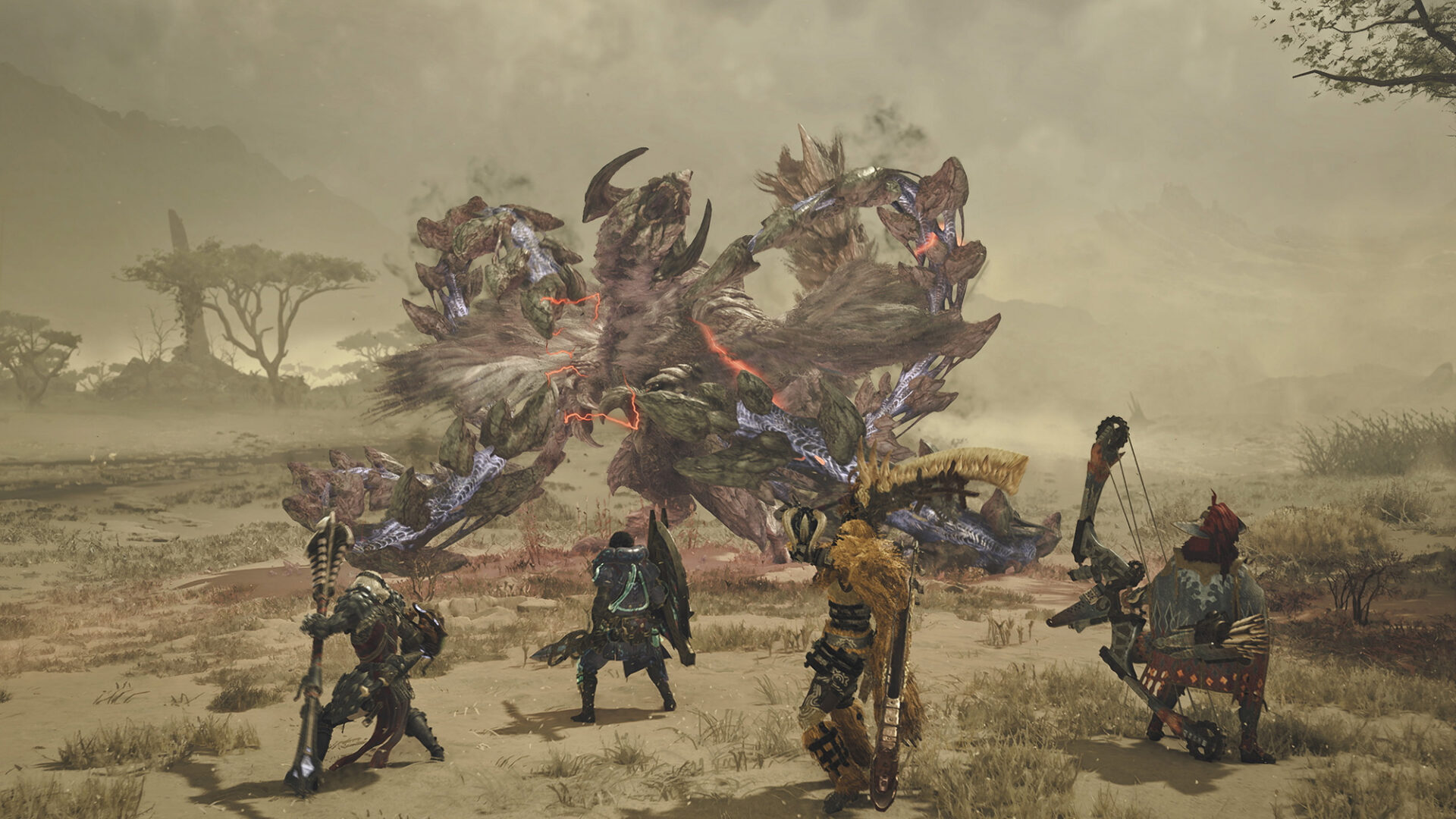
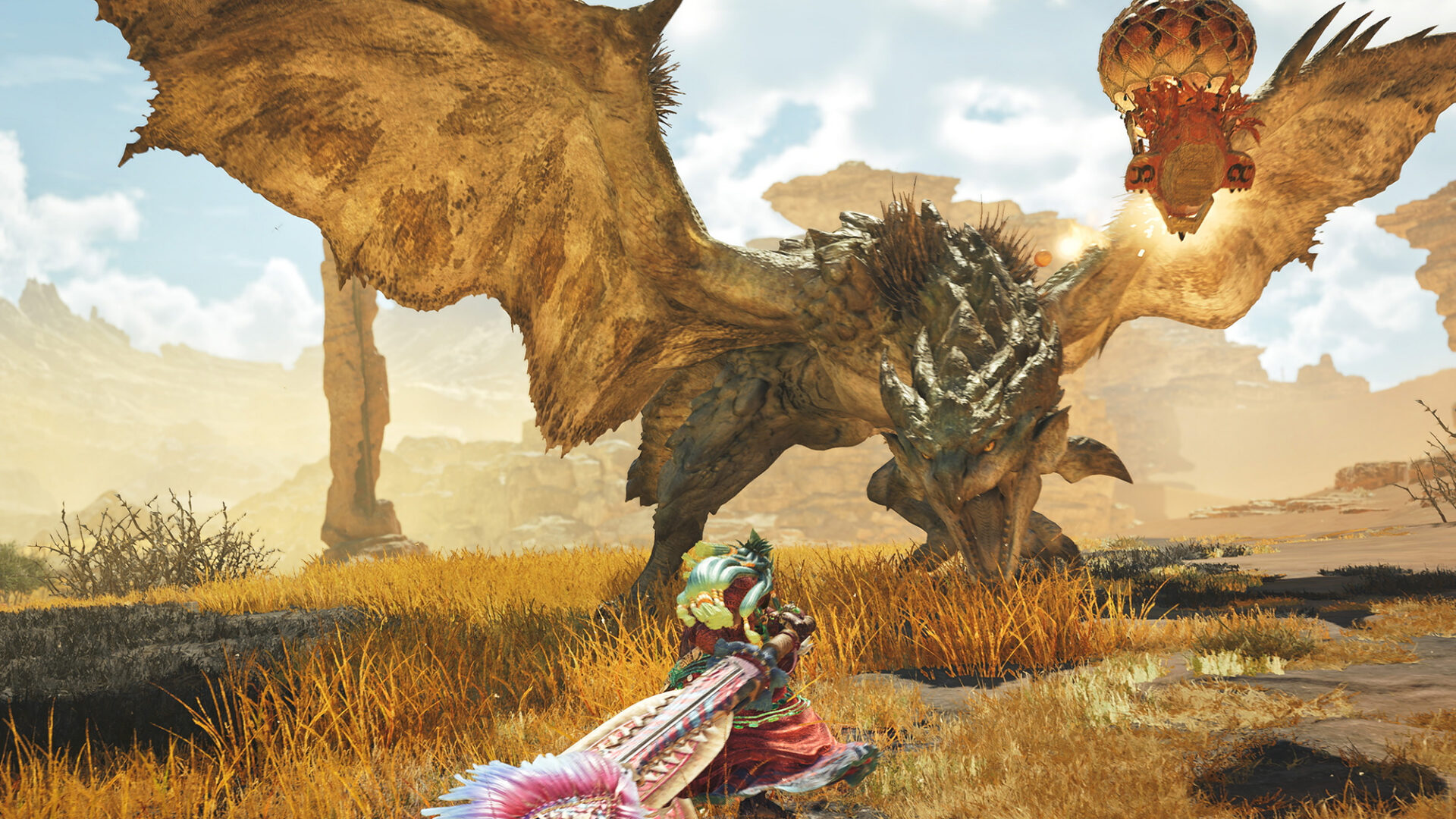
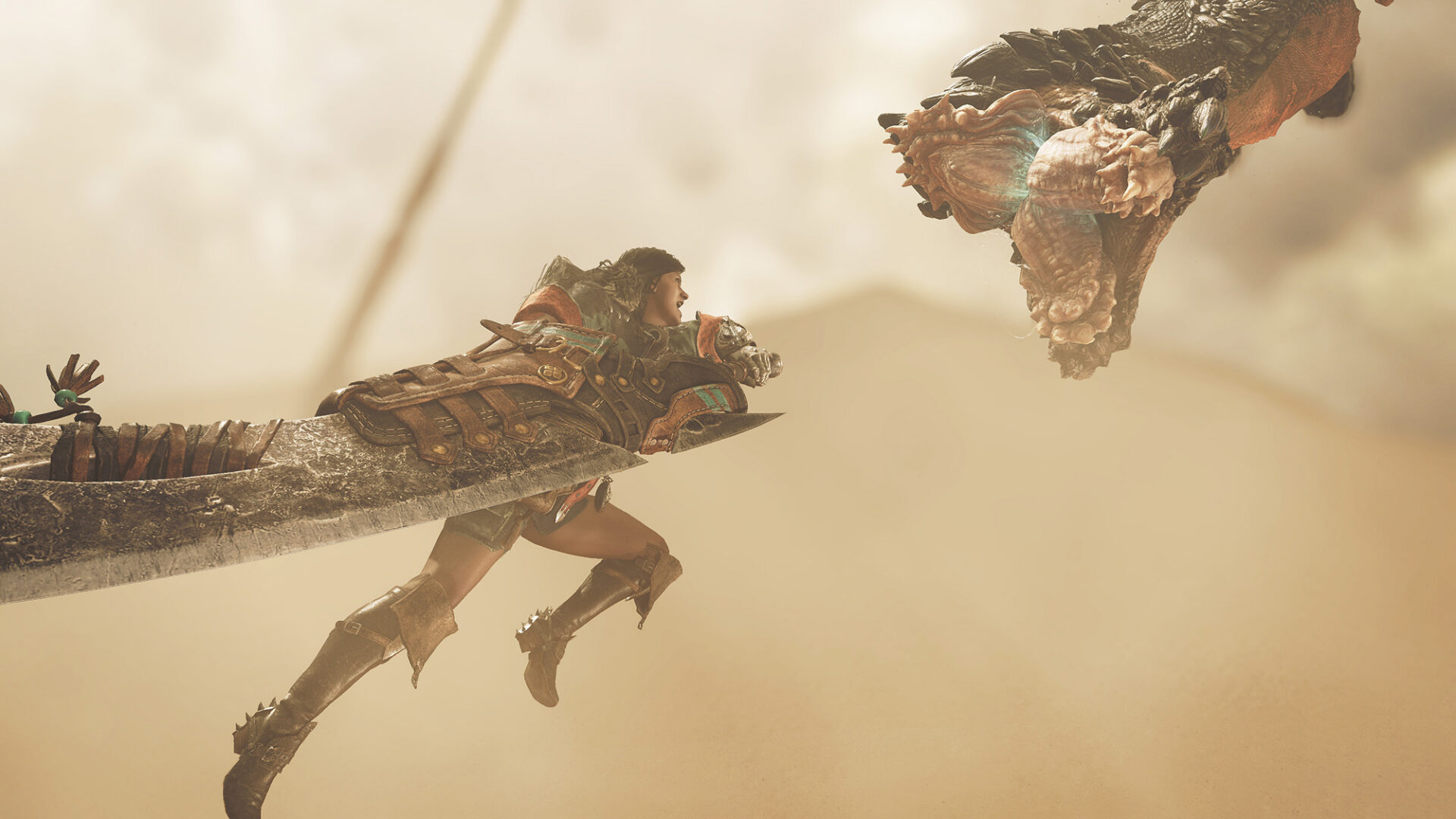
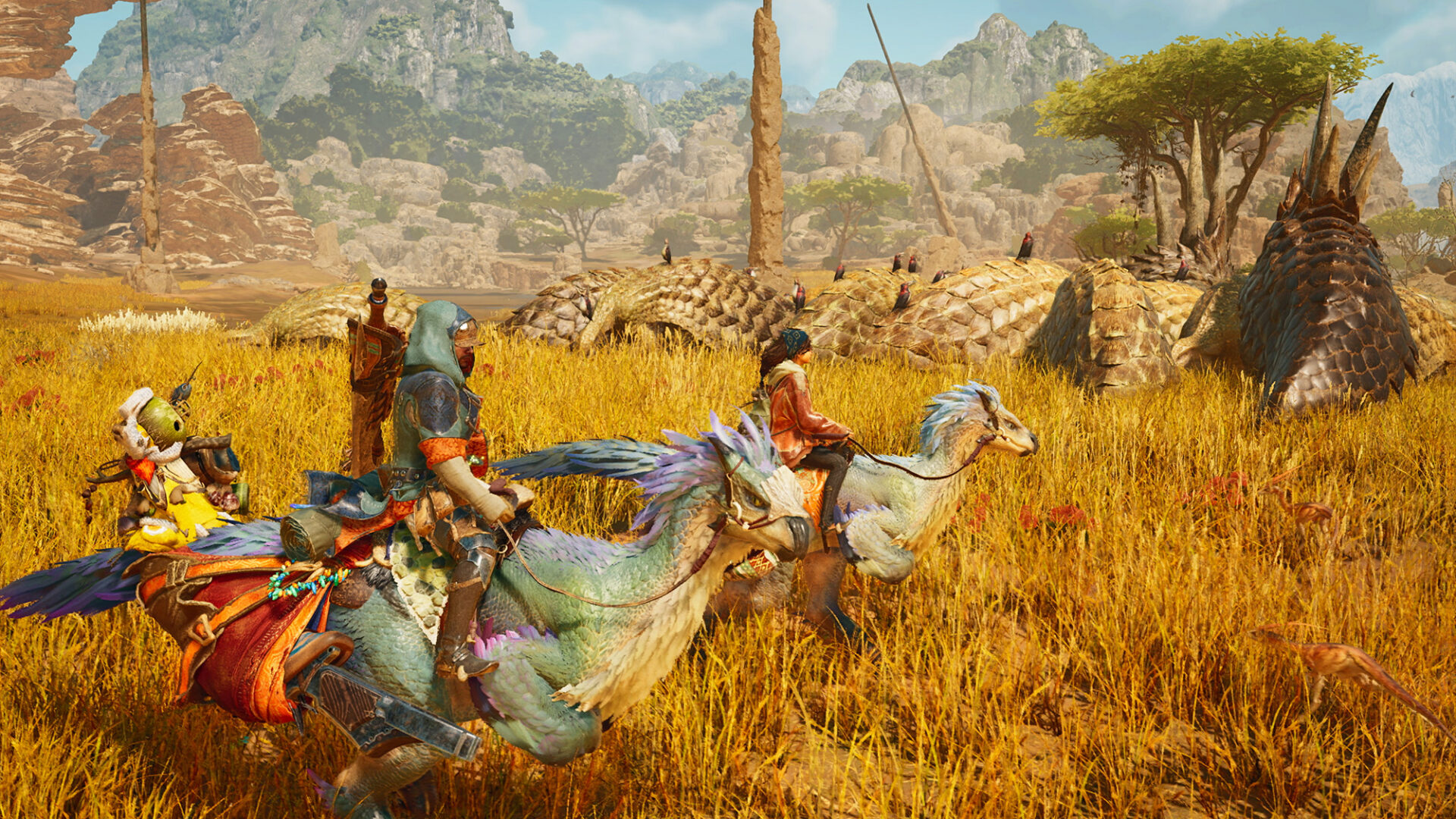
Monster Hunter Wilds, the latest title in the Monster Hunter series, was released in February 2025. The game’s immersive experience stems from its depiction of monster ecology across expansive locales, detailed background environments, and the dynamic gameplay of the hunters. Underpinning this immersive world is a sophisticated production infrastructure that supports game development on a large scale.
Character and background asset modeling utilized Autodesk Maya, while animation and motion capture adjustments were handled with MotionBuilder. These tools helped construct each element of the game. To streamline the management of thousands of assets, Monster Hunter Wilds introduced Flow Production Tracking (formerly ShotGrid). By centralizing thumbnail and metadata management, it ensured consistent data operations even when integrated with Capcom’s proprietary RE ENGINE. We spoke to the development team about how they leveraged Autodesk’s suite of products throughout the production process.
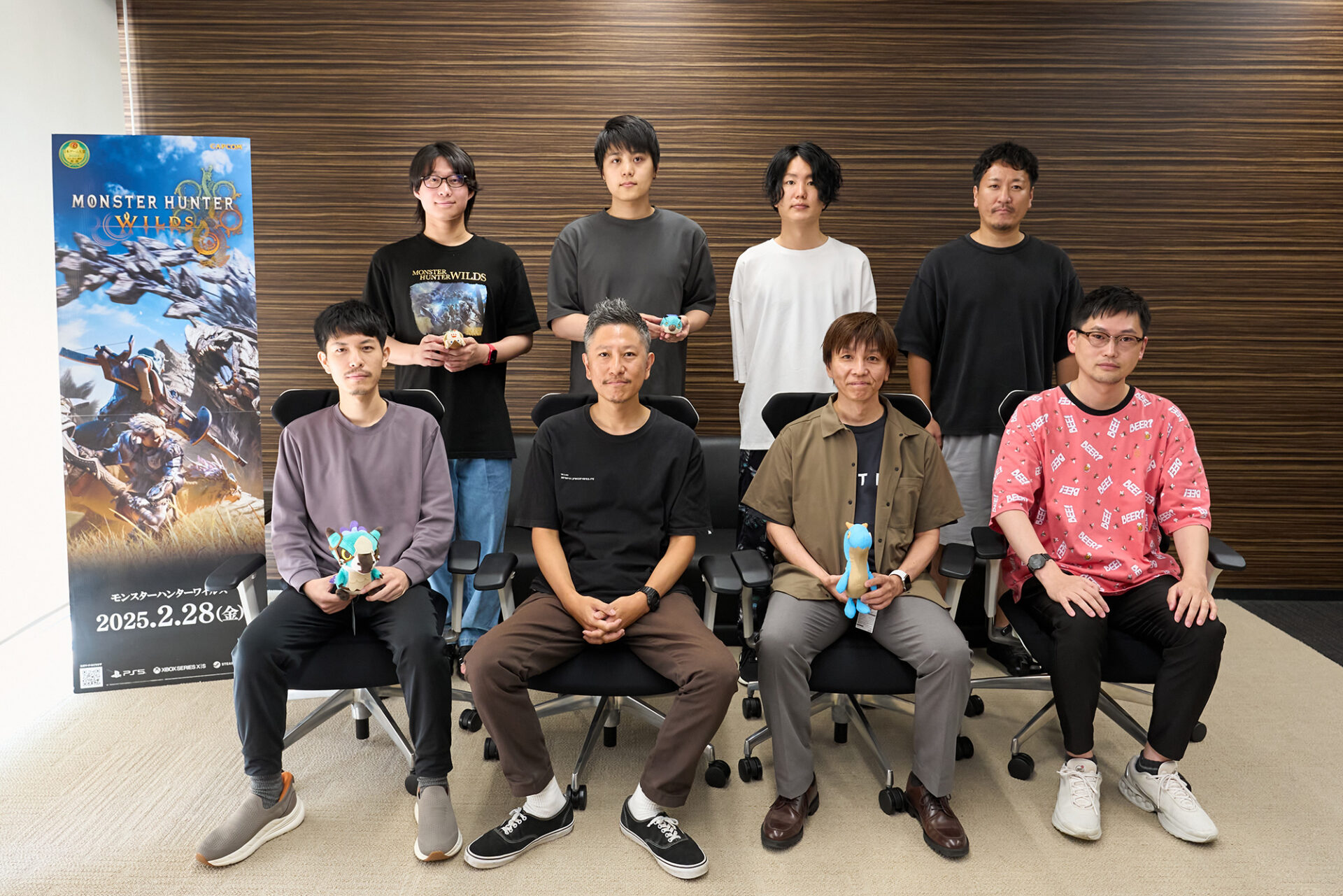
Top row (from left to right): Daichi Ito (Technical Animator), Jotaro Masutani (Technical Animator), Taei Sawada (Background Asset Leader), Hiroya Sasaki (PL Lead Animator).
Bottom row (from left to right): Misaki Morohoshi (Technical Artist), Hiroyuki Nakamori (Character Section Leader), Kenji Yamaguchi (EM Lead Animator), Soichiro Miyake (Event Section Leader).
How Flow Production Tracking changed the development of Monster Hunter
As the latest installment in the Monster Hunter series, one of Capcom’s most popular brands worldwide, Monster Hunter Wilds is a production of immense scale. The character section alone boasts a team of approximately 60 members, and it is said that hundreds of developers were involved in its creation. In large-scale game development, production management significantly influences the quality and efficiency of the final product. Flow Production Tracking (formerly ShotGrid) played a central role by unifying hundreds of developers, thousands of assets, and multiple concurrent development lines, achieving a balance between quality and delivery.
As a new entry in the series, various new challenges were attempted on Wilds. The character section particularly focused on improving the realism of details such as muscle expression and pupil movement in monsters. Additionally, creating new weapons and armor by using materials from defeated monsters is one of the key features of this series, and this installment also incorporates various gimmicks and designs to stimulate players’ desire to collect these weapons and armor. This point is crucial for equipment production. So from a developer’s perspective, it is vital for the equipment design side to work in tandem with the monster design side.
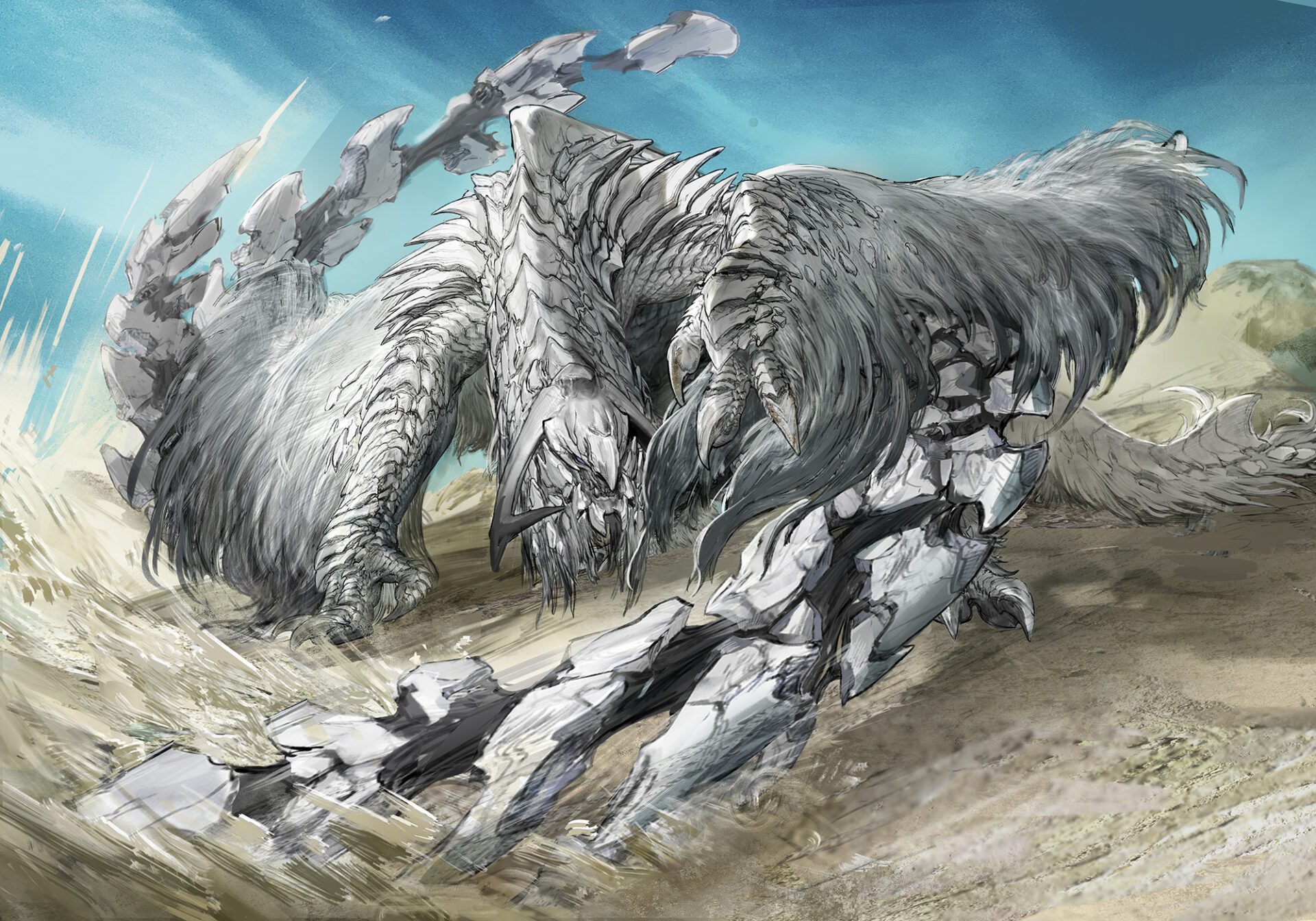
“The development of new monsters requires a vast amount of related assets for each monster. We need to create four types of hunter equipment, one type of Palico equipment, audio data, and up to 14 types of weapons. As a result, the scope of work expands exponentially,” says Hiroyuki Nakamori, leader of the character design/model section.
Previously, this crucial exchange was primarily conducted verbally. As information that significantly impacted the entire production, such overall artistic direction or the addition of new monsters, was often conveyed through meetings or casual conversations, it was difficult for downstream artists to determine the optimal timing to begin work. This presented a major challenge in terms of efficiency. That’s when we considered the introduction of Flow Production Tracking.
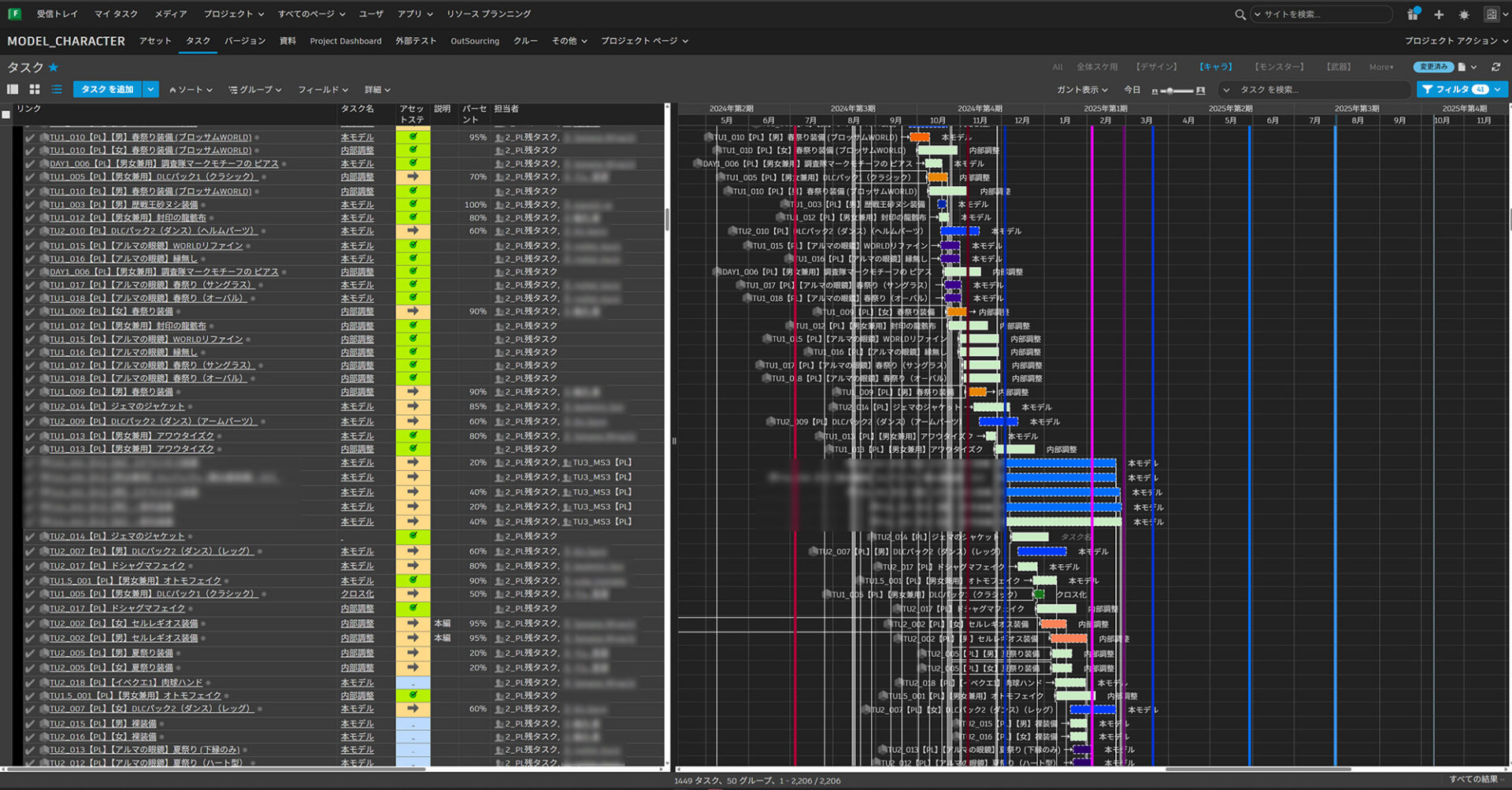
The character team’s use of Flow Production Tracking stuck to its fundamentals, but even this alone has been a significant advantage for artists involved in visual production, as it allows them to share information based on visuals and images. By shifting from a text-centric production management system to one based on visual information, artists can intuitively grasp the images of monsters and equipment. This makes it easier to connect specific outputs from the early stages of production. With task progress reflected in real time and the ability to attach not only text but also images and videos, information sharing has been transformed. Because progress can be visually grasped, downstream personnel are able to start work ahead of time, shortening the overall lead time.
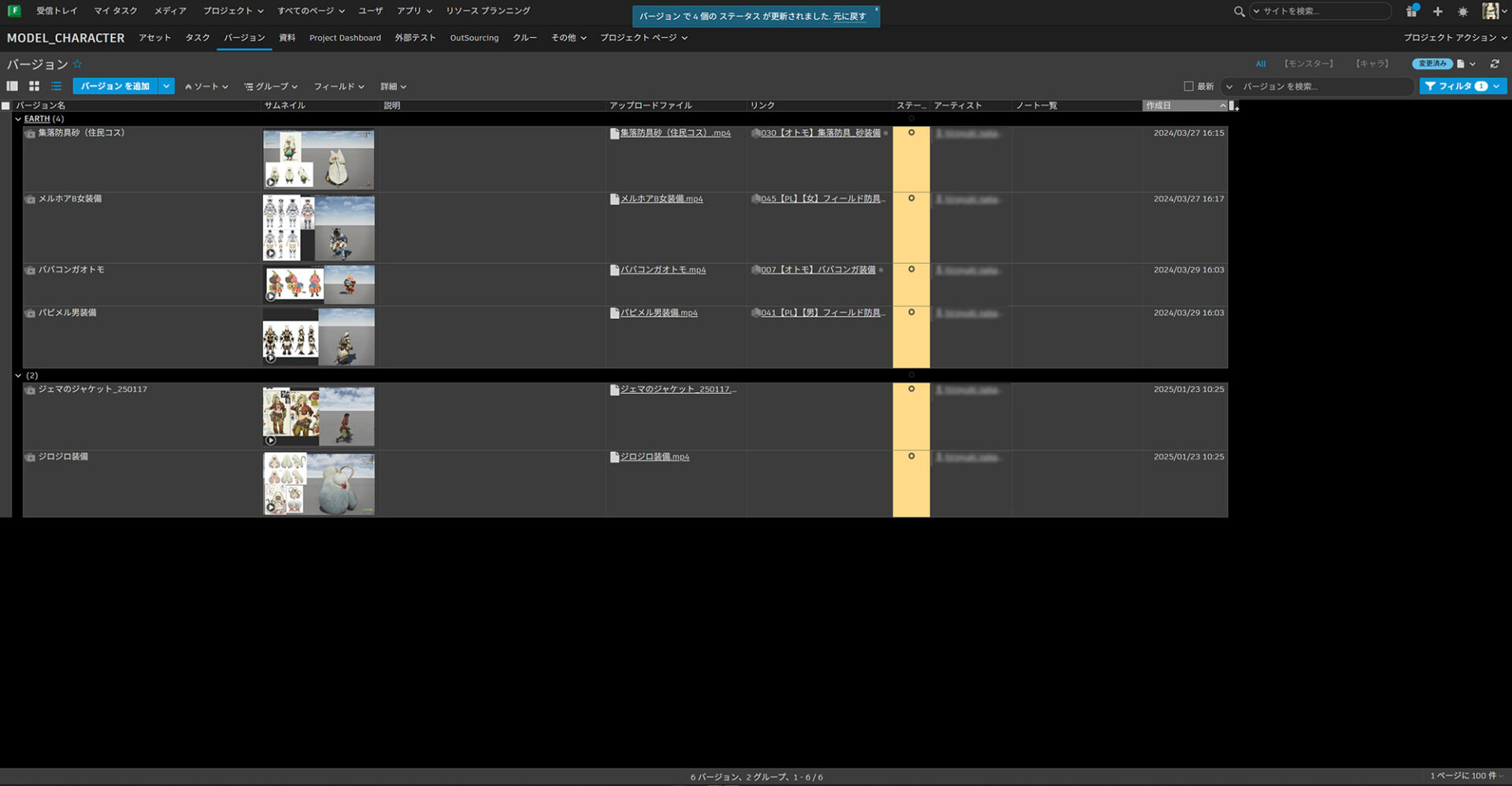
Flow Production Tracking is also used in the feedback cycle with the art director. By attaching a video to each asset task, the director can directly write correction instructions on it. Since records are kept as history, it is easy to check when instructions were given.
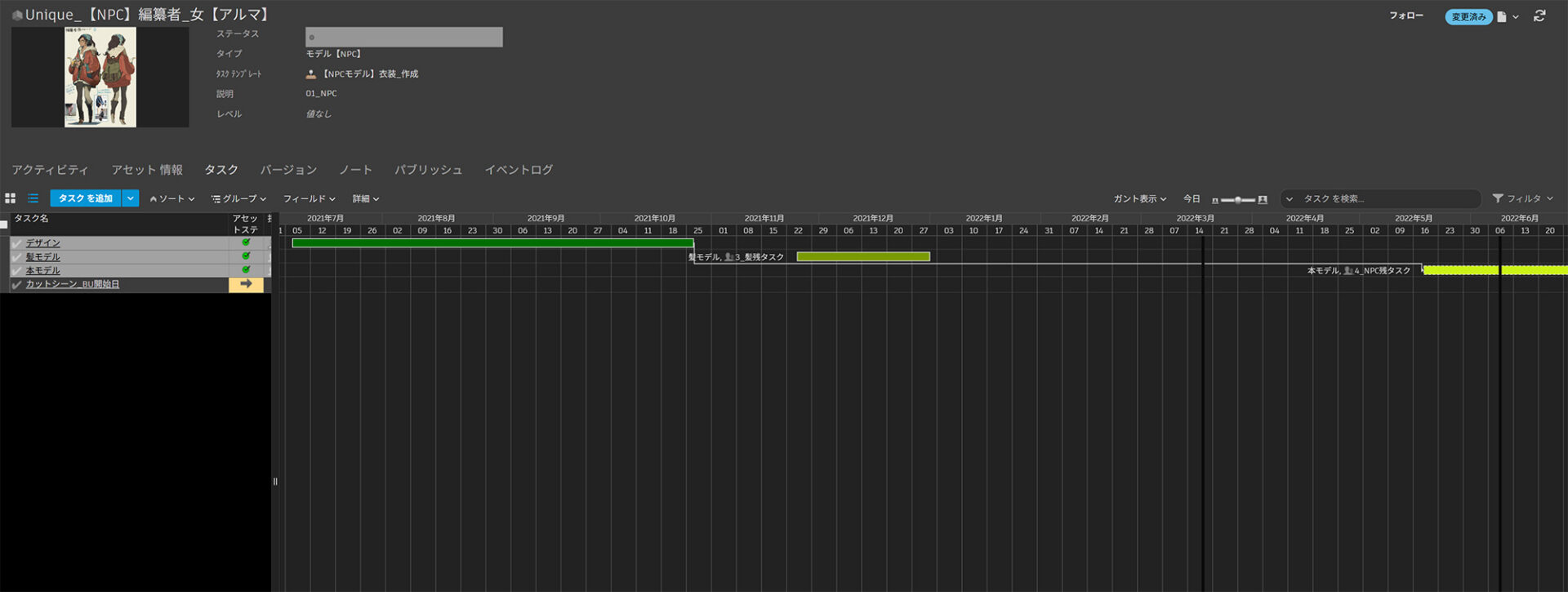
The production period for one piece of equipment is estimated to be three months, but items with movement like skirts require a dedicated process. Even with these tasks, adding them in Flow Production Tracking is easy. “It’s easy to approach for both workers and managers because it’s visual,” says Nakamori.
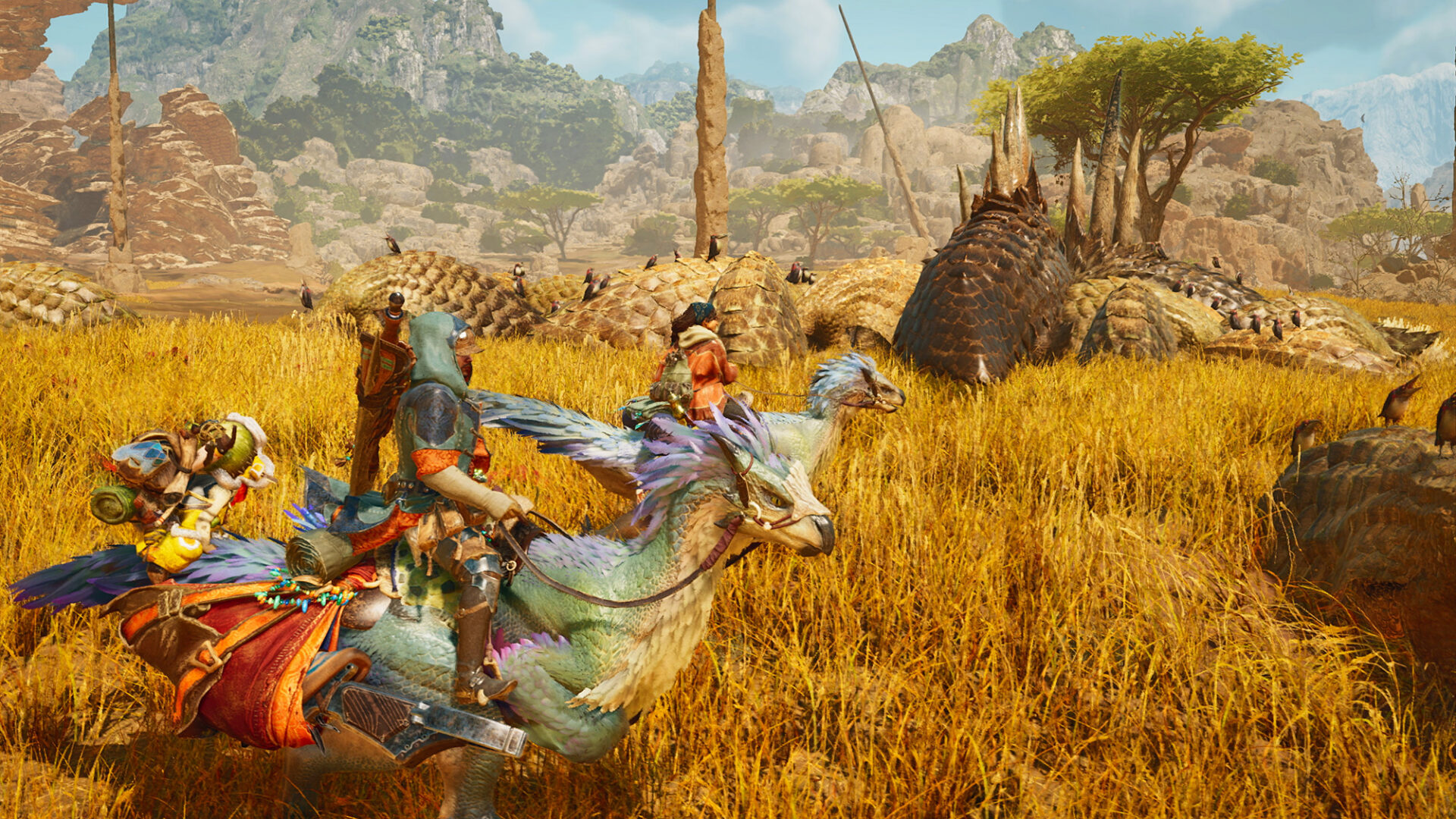
A major improvement from this system integration is the strengthened collaboration with the event section. The event team cannot produce the final product unless all assets appearing in a scene are 100% complete. Before Flow Production Tracking was introduced, each team used separate project management systems, so the event team could not grasp the progress of individual tasks and relied on verbal information sharing. However, by integrating project management for all teams into Flow Production Tracking, this issue was resolved.
“Currently, if detailed materials are registered in the EVM (Event Asset) section, the progress of the production team is automatically reflected, and the event section can also check it in real time. This integration has dramatically improved interdepartmental information sharing, establishing an efficient workflow that is so effective that no other management method can be imagined.” (Nakamori)
In Monster Hunter: World, technical verification was done individually, but in this installment, each staff member uploaded their technical verification footage to Flow Production Tracking. This created a stimulating environment between sections and fostered a sense of motivation for everyone to strive for even better results.
Two ways the Event Section Team uses Flow Production Tracking
The Event Section team aimed for “seamless integration of video and gameplay experience” in this installment. By transitioning naturally from playable in-game footage to movies, they sought to maintain immersion in the game world. This was the first time Section Leader Soichiro Miyazaaki oversaw such direction, and he mentioned that the production of the cutscenes in the early stages of the game involved close collaboration with other sections. “We received feedback from positive feedback from users, which was very encouraging,” Miyake said.
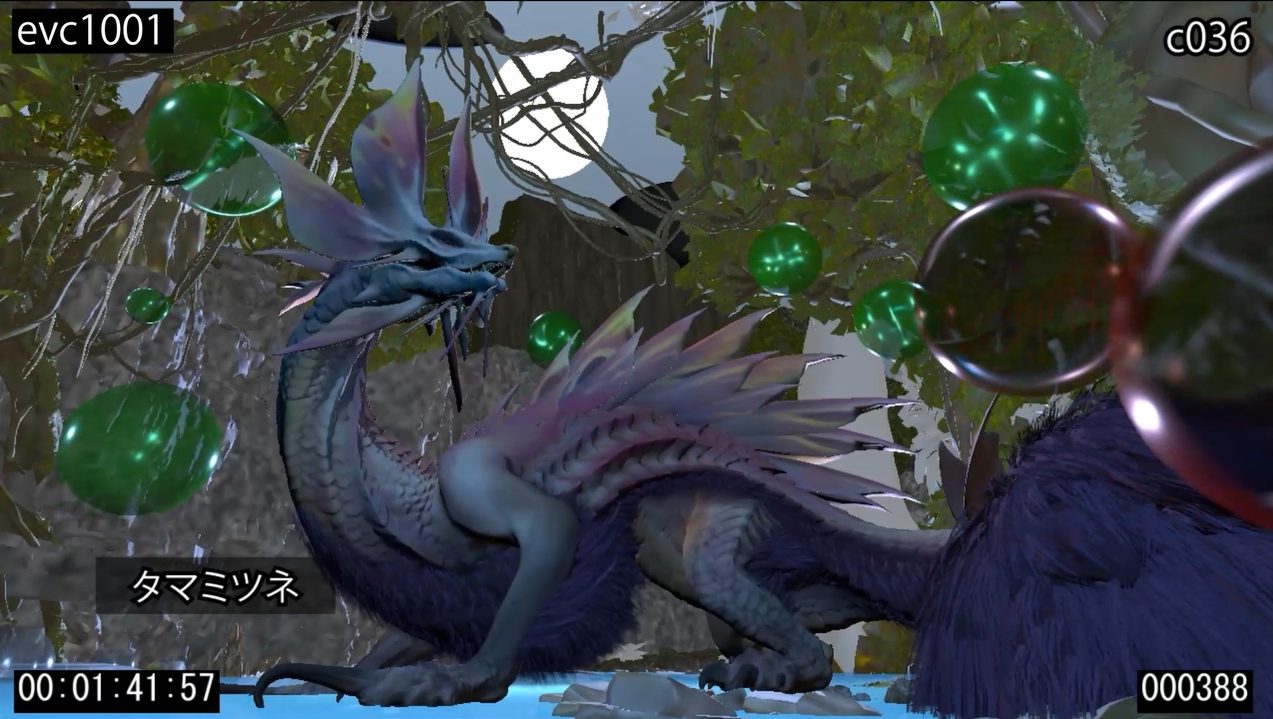
Here’s how cutscenes are made. First, a storyboard or previs composed of still images is submitted to the art director for approval. Once approved, motion capture shooting takes place. Then, layout work is performed, and facial expressions and limb movements are refined. After that, it is handed over to the lighting and effects sections, and finally, a final check is conducted with the art director around an actual monitor.
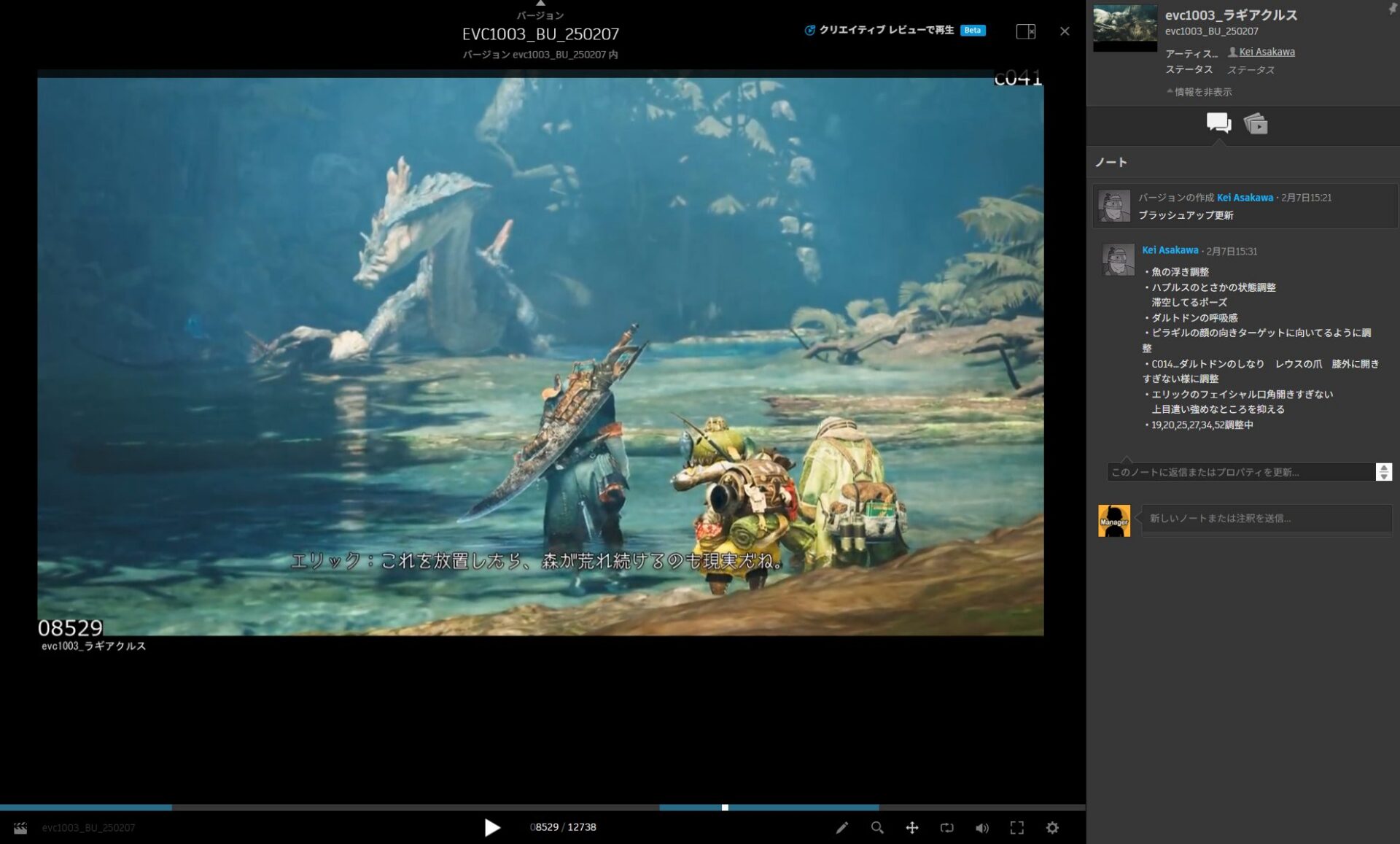
In the events section, which involves a lot of collaborative work with many teams, Flow Production Tracking (formerly ShotGrid) is mainly used for two purposes. One is the presentation to the art director. The team developed a system that allowed them to share and check completed cutscenes and conversation demos as videos, even from remote connections. Furthermore, by using the annotation function, which allows you to write directly on the video, and the Note function, which allows you to organize correction points in list form, the team was able to keep a history of correction requests, making it easy to refer to previous comments.
In addition, the ability to manage sequences as playlists also proved effective. By summarizing the versions submitted by date as a list and switching with the filter function, they were able to instantly grasp “when” and “which video was confirmed.” This resulted in a dramatic improvement in efficiency for cutscene video sharing, feedback, and revision history management in a remote environment.
This speeds up the approval and decision-making process and significantly reduces rework, resulting in increased production efficiency and improved creative quality.
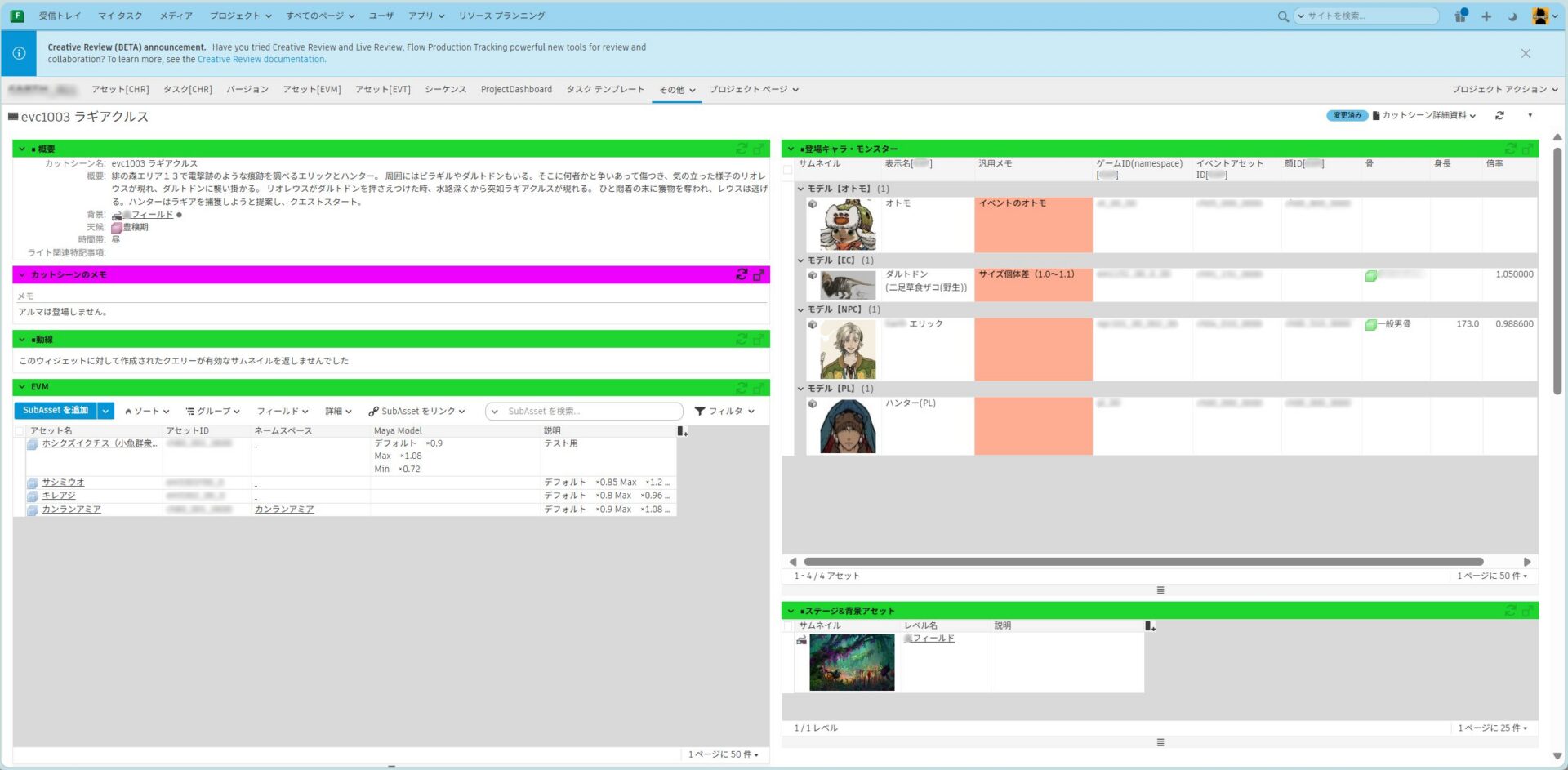
Another use case is the creation of detailed cutscene documentation. This document compiles information for reference by a large number of people, including external staff, and includes details about characters, monsters, the in-game weather conditions, and the scenario. Traditionally managed with Excel, frequent updates and numerous specification changes made it difficult for those in charge to reflect them one by one. As a result, there was a discrepancy between the latest information and the materials, and sharing with external contractors sometimes became inefficient.
To solve this problem, after the team transitioned into the development of game updates, the production process was switched to centralized management using Flow Production Tracking. The background team built a system that always reflects the latest status by directly linking asset information used on Flow Production Tracking. As a result, the burden on designers and graphic managers has been reduced, and information oversights have been significantly decreased.
“In the past, team members had to run around collecting materials from other sections. In Flow Production Tracking, information such as sequence and asset links is compiled, allowing quick access to necessary information through simple tab switching or searching. This has eliminated copy-and-paste errors during document creation, which has been very beneficial,” said Miyake.
This reduced downtime and workload for those in charge, significantly mitigating the risk of information discrepancies. As a result, it contributed to improved productivity and quality stability for the entire project.
Background assets can be managed more efficiently by linking in-house tools and Flow Production Tracking
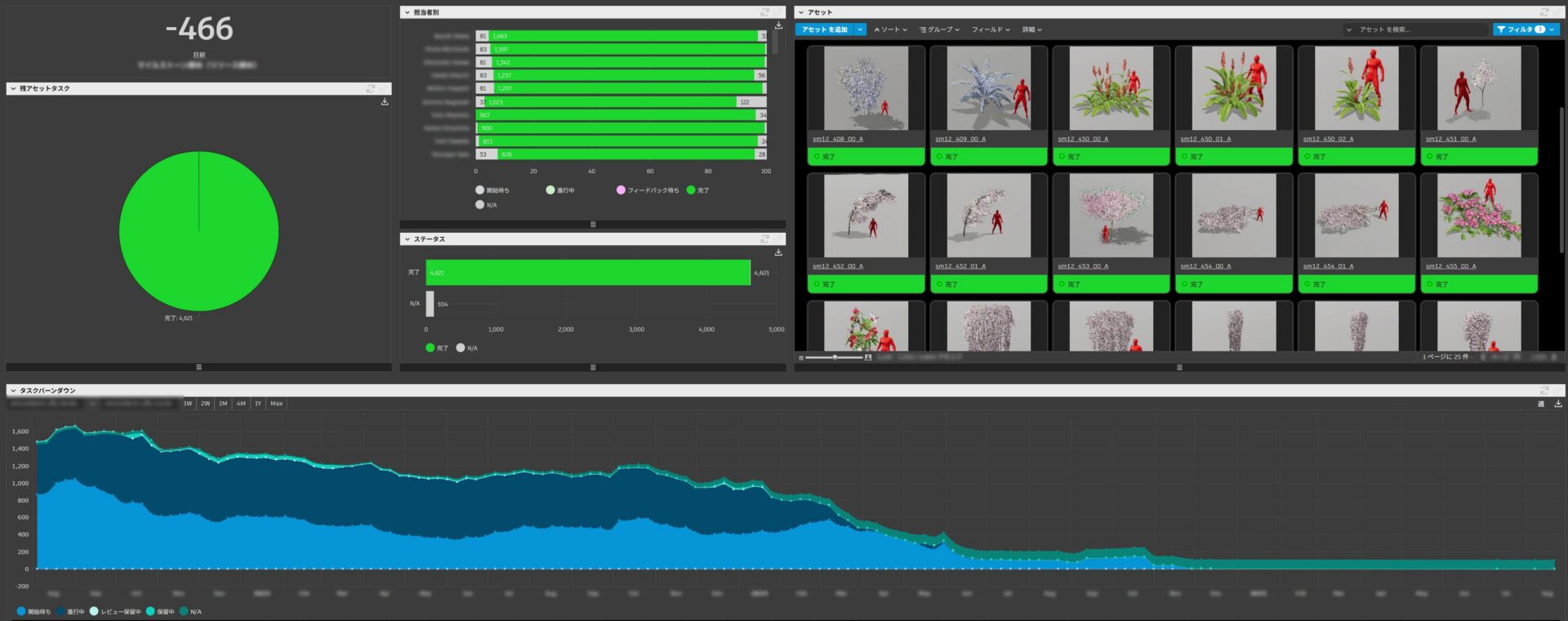
The background section handles over 4,500 assets, resulting in a significant workload for external collaborators. Traditionally, lists were created using Excel, but including thumbnail images and descriptions for each asset led to file bloating and prevented simultaneous editing, hindering management speed. Flow Production Tracking, being server-based, allowed multiple members to edit simultaneously and handle large datasets including thumbnail images. This significantly boosted development speed and centralizing of assets.
Furthermore, a system was developed in collaboration with the Technical Management Division to enhance compatibility with RE ENGINE. By synchronizing asset information on Flow Production Tracking with the game engine, discrepancies were eliminated and an environment was built that could reflect changes immediately. For example, for a “Table” object asset, the name, ID, material information, and other data are registered in dedicated fields on Flow Production Tracking, and set so that they can be interpreted directly by the engine. The layout artist can then call up the information registered on Flow Production Tracking directly for work, eliminating the need to receive explanations one by one, and enabling them to proceed with their work.
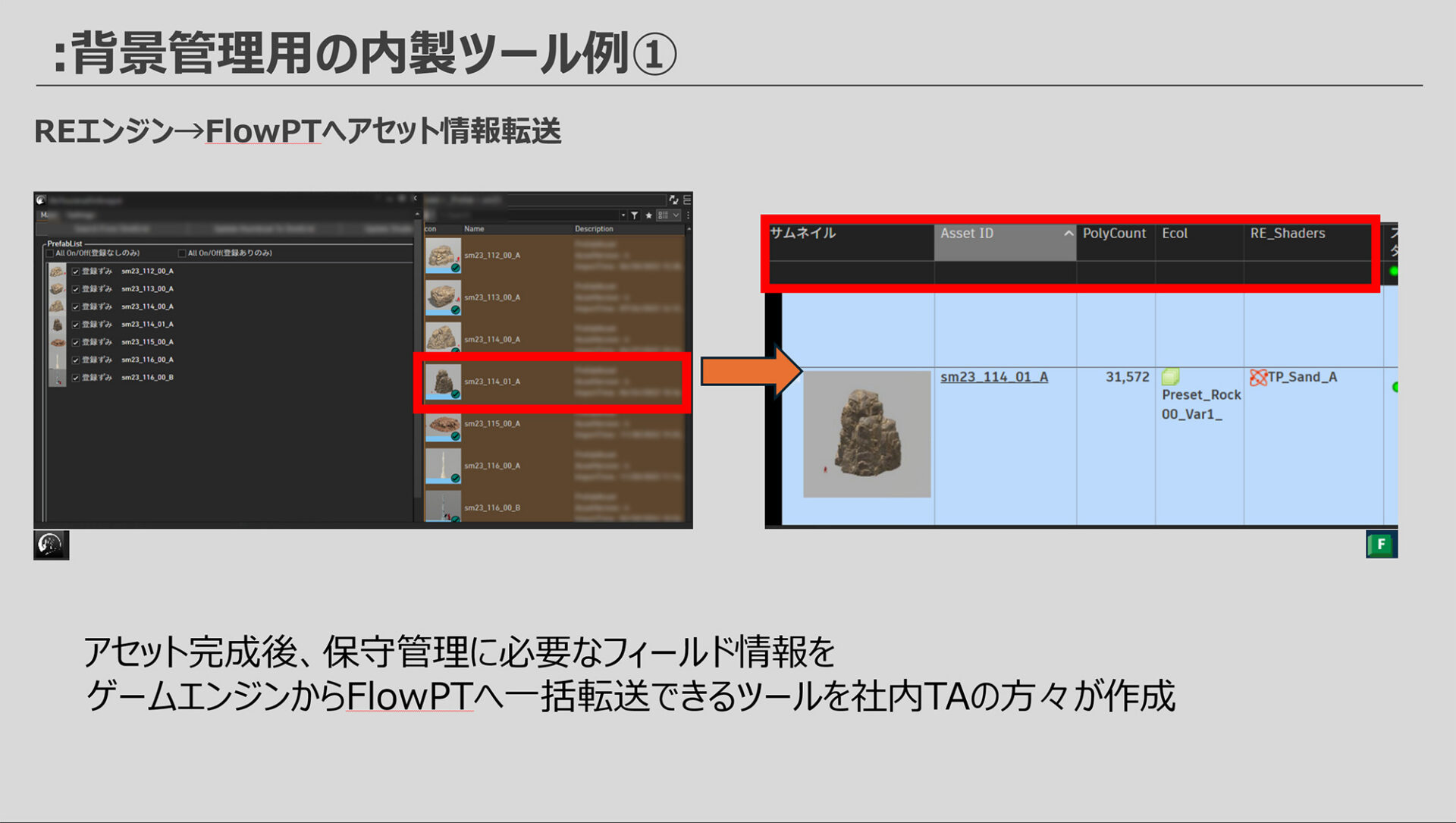
RE ENGINE is Capcom’s proprietary game engine. The in-house TA team developed a background asset management efficiency tool that linked RE ENGINE with Flow Production Tracking. A key feature of this system is the automated transfer of information from completed RE ENGINE assets to Flow Production Tracking, including asset IDs, thumbnail images, 3D mesh polygon counts, shader names, and collision attributes. Automating these processes eliminated human error and greatly improved efficiency.
“The advantage of this tool is that the status of any asset can be understood by simply looking at Flow Production Tracking, regardless of the total number of assets being managed. Furthermore, filtering by each item as a field allows you to instantly create a list of assets with polygon counts that need to be reviewed. In addition, heavy asset shaders and their revisions can be immediately shared on the management screen, making it a versatile and valuable list for various situations,” said Sawada.
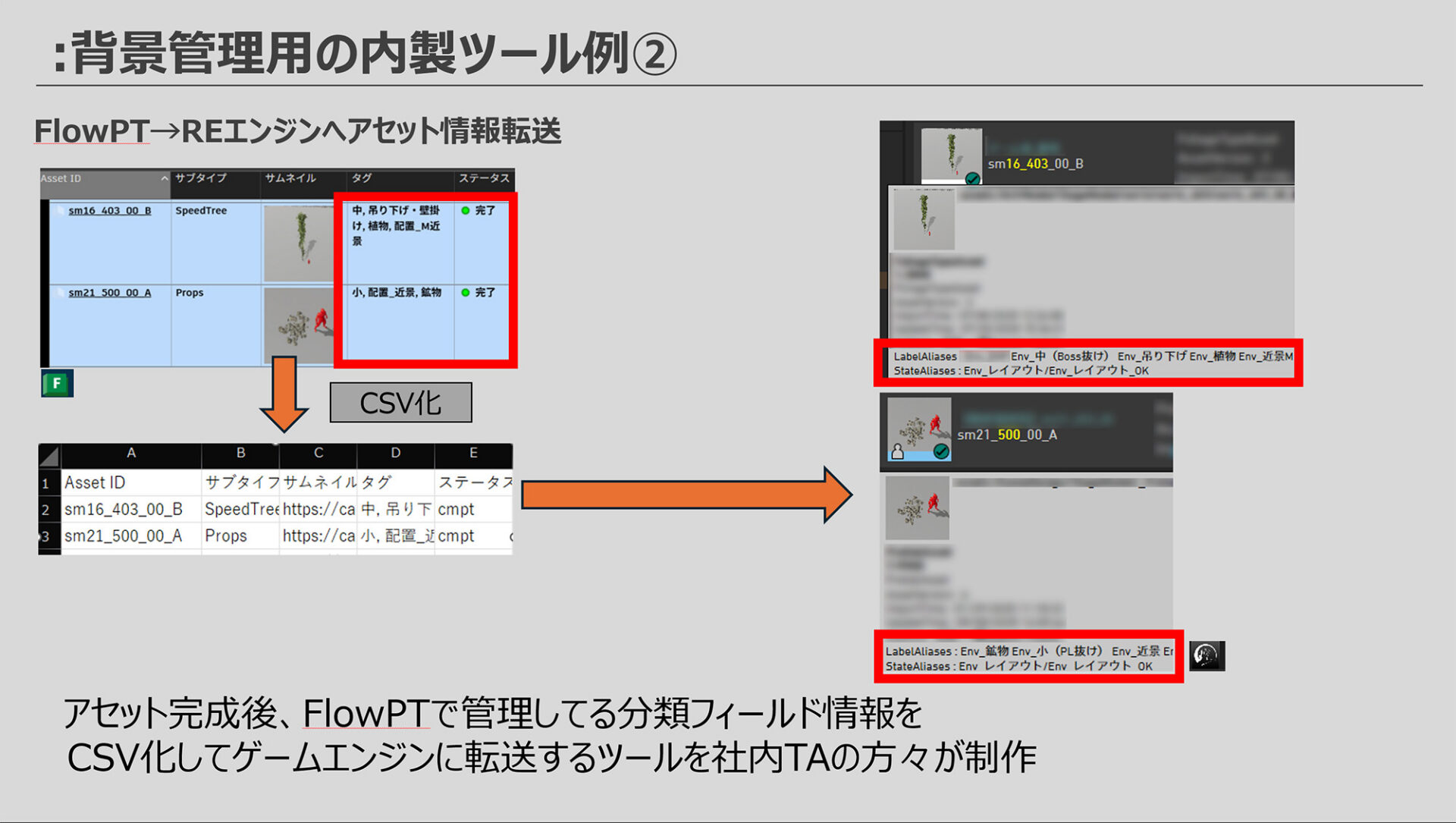
Another innovative feature of this system is the reverse linkage from Flow Production Tracking to RE ENGINE. By tagging information associated with assets and transferring it via CSV to RE ENGINE, the team was able to achieve information synchronization between the two systems. This bilateral linkage allows layout staff, who usually only use RE ENGINE, to save time by searching for assets in Flow Production Tracking. The fact that it is server-based eliminates stress such as “not being able to refer to it because someone else has it open.”
What’s noteworthy is that this system boasts not only technical refinement, but also the flexibility to adapt to the realities on the ground. Generally, Flow Production Tracking is considered suitable for operations with predetermined rules, and therefore other software might be considered when more flexible usage is required. For Sawada, for whom Wilds was his first title in his current position, he discovered its flexibility after trial and error. “After first introducing it, I was still a bit clueless, but after learning more and experimenting, we were able to solidify the workflow.”
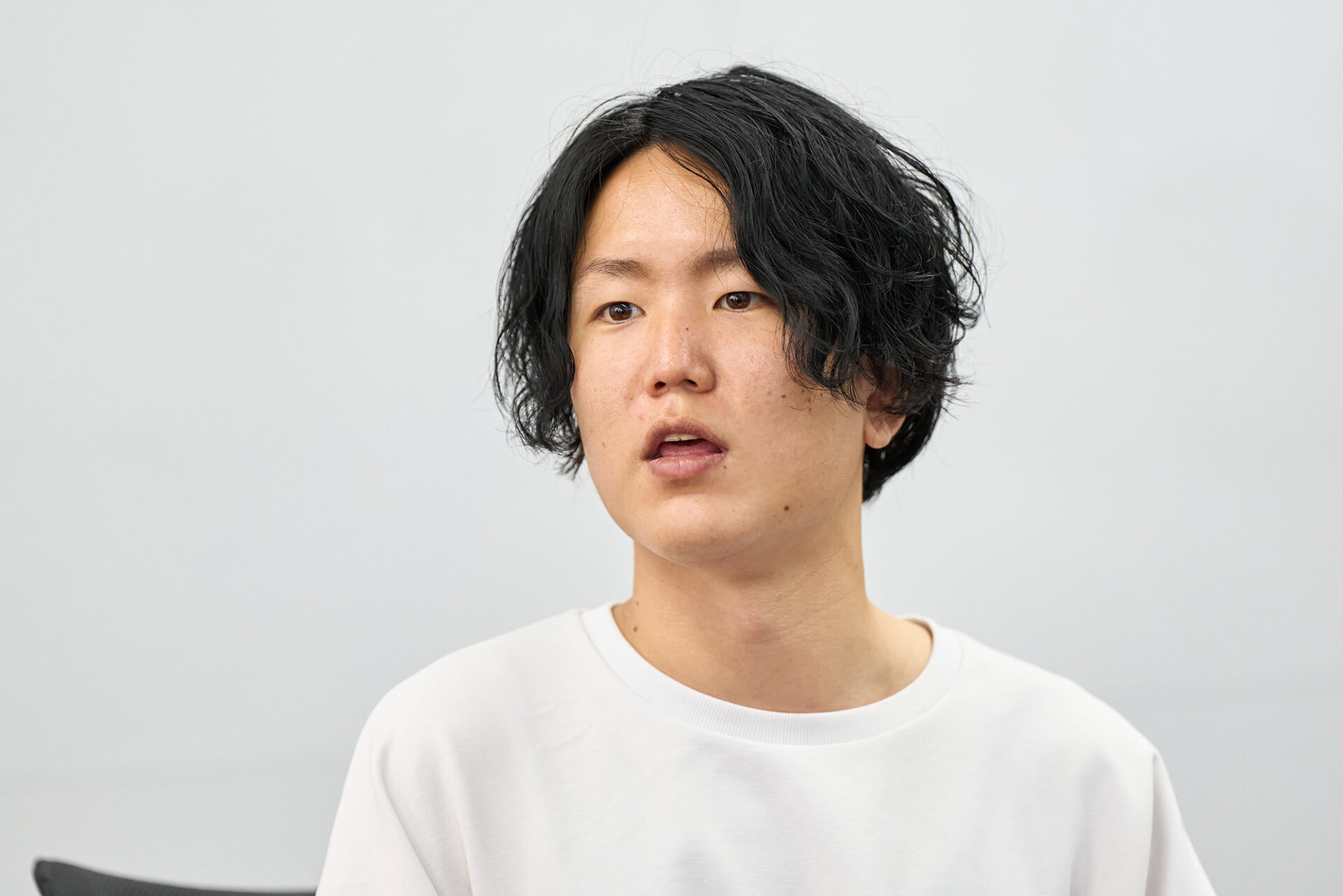
Sawada states that he emphasizes an operational approach that allows for freedom, such as members being able to help each other with their own work and not necessarily being bound to strict methods.
In task management as well, he says that the team has achieved a system of registering detailed abstract tasks in Flow Production Tracking while maintaining flexibility, and then strictly managing them on the asset list when they reach the stage of numerical management. This “balance of flexibility and rigor” makes the system more practical. As a result, it has also enabled more flexible communication within the development team.
“Although the latest data is ultimately compiled in Flow Production Tracking, it’s acceptable to freely manage it in Excel beforehand. By conveying that ‘it can be output as a CSV in the end,’ we allowed for more freedom with how people manage the data, and were able to create a broader management system.” (Sawada)
What are Maya’s strengths for a modeling technical artist
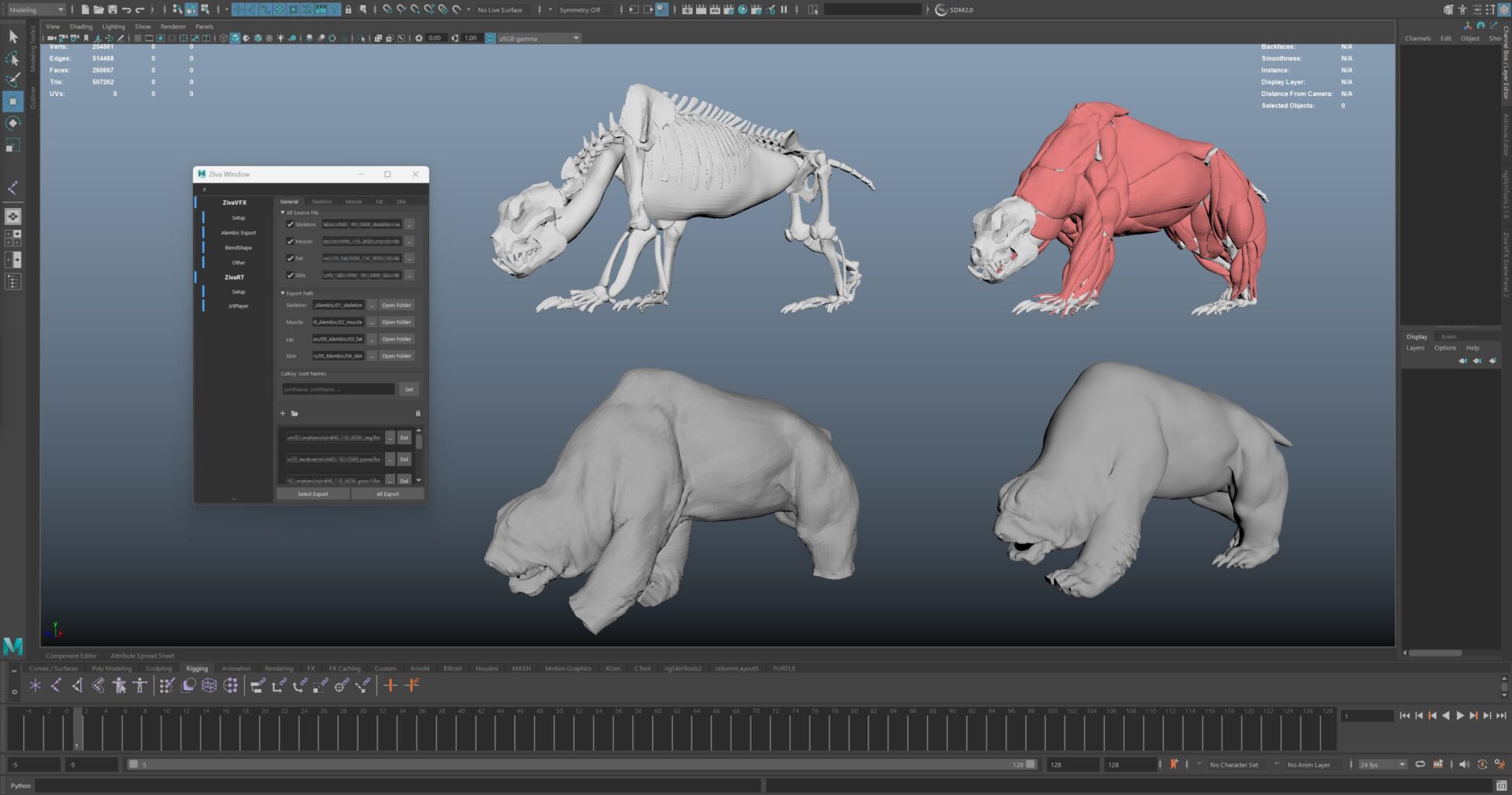
Next, we spoke with Misaki Morohoshi, a modeling technical artist. TAs generally support the setup of weights and rigging, tasks that modelers often find challenging. When asked about Maya, the software used for setup, Morohoshi said, “One of its charms is the well-supported system of proven and powerful plugins.” Morohoshi cited several examples, such as Simplygon, Quad remesher, and ngSkin Tools, but among them, they particularly recommended Ziva VFX, a muscle simulation plugin.
When creating a monster, we first build the skeleton. Then, we simulate the movement of muscles, and finally output the simulation results, including skin and fat, to RE ENGINE.
“To keep the simulation running smoothly, you need to check for even the slightest vertex glitches. Being able to use Ziva VFX in Maya allowed us to perform these vertex-by-vertex checks quickly thanks to Maya’s API, which made our work significantly easier,” Morohoshi said.
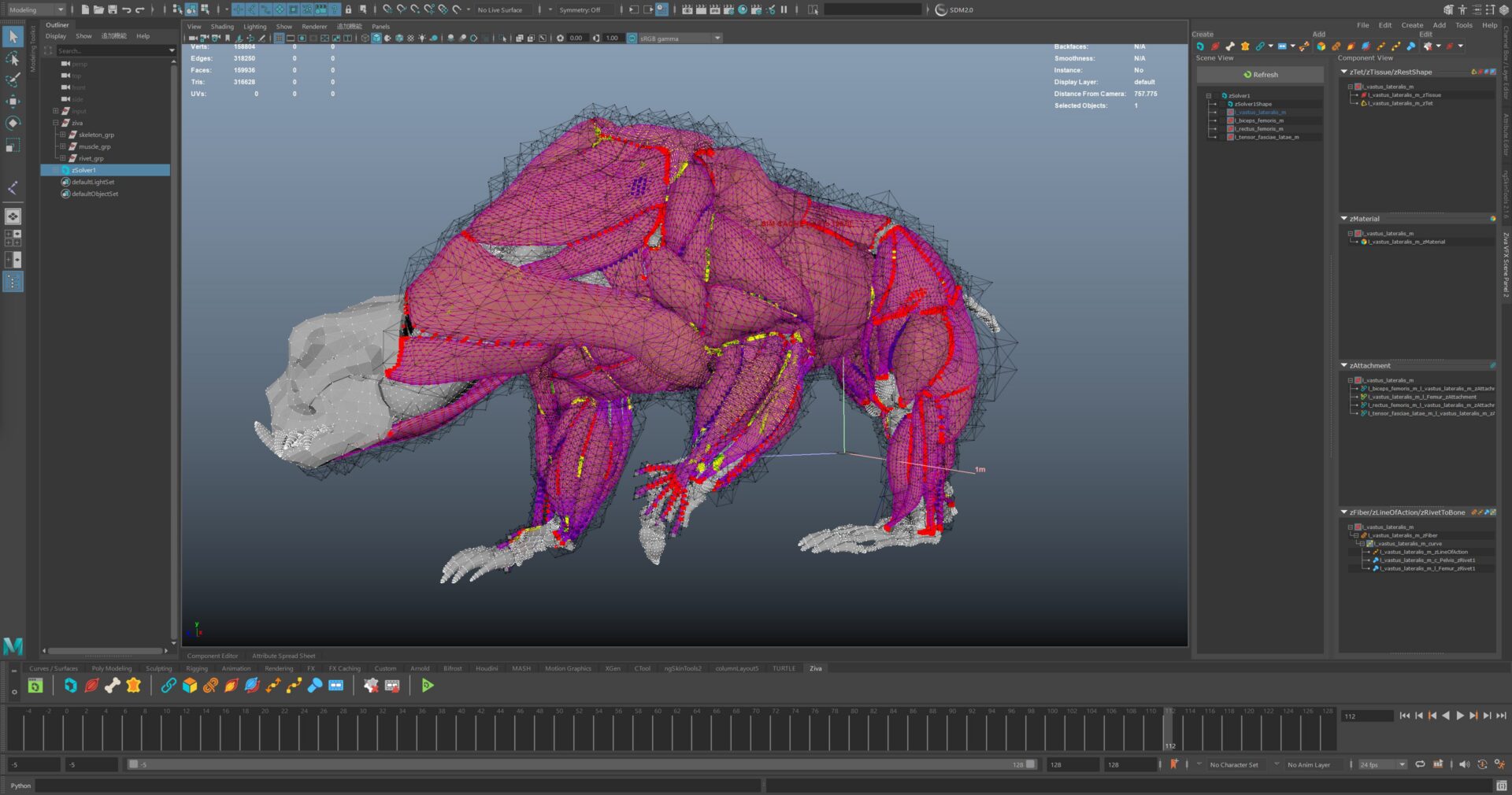
This method can also be applied to monsters that do not exist in reality. All the creatures that appear in Wilds are fictional, but they are imagined by referencing animals that actually exist. Character artists were responsible for creating the skeletal and muscular shapes, while Morohoshi and other TAs were in charge of simulation design and operation.
The team also included TAs who had backgrounds as artists, and they set numerical parameters based on their anatomical knowledge to create movements. Morohoshi himself has worked as a modeler on titles such as Monster Hunter Rise, and he leverages that experience in his current position. “While technical artists have an aspect of being a ‘jack-of-all-trades,’ my experience as a modeler has proven beneficial in all areas,” he says.
To further improve development efficiency, the team also actively developed its own tools. Because Ziva released an API, they were able to call it up in Maya and build their own UI. “There were parts that were difficult to use as is, but being able to customize them to our liking was a great advantage of using Maya,” said Morohoshi.
Innovation in procedural workflows with Maya and Houdini Engine
The use of Houdini Engine was effective in the modeling process. Houdini Engine is a bridge plugin that allows you to call and execute processes from Maya so that Houdin can do what it does best. A specific example of its application is the reduction processing of fur (hide). Capes with a lot of fur are too heavy as they are, so reductions are necessary for implementation. This allowed artists to manually reduce the amount.
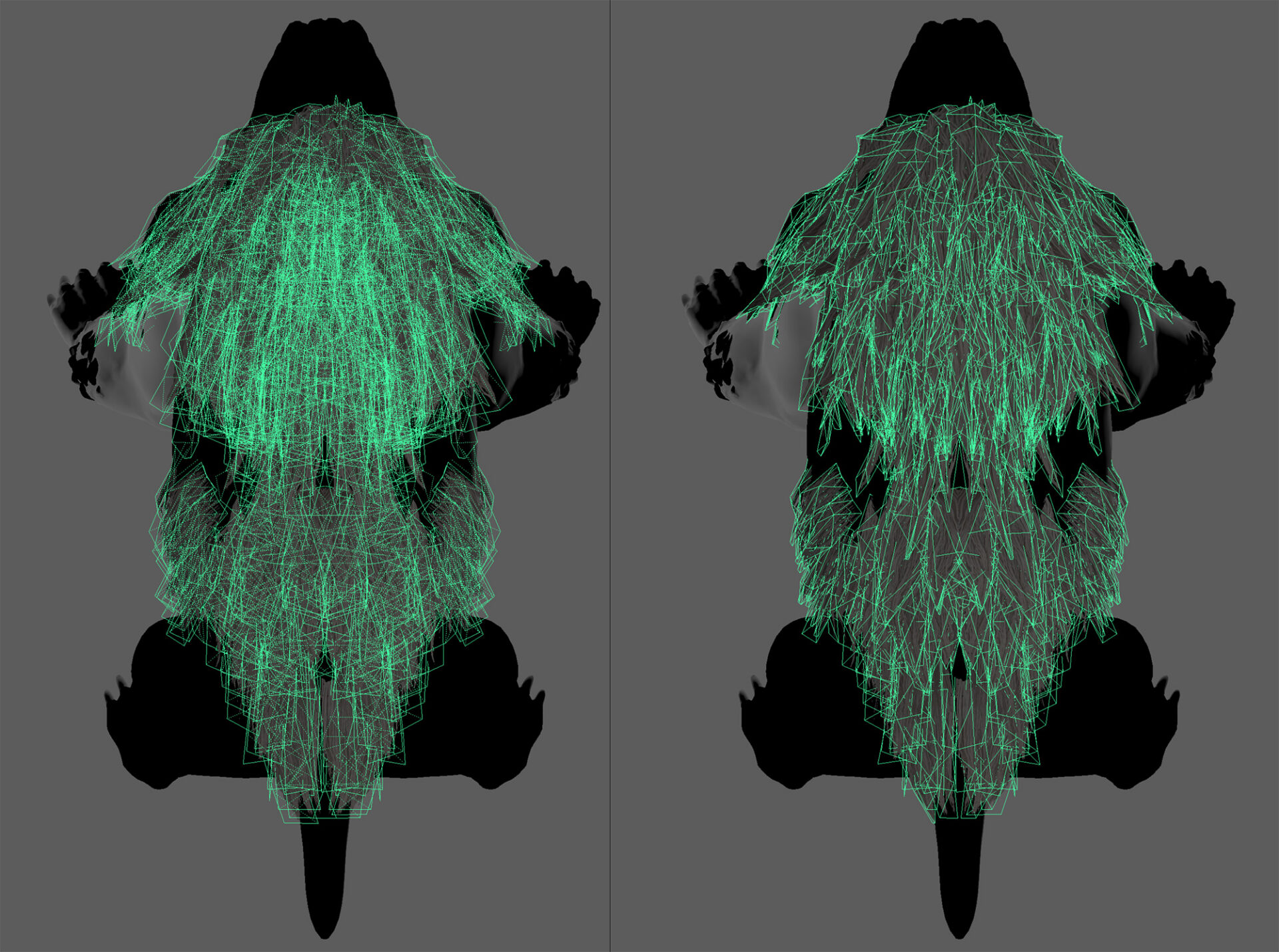
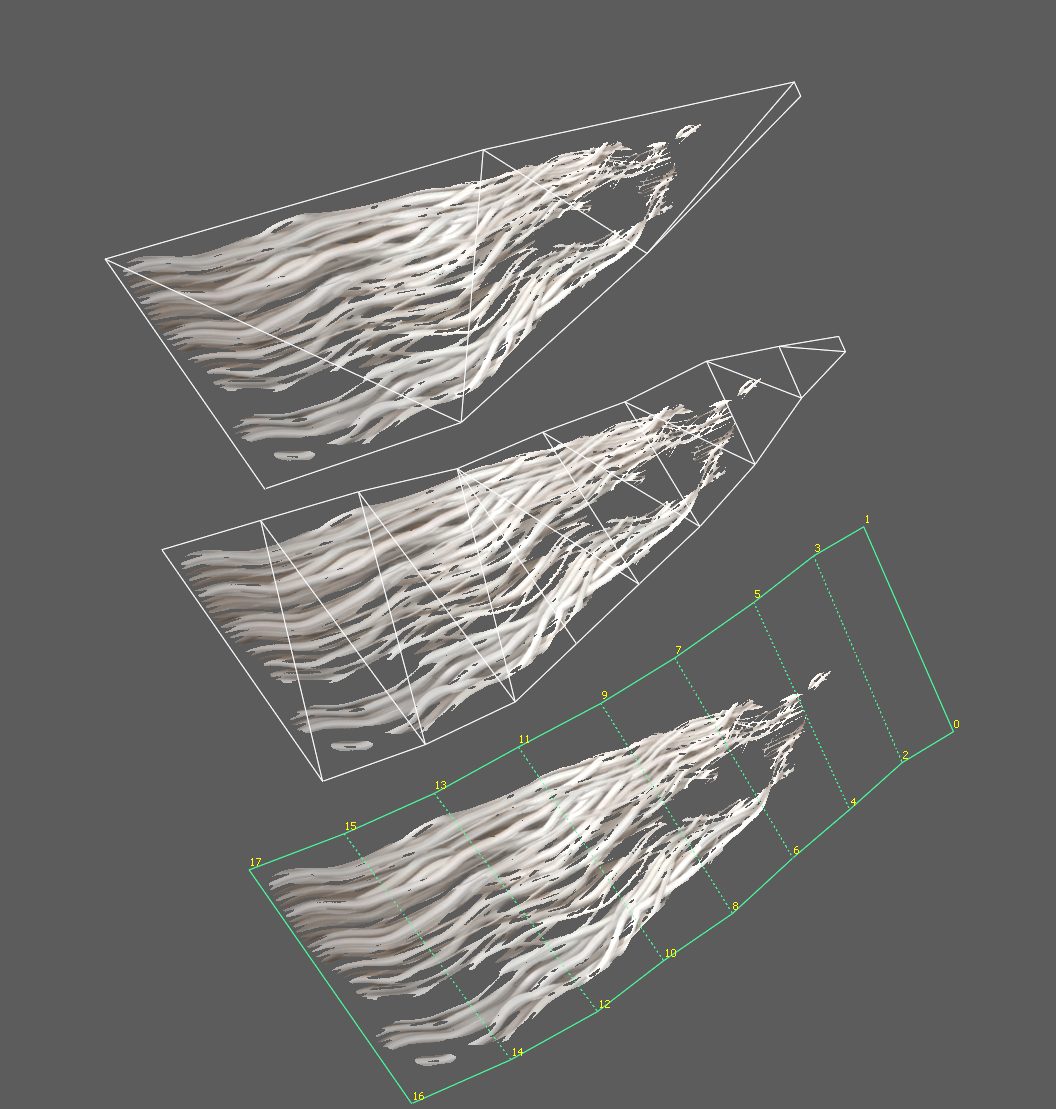
Regarding this hair card reduction feature, Morohoshi said, “Such processing would be very difficult to create from scratch in Maya’s Python, but using Houdini allows for relatively quick implementation. By making it accessible from Maya’s UI through the Houdini Engine, tool developers can quickly prepare functions, and artists also benefit from ease of use.”
When reducing the drawing load of alpha (transparency) regions, if there are many polygons with a lot of transparent areas overlapping, the drawing becomes heavy, but the load can be reduced by using this tool to pack alpha regions according to the shape of the mesh.
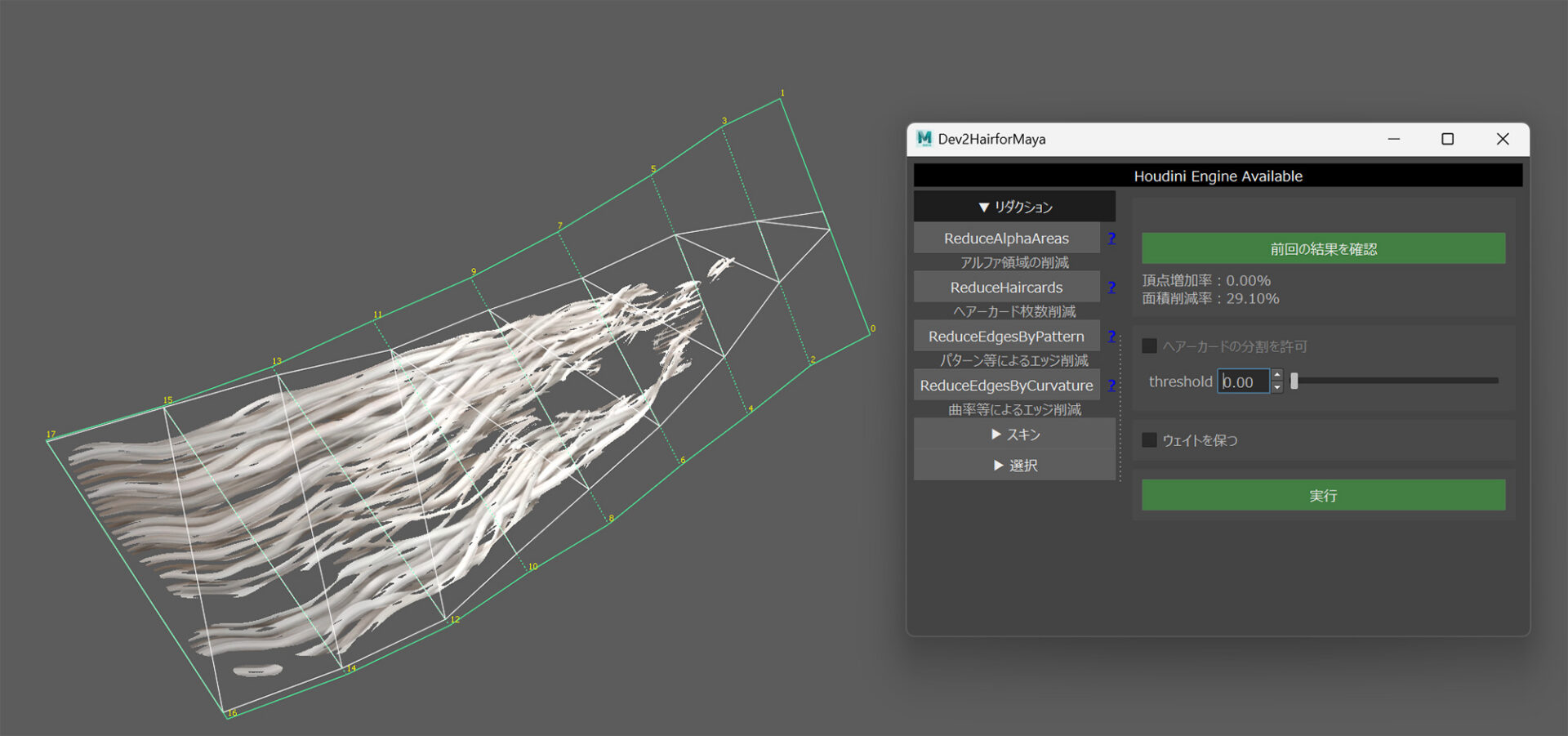
While it is difficult to do this with Maya alone, there are not many modelers who are proficient in using Houdini. It is convenient for artists to be able to use Houdini within Maya, and it can be said that having such support is a major advantage of Maya for TAs. “We can also automate these processes by launching them through Mayapy (Maya Python) without the UI, and this makes the plugin very helpful when reducing large-scale assets,” added Mr. Morohoshi.
When asked about the ease of use of Maya, he pointed out that “Maya has abundant Python documentation, making it easy for even beginners to create tools.” He also said, “During setup work, there is often a lot of back and forth between RE ENGINE and Maya. For example, if you play an animation on the engine side, it is synchronized so that the same thing moves immediately in Maya as well. This allows you to efficiently set up secondary animations such as swaying objects while checking the final look in DCC.”
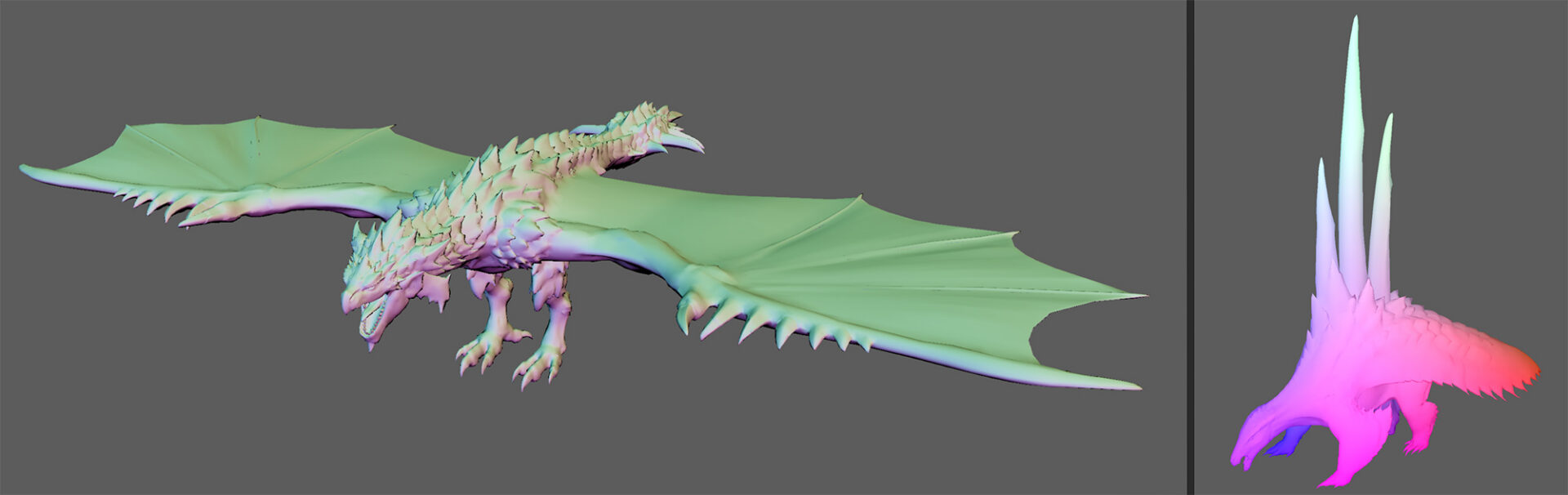
“There was a request to ’embed positional and normal line information into the character model when creating dedicated textures’ for the benefit of work with environmental objects. At that time, we found that combining Houdini Engine and Maya API would be the fastest way to process it,” said Mr. Morohoshi.
This is also a workflow that is automatically executed by Mayapy every night. The engine calls Mayapy, which reads the FBX file, bakes the texture of coordinate information, creates LODs, and returns them to the engine to commit. All of these processes are also automated.
“This has made it possible to manage a vast number of assets without burdening the modelers. Of course, there are also requests to see results immediately, so we have prepared separate tools for manual execution, but if there’s no urgent need then we can wait for the automated processing to finish overnight,” said Morohoshi.
“Creating the Way to Create” is the essence of the TA’s work
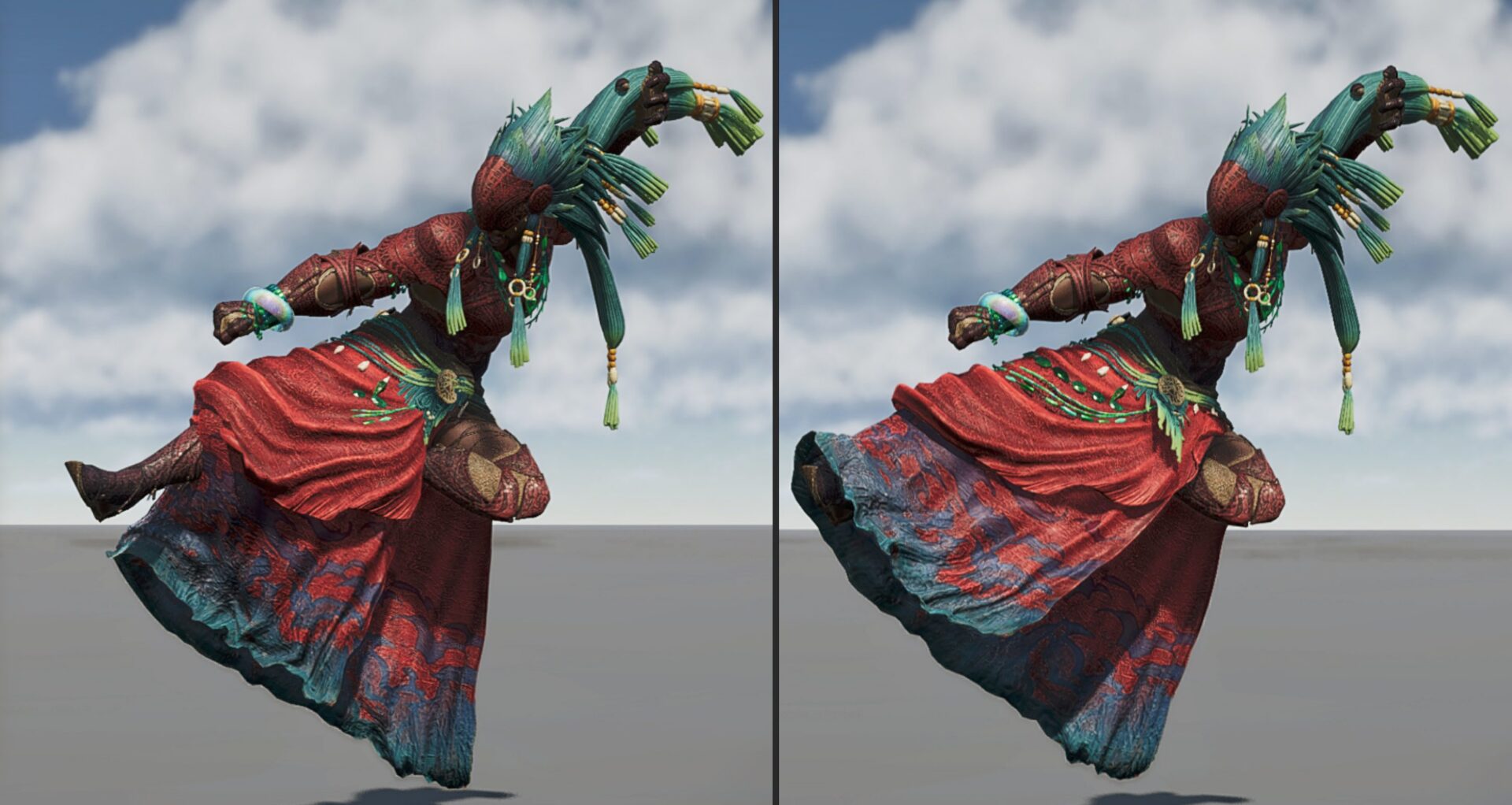
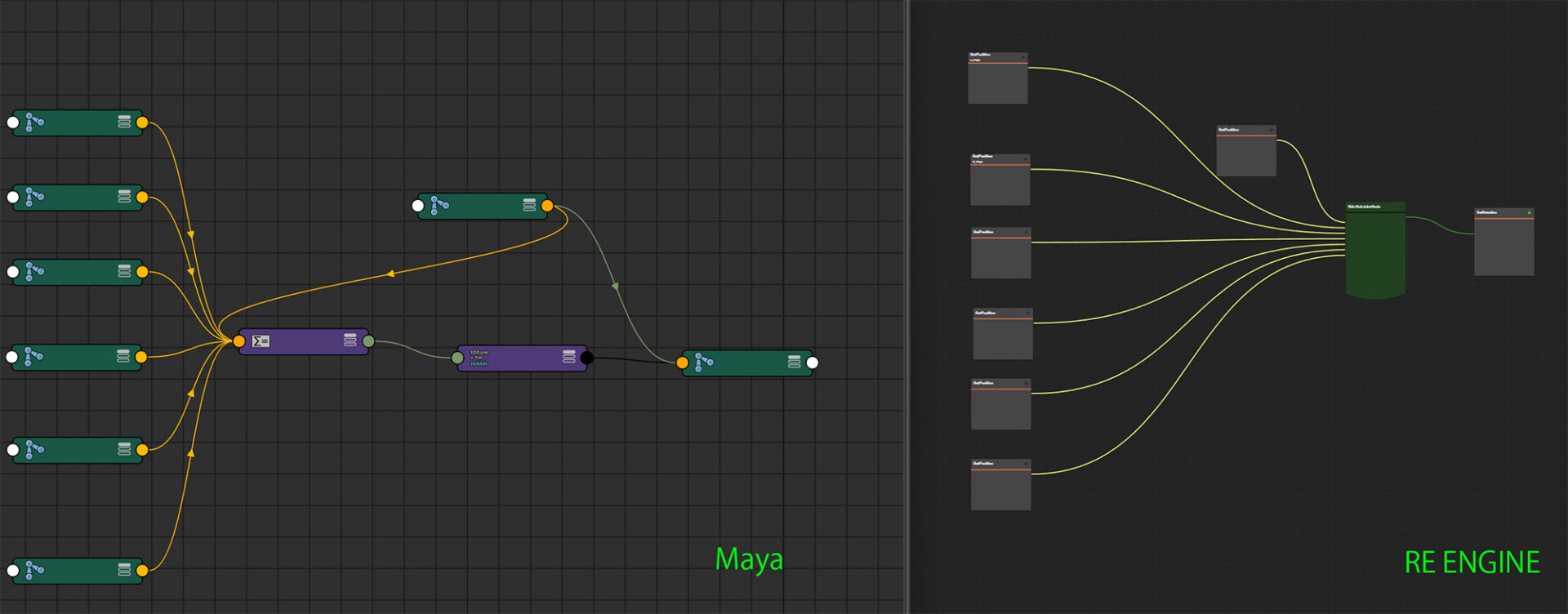
When asked about the areas they focused on, they cited “(secondary) skirt animation.” Primary animations are played back using a common skeleton, with additional bones added for each piece of equipment’s unique shape. This applies sway and skirt controls. Skirts move in complex ways according to the character’s movements, so traditional methods often led to foot penetration or unpredictable behavior in poses.
In the early stages of development, they addressed this issue based on past knowledge, but there was a lot of variation in quality. For some equipment and motions, breakdowns were noticeable, and they wasted time dealing with them. To solve this, they introduced a skirt control template. By incorporating auxiliary bones and referencing the vector of leg movement, they built a system that automatically avoids skirts.
They implemented processing on Maya using dedicated nodes and a node editor. They also implemented a similar mechanism on the RE ENGINE side to ensure stable output from the same input. Through this templating and standardized workflow, rich expressions can be consistently output with just a button press, regardless of the character or conditions.
Three ways to create animation for characters and monsters
Next, we spoke with the animation team, who manage in-game animation, production, and rig creation for all animations. Animations are created using three patterns: “modifying” motion data from previous Monster Hunter games, “motion capture” of new movements, and “full scratch” where animations are entirely hand-crafted.
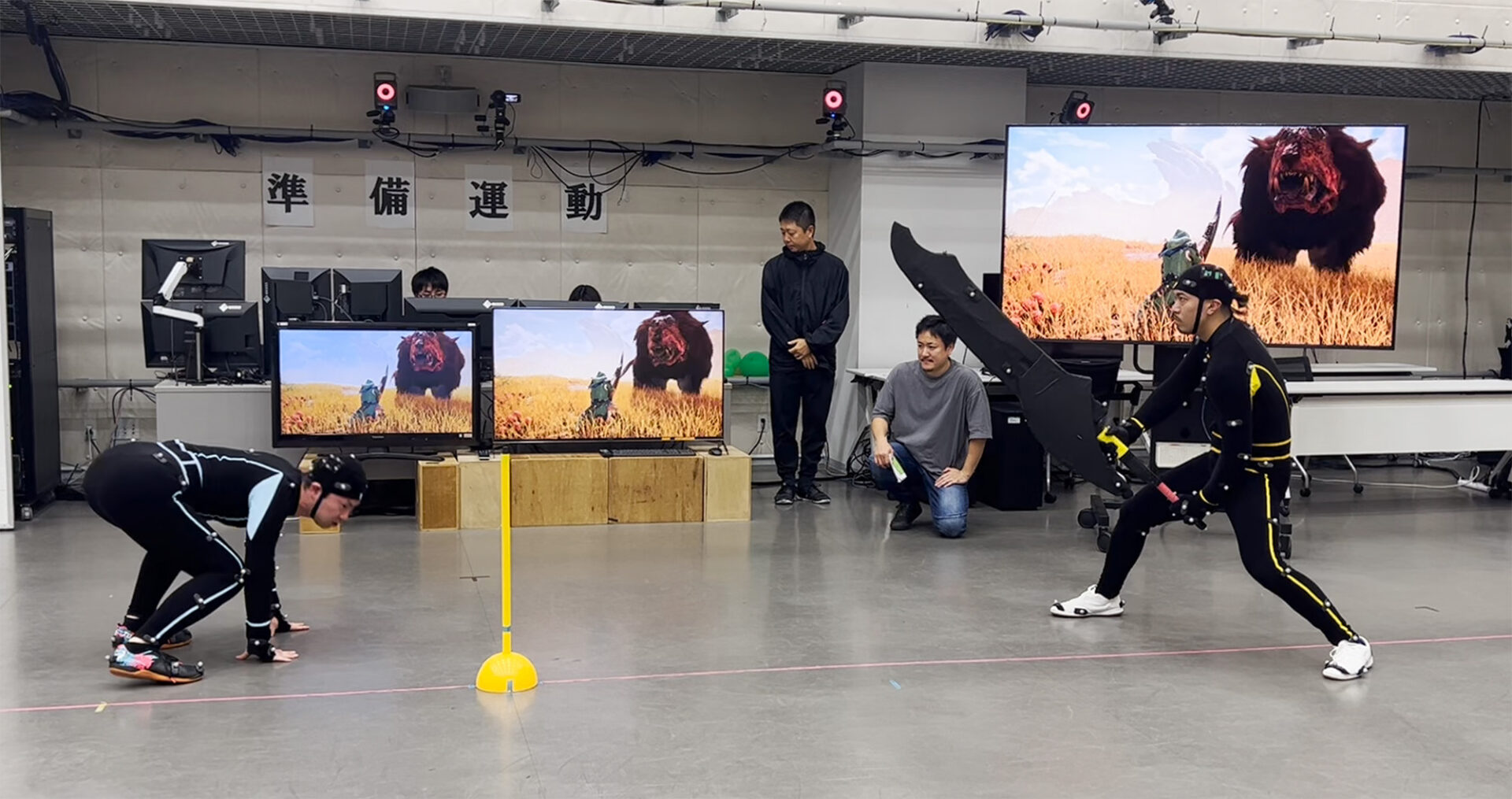
For motion capture, MotionBuilder is used to import captured data into Maya for animation work. During capture, actors may perform on all fours to capture animation data for monsters as well as humanoid characters.
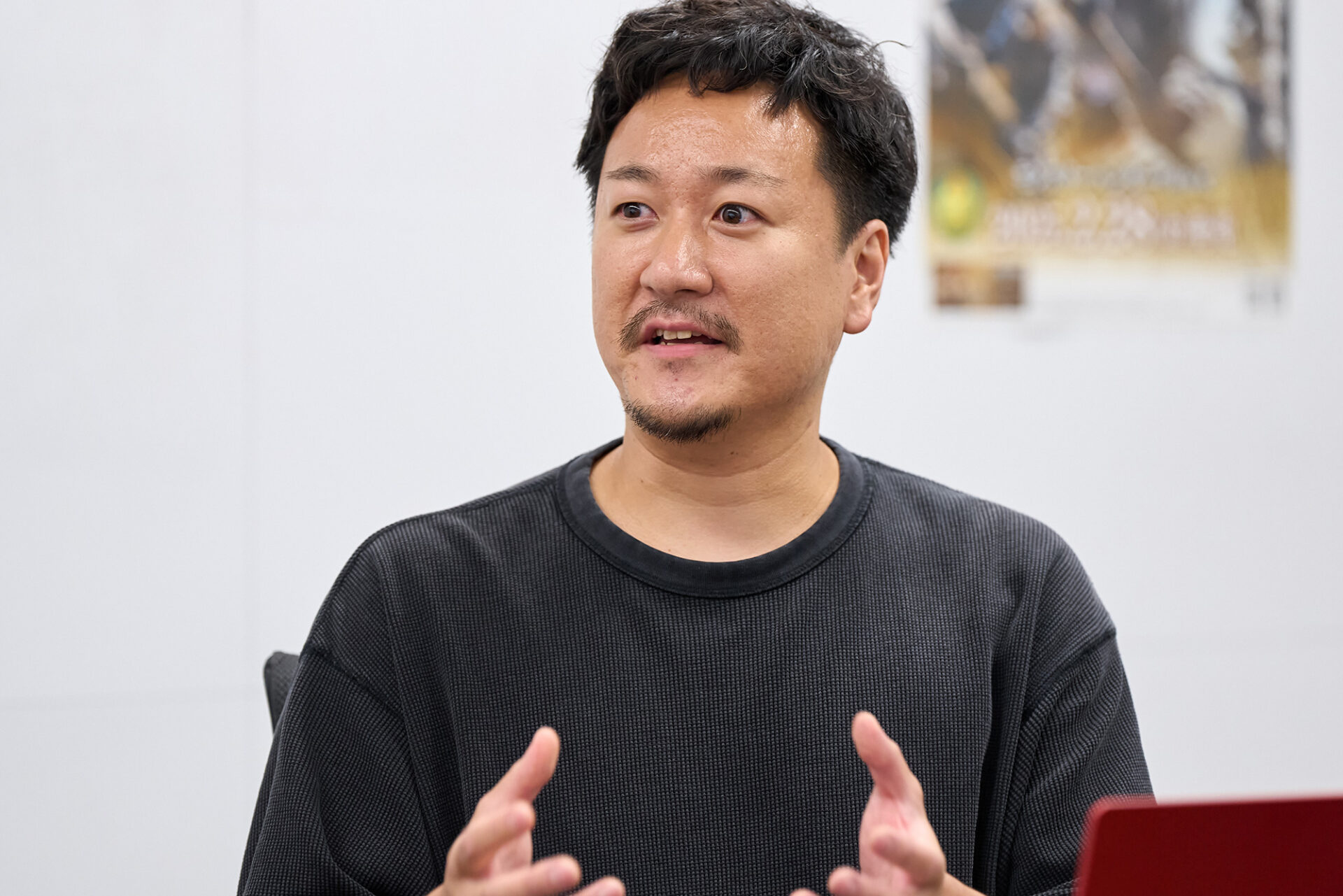
Direction is divided between humanoid characters and monsters, with Lead Animator Hiroya Sasaki in charge of PL (Player) and Kenji Yamaguchi in charge of EM (Enemy). Sasaki receives rough specifications from the planning team, such as “perform two sword clashes 5 meters ahead, dealing moderate damage while prioritizing mobility,” and translates them into actual actions, like a stunt choreographer. “I aim to balance in-game performance with visually striking movements, always striving for techniques that feel fresh. During filming, we often shoot multiple takes and frequently make ad-lib adjustments. We sometimes even intentionally use mistakes,” said Sasaki.
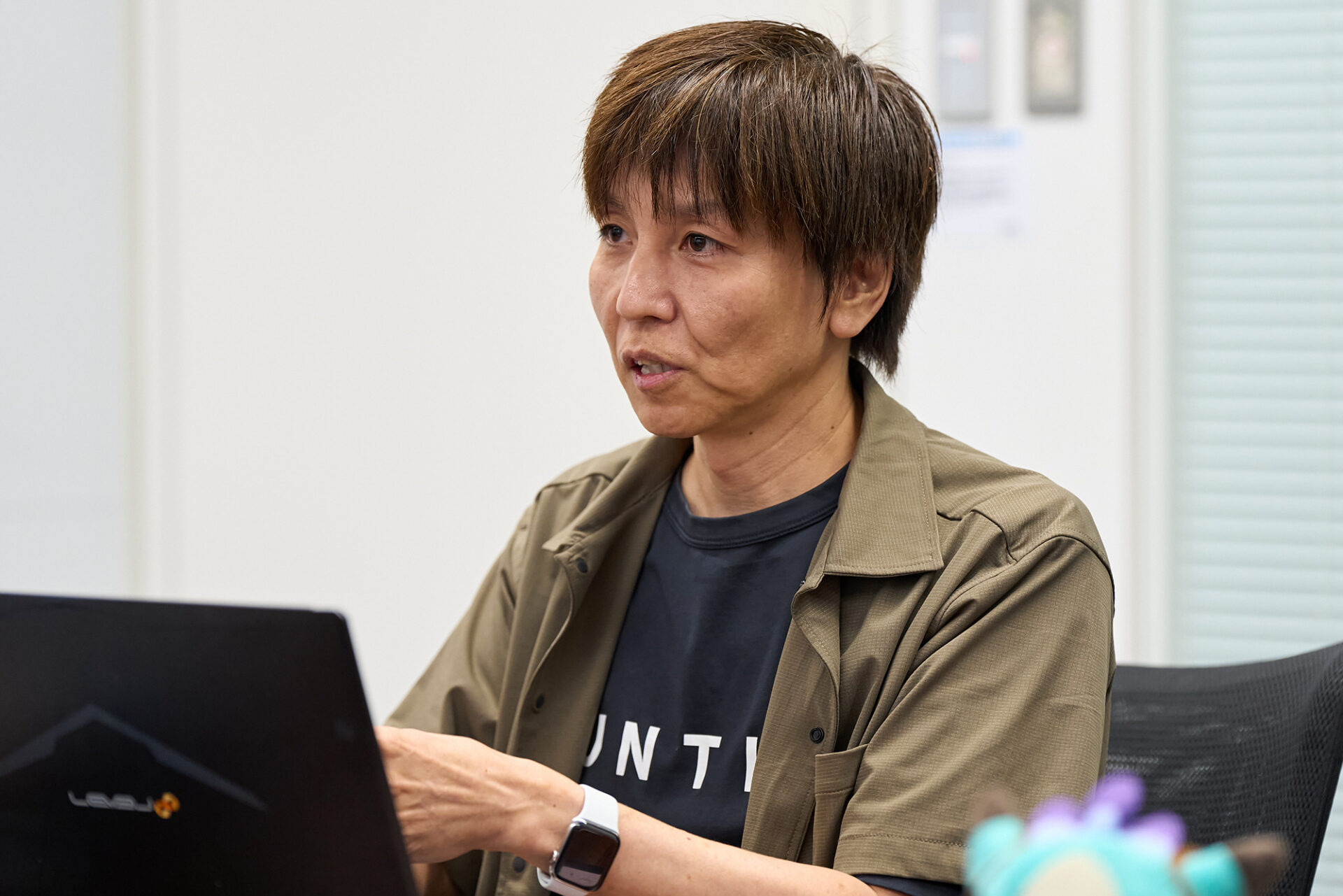
On the other hand, monsters are “a means to increase the initial speed of animation, with processing in mind,” said Yamaguchi. This suggests that the methods used vary depending on their intended purpose.
Regarding technical ingenuity in animation production, TAs Daichi Ito (in charge of player animations) and Jotaro Masutani (in charge of enemy animations) cited their successes with reduction. Although the monster model’s texture files are created at 4K size, during work they are reduced to 1K to ensure frame rate, and measures are also taken such as lightweighting auxiliary bones with parent constraints.
Examples of natural motion reproduction using vibration control
Vibration control in Maya is implemented through an in-house system and aims to reproduce natural motion in monster representation.
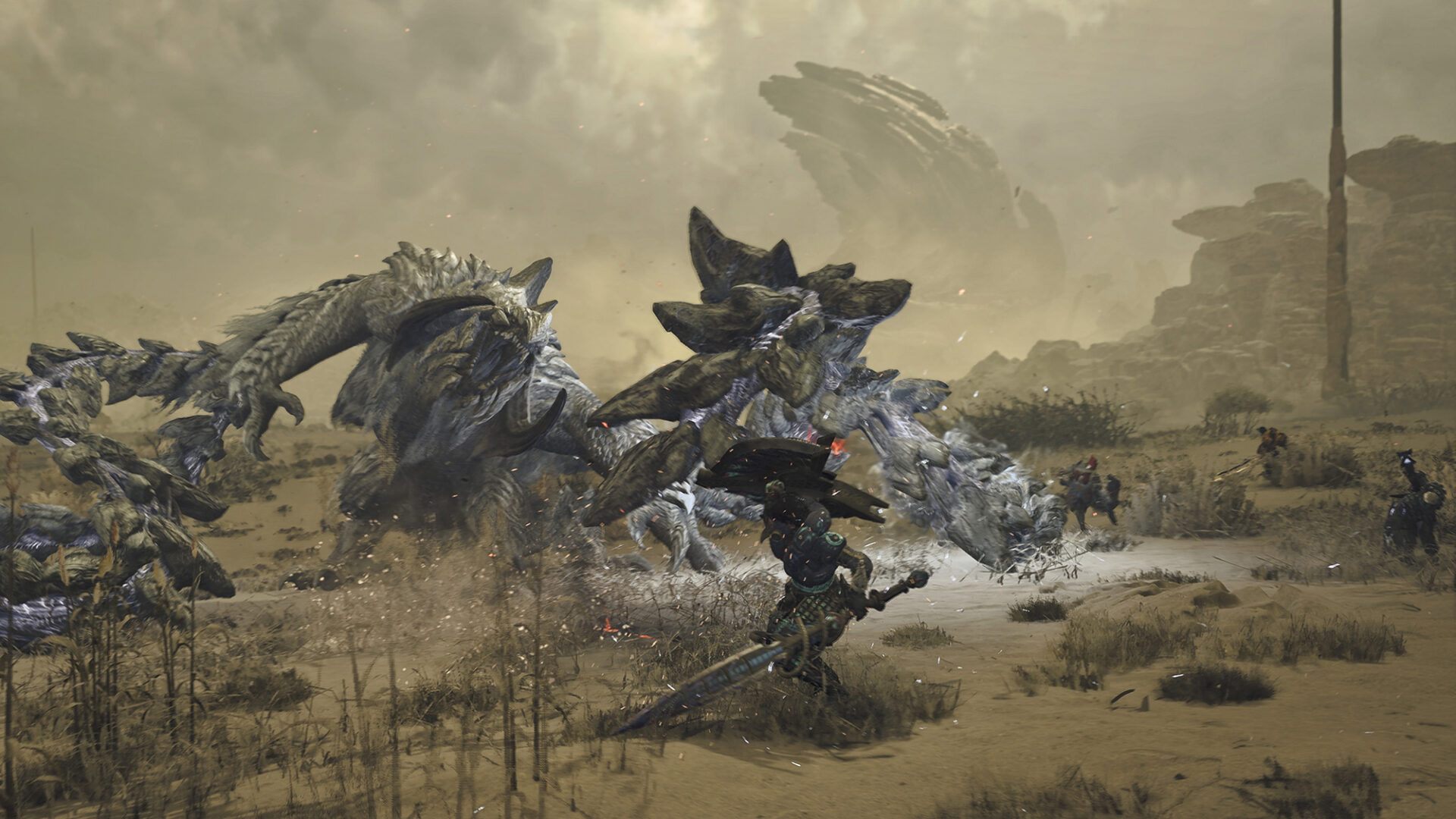
As a concrete example, if we take the fins of the monster Uth-Duna, simply applying a walking motion wouldn’t produce any change. Adding vibration attributes here generates secondary vibrations that follow the movement of its body. However, the behavior is linear and unnatural in its initial state, so offset control is introduced to provide displacement along an S-curve, thereby reproducing more biologically accurate movement.
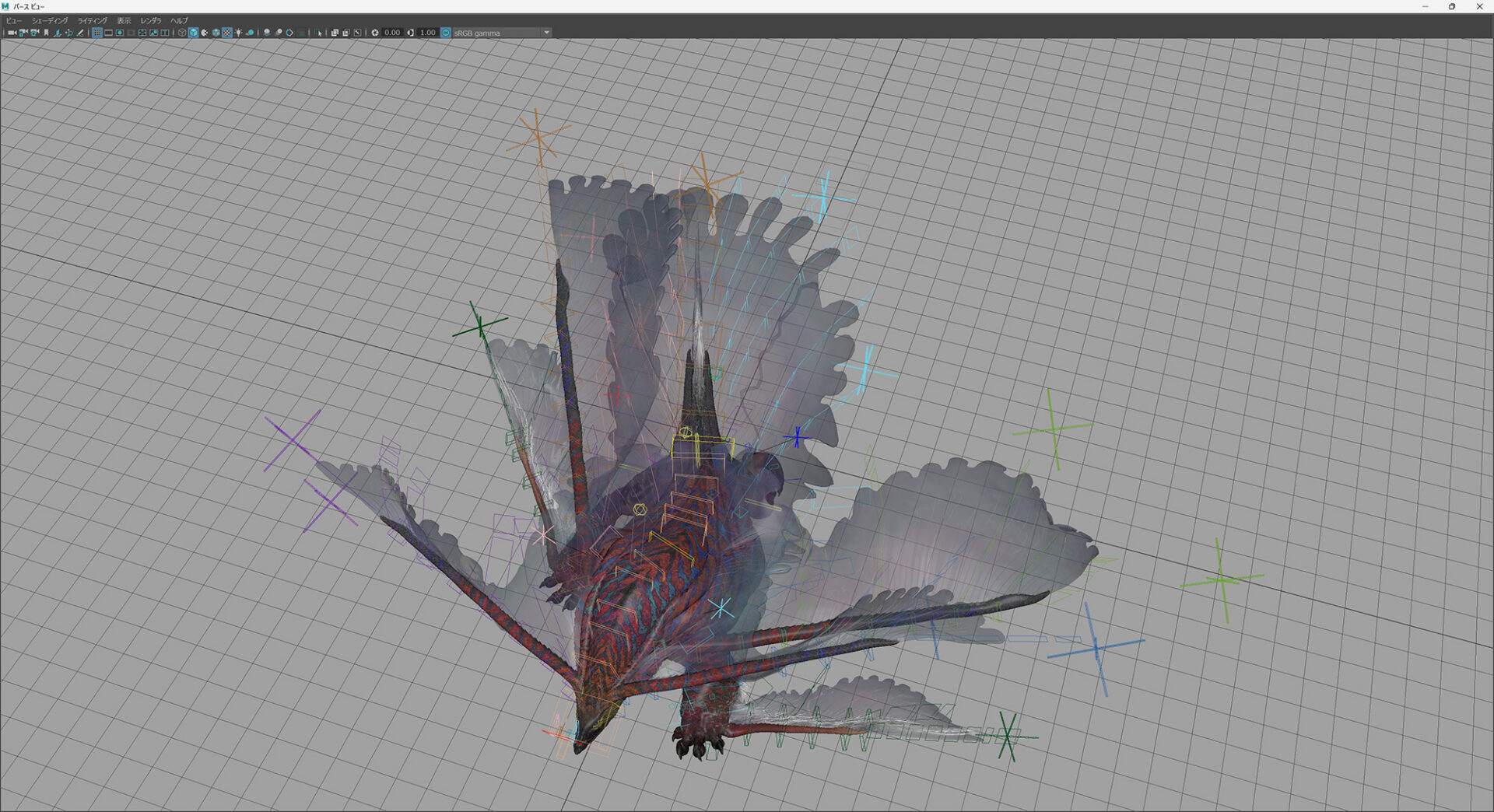
This “swinging behavior along a curve” is incorporated as an important element for ensuring natural animation. The foundation of this system is “Position-Based Dynamics,” a technology constructed by the TA at the time during the development of Monster Hunter: World. Calculations are performed using Expressions in Maya, automatically generating an amount of swinging behavior that is impossible with manual work.
This framework has been deployed to many characters, and an inheritance mechanism for swinging has also been built on the engine side. It is also possible to set interference judgment as an option. By placing a sphere in the polygon mesh, it is possible to control the swinging behavior so as to avoid that area. Although this collision avoidance mechanism is not introduced to all characters, it is used by various monsters such as Doshaguma, serving as the basis for their actions and contributing to person-hour reduction.
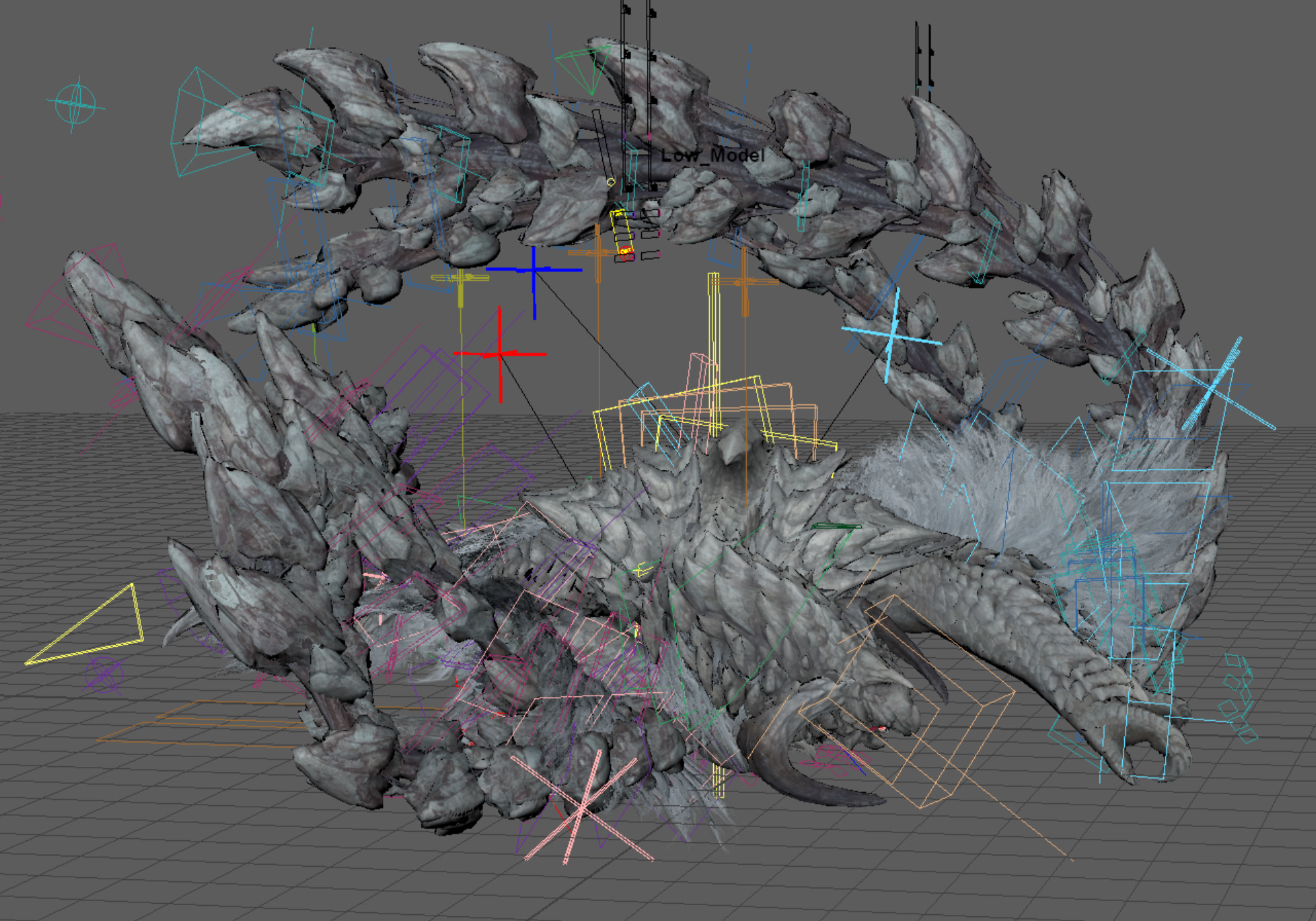
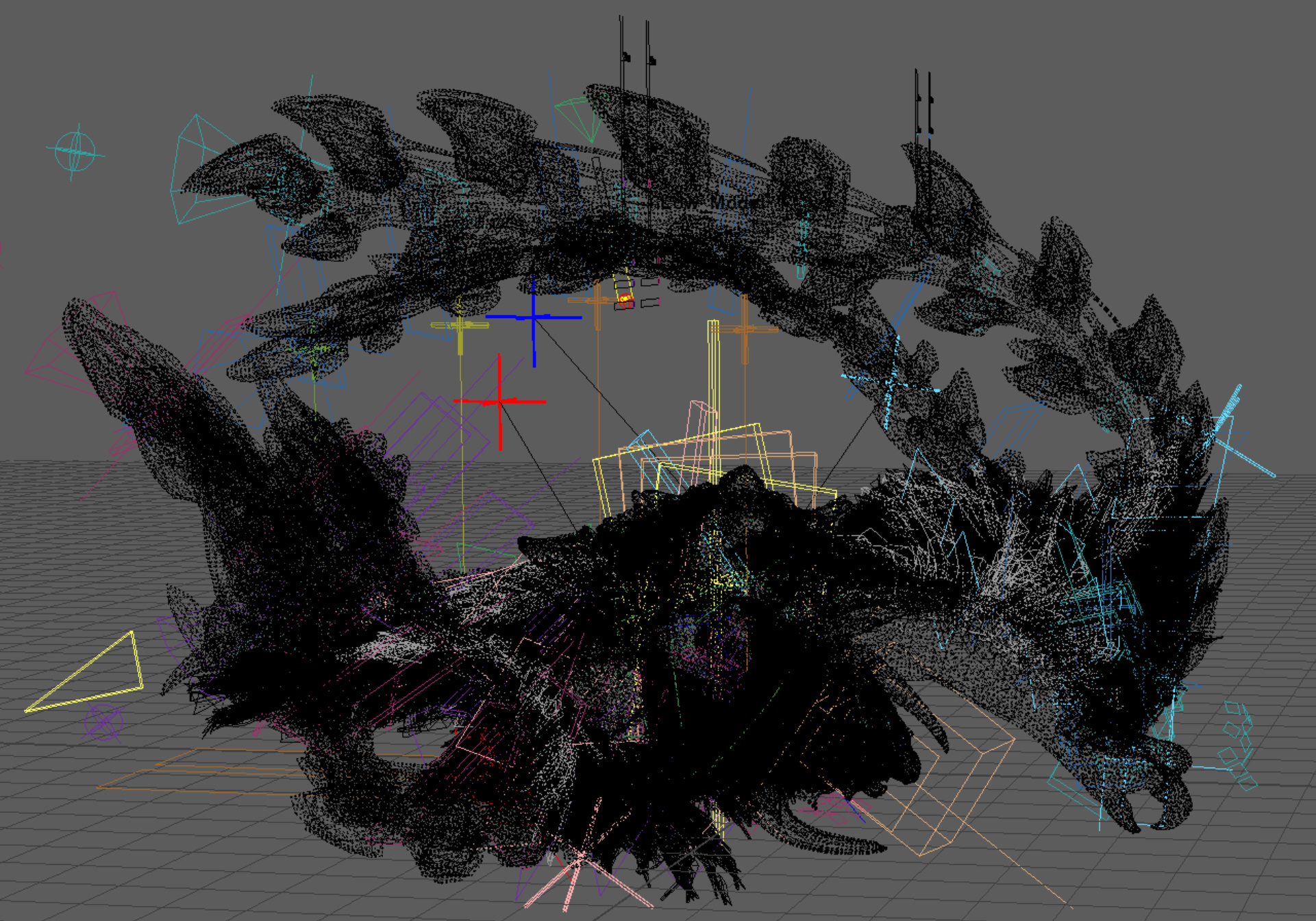
The same concept is also seen in Arkveld’s chain mechanic. The chain extends and contracts along an IK curve, opening and closing the block section according to its stretching. Furthermore, a delay control has been implemented in the chain’s secondary “chain blade” mechanic, allowing it to follow the primary motion with a delayed number of frames.
It also includes control to avoid interference with the ground and head or arms, resulting in an efficient system that doesn’t require complex physics calculations.
Finally, bake processing allows for writing to the controller or partial blending with existing animations, making it a flexible system adaptable from research and development to actual production.
Maya’s extensibility embodied in the “Anim Tool”
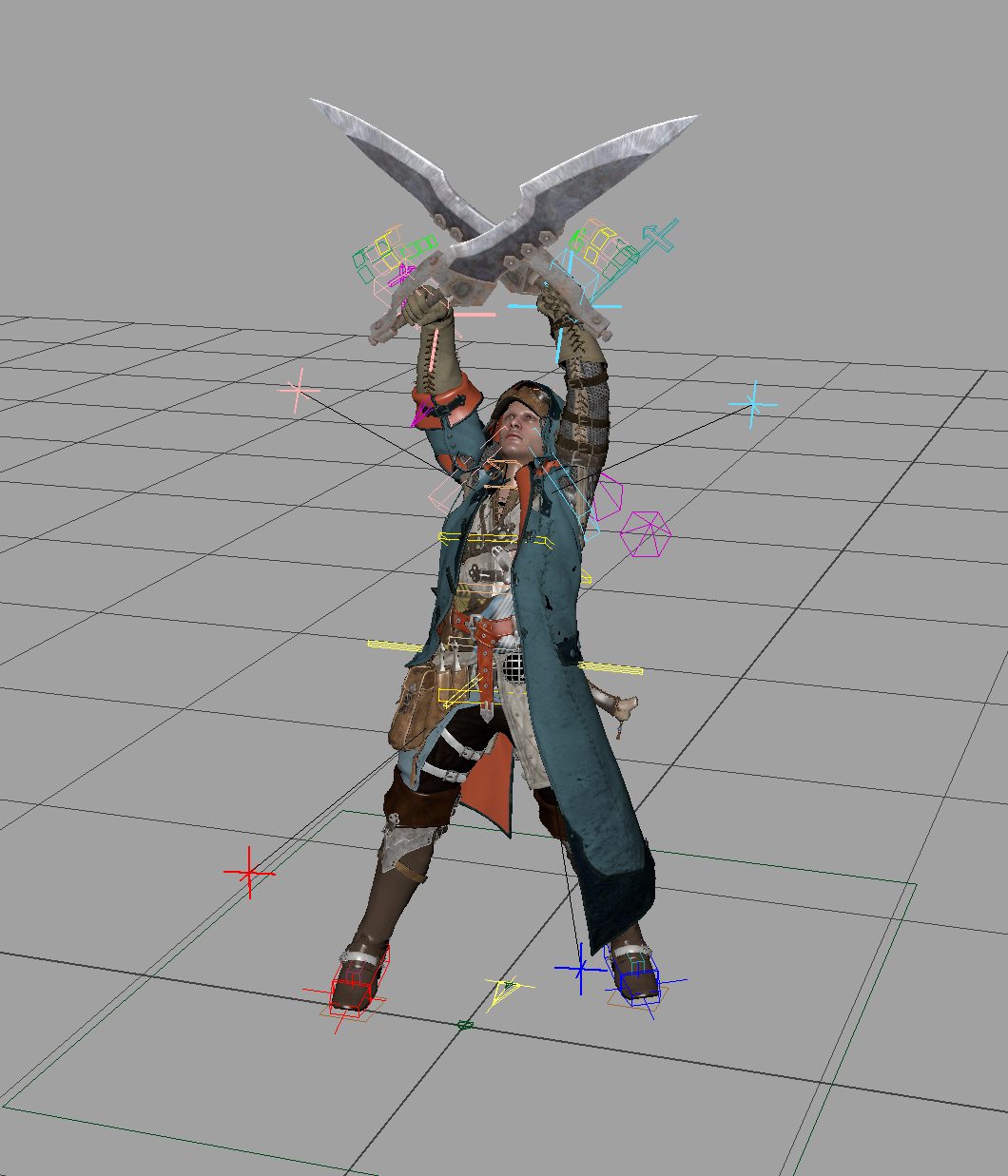
The high extensibility of Maya is often cited as a major attraction. The TA team flexibly responds to animator requests by implementing script additions, among other things. The in-house tool “Anim Tool” enables actions such as complex hunter weapon switching and transformations, and switching controls for monster rigs.
When working in Maya, there are times when you need to apply animation to a rig. The Anim Tool has a mechanism for exchanging motion between RE ENGINE and Maya using FBX. The rig includes both an “Import FBX to Rig” function and an “Export FBX from Rig” function, which can be called from the Anim Tool.
This allows for not only easy reading of FBX and outputting motion, but also baking to the rig and applying it as animation. As a result, an environment is created where motion staff can immediately edit and adjust the data. Conventionally, there was a risk that if the rig was updated, scenes saved in mb format would be corrupted due to version differences. However, with this mechanism, the latest FBX is always read into the rig, enabling automatic application of animation to the latest rig. This eliminates issues caused by version discrepancies and guarantees a stable work environment.
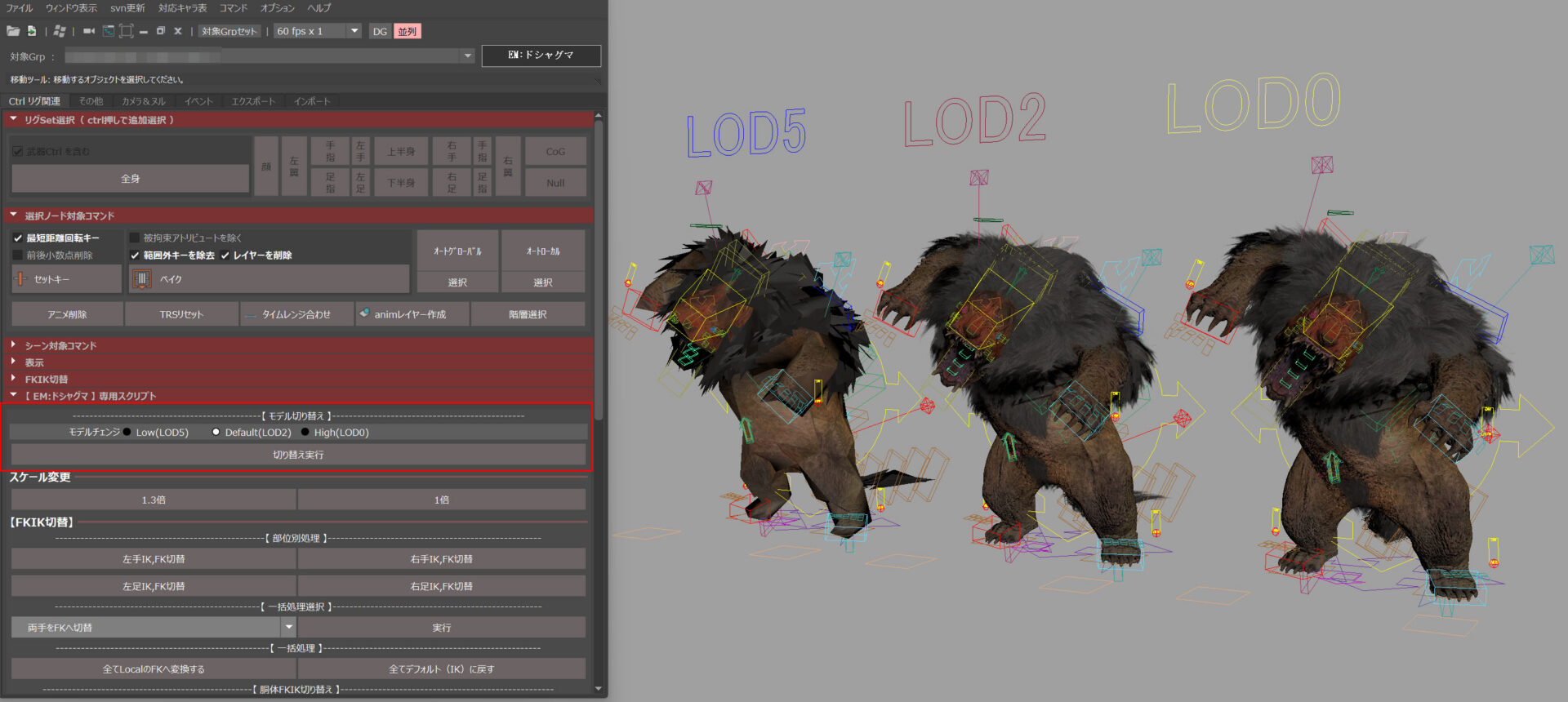
On the interface, there is a button dedicated to importing motion data. By selecting “Doshaguma,” you can reference not only its original motion but also that of past monsters such as “Arzuros,” “Rajang,” “Goss Harag,” and “Nergigante.” This allows for easy testing of motions based on past assets, and cost-reducing reuse.
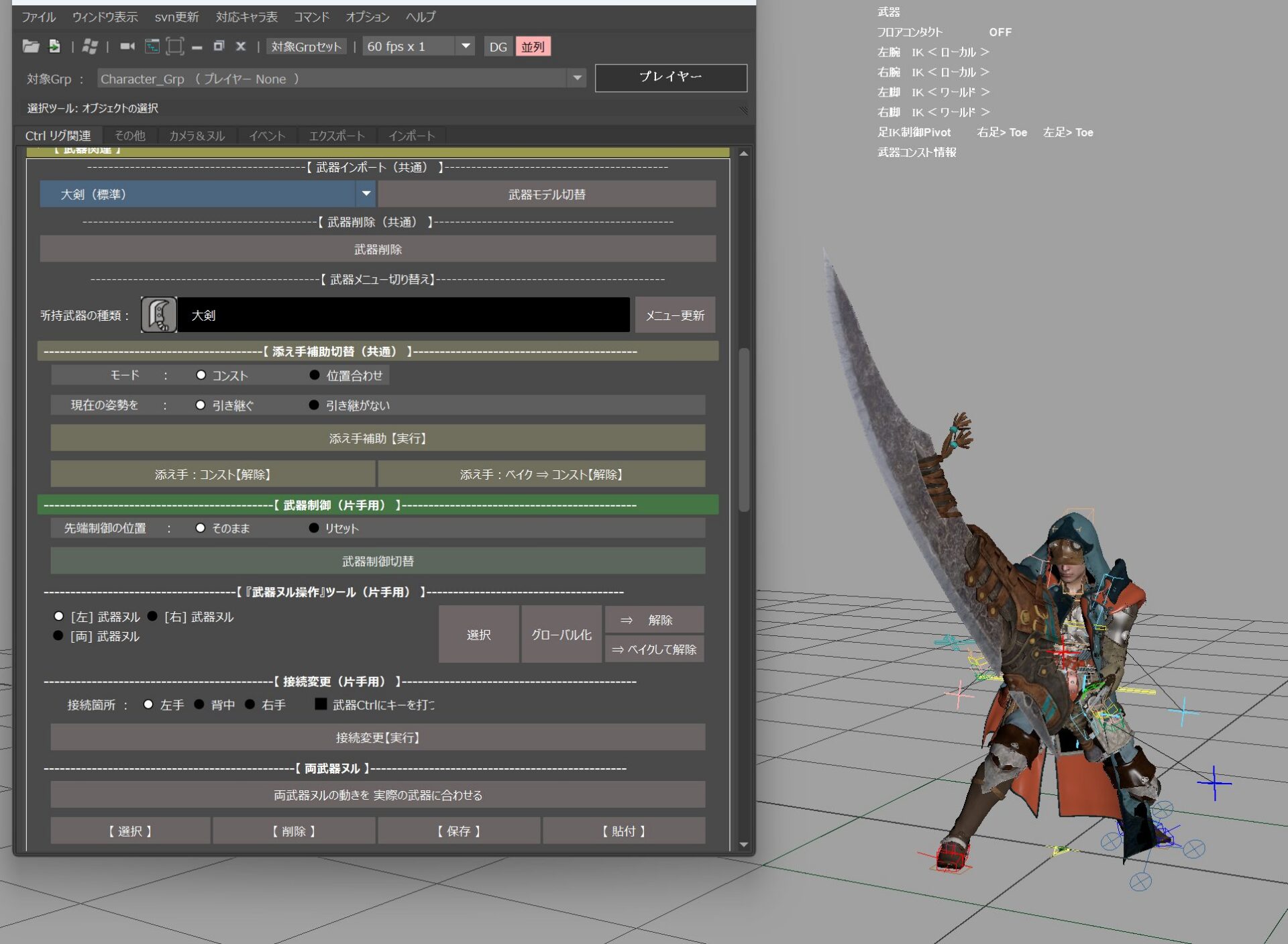
The workflow involves importing any motion from a folder on the engine and checking/modifying it in Maya. Subsequently, using the export function, necessary information such as the total number of frames is automatically carried over, enabling one-click output without additional settings.
This tool is customized for each character, and the UI and control items are adjusted according to the rig or dedicated functions. One representative function is LOD switching. A system has been introduced that can stepwise reduce texture resolution and model accuracy in order to reduce the drawing load of the model, and it is particularly effective in event scenes or scenes where a large number of enemy characters are placed. For example, mob characters placed in the distance are processed with LOD5, and only the necessary animation targets are handled with LOD0.
The Anim Tool is designed from multiple perspectives, including motion asset reuse, absorption of version differences, workflow efficiency improvement, and load reduction, providing a stable and flexible production foundation for creators in the field.
“Monster Hunter Wilds” developer message to students and creators in games
Finally, we received messages for students and young creators aspiring to enter the game industry, from each member of staff we interviewed
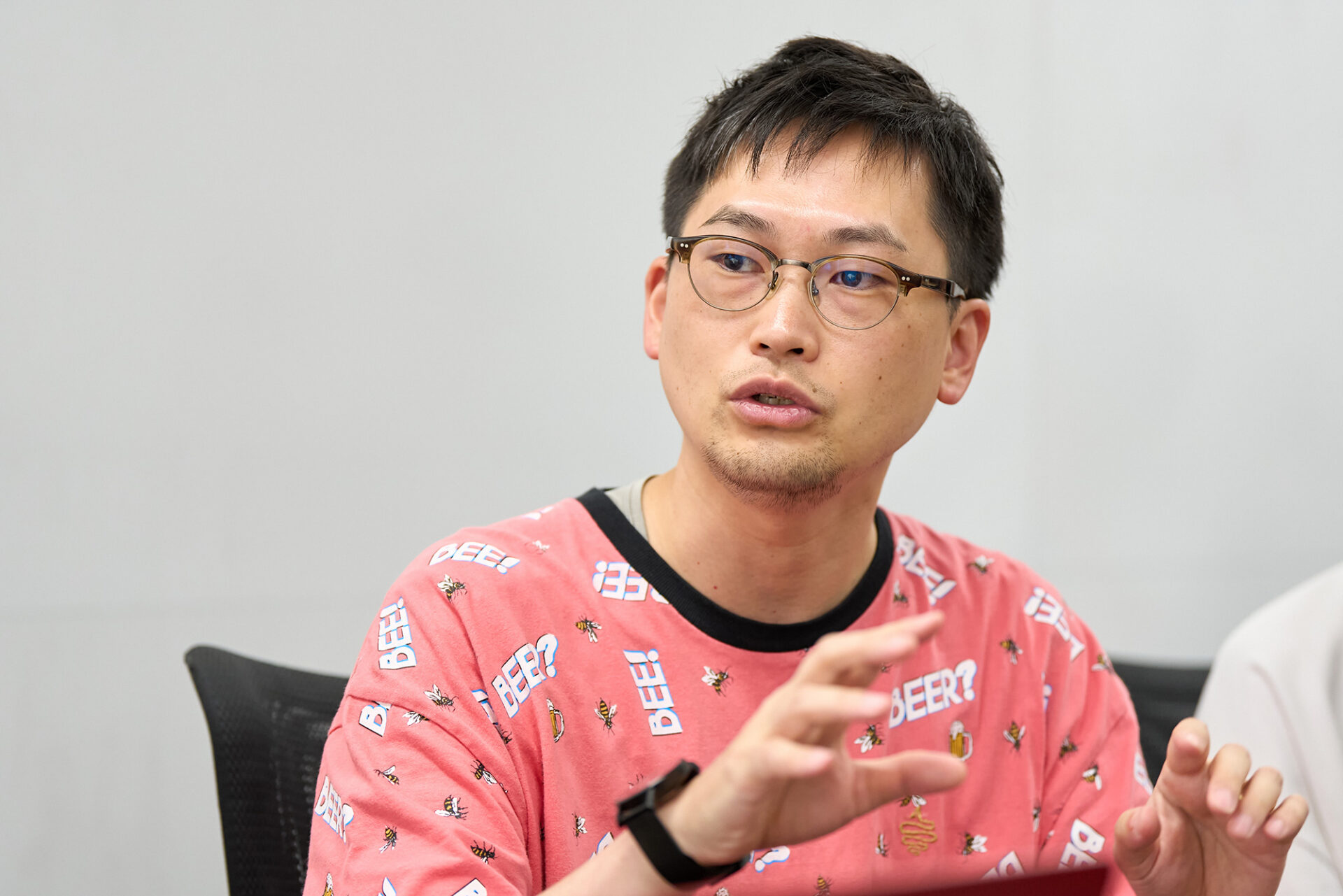
“Just as honing your design skills is important, so too is smoothing out communication. Of course, highly skilled individuals are crucial, but if they can’t communicate properly, their 100% potential might be reduced to a mere 10%. Conversely, someone who excels at communication and can work with anyone becomes a strength in themselves, and with individual skills on top of that, they can unleash even greater power. Mastering Flow Production Tracking is also thought to be one such advantage in those abilities. I hope you will polish your communication skills on both personal and technical levels.”
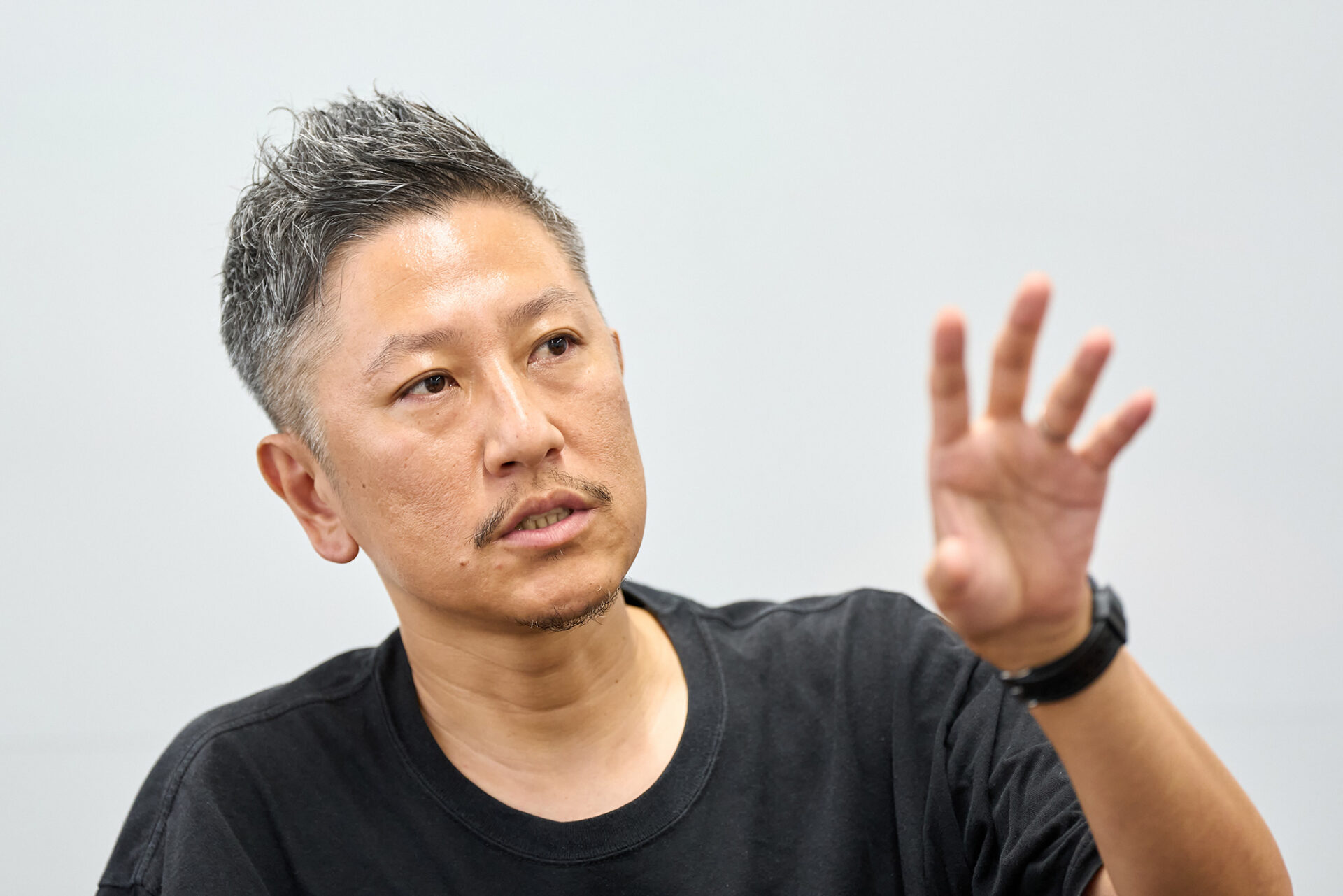
“Creating a game is like building a theme park, where everyone contributes their strengths to make something amazing. Personally, I love fashion and biology, which led me to 3D modeling, and now I specialize in characters. However, I believe characters truly shine when paired with stunning background art. It’s this sense of teamwork that brings everything together and makes the process so appealing. We work incredibly hard, but we’re also making ‘entertainment,’ which means our work doesn’t feel heavy or burdensome. It’s a wonderful industry, so please hone your skills and dive right in!”
“As mentioned earlier about communication, the game industry is structured so that those who are suited can rise to the top. If you have strong communication skills, you can effectively showcase your abilities. Moreover, having artistic talent enables you to contribute to any team and pursue your passions. While joining a specific team isn’t guaranteed upon entering, if you clearly express what you truly want to do, even if it takes some time, your aspirations will be recognized in this industry. Ultimately, you will surely reach your desired destination. Everyone has potential, so I encourage you to develop both your technical and communication skills.”
“As a technical artist, I’d like to share my perspective. When creating games, it’s crucial to prioritize the final output, the expression itself. In addition, paying attention to the ‘process,’ or ‘how’ something is made, can lead to opportunities in technical fields. Even when creating the same thing, a workflow that takes three days is obviously less valuable than one that can be completed in a day. It’s also important for data structures to be easily maintainable. However, becoming overly focused on the process to the point of limiting expression or making it uniform would be counterproductive. Ultimately, the goal is to make a good game. Finding balance between these elements is key.”
“While the results of rigging don’t directly appear in the visuals, when animators bring it to life, add direction, and the game is released, I feel just as happy. Many companies separate riggers from animators, so it’s important to be open to hearing different opinions. Get feedback from a variety of people and incorporate their suggestions for improvement before release—don’t be satisfied with thinking that your own judgment alone is the best way to make a rig. I myself learned rigging through internships, but gained most of my knowledge after joining the company. We now have a comprehensive training curriculum, so if you’re eager to become a rigger, we can teach you everything you need to know. Good luck!”
“Observe all sorts of things and build up your repertoire. People walking in the station, the movement of clouds, anything goes. It’s also important to actually move your body yourself. The feeling of your center of gravity when carrying something heavy, for example—experiences like that are invaluable. On top of that, it’s crucial to keep hold of the core question: ‘What do I really want to create?’ Tools and techniques are not the goal but the means. Once you know what you want to make, you’ll naturally learn the tools needed to realize it. That’s motivation, not obligation. If you’re aiming to be a game creator, it’s important to gain a deep understanding of what games are as products. I hope you will always be aware of your destination.”
“When creating monsters, the most important thing is to thoroughly study reference materials. No matter how unique a monster is, it’s always based on a real animal. I recommend observing and understanding how these animals move before starting production. Visit zoos or watch video footage online, and prioritize making things that move. However, focusing solely on realism can sometimes make the game stressful to play. Be mindful of the balance.”
“For those aspiring to be riggers, I want them to have a wide range of knowledge. Just like myself, what I learned in vocational school only accounted for about 10% of the total, and I learned the remaining 90% on the job site after joining the company. So, it’s important to have an attitude of constantly learning with curiosity, not just specializing in a particular field but being interested in various things. As for rigging knowledge, I often learn from AREA JAPAN and overseas forums and YouTube. It’s not uncommon to study by translating English information. The joy of being a rigger is when animators who use the gimmicks and tools I created tell me ‘My work has become easier’ or ‘My efficiency has improved’. I welcome those who can identify the “tedious” side of simple tasks and think of ways to do them more efficiently.”