 Autodesk Media & Entertainment
When we launched Wonder 3D, our goal was to make it easier to generate 3D assets from text and images in Flow Studio — helping creators move from idea to form faster.
Now, we’re taking the next step.
Introducing AI Rigging and Neural Layer in Flow Studio — so you can move beyond asset generation and into animation and polished results. With these new capabilities, you can automatically rig your generated characters, animate them, and refine your shots to a cinematic quality – all without the complexity of traditional pipelines.
Plus, you stay in control throughout. Export to your 3D tool of choice for animation or final polish, or stay within Flow Studio to quickly bring your work to a finished result.
Alongside these updates, we’ve expanded generation capabilities with Trellis 2 for 3D asset creation and the latest Nano Banana models for image generation — giving you more flexibility across both 2D and 3D workflows.
What’s New in Autodesk Flow Studio?
Make characters animation-ready with AI Rigging
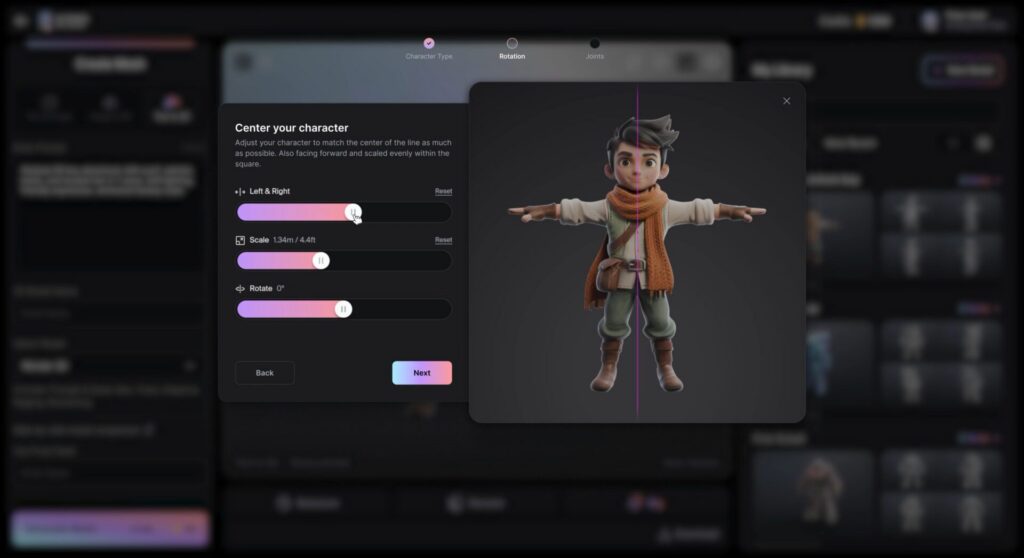
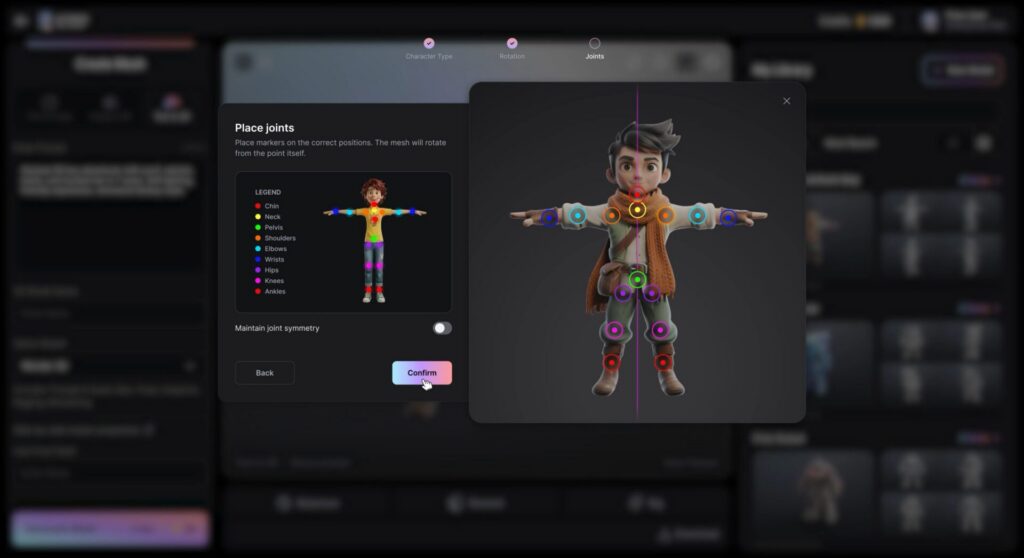
Generate a fully textured 3D character from a simple text or image prompt in Wonder 3D, then prepare it for animation by assigning joints in just a few clicks. AI Rigging removes one of the most technical steps in the process — helping you move from asset to animation much faster.
Drive the performance of characters using AI mocap technology in Flow Studio’s Live Action projects, or export your rigged assets to tools like Maya, Blender, or Unreal Engine to craft the exact motion your story demands.
- Prepare AI-generated characters for animation with minimal setup
- Drive performance using AI mocap in Live Action workflows
- Export seamlessly to Maya, Blender, Unreal, and more
- Reduce reliance on specialized rigging expertise
Fast cinematic rendering with Neural Layer
A challenge many creators face is bringing cinematic quality to their shots — from lighting and materials to subtle performance details. It often requires significant time, technical expertise, and multiple tools.
Now, you can choose how you refine your shots. For full control, export shots with your generated characters to your preferred 3D tools, or use Neural Layer to achieve polished results faster.
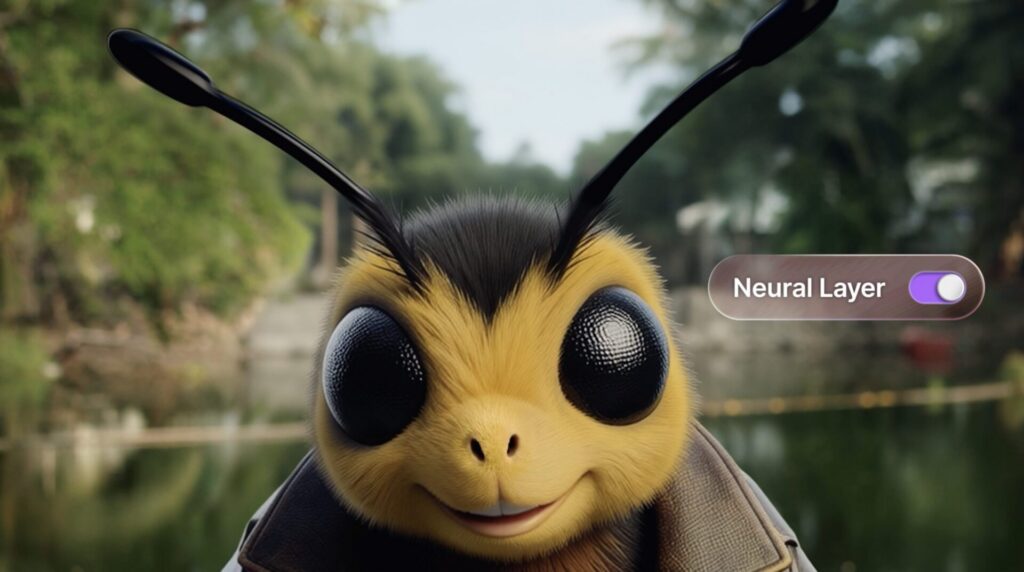
Neural Layer brings enhanced rendering directly into the Flow Studio workflow, delivering lighting and performance realism without a traditional rendering pipeline. It provides:
- More realistic materials (skin, hair, surfaces)
- Film-style lighting and scene response
- Improved motion grounding and performance detail
- Cleaner, more polished outputs
Expanded model generation capabilities
We’re expanding how assets are created at the start of the workflow.
Nano Banana models expand text-to-image and image editing workflows, with support for Nano Banana, Nano Banana Pro, and Nano Banana 2 — giving you more flexibility in how visuals are generated.
Trellis 2 adds support for text-to-3D and image-to-3D generation, designed for fast exploration and iteration for 3D printing projects, or for populating environments and game worlds.
Together, these additions give you more ways to explore ideas early — and carry them through to animation and final output.
Access, credits, and usage
Access and usage of these capabilities will vary depending on your Flow Studio plan.
AI Rigging is available across all tiers. Free-tier users can rig and preview their characters within Flow Studio, while paid-tier users can also bring rigged assets into Live Action projects or export them to their preferred 3D tools for animation. AI Rigging is included as part of the workflow and does not require additional credits.
Neural Layer is available in paid tiers within Live Action projects and operates at 15 credits per second.
Nano Banana models are available in paid tiers and offer flexible options for image generation, depending on the model you choose:
- Nano Banana — 10 credits
- Nano Banana 2 — 20 credits
- Nano Banana Pro — 30 credits
Trellis 2 is available across all tiers — from Free to Enterprise — and uses 45 credits per generation, whether generating from text or an image.

From idea to performance to final shot – in one workflow
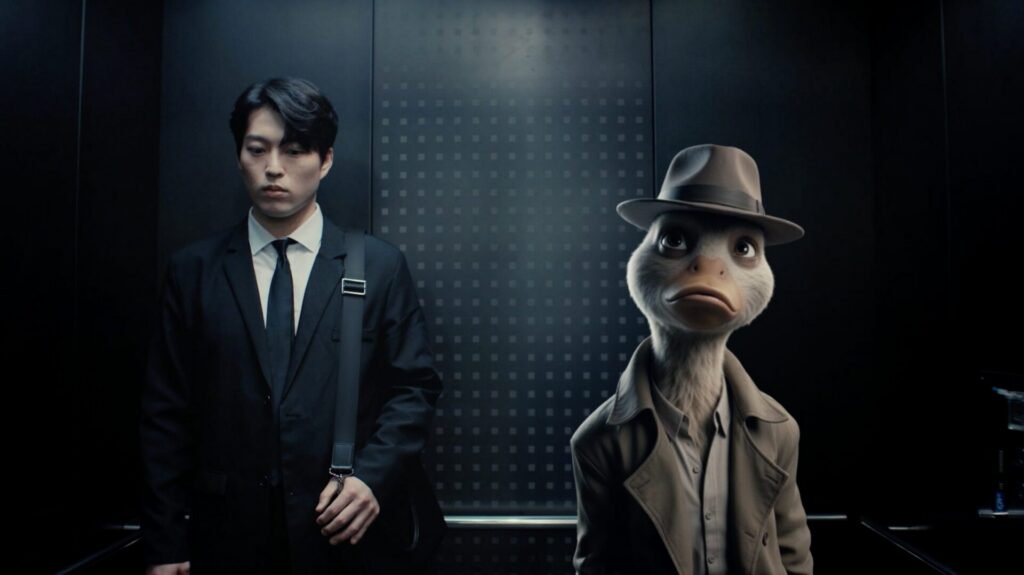
Bringing ideas to life in 3D takes time, numerous tools, a budget, and experience. These new capabilities make that process easier to navigate. Whether you’re exploring an idea or refining a final shot, you can experiment more, iterate faster, and get to a result with less friction.
Get started at flowstudio.com