 Autodesk Media & Entertainment
A connected production layer is only as valuable as the friction it removes. For some teams, that friction is slow review. For others, it’s limited production visibility, disconnected handoffs, or the time it takes to turn an idea into editable content.
With Flow Capture, Flow Production Tracking, and Flow Studio, Autodesk Flow gives teams different ways to address those bottlenecks. The strategic decision is not whether to activate every Autodesk Flow workflow at once, but where the most urgent bottleneck sits today.
Once that bottleneck is clear, the right starting setup becomes easier to choose. Review moves faster when comments, annotations, and timecode stay with the cut. Distributed work becomes easier to manage when coordination runs through one production record for status, ownership, capacity, dependencies, and risk. Previs carries more value when footage becomes editable 3D data artists can continue refining in Maya, 3ds Max, and other 3D design tools.
This guide breaks down three common starting points: Flow Studio for creative visualization, Flow Capture for review, and Flow Production Tracking for production management.
Resolving production bottlenecks with Autodesk Flow solutions
Use the scenarios below to match your bottleneck to the Autodesk Flow setup that gives your team the clearest starting point.
Scenario 1: Creative ideas are hard to validate before production investment
How Flow Studio can help validate creative ideas before production investment
Traditional generative AI tools can produce convincing results, but production teams need more than a compelling result. They need control. They need to test camera movement, performance timing, body pose, lighting, scene structure, and shot intent. They also need exportable 3D data that can move into an established production pipeline. Without these elements, validation can become costly.
Flow Studio fits this scenario by turning early material into working 3D data. A rough performance can become motion capture, a video can produce a camera track, and a sketch or prompt can become a blockout mesh. Instead of stopping at visual inspiration, teams can create editable production material that artists can continue refining.
Boxel Studio’s work on Superman & Lois shows what this looks like in practice. Delivering high-end visual effects for a superhero series, Boxel used Flow Studio’s AI motion capture to turn live-action performances into editable CG scenes. Instead of treating AI as a shortcut around the artist, the studio used it to accelerate the production layer: capturing performance, building usable CG motion, and giving artists a stronger starting point for refinement. The result was a faster VFX workflow that kept quality and creative control in the hands of the team. Flow Studio reduced the technical burden around motion capture and gave Boxel Studio’s artists more room to focus on storytelling, refining 3D scenes, and final shot execution.
Starter stack: Flow Studio + 3ds Max or Maya + Arnold.
Best fit: Use this setup when the bottleneck is creative validation. It’s especially useful for directors, previs artists, VFX supervisors, and lean creative teams that need to test a character, performance, camera move, or shot idea as editable production material before deeper animation, lighting, or VFX investment begins.
Scenario 2: Creative review decisions lose context
How Flow Capture supports synchronous and asynchronous review
Modern review workflows can make footage available faster, but faster access does not always preserve the metadata, version context, and media state needed to make review actionable. Asynchronous review preserves comments, but it often separates feedback from the live discussion that shapes decisions. Synchronous review aligns stakeholders in real time, but if the session is not tied to the reviewed asset, dailies metadata, access permissions, color-managed playback, timecode markers, and editorial handoff, the decision may lose production context as soon as the meeting ends.
Flow Capture addresses this by supporting both synchronized review for shared decision-making and asynchronous, timecode-specific feedback that remains attached to the reviewed asset. It gives teams the right material, in the right quality, with the right context, under the right access controls, and with a path for decisions to move into editorial or post-production. Flow Capture Rooms support synchronized review with video, chat, and frame-specific annotations. Reviewers can attach feedback to the relevant frame and timecode; support image-critical review with HDR and Dolby Vision; protect sensitive media through permissions, watermarking, and digital rights management; and bring reviewed footage and feedback into Avid Media Composer or Flow Production Tracking.
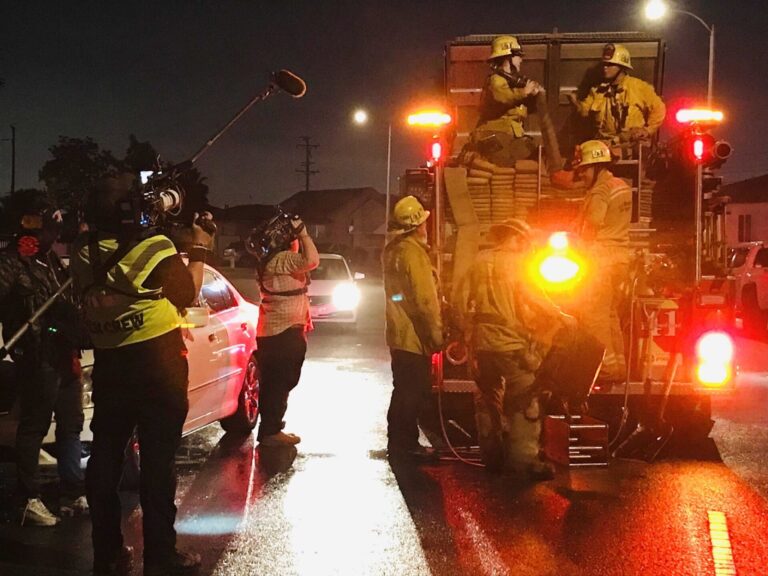
Malia Marshall’s work on LA Fire & Rescue shows this in practice. Her crew captured emergencies using GoPros for first-person points of view, dashboard cameras, and cameras rigged to emergency vehicles, creating hundreds of hours of footage, with no opportunity for second takes. That meant review had to support the story, clearance checks, and editorial at the same time. With Flow Capture Rooms, Marshall’s remote team could review cuts with live chat and video while scrubbing through the Avid timeline. During clearance, Flow Capture’s comment workflow replaced the time spent building a blur list with more than 140 manual entries. Instead, the team could add notes directly to the reviewed material, keep them in timecode order, add visual markups, and export comments as an XML file for Avid. The process dropped from about two days to roughly six to eight hours.
Starter stack: Flow Capture + Flow Production Tracking when review material, comments, metadata, and handoff context need to feed the broader post-production pipeline.
Best fit: Use this setup when the bottleneck is creative review context. It’s especially useful for editorial, color, and VFX teams that need review decisions to stay connected to media, timecode, security context, and post-production action after review ends.
Scenario 3: Post-production teams lose visibility across work, tools, and dependencies
How Flow Production Tracking connects production management and creative review to the same production data
In complex VFX, animation, and games pipelines, task visibility is only one part of managing production. Each shot, asset, scene, or level can carry assigned tasks, start and due dates, bid estimates, time logs, milestones, dependencies, version history, review notes, approvals, and delivery requirements. When any of those details change, the update must reach the people and systems that act on it. This can include producers managing capacity and cost, supervisors reviewing versions, artists working in Maya, 3ds Max, Nuke, Houdini, or Unreal Engine, and pipeline teams connecting RV, render management, or proprietary tools.
Flow Production Tracking manages these changes by keeping production management and creative review connected to the same configurable production data. Teams can monitor tasks, budgets, and timelines; compare versions and record annotations during review; plan resources against dependencies and constraints; build role-specific dashboards; and extend workflows through APIs, webhooks, custom fields, and event-driven automation. The advantage is operational continuity: a review note, schedule change, or status update carries the context needed for the next action without being re-entered across spreadsheets, review sessions, and production tools.
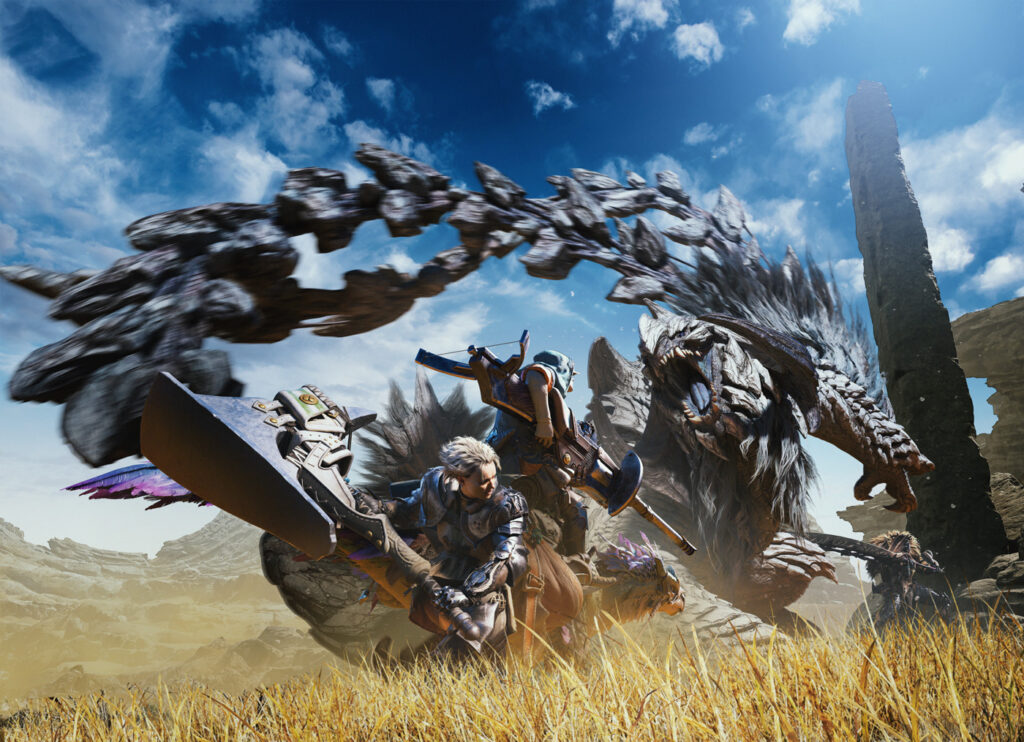
Capcom’s work on Monster Hunter Wilds shows why this matters at scale. Their character team alone had about 60 members, and each new monster could trigger additional work across equipment and weapon types. Before Flow Production Tracking, high-level direction often moved through meetings or informal conversations, which made it harder for downstream artists to know when to begin. Flow Production Tracking gave teams a visual production record: character teams attached images and videos to tasks, art directors added correction instructions directly to asset videos, and event teams used annotations, notes, and playlists to track reviewed cutscene versions. For backgrounds, Capcom managed more than 4,500 assets, replacing heavy Excel lists with server-based records that could be updated by multiple contributors. The result was a workflow in which creative progress, review history, asset metadata, and engine-facing information stayed aligned as production changed.
Starter stack: Flow Production Tracking + core creative tools. In Capcom’s case, that meant Flow Production Tracking working alongside Maya and MotionBuilder.
Best fit: Use this setup when the bottleneck is production control across tools. It’s especially useful for producers, supervisors, artists, and pipeline teams that need tasks, reviews, schedules, resource plans, and technical data to stay aligned across creative tools, review systems, and studio pipelines.
From first bottleneck to connected pipeline
Solving the first bottleneck gives you a practical place to start. The next opportunity is to look for the places where production context still has to be rebuilt before another team can act.
For ShadowMachine on The Tiny Chef Show, the starting point was their need to keep schedules, dependencies, inventories, and set-builds organized before shoots. That led the team to adopt Flow Production Tracking to manage task assignments, waterfall charts, dependencies, task templates, and team-specific schedules across set fabrication, model shop, scenic, landscape, and other art-department workflows.
Since then, the workflow has grown. With a lineup of remote directors, ShadowMachine has extended its pipeline with Flow Capture. This enables directors to review work in real time, assess lighting, view live previs, apply reviewer-specific color settings, and send notes back into Flow Production Tracking without separating review from the production record. The same workflow can also support secure sharing of 3D print files with outside vendors.

Autodesk Flow provides the common data environment behind that expansion. It is designed to help asset data move across Autodesk and third-party applications while keeping the right data available to the right workflow at the right time. In this model, the schedule, dependency, inventory, task state, review note, color context, and vendor package do not become separate records. They continue to support the same production as work moves from planning into review, feedback, and external collaboration.
Flow Studio can create editable production material, Flow Capture can preserve decisions around media and timecode, and Flow Production Tracking can hold the schedule, dependency, approval, and delivery context. Together, these records can support the next workflow without each team rebuilding the production story from scratch. The goal is not to activate every workflow at once. It’s to remove the friction that matters most now, then build toward a pipeline where each team has the context it needs to act.
Frequently asked questions (FAQs)
The best place to start depends on your biggest production bottleneck. Choose Flow Studio if you need to quickly visualize ideas, create editable 3D assets, or accelerate previs with AI-powered workflows. Choose Flow Capture if your team needs faster, more secure review and collaboration throughout production. Choose Flow Production Tracking if your biggest challenge is managing tasks, schedules, assets, and visibility across post-production teams. You can start with one product and expand your workflows as your production grows.
Autodesk Flow is the industry cloud that connects workflows, production data, and teams across the media and entertainment pipeline. Flow Studio helps creators generate editable 3D assets and accelerate early-stage creative work with AI-powered tools. Flow Capture enables secure review, dailies, and collaboration across production teams, while Flow Production Tracking helps post-production studios manage schedules, tasks, assets, reviews, and resources. Together, they create a connected production environment, but each product can also be adopted independently.
You can absolutely start with a single Autodesk Flow product. Many studios begin by solving one specific challenge, such as speeding up creative visualization with Flow Studio, improving review workflows with Flow Capture, or gaining better visibility across project milestones and resources with Flow Production Tracking. As your needs evolve, these products work together to create a more connected production pipeline without requiring you to adopt everything at once.
Flow Studio is a solid choice when you need more than a generated image or video. Instead of producing flat, fixed outputs, it creates editable 3D assets, motion capture data, camera tracking, and other production-ready elements that artists can continue refining in tools like Maya, 3ds Max, Blender, and Unreal Engine. Flow Studio’s AI capabilities are designed to accelerate creative workflows while keeping artists in control of the final result.
Autodesk Flow connects production data, creative work, and review workflows so teams can collaborate with greater clarity and fewer manual handoffs. Review feedback, production schedules, task updates, and creative context stay connected as work moves through the pipeline. This helps production and post-production teams make faster decisions while keeping everyone aligned on the latest information.
Yes, many studios start by addressing a single production challenge, then expand as new needs emerge. For example, a team might begin with Flow Studio for creative visualization, add Flow Capture to streamline review, and later adopt Flow Production Tracking to manage resources and project milestones during post-production. Because the products are designed to work together, teams can build a more connected pipeline over time while preserving production context across workflows.