 Autodesk Media & Entertainment
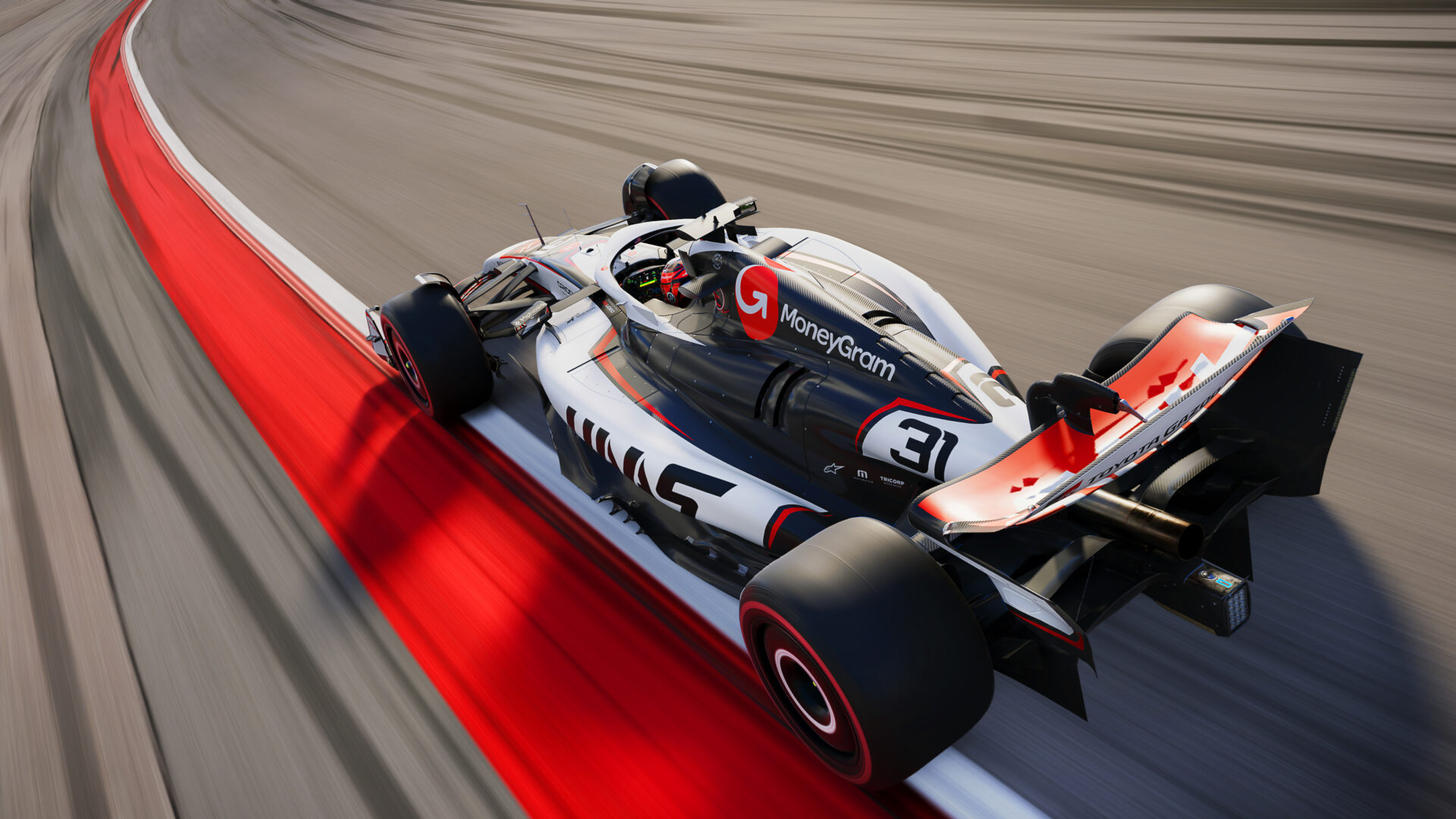
In Formula 1, what happens under the hood can make all the difference. The same is true in game production, where EA SPORTS used Autodesk 3ds Max and custom tools to modernize character rigs, retarget thousands of animations, and preserve years of existing work on the F1 game franchise.
Every new EA SPORTS F1 release has to look and feel more realistic than the last, but improving the underlying technology cannot mean discarding years of production work. When the F1 technical art team set out to improve character fidelity, it faced three major challenges: replacing a legacy character rig, reproportioning hundreds of assets, and retargeting thousands of existing animations. Starting over would have meant leaving years of valuable work behind.
Instead, the team used Autodesk 3ds Max as an extensible environment for building specialized tools and workflows that could modernize the character pipeline at scale. “Even though Formula 1 is a racing game, we do have characters, and believable characters are really important,” says Shirzad Bahrami, Technical Artist at Electronic Arts (EA). Bahrami worked with a team spanning engineers, directors, animators, and character artists. Their goal was not just to build better character technology, but to bring the franchise’s existing library of rigs, assets, and animations forward with it.
Modernizing the EA SPORTS F1 Character Rig
How did EA SPORTS F1 modernize its character animation pipeline? One of the first steps was replacing F1’s existing character skeleton.
The legacy rig, built on Biped in 3ds Max, still worked, but its limb deformation happened only at the elbow and knee. That limited how naturally the characters could move. Arm motion, for example, lacked realistic response through areas such as the bicep and forearm.
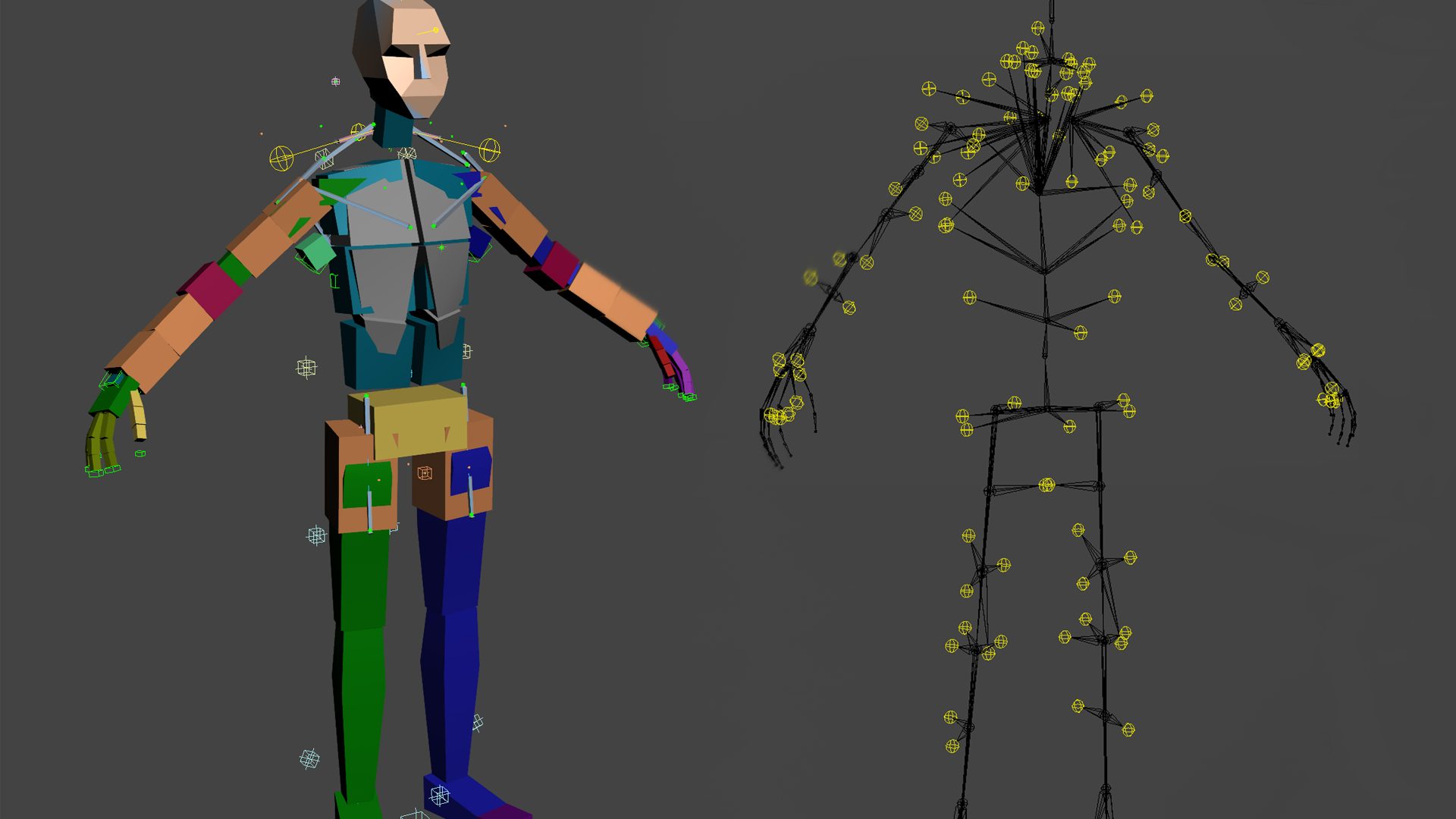
The team tested a manually coded replacement rig designed to work with its existing tools and workflows. The results were promising, but there was a problem. To deploy that approach across production, the rig would need to be authored repeatedly for three different environments: 3ds Max, MotionBuilder, and EA’s proprietary Ego Engine.
“That’s not maintainable,” Bahrami says. “That’s not expandable.”
The solution was a fully customizable new rig with deformation across the character’s anatomy. It was pose-based, editable by artists, and capable of running in real time.
The team built it using Sapien, a shared and centralized EA tool. That also created the potential to borrow animation work from other EA titles when useful.
“It’s scalable and future proof,” Bahrami says. But building the new skeleton was only the beginning. The team still had to make it work with thousands of existing animations while keeping the current production pipeline intact.
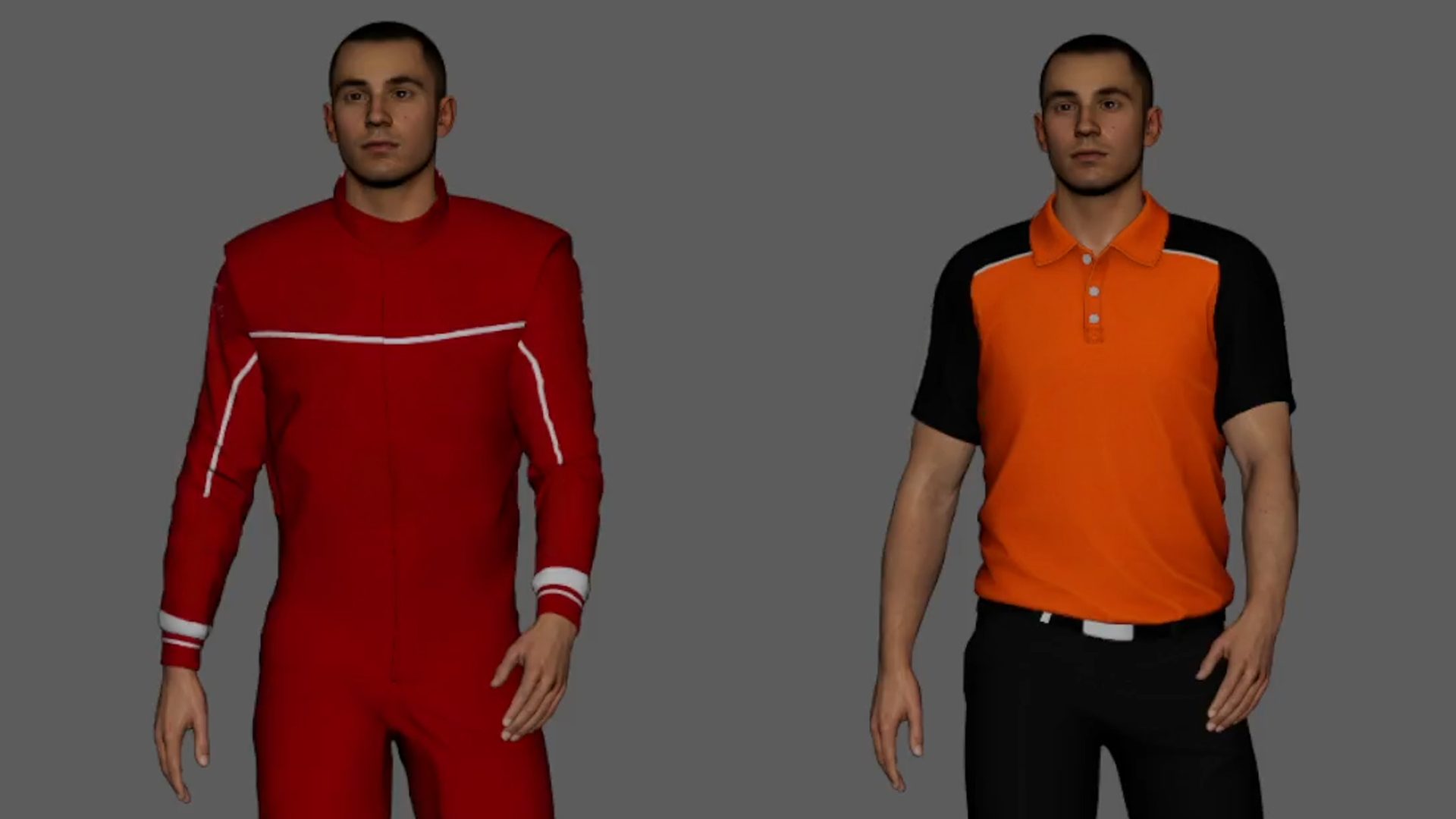
Replacing Character Rigs at Scale with 3ds Max
The old rig contained a large network of connected nodes, expressions, dependencies, and mesh modifiers that other pipeline tools expected to find. Removing and restructuring all of that by hand would have been cumbersome and risky.
“Deleting them is difficult to do by hand, so we wrote code that deletes the connections, optimizes it, and restructures the layers,” Bahrami says.
The resulting process could remove the old skeleton from source assets, bring in the new rig, and preserve the rest of the scene.
Compatibility was critical. Because the team was developing technology for a future game release while current titles still relied on the existing pipeline, it could not simply replace everything at once. Instead, the team created an opt-in switch for its existing tools. “A checkbox lets me work with the new tech while everything else is still working,” Bahrami says. “It’s future-proof.” That gave artists access to the new system without disrupting ongoing production.
Reproportioning Hundreds of 3D Character Assets
Replacing the skeleton introduced another complication: the new character rig was roughly 10 centimeters taller than the old one.
Every character mesh therefore had to be skin-wrapped and reproportioned around the new joint placement.
“It’s not as simple as just scaling something,” Bahrami says, “because the proportions will look off.”
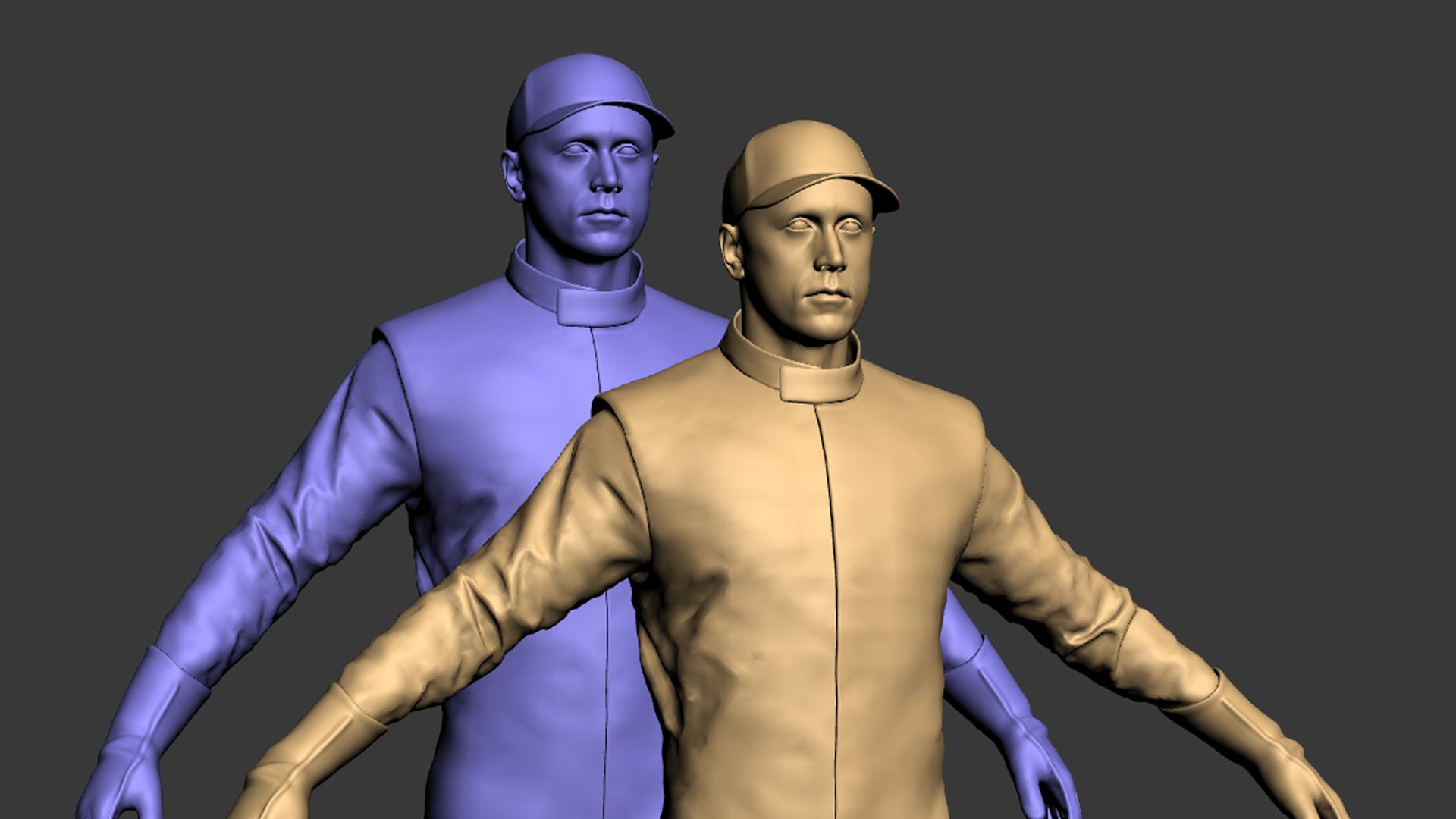
Doing that work manually was not practical. Each character could include multiple geometries and six levels of detail, or LODs. Some characters had as many as 40 geometries, each requiring export, wrapping, reimporting, and the reapplication of modifiers and materials.
“We had hundreds of assets to reproportion, which is not a wise idea to do by hand,” Bahrami says. “It’s not even possible.”
To automate character reproportioning, the team created a specialized tool called Sapienizer.
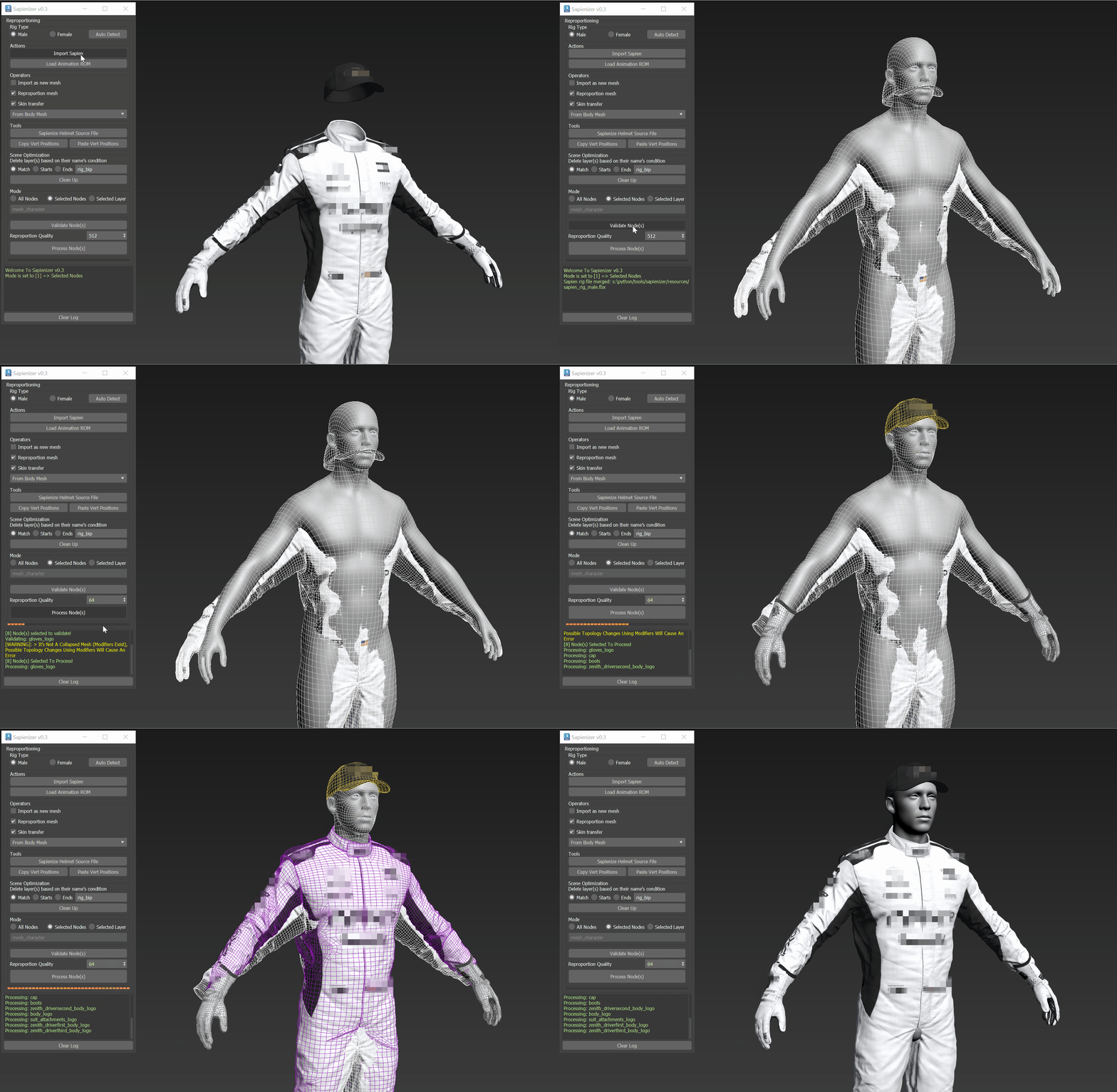
Sapienizer automates much of the process, including importing the new rig, removing the old one, cleaning the scene, re-proportioning meshes, and correcting head and helmet placement.
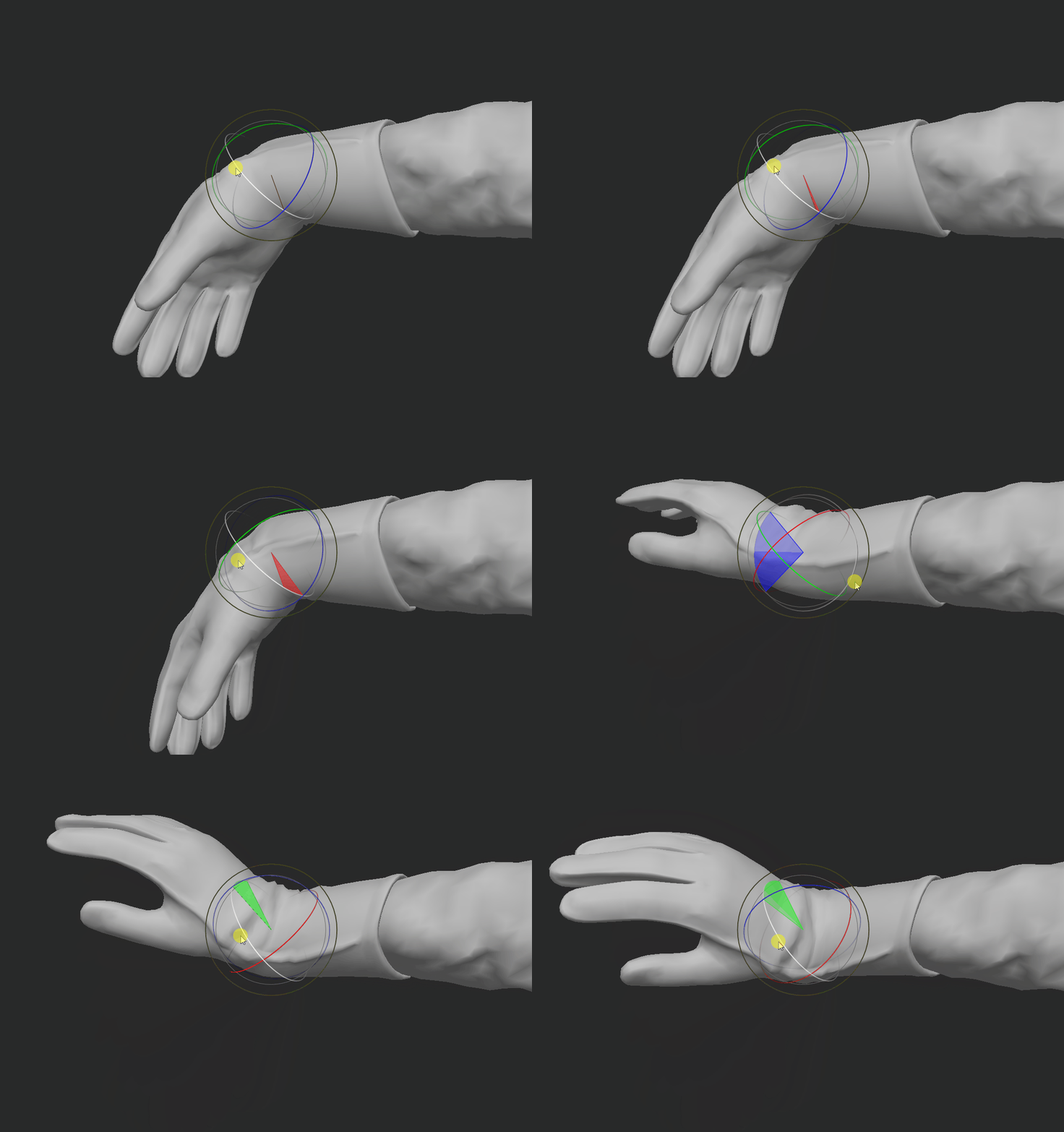
The team also streamlined the transfer of skin weights painted by central technical artists in Autodesk Maya into 3ds Max, where the F1 source assets live.
“One button in Maya says copy, and one button in 3ds Max says paste,” Bahrami says. “That’s how quick it was.”
Retargeting Thousands of Character Animations
Retargeting EA SPORTS F1’s animation library was the team’s biggest challenge. F1 had thousands of animations spread across hundreds of animation files, with some files containing dozens of individual character animations.
Because the new skeleton was taller than the previous rig, simply applying the old animation data would not work. The difference affected character movement as well as interactions with cars and other characters.
The volume of adjustments made manual conversion impractical.
To retarget the animation library at scale, the team developed a three-stage process.
First, it took reproportioned and skinned FBX exports from 3ds Max containing the new skeleton and used them to build reusable character templates in MotionBuilder.
Controllers were connected in advance, and templates were created for character types such as drivers, crew members, bosses, and crowds.
Next, the animation team created reusable entries in a Retarget Settings Manager. Different animation behaviors could be assigned different configurations, ranging from general presets to highly specific settings such as whether individual body parts should use inverse kinematics (IK) or forward kinematics (FK).
This effectively gave artists a menu of retargeting options rather than requiring them to configure every animation from scratch.
To process animation retargeting at scale, the team scripted Bulk Retargeter.
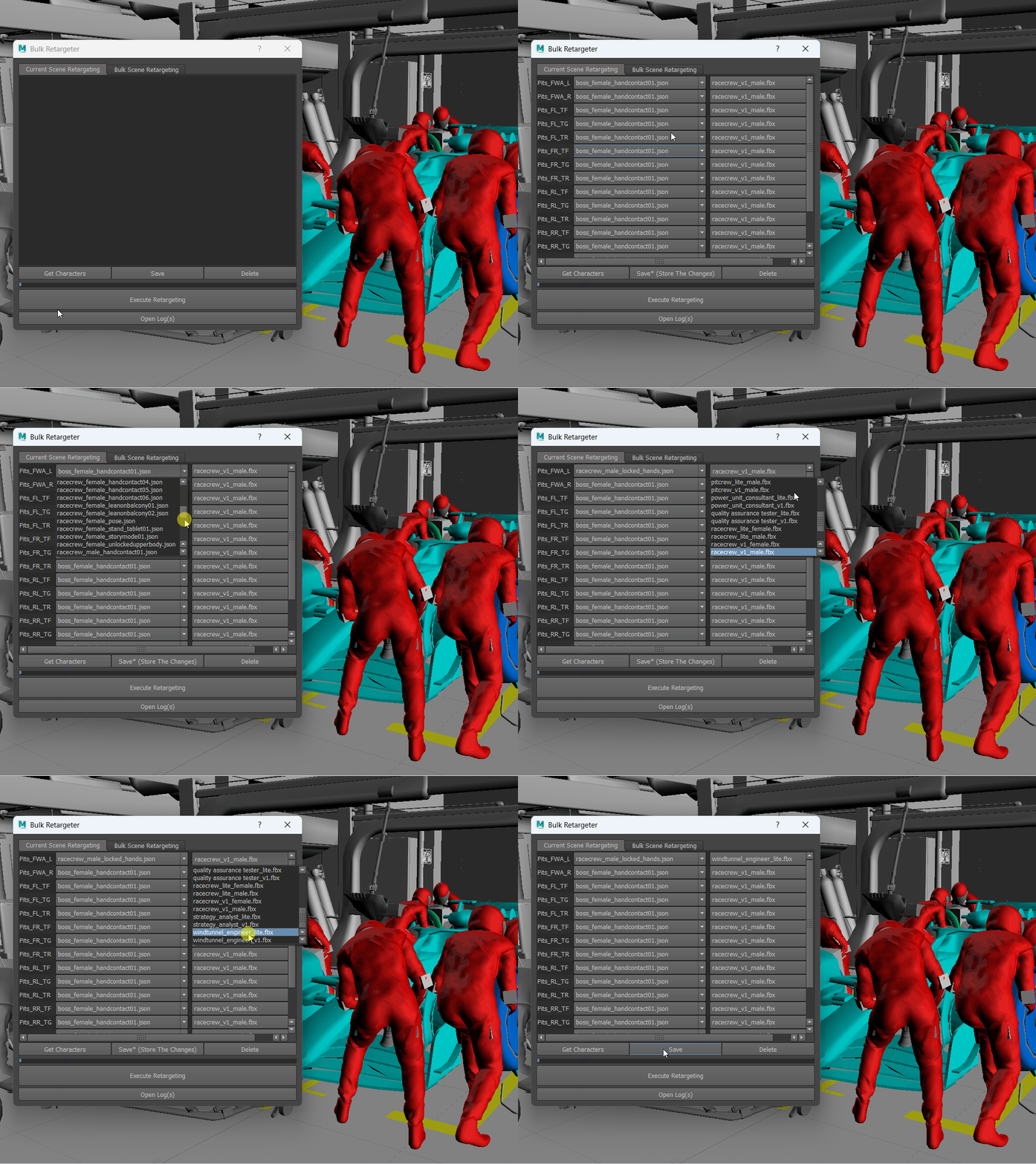
Bulk Retargeter lists every character contained in an animation file. An animator can select the appropriate character template and retargeting settings, then save the configuration for processing on a dedicated service machine. If no specific setting is selected, the tool uses a default retargeting configuration.
The result was a workflow capable of handling animation conversion at a scale that would have been difficult to achieve manually.
Why Automation Still Needs Artist Input
Scaling up the process also exposed problems that smaller tests had not revealed. When Bahrami was ready for a major test, he loaded 700 animation files and left the system running for the weekend. “I came back on Monday and saw nothing,” he says. “MotionBuilder wasn’t even open.”
The batch had crashed because memory use accumulated as files were processed. That failure led the team to improve its logging and defensive error handling. Instead of allowing a single failure to stop an entire batch, problematic files could be reported and skipped so processing could continue.
And even when the conversions worked, the output was not always production-ready. Some of the first retargeted animations looked rough. But the goal was never to automate animators out of the process. It was to remove repetitive work and give artists a better starting point.
“Every bulk retarget will need proper inspection, especially animation,” Bahrami says. “But it gives you a nice starting point to go through as an animator and fix by hand.”
After several rounds of retargeting over a few days, the team reached the quality it had been aiming for. The new skeleton and reproportioned meshes moved naturally on the new technology. The results looked “really fluid and realistic,” Bahrami says. “The deformations looked how they’re supposed to.”
How 3ds Max Connected the F1 Character Pipeline
For EA SPORTS F1, modernizing character animation did not require starting over. By using 3ds Max as the connective layer between applications and the environment for custom scripting and automation, the technical art team preserved years of animation work while building a character pipeline designed for the future.
The project also shows how extensible 3D tools can help studios solve a broader production challenge: adopting new technology without abandoning the assets, workflows, and creative work they have already built.
Bahrami says 3ds Max is the primary DCC for the F1 franchise, but its extensibility and scripting capabilities were especially important to this project.
With the MAXScript Editor, Bahrami can write and test tools directly inside 3ds Max. For tools that need to work across multiple DCC applications, he can write the core logic in Python and then bring that code into MaxScript.
That flexibility helped the F1 technical art team avoid a choice that many long-running productions eventually face: improve the underlying technology or preserve years of existing work. They were able to do both.
By building custom tools around 3ds Max, the team connected two generations of game production technology, retained a large library of valuable animation work, and created a character pipeline designed to keep evolving alongside the franchise.
And the work could also extend beyond F1. “In our case, we were sure that existing tools wouldn’t do what we needed,” Bahrami says. “So we did it. Hopefully we will be able to give other EA titles the tools we developed.”
Frequently asked questions
EA SPORTS F1 uses 3ds Max as its primary DCC for character production and as the central environment for custom tools that connect rigging, asset reproportioning, animation retargeting, and other parts of the character pipeline.
The team created character templates in MotionBuilder, reusable retargeting settings, and a custom Bulk Retargeter that could process animation files in Maya or 3ds Max.
Sapienizer is a custom tool created by the F1 technical art team to automate steps including importing a new rig, removing the old skeleton, cleaning scenes, reproportioning meshes, and correcting head and helmet placement.
No. The automated retargeting process was designed to give animators a stronger starting point. The resulting animations still required inspection and manual refinement.