 Autodesk Media & Entertainment
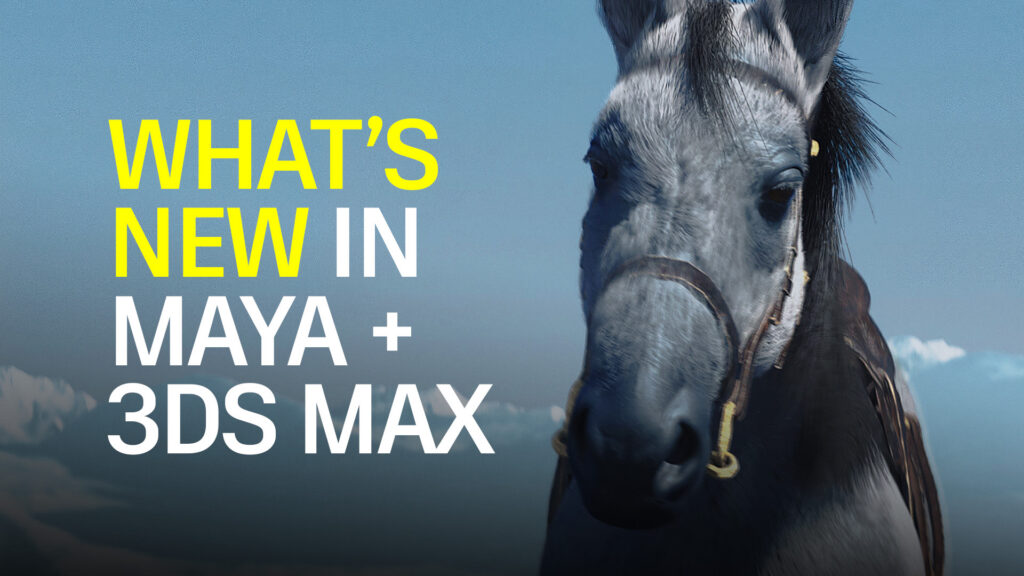
The latest releases across Maya, 3ds Max, Flow Studio, and Arnold introduce new AI features and powerful updates across the toolset with a simple goal: make the path to great moments a little shorter.
“We’re focused on making content creation easier, and AI is one way we can do that,” says Kamal Mistry, Senior Director of Product at Autodesk. “What matters to us is that AI is done right. It needs to be controllable, editable, trustworthy, and accessible to creators and professionals.”
In these releases, you’ll see AI showing up in exciting new ways, from generating horse motion for your next period drama to text-to-3D workflows for concept development.
“But it’s not just about AI,” Mistry adds. “We’re continuing to modernize the tools artists have relied on for years, unlocking more productivity, and most importantly, allowing artists to focus on what they really care about: creating great art.”

The teams behind these releases will dive deeper into what’s new in 3ds Max and Maya in upcoming live webinars. Register today to watch and ask questions.
Accelerate horse animation with MotionMaker
Anyone who has animated a horse knows it takes a lot of work: walk, trot, canter, gallop. The transitions are tricky. MotionMaker in Maya introduces a powerful new horse archetype to tackle this challenge.
With AI, you can now generate a believable base motion for horses in seconds. From there, you can dive right into the work you love, like shaping the horse’s performance.
Need your horse to jump over a log instead of go around it? Or move faster while maintaining a natural gait? Changes like these can be made without hours of rework.
The horse is the latest addition to MotionMaker’s growing library, joining biped and canine motion styles. Whether you’re animating a human, a dog, or now a horse, you can spend less time on setup and more time crafting the nuance and intricacies of performance.
Go from idea to 3D faster with Wonder 3D
Wonder 3D, a new generative AI model in Autodesk Flow Studio, is built to help you move to 3D faster.
You can quickly generate 3D characters or objects from a simple text prompt or reference image. It’s ideal for previsualization, concept development, or quickly populating the background of a scene.
What’s great is you’re not locked into the result. You can refine, remix, and reuse your assets, then export them for 3ds Max, Maya, Blender or Unreal and keep building.
To access tools like Wonder 3D even faster, a new Flow Studio Launcher button has been added to Maya that opens Flow Studio directly.
Improve transitions across geometry with Smart Bevel
New to 3ds Max and Maya, Smart Bevel is a powerful modeling feature purpose-built for post-Boolean workflows. It creates smooth, high-quality geometry transitions that go beyond what’s possible with legacy tools like 3ds Max’s Chamfer or Maya’s Bevel.
Smart Bevel delivers more predictable results by flowing across the surface of your geometry, unrestricted by edge loops or polygon flow, while remaining fully non-destructive, so you can continue to refine and adjust through your construction history.
What’s great is that it brings everything together in a single, streamlined operation: handling complex beveling across multiple curved edge sets at once.
Modernize multi-shot authoring with a new Sequencer
Rebuilt for artists from the ground up, the new Sequencer modernizes layout in Maya, bringing more power, control, and fun to every sequence.
Designed for previs and layout artists, Sequencer (formerly Camera Sequencer) introduces a modern, high-DPI timeline and UI that let you move easily across multiple shots and tracks.
The Sequencer empowers you to freely experiment with different shots and sequences non-destructively, perfect for those “what if we try this?” moments.
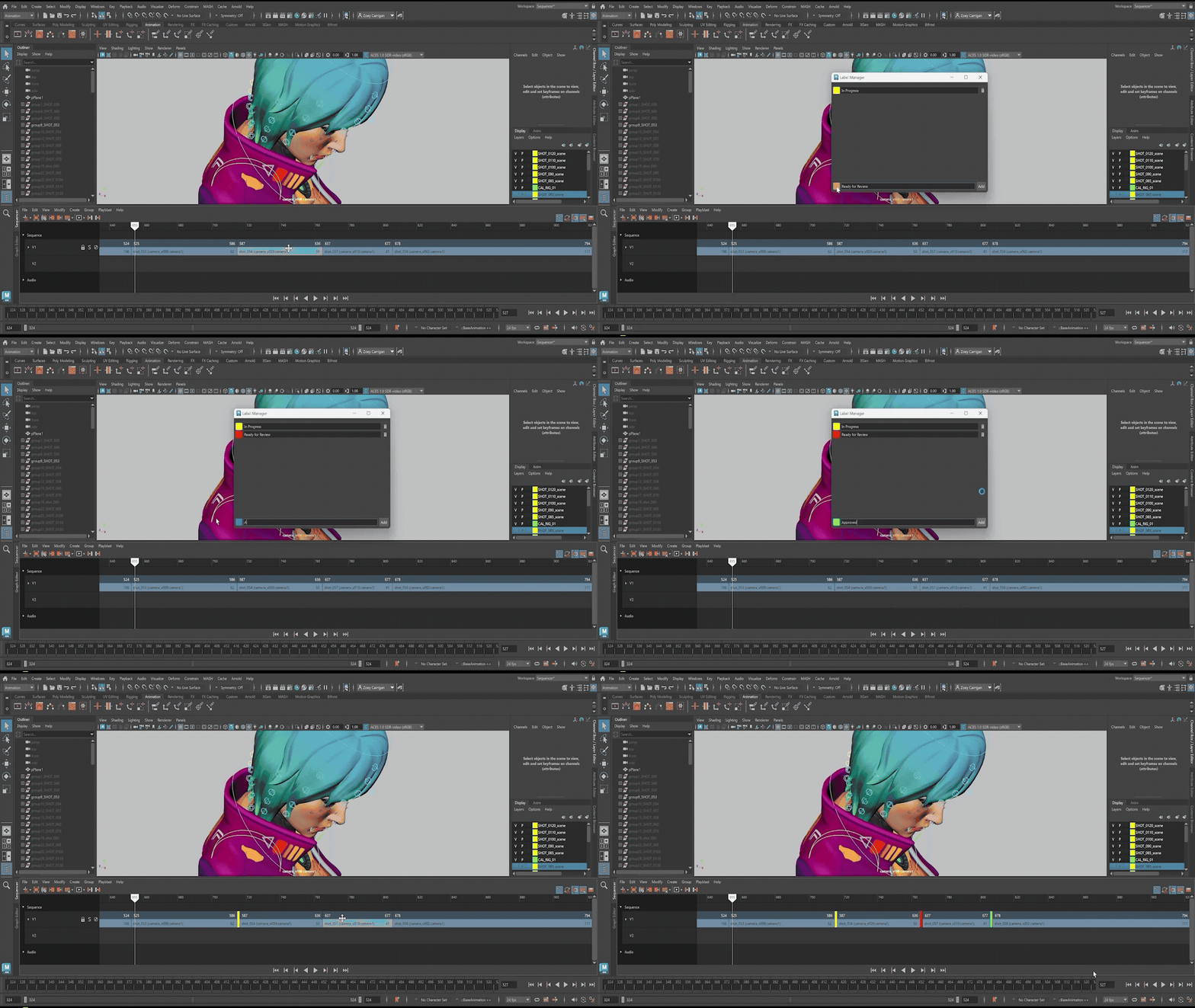
The refreshed interface makes everything clearer and more responsive. It introduces time scaling, custom labels, color coding, automatic thumbnails, and smarter sub-sequencer grouping. A dedicated workspace, synchronized timing, full undo support, and a significantly improved Playblast, with scene names, full audio, and viewport-matching results, also help streamline how you build, review, and share sequences.
And with expanded customization, including new color controls in Maya preferences and enhanced hotkey support, you can truly make Sequencer your own.
Scale destruction workflows in Bifrost
From collapsing bridges to shattering walls and debris sims, destruction is faster, easier and more scalable with Maya’s new Rigid Body Dynamics workflow in Bifrost.
Rigid Body Dynamics now gives you a fully procedural destruction workflow, so you can adjust the physics, tweak constraints, refine fractures, and re-simulate without having to rebuild your setup.
And when one iteration isn’t enough, Autodesk Flow Wedging lets you generate multiple variations in parallel on the cloud, directly from Bifrost, so you can explore more options and land on the right result faster.
Simplify OpenUSD asset creation
OpenUSD is powerful, but getting clean, production-ready assets authored correctly can get technical fast.
A new Component Creator in Maya makes that a lot more approachable. You can now build USD components through a guided workflow that helps you structure assets properly from the start, without needing to think through every composition detail. It’s ideal for creating assets that need to move cleanly across teams, shots, and pipelines.
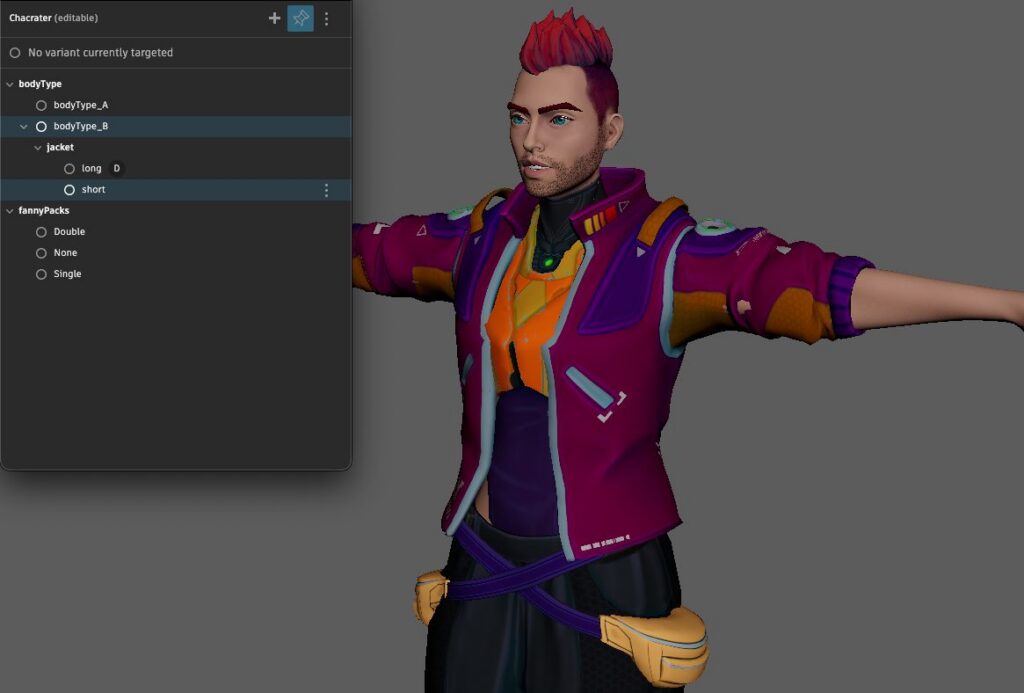
What’s nice is you’re not locked into a single variant of an asset. With Maya’s new Variant Manager, you can define and manage variations in a way that stays clear and predictable. Whether it’s different models or configurations, you can author once and reuse your asset in various ways toggling the variants as you need them.
And as scenes grow, the Asset Resolver in 3ds Max and Maya helps keep everything stable. It gives you control and visibility over how assets resolve and how paths are mapped. So instead of guessing why something isn’t loading or has changed, you can easily manage it.
Get more speed and style in Arnold
Arnold brings a noticeable boost in speed and control for artists.
Rendering is faster overall, especially when working with complex scenes and volumes like smoke or clouds, thanks to improvements in USD instancing, Volume rendering, GPU rendering, and more.
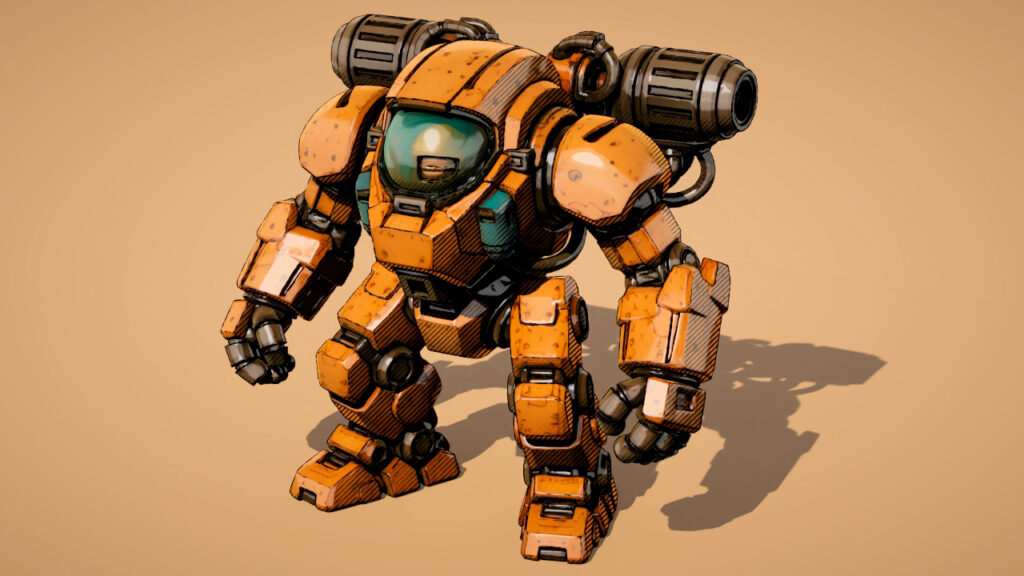
New shading tools include options for stylized lines and a nearest points shader allows for point-based effects and data-driven shading. Hair looks more natural, especially in close-ups, and bloom rendering is more refined, enabling more realistic or stylized lens effects.
And do so much more…
- Enhance skinning workflows with Skin Tools (formerly ngSkinTools), now fully integrated into Maya, bringing layered, non-destructive deformer weighting, along with improved smoothing and mirroring.
- Enable generative texturing with AI by plugging third-party solutions into LookdevX, Maya’s material authoring system.
- Explore and learn faster with Autodesk Assistant (Tech preview), an AI interface that lets you use natural language to get clear answers from documentation directly inside 3ds Max and Maya.
Register now to join the teams behind 3ds Max and Maya for live webinars on the latest and greatest features.