 Autodesk Media & Entertainment
What you’ll learn
- Which Autodesk 3D animation tools eligible students can access for free
- Where Autodesk Flow Studio, Maya, and 3ds Max fit in a student production workflow
- How Flow Studio supports motion capture exploration, previsualization (previs), and concepting workflows
- How Maya and 3ds Max support animation, modeling, and final refinement
- How to get free Autodesk education access
Who this article is for
- Students in 3D animation, visual effects (VFX), game art, and film
- Students comparing affordable or free 3D animation software
- Educators teaching 3D animation and production workflows
Key concepts covered
- Affordable 3D animation software for students
- Autodesk Flow Studio, Maya, and 3ds Max
- Autodesk Education plan access
- AI-assisted motion capture and previs workflows
- 3D animation, modeling, and refinement workflows
Most animation students meet the cost of professional 3D software before they have settled on a specialty. Software choices made at that stage tend to be driven by budget rather than by what the project needs.
In 2026, eligible students can take budget out of the equation. Through the Autodesk Education plan, Flow Studio is free for eligible post-secondary students aged 18 and over, and Maya and 3ds Max are free for eligible students aged 13 and over in the US. Each tool covers a different stage of production.
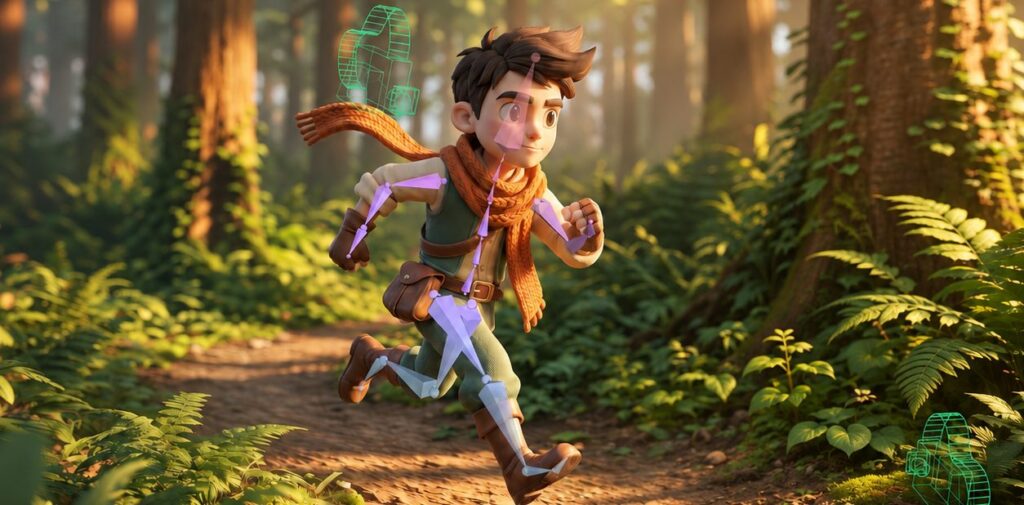
Flow Studio is an accessible entry point for artists of all skill levels, where live-action footage becomes motion capture data, and CG elements can be used for previs and early scene layout. Maya and 3ds Max carry the project through detailed animation, modeling, lighting, and rendering. Flow Studio is designed to work alongside those two rather than stand in for them, helping speed up the early technical tasks while giving artists editable exports to refine their work and maintain creative control.
Which Autodesk 3D animation software is right for you?
Flow Studio, Maya, and 3ds Max each do a different job in a student pipeline. Flow Studio handles the front end, turning a recorded performance into motion capture data and giving you a fast way to block shots and test ideas. Maya is known for creating high-quality 3D characters, with powerful tools for every stage of the process, from modeling and rigging to animation and character FX. 3ds Max is known for its powerful modeling tools, whether you’re shaping and refining the look of individual objects or building entire 3D scenes and environments. Because Flow Studio feeds into Maya and 3ds Max rather than replacing them, the three together take a project from first recording, to previs, to professional 3D render.
| Software | How students can use it | Cost for students |
| Flow Studio | Capture motion data from live-action performance, explore animation, build previs scenes, and export the results to your preferred 3D tools for refinement | Free for eligible post-secondary students 18+ (Education plan) |
| Maya | Create and animate high-quality 3D characters with professional studio-grade tools | Free for eligible students 13+ (Education plan) |
| 3ds Max | Model 3D objects and worlds, and bring them to life with stunning materials, lighting, and rendering | Free for eligible students 13+ (Education plan) |
When comparing affordable 3D animation software for students, the right choice comes down to where the project is and which skills you want to develop.
How do students use Autodesk Flow Studio?

For students animating with live-action footage, one of the biggest challenges can be capturing usable motion data in the first place. Flow Studio removes that barrier. This cloud-based, AI-assisted 3D toolset runs directly in your browser and turns everyday video, even footage captured on a phone, into editable CG elements without the need for motion capture suits, markers, stages or specialized equipment.
Flow Studio handles the technical groundwork that could otherwise take weeks to complete, helping you get started faster.
- Editable motion capture data from video, with no suits, markers, or sensors required
- Camera tracking
- Editable, export-ready elements such as clean plates, character passes, and alpha masks
- CG characters composited into live-action scenes to preview movement, composition, and timing
With that groundwork in place, you can quickly see whether a performance reads, how CG characters fit into your live-action footage, and whether the blocking holds up. Flow Studio’s AI-assisted motion capture and camera tracking make it easier to test an idea, change direction, and reshoot the same afternoon. The creative judgment stays with you. Flow Studio assists the workflow, but the performance, the framing, and the direction of the shot are yours to decide.
When a shot is ready to move beyond exploration, you can export the scene data to Maya, or to 3ds Max through USD, and continue there. Flow Studio is a great way to kickstart your workflow, with Maya and 3ds Max giving you the tools to build on your work and fine-tune the details to match your creative vision.
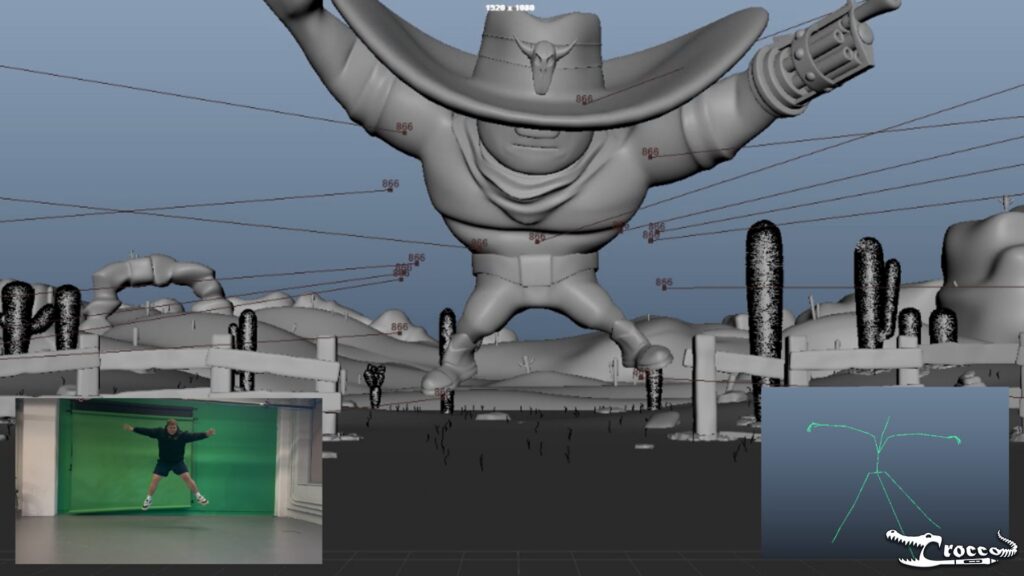
New Jersey Institute of Technology (NJIT) student Gio Crocco worked this way on an animated short, recording performances on an iPhone, generating mocap in Flow Studio, and then retargeting and refining the motion in Maya. His process is covered in AI motion capture for beginners.
How do students use Autodesk Maya?

Once the motion is captured and the shot is blocked, the next step is refining the animation and Maya is built for exactly that. It is Autodesk’s professional 3D animation and visual effects software, used across film, TV, and games. It gives students a single environment to model, rig and animate characters, build worlds, and create effects.
- 3D modeling
- Look development
- Character rigging and animation
- Character FX and simulation
- Lighting and rendering
- Refining class projects into portfolio pieces
Maya follows on naturally from early-stage exploration in Flow Studio. Mocap captured in Flow Studio imports as editable animation data, so you can retarget it to your own rig, adjust the timing, add animation layers over the top, and shape the performance into something that reads the way you intended. Flow Studio gives you a strong foundation, and Maya gives you the tools to build on it.
Eligible students aged 13 and over in the US can access Maya for free through the Autodesk Education plan. If you are new to the software, the Maya Quick Start Guide covers the interface, animation basics, scene workflows, modeling, lighting, rendering, and pipeline integration in a series of short tutorials.
How to download Autodesk Maya for students
Go to the Autodesk education products page and select Maya. Sign in or create an Autodesk Account, then confirm your eligibility for education access. Once verified, choose your version, operating system, and language to download.
How do students use 3ds Max?

Not every project starts with a character. If your work leans toward environments, props, and the worlds a story lives in, 3ds Max is the Autodesk tool built for that side of production. A typical student project in 3ds Max runs through the standard stages.
- Polygon modeling
- Building scenes and environments
- Materials, textures, and UV mapping
- Animating objects and scenes
- Lighting and rendering
Because it covers most of the pipeline in one application, 3ds Max is a strong fit for students who want generalist 3D production skills. It also pairs with Flow Studio. Start with mocap or previs in Flow Studio, bring the exported elements into 3ds Max through USD, and build the rest of the scene around them.
3ds Max is free for eligible students aged 13 and over in the US through the Autodesk Education plan. The 3ds Max Quick Start Guide covers the interface, scene creation, modeling, animation, lighting, rendering, and pipeline integration.
How to download 3ds Max for students
The 3ds Max download for students follows the same steps. Go to the Autodesk education products page and select 3ds Max. Sign in or create an Autodesk Account, then confirm your eligibility for education access. Once verified, choose your version, operating system, and language.
How does Flow Studio, Maya, and 3ds Max fit into a student workflow?
These three tools can work together as part of a full creative workflow. Flow Studio lets you turn recorded footage into editable CG elements, including motion capture data, while exploring previsualization and early scene development. From there, you can move into Maya or 3ds Max for deeper animation, modeling, scene building, and refinement.
Every student project has roughly the same shape. It begins with an idea or a piece of footage and ends with a finished shot, and nearly all of the work sits in between. Seen that way, the three tools stop looking like separate applications and start looking like stages of a single pipeline.
Idea or recorded performance → Flow Studio → Maya or 3ds Max → refined 3D project
Flow Studio offers an entry point for exploring creative ideas using live-action footage and AI-assisted tools. Bring in a recorded performance, generate editable CG elements like motion capture data, camera tracking, and clean plates, and composite CG characters into your shot to explore movement, composition, and timing. By automating time-consuming technical tasks, Flow Studio gives you more room to focus on the creative decisions that shape your project. When the shot is ready to go further, the exported animation and scene data move into Maya or 3ds Max, where the animation gets refined, the models get built, the scene comes together, and the final render goes out.
Gio Crocco’s short is a reminder that the sequence is a guide rather than a rule. He modeled and rigged his character in Maya before he ever opened Flow Studio, then brought the mocap in afterward. The tools are flexible enough to fit the way you already work. What stays constant is who is in charge. Flow Studio gives the project a head start, Maya and 3ds Max give it depth, and the creative decisions, the edits, and the result stay with you.
Key takeaways for 3D animation students
- Eligible students can access Flow Studio, Maya, and 3ds Max for free. through the Autodesk Education plan, subject to eligibility requirements.
- Flow Studio is an accessible starting point for live-action animation, motion capture exploration, early ideation, and previs workflows.
- Maya helps you create and animate high-quality 3D characters with professional studio-grade tools.
- 3ds Max helps you model 3D objects and worlds, and bring them to life with stunning materials, lighting, and rendering
- The three tools work together across one workflow, with the student responsible for creative decisions and final work.
Frequently asked questions
It depends on the work you want to do. Maya is known for character animation, while 3ds Max is known for modeling. Both are free for eligible students through the Autodesk Education plan, subject to eligibility requirements.
Yes. Eligible students can access Maya, 3ds Max, and Flow Studio through the Autodesk Education plan, subject to eligibility requirements.
Yes. Flow Studio is free for eligible post-secondary students aged 18 and over through the Autodesk Education plan. It can be a great early-stage tool for AI motion capture, camera tracking, and compositing CG characters into live-action footage, giving you editable elements to refine in your preferred 3D tools.
Yes. Eligible students can access Maya for free through the Autodesk Education plan, subject to eligibility requirements.
1. Select Maya on the Autodesk education products page.
2. Sign in or create an Autodesk Account.
3. Confirm your eligibility for education access.
4. Once verified, choose your version, operating system, and language
Yes. Eligible students can access 3ds Max for free through the Autodesk Education plan, subject to eligibility requirements.
No. Flow Studio is an AI-assisted toolset that works alongside Maya and 3ds Max, not in place of them. Use it to fast-track early production, like automated motion capture, camera tracking, and rapid 3D prototyping, then export your work into Maya or 3ds Max for deep animation, precise modeling, and final look development. It speeds up the start, but the creative control and the final output remain completely yours.
Yes. Autodesk Flow Studio is an AI-assisted 3D animation and VFX tool that supports previsualization (previs), 3D prototyping, and shot planning.
Yes! Students who don’t qualify for free Autodesk Education access can still use Autodesk Flow Studio through its commercial offerings. Explore the available plans and pricing on the Autodesk Flow Studio page, or start with a Free subscription to find the option that best fits your needs.
Yes. Recent graduates can continue accessing professional Autodesk 3D software at an affordable price through Autodesk Indie, which offers lower-cost subscriptions to Maya and 3ds Max for eligible independent artists and creators. Learn more.