 Autodesk Media & Entertainment
How far would you go to save someone you love? And what happens when the fear of losing them pushes you too far?
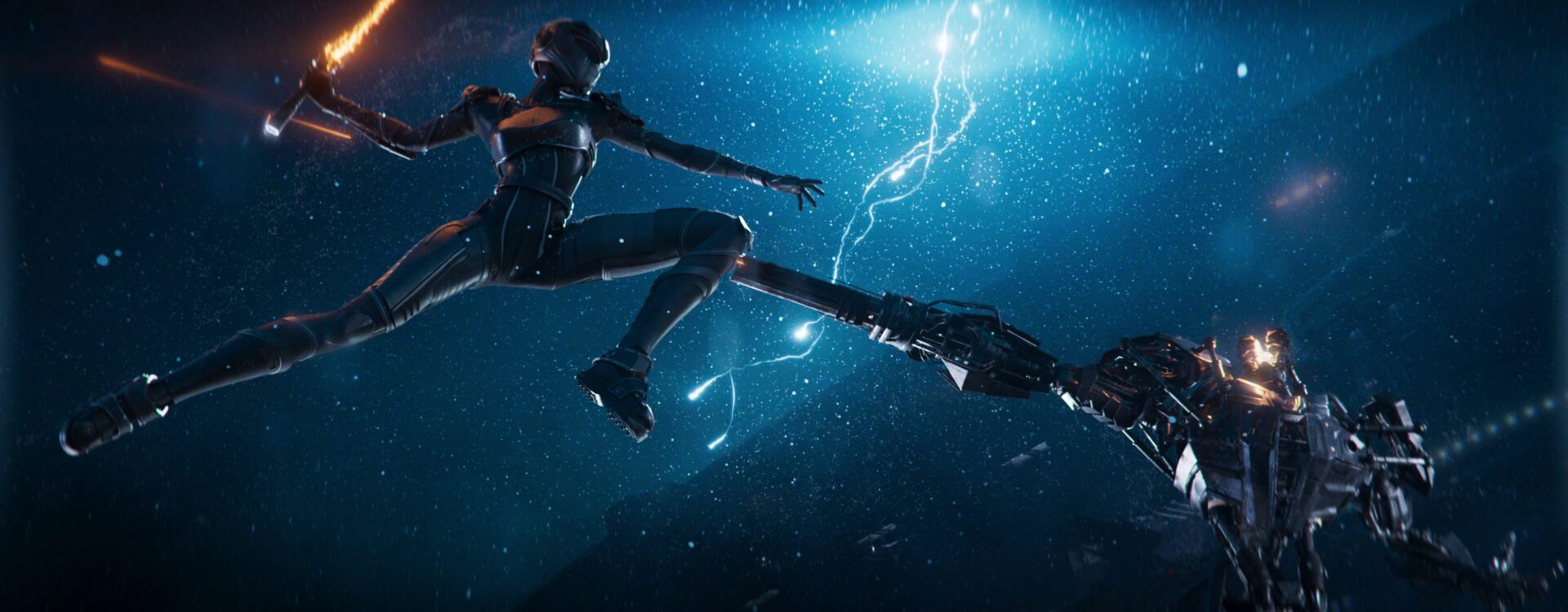
These questions are at the heart of Azimuth, an award-winning, fully CG sci-fi short created by eight students at ARTFX. Set against a backdrop of distant planets, futuristic cities, and explosive action, the film tells an intimate story about the bond between a brother and sister, exploring themes of love, sacrifice, grief, and the difficult process of accepting loss.
The film follows Hadenna as she tries to save her comatose younger brother, Theos, whose consciousness resides in a flying droid. After a powerful energy source offers hope of recovery, she sets out to steal more, defying his warnings and setting off on a dangerous quest.
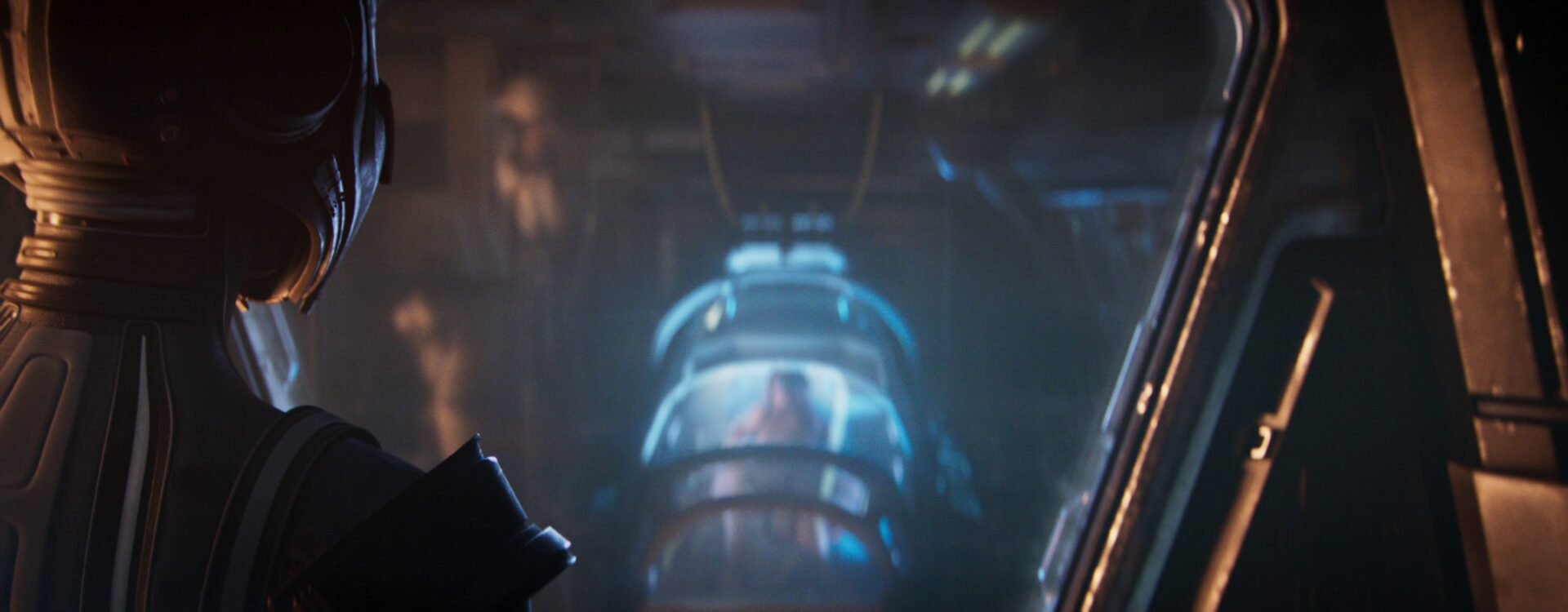
The film features multiple planets, lush environments, mechanized cityscapes, high-speed spacecraft sequences, hand-to-hand combat, flaming swords, and both human and robotic characters. The project took about two years, including a year of preproduction and an eight-month production period. The team first had to establish whether the film was technically feasible, then figure out how to create dozens of CG shots with limited staff, time, computing resources, and specialist expertise.
Two of the film’s principal creators are Damien Lagadeuc, VFX Artist, and Mathis Giraudeau, 3D Animator. The eight-person team used Autodesk Maya for modeling and animation and Arnold for rendering to bring their graduation film to the screen. Along the way, decisions about what to build, animate, and render helped make an ambitious project achievable.
At SIGGRAPH 2026, Damien and Mathis took the stage as part of the Autodesk Vision Series to share the story behind Azimuth, which won the VES Award for Outstanding Student Project. Read on for session highlights, or watch the full recording to see their work in action.
Making an impossible schedule workable
At the start of the project, Mathis mapped out his animation workload and realized the schedule presented a major challenge. Azimuth contained 66 shots, with more than 50 requiring animation. As the sole animator, he had to tackle those shots while also handling rigging and layout. He initially estimated that animation would be completed in October 2025, four months after the film’s June deadline. “At the beginning of production, I made a list of all the shots I had to do to estimate the time I needed to animate the full movie,” Mathis says. “The result was that I would finish animation in October 2025. Great, but the movie had to be released in June 2025. That was a problem.”
The team already knew how much work a single shot could demand. During preproduction, a test shot took two months to complete. It helped establish feasibility, but the next year’s production schedule required a much faster approach. For Mathis, that meant finding ways to reduce manual work throughout the process. Some involved automation and reusable animation. Others started with character design or shot framing. Together, they freed up time for the performances and action that would carry the story.
Simplifying character rigging and animation in Maya
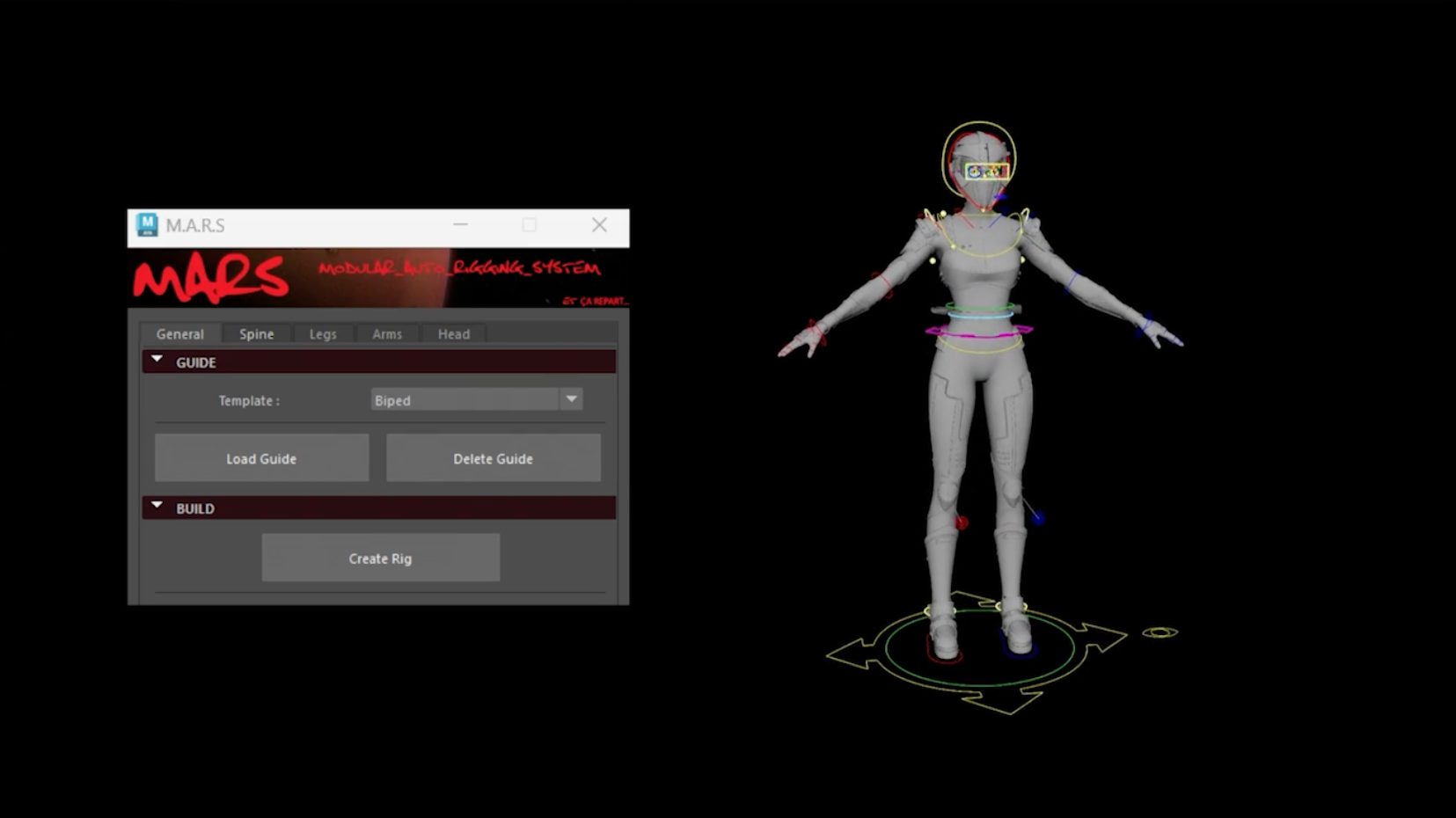
Mathis faced an early challenge with rigging, a task outside his specialty. The school’s M.A.R.S automatic rigging system helped him generate a base rig by positioning guides and selecting the options he needed. He described it as completing roughly half the rigging process in minutes, leaving him to handle skinning, the helmet, and facial rigging separately.
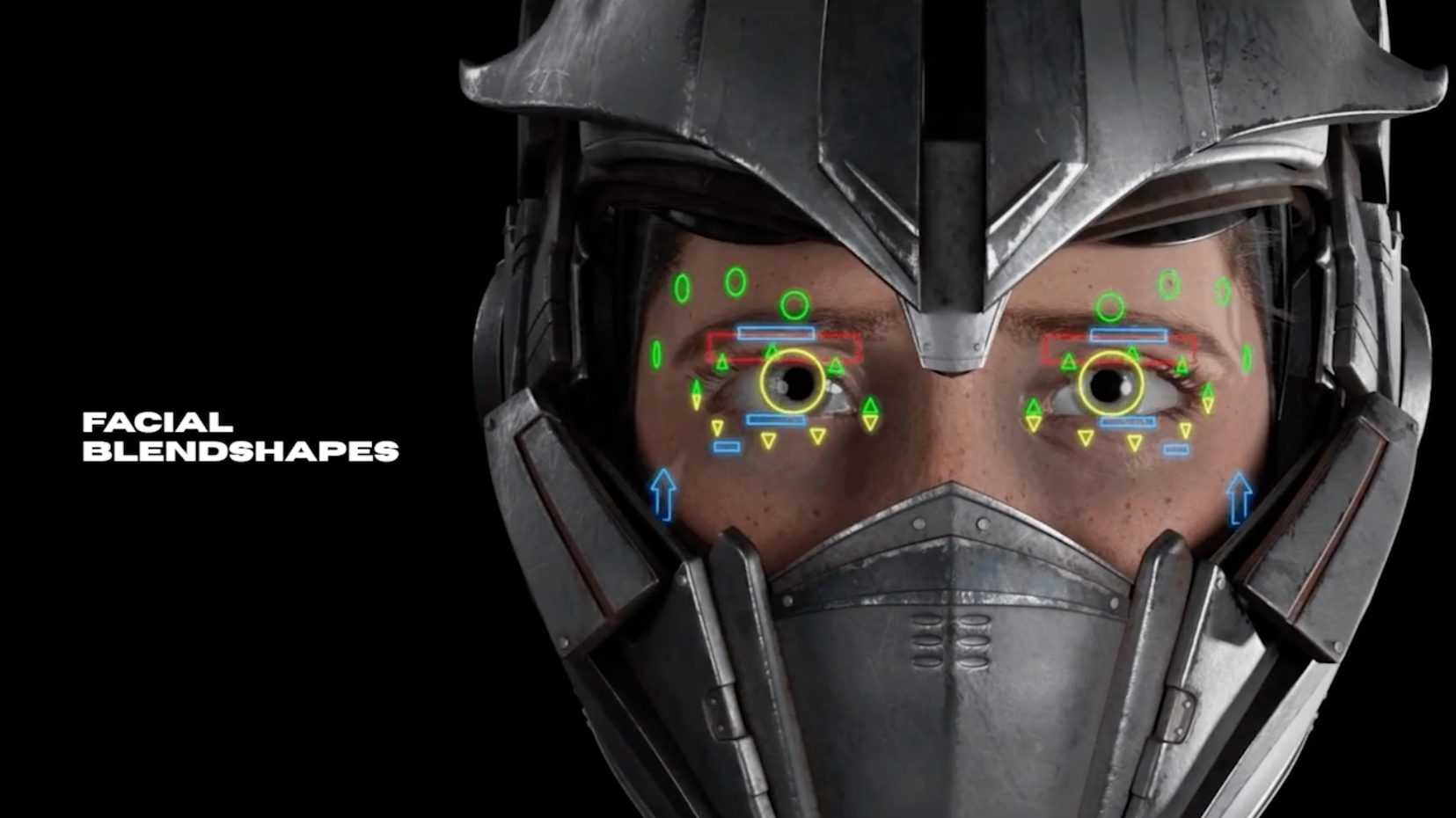
The facial work prompted a practical design decision. Hadenna already wore a helmet, so the team extended it to cover her mouth. This reduced the facial rigging and animation required while still allowing her eyes and eyebrows available to convey emotion. “What if we cover Hadenna’s mouth with the helmet? It means I only have the eyes to animate and rig,” Mathis says. “There is only the top of the face that is visible. After that, I asked Chloé, our character artist, to do some blend shapes, and I connected those blend shapes to the facial rig. With just a few controls, I can easily and quickly have some believable emotions.”
The team applied the same approach to the layout. With just a few clicks, Mathis set up a camera rig, add camera shake and adjust the aspect ratio. Close-up framing also reduced how much of Hadenna’s body needed animation, giving him more time to spend on more demanding shots.
To achieve believable performances, he recorded himself acting out movements with a stationary camera, studied small gestures, and shared references with the director. Professional actors at the school also provided feedback.
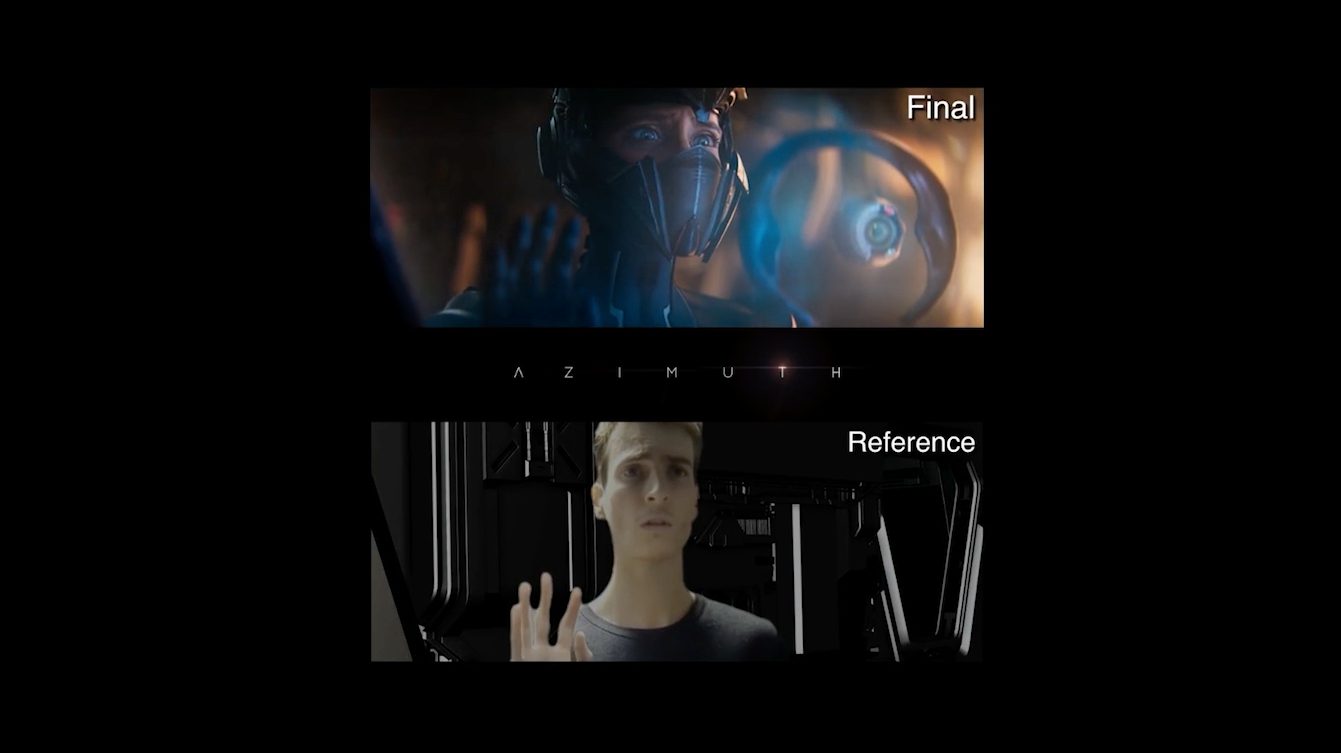
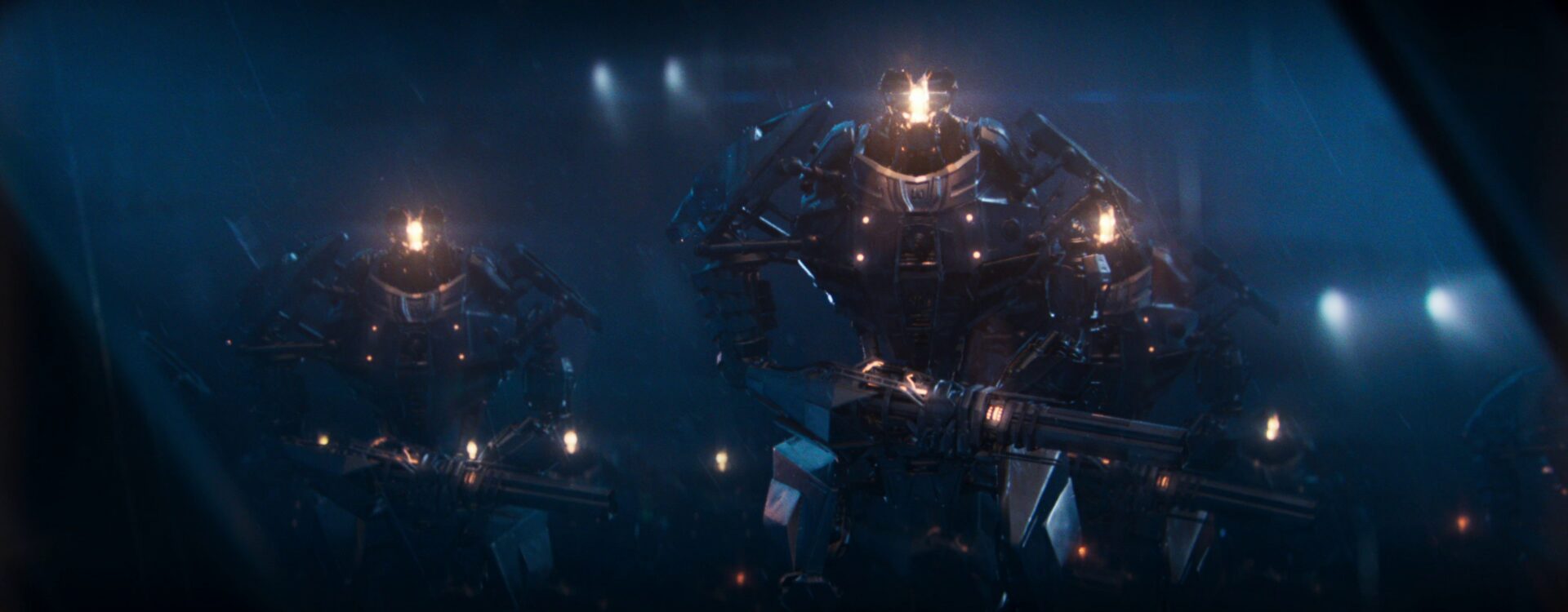
The fight sequence required a different approach. When his initial storyboard and layout lacked the impact he wanted, Mathis assembled references from films, television, and games, including Star Wars, and reworked the sequence into a continuous shot. From there, he moved through layout, key poses, dense blocking, spline interpolation, and polish in Maya. AnimBot helped him polish complex animation curves, while Studio Library let him apply saved poses and reuse robot walking and shooting cycles across scenes. Together, these tools helped him avoid repetitive work across shots.
Building rendering flexibility with Arnold
Rendering presented its own challenges. The film’s atmosphere, clouds, volumes, and detailed effects had to be computed with the machines and licenses available to the students. The team chose Arnold for its volume-rendering capabilities and because they were already familiar with it. Learning a new renderer would have consumed time they could use on production.
The team also needed room to refine lighting after rendering. Arnold light groups let the team adjust individual lighting contributions after rendering, giving them greater control over scenes with colored light, rain, and atmospheric effects. “You have your render on the right and, on the left, all the layers: red light, green light, dome light. If you merge all of them, you get the render,” Lagadeuc says. “What is nice is that you can create effects, flickering effects or whatever. You don’t really need to re-render everything at the end. We have a lot of night shots, lightning, rain, and volumes, so it’s also nice to re-light the scene afterwards. That was the main reason why we used light groups.”
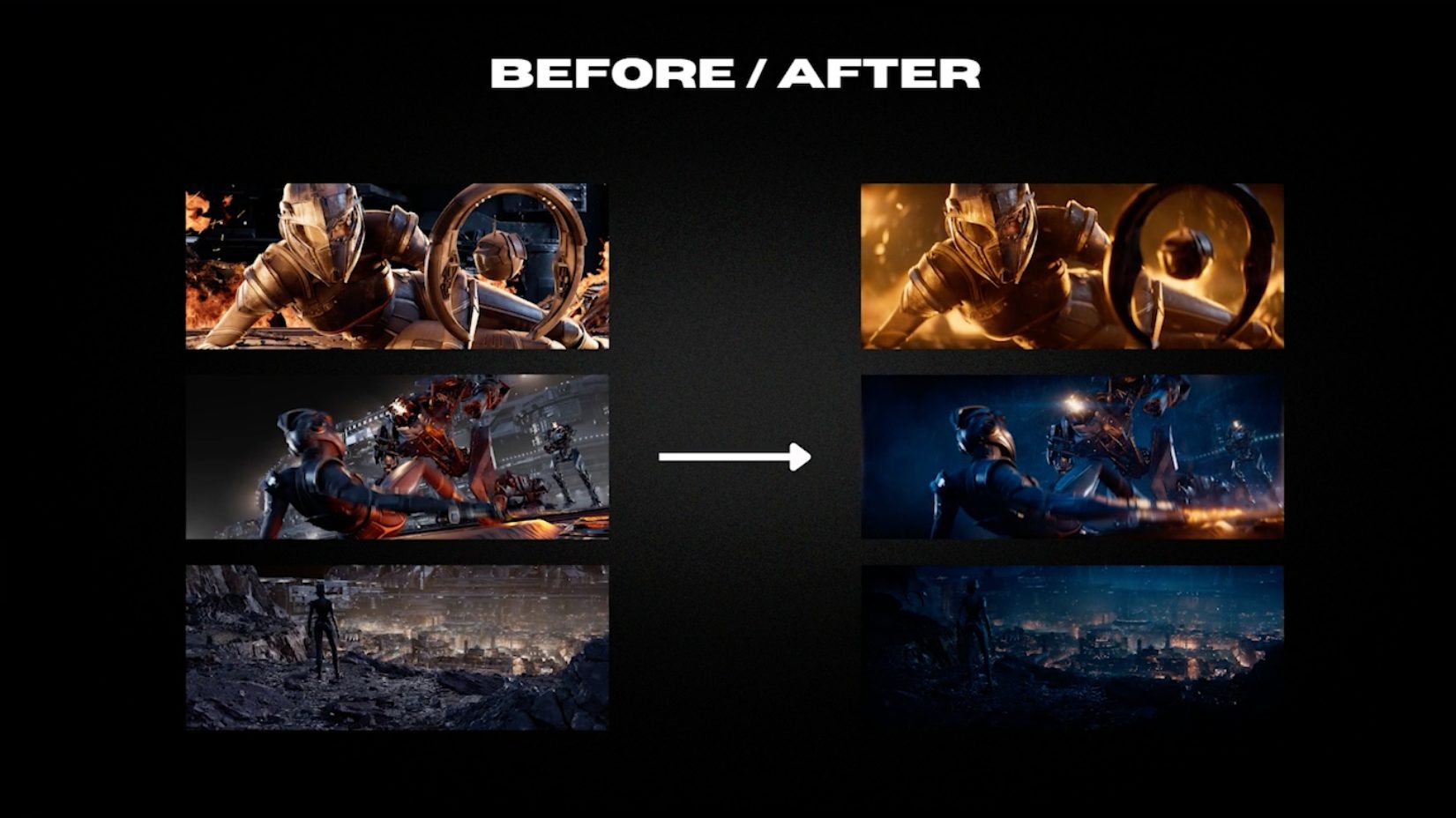
In one example, the user could strengthen the orange lighting and add red ground accents using the rendered contributions. This approach reduced the need for artists to reopen scenes and render new versions with each lighting adjustment.
The students built supporting tools for their existing Solaris setup. An Arnold LPE-tagging tool generated the tags needed for their light-group workflow, while a custom light manager made it easier to edit tag names, rename lights, and change colors. With more than 30 light groups in one sequence, these tools helped the team keep everything organized.

Making the most of limited resources
The team approached rendering with the same practical mindset it brought to animation: determine what each shot needed, then avoid unnecessary work. One technique, camera culling, involved removing objects and atmospheric effects outside the camera’s view, while retaining those needed to cast shadows within the shot. For static backgrounds, the team rendered a single image with extra space around the edges, then positioned it to follow the camera’s movement during compositing. This avoided rendering the same background repeatedly for every frame. Damien described it as one of the film’s most useful tricks.
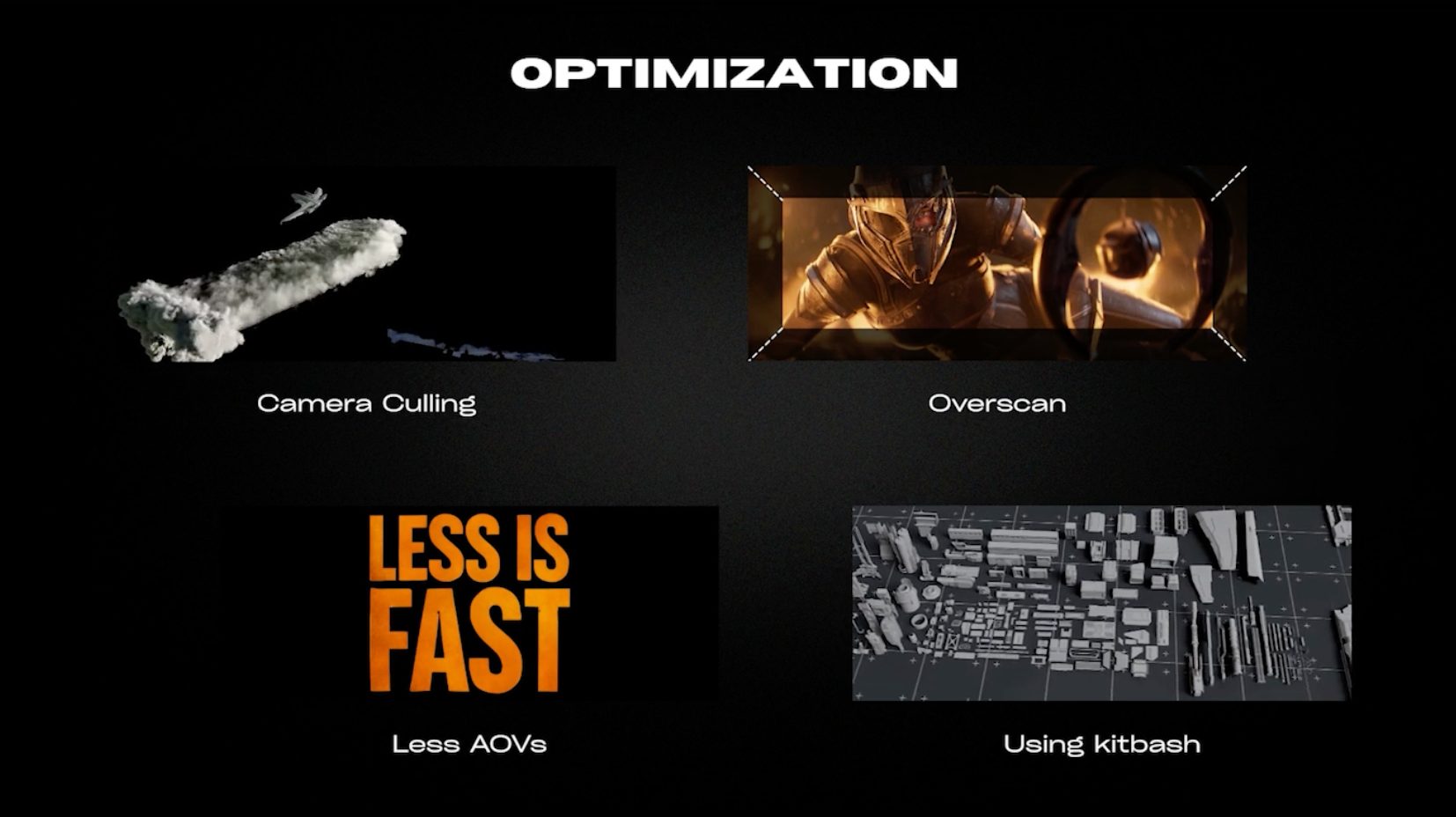
The students also limited the number of arbitrary output variables (AOVs), which provide separate render outputs for adjusting elements such as lighting during compositing. This helped reduce file sizes and simplify the workflow. They reused existing models and components to assemble scenes, a technique known as kitbashing, rather than building every element from scratch. These decisions reduced computing demands and made complex scenes easier to manage.
Reflecting on the finished project, Damien stressed the value of working together. “As long as you communicate, as long as you know you are together, it’s a team project,” he says. “We had some difficulties sometimes, but it’s fine. It’s part of production. So just communicate. I think it’s the best advice.”
For small teams working with limited time and resources, Azimuth demonstrates how Maya and Arnold can help streamline production, optimize workflows, and bring ambitious, high-quality animated stories to life.