 Autodesk Media & Entertainment

Finding professional animation software for a small studio or freelance business can be tricky when you’re balancing creative ambitions with your budget. Fortunately, you have options. Maya Indie gives eligible artists the complete Maya toolset through an annual subscription at a more affordable price than Maya. Maya Creative offers modeling, rigging, animation, and rendering tools through Autodesk Flex, starting at just $99 in the US, with a 30-day free trial. And for teams that need the complete Maya toolset for advanced production and no eligibility requirements, Maya offers both subscription and Flex access.
The right choice depends on the animation or VFX projects you’re working on, how often you need Maya, and where you want your business to go next.
What should small studios look for in professional 3D animation and VFX software?
For a team of one, three, or even fifteen people, choosing animation software isn’t just about features. It’s about having the tools to finish client projects, collaborate with other artists, and take on new work without stretching your budget unnecessarily.
A few things are worth thinking about:
- Cost and flexibility: Client work can be unpredictable. Your software access should make sense for your workload, whether you’re busy every day or working on occasional projects.
- Character animation and rigging: If you’re creating animated characters, look for tools that let you build rigs, fine-tune performances, and reuse animation across projects.
- Modeling and rendering: Make sure you have the tools to create assets and deliver finished work that meets your client’s requirements.
- Collaboration: Check which scene formats, plug-ins, and production workflows your clients and partners need.
- Room to grow: As projects become more ambitious, you may need advanced FX, simulation, or custom tools.
Maya offers a complete 3D previs, modeling, look dev, rigging, simulation, animation, layout, FX, lighting, rendering, and pipeline customization toolset. But that doesn’t mean everyone needs the same Maya option.
Let’s look at what makes sense for different kinds of small teams.

What’s the best animation software option for a solo freelancer?
For freelance animators, the right Maya option often comes down to how regularly you use the software and whether you qualify for Maya Indie.
Imagine you’re a character animator working independently. You spend part of the year on client projects and the rest developing your portfolio, creating personal work, or preparing for your next project.
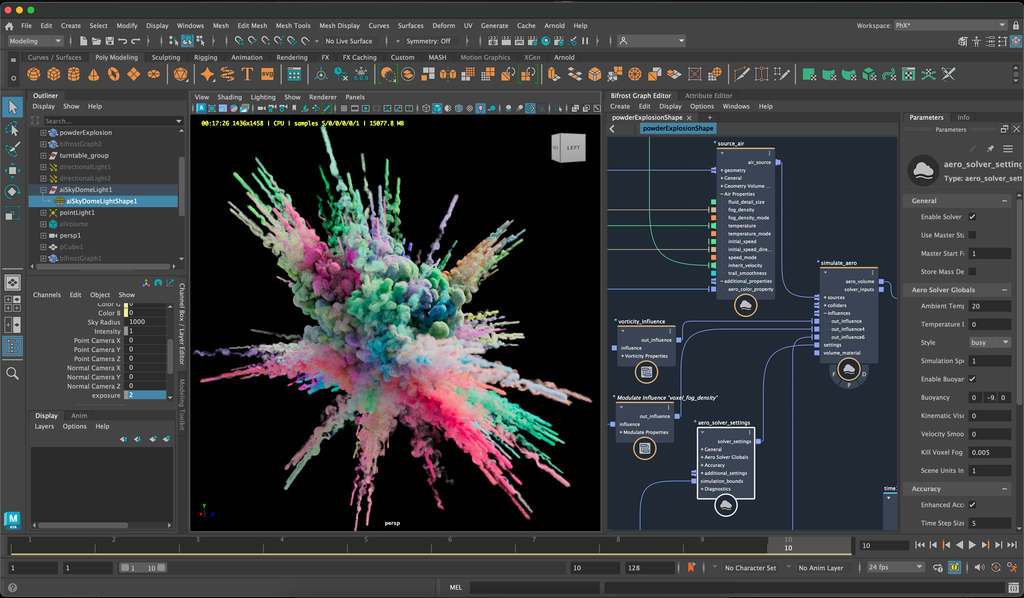
If you’re using Maya regularly, Maya Indie could be a good fit. It includes the same features as Maya at a more affordable price, from the Graph Editor and HumanIK character retargeting to procedural workflows with Bifrost and native Arnold rendering integration. You can build and refine character performances, work with complex rigs, and develop your skills with access to a full range of professional tools and features.
Do you qualify for Maya Indie?
In the United States, Maya Indie eligibility depends on several factors:
- Your annual gross revenue from creative work must be below $100,000 USD.
- You can’t use Maya Indie on projects valued above $100,000 USD.
- Only one license is permitted per user or organization.
Additional restrictions apply to project funding and certain work-for-hire arrangements. For example, if you’re paid hourly, daily, or weekly to work for an organization that exceeds the applicable revenue threshold, you’ll generally need a commercial Maya license.
Maya Indie availability and revenue thresholds vary by country, so review the full Maya Indie eligibility requirements to confirm that you qualify.
Maya Indie is available through an annual subscription rather than Flex. You can try Maya free for 30 days to explore the same complete toolset available in Maya Indie before deciding whether a subscription is right for you.
If you only need Maya for an occasional animation project, Maya Creative with Flex may be another route. You can access Maya’s core modeling, animation, rigging, and rendering tools on the days you need them, without committing to an ongoing subscription. With Flex, you only pay for the days you create, not the days you don’t.
What animation software setup makes sense for a three-person studio?
A three-person animation or VFX studio doesn’t necessarily need three identical software setups. The better approach is to look at what each artist needs.
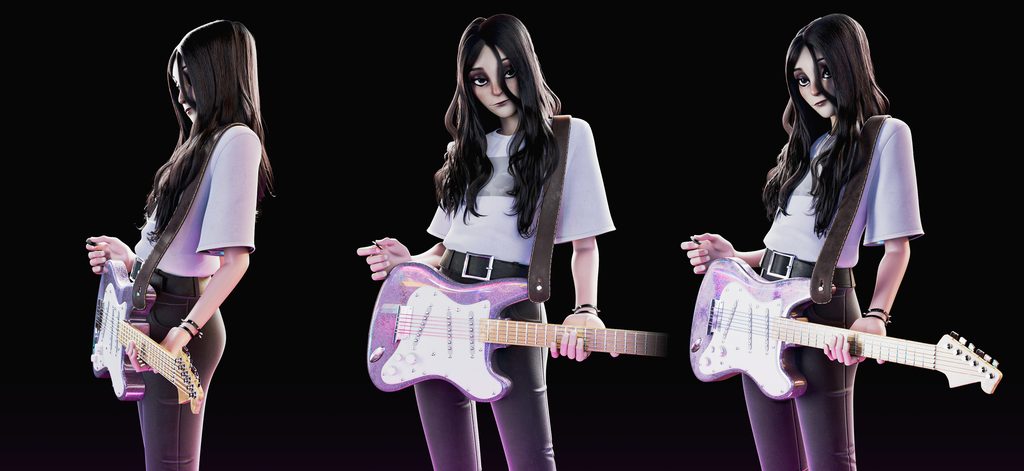
Picture a small team creating an animated short. One artist models characters and environments, another focuses on character animation, and the third works across lighting and rendering. The animator may need Maya regularly for character rigging and performance work, while the lighting artist might only need Maya and its integrated Arnold renderer for a few days when a particular task comes in.
Maya Creative with Flex could cover those occasional tasks so that you only pay for the days you create, provided the project doesn’t depend on unsupported features.
For workflows that involve building procedural effects with Bifrost or using third-party or custom plug-ins, Maya may be the better fit.
Maya Indie is also worth exploring for qualifying independent creators, but its one-license-per-user-or-organization rule means you should check the licensing terms before planning how to use it across your team.

How did Artifice Studio use Maya Creative for its indie game?
Autodesk Flex lets studios purchase tokens and assign eligible Autodesk software to users as needed. For small teams where artists often juggle multiple responsibilities, this means they can access Maya Creative when a project calls for it without committing to an ongoing subscription.
Montreal-based indie game studio Artifice took this approach while creating Legends of the Round Table, a role-playing game inspired by Arthurian legends. The team used Maya Creative for 3D modeling and animation, bringing hand-painted medieval artwork into a 3D world. Artists created paintings on parchment, scanned them, and developed textures to give the game’s environments and characters their distinctive illustrated look.
With a team of 15, artists often moved between tasks like level design, character modeling, animation, and even programming. That meant not everyone needed Maya Creative every day.
As Artifice Co-Founder Yan Pepin explains, “We pay for it only when we need it.”
For Artifice, Maya Creative offered the modeling and animation tools the team needed, along with the flexibility to access them as projects progressed.
It’s a useful example of how smaller animation and game development teams can bring professional Maya tools into their workflows while keeping software access aligned with how their artists actually work.
When should a growing animation or VFX studio move to Maya?
As your studio takes on more work, the best Maya option for you may change. That could happen because your business grows beyond Maya Indie’s eligibility limits, because artists need advanced features, or simply because Maya becomes part of your daily workflow.
Imagine your studio started with small freelance projects and now has a steady stream of character animation and VFX projects. You may be building more complex rigs, creating reusable production tools, or collaborating with larger studios that have established Maya workflows.
Maya supports these needs with advanced character animation workflows, Bifrost procedural workflows, Python and C++ customization, and OpenUSD tools for cross-team collaboration.
Can Maya fit into your existing animation and VFX workflow?
Yes, many small teams mix 3D animation and VFX software depending on the project. If you or your studio already use Blender, Houdini, or other creative tools, Maya can be added for specific jobs without changing the rest of your workflow.
Here’s a hypothetical example:
A three-person studio models and lays out scenes in Blender and creates effects in Houdini. A new client project requires character animation in a Maya scene, so the team needs Maya for a defined part of production. Rather than changing how the entire studio works, artists who need it can access Maya for that specific project.
If the job involves core rigging, animation, or scene edits supported by Maya Creative, the studio could start with the 30-day Maya Creative trial to check whether the toolset fits.
After the trial, Flex offers access for the days Maya or Maya Creative is needed.
When should a mixed-tool studio add Maya to a project?
The right time to bring Maya into a project depends on your team’s needs, the work involved, and the tools already in use. Here are a few situations where it may make sense:
- You’re working on a defined stretch of character rigging or animation that Maya Creative supports.
- A client requests an editable Maya deliverable for part of a production.
- You want to test Maya Creative before deciding whether to use it regularly.
Maya Creative uses one Flex token per day, with each token costing approximately $3 in the US. Flex tokens are purchased in packages, with the smallest package starting at $99.
For example, a project requiring 10 days of Maya Creative use would consume 10 tokens, equivalent to $30 in token value. Any remaining tokens can be used for future projects until they expire.
There are a few things to check before choosing this approach. Maya Creative offers core modeling, rigging, animation, and rendering tools, but it doesn’t include the full range of advanced dynamics, simulation, and FX capabilities available in Maya. You also can’t create or edit Bifrost graphs in Maya Creative, and support for custom and third-party plug-ins is restricted.
That matters if a client sends over a Maya scene built with specialized tools. Before committing to Maya Creative, ask which features, plug-ins, and editable scene elements the client expects you to use. Test the files you’ll exchange between applications, since not every feature or piece of scene data will transfer as expected.
If the project requires advanced Maya capabilities, you can access Maya through Flex instead. For many teams, the most practical approach is to use each tool where it fits.
How do Maya, Maya Creative, and Maya Indie compare for small studios?
Each Maya option serves a different kind of workflow. Maya Indie gives eligible artists and independent creators the complete Maya toolset at a more affordable price, Maya Creative provides the best of Maya through Flex, and Maya supports advanced production work through a commercial subscription or Flex.
U.S. prices shown are as of October 2026 and may change. Check the product pages for current pricing.
| Maya option | Best for | Pricing | Free trial | What to know |
| Autodesk Maya Indie | Qualifying independent artists and very small studios using Maya regularly | $330 USD/year; annual subscription | 30 days of Maya | Complete Maya toolset; revenue, project-value, funding, and license restrictions |
| Autodesk Maya Creative | Occasional modeling, character animation, rigging, and rendering | 33 tokens for $99 USD; Maya Creative uses 1 token/day (about $3 USD/day) | 30 days | Streamlined features; restricted plug-in support; tokens expire after one year |
| Autodesk Maya | Complete character animation, advanced VFX, and custom production workflows | $255 USD/month or $2,010 USD/year; Flex at 6 tokens/day (about $18 USD/day) | 30 days | Complete toolset; no Indie-specific eligibility restrictions |
How does Autodesk Flex work for small studios?
Autodesk Flex works on a pay-as-you-go basis. You purchase tokens in advance and spend them when you open and sign in to eligible software. Maya Creative uses one token per 24-hour period. Maya uses six.
With the 33-token package for $99, you can access Maya Creative for 33 separate usage days, assuming you use the tokens only for that product.
Tokens are valid for one year after purchase and don’t roll over. You can purchase additional tokens as your needs change.
Maya Creative is only available through Flex, while Maya is available through both subscription and Flex.
When does a Maya subscription make more sense than Flex?
If you’re using Maya regularly, it’s worth comparing the cost of Flex with a monthly or annual subscription.
For example, Maya consumes six Flex tokens per 24-hour usage period. At the US rate of $3 per token, that’s approximately $18 per usage day. A Maya subscription costs $255 USD per month when billed monthly, or $2,010 USD per year when billed annually. If you’re working in Maya most days, a subscription may make more financial sense than purchasing Flex tokens.
Maya Indie is another annual subscription option specifically for eligible independent artists and small businesses, priced at $330 USD per year. It includes the same complete toolset as Maya at a lower subscription price, provided you meet the revenue, project-value, and other eligibility requirements. This makes Maya Indie an option for artists who use Maya regularly but don’t need a standard commercial subscription.
As your business grows, keep an eye on Maya Indie’s eligibility requirements. If you no longer qualify for Maya Indie, you can move to a standard Maya subscription without changing your toolset or learning a different application.
Prices shown are as of October 2026 and may change. Check the Maya product pages for current pricing.
How can your team get started with Maya?
For your first week with Maya, focus on one workflow that matters to your projects.
- Day 1: Explore the interface, open a sample scene, and get familiar with navigating the viewport.
- Days 2–3: Try a modeling or character animation task that resembles work you already do.
- Days 4–5: Experiment with the Graph Editor, basic rigging, or Arnold rendering, depending on your specialty.
- Before your next client project: Test a sample deliverable, check required scene formats, and confirm any plug-in dependencies.
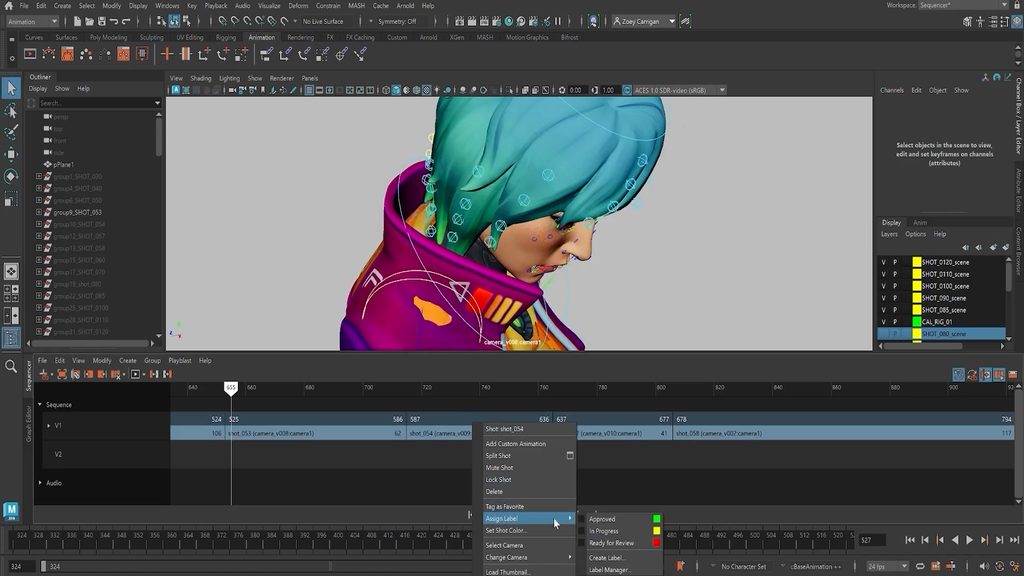
The Autodesk Maya Learning Channel is a useful place to find tutorials as you get started. You can start with an intro to animation series, learn how to use AI to transform simple paths into motion with MotionMaker or even how to build and time shot sequences. Or maybe you want to learn how to work in USD for more collaborative, non-destructive workflows.
You don’t need to master every feature before Maya becomes useful. Begin with the tools your next project actually requires, then build on those skills over time.
Which Maya option is best for your animation or VFX studio?
Start with what you’re creating and how often you need the software.
If you’re an eligible independent animator or small business using Maya regularly, Maya Indie gives you the complete Maya toolset through an annual subscription at a more affordable price.
If you need core modeling, rigging, animation, or rendering tools for occasional projects, Maya Creative with Flex lets you access them when needed.
And if your studio depends on advanced simulation, procedural effects, third-party plug-ins, or custom production workflows, Maya offers those capabilities through subscription or Flex access.
There’s no need to rethink every part of your workflow to add Maya. Choose the tools that fit your work today, and revisit that decision as your projects and team evolve.
Frequently asked questions about animation software for small studios
Is there a lower-cost version of Maya for freelance animators?
Yes, Maya Indie offers the same complete toolset as the full version of Maya at a more affordable price through an annual subscription for eligible independent artists. Maya Creative is another option, with core modeling, rigging, animation, and rendering tools available through Flex. The best fit depends on your eligibility, how often you use Maya, and whether you need advanced production capabilities.
Can a small animation or VFX studio use Maya Indie?
Yes, a qualifying small studio may be eligible for Maya Indie, but revenue, project-value, funding, and license restrictions apply. In the United States, the annual gross revenue threshold from creative work is below $100,000 USD, and the license is limited to one per user or organization. Check the Maya Indie eligibility details before purchasing, especially if your team works on contracts for larger companies.
What happens when my revenue passes the Maya Indie threshold?
Once you no longer meet Maya Indie’s eligibility requirements, you’ll need to move to an appropriate commercial Maya license for continued use. Maya Indie already includes the same toolset as the full version of Maya, so you won’t be moving to an unfamiliar edition. Review your licensing as your income, project budgets, or client arrangements change.
Can I pay for Maya only on the days I use it?
Yes, Autodesk Flex lets you access Maya Creative or the full version of Maya through prepaid tokens consumed at a daily rate. Maya Creative is available exclusively through Flex, while Maya also offers subscription access.
What VFX and animation features does Maya Creative leave out?
Maya Creative includes core modeling, rigging, animation, and rendering tools, but it doesn’t include every advanced feature in the full version of Maya. Advanced dynamics, simulation, FX, Bifrost graph authoring, and certain pipeline and plug-in capabilities are unavailable or restricted. Check the Maya and Maya Creative feature comparison if a project requires specialized tools or depends on an existing Maya scene.
When does a Maya subscription make more sense than Flex?
A subscription is worth exploring if you use Maya frequently, rather than only for a few project days each month. Estimate how many days you expect to access Maya in a year and compare the total Flex token consumption with your subscription options. Remember that subscriptions and Flex offer different ways to access Maya, but don’t change which features are included in each edition.
Can I use Maya alongside other 3D animation and VFX tools?
Yes, many small studios use different creative software and tools for different stages of production. You can add Maya or Maya Creative for specific modeling, rigging, animation, or client-deliverable tasks while continuing to use other tools elsewhere. Before moving files between applications, test the required scene data and confirm that the receiving application supports the features and formats your project needs.