 Autodesk Media & Entertainment
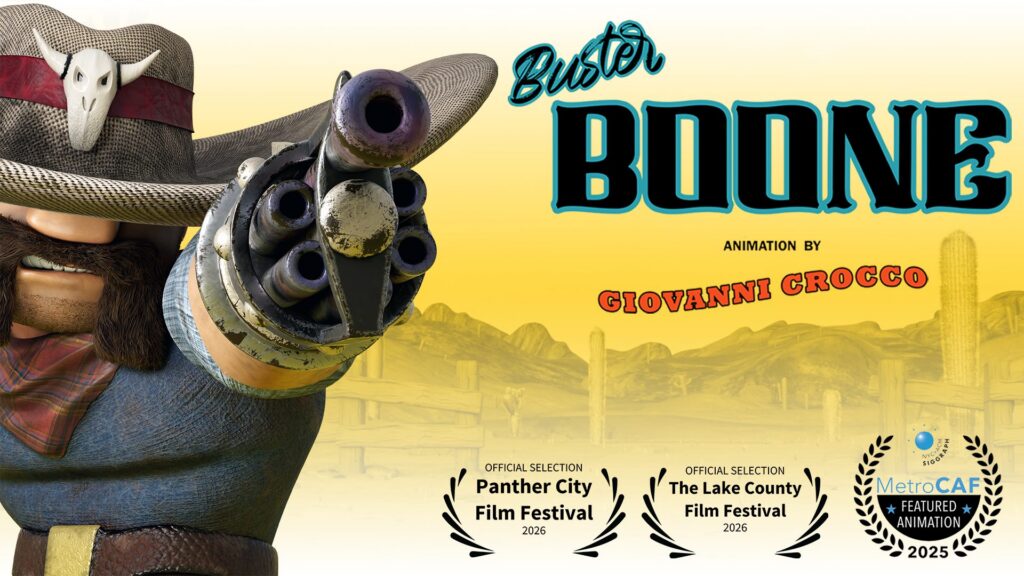
AI-assisted motion capture is changing how animation students learn and create. This article explores how New Jersey Institute of Technology (NJIT) student Giovanni “Gio” Crocco used Autodesk Flow Studio and Autodesk Maya to streamline his animation workflow, iterate faster, and build a standout portfolio project using markerless motion capture.
With the Autodesk Flow Studio Education plan, eligible university students (18+) get access to everything included in the Lite tier, plus USD exports.
What you’ll learn:
- How students can experiment with mocap workflows without a studio
- How Flow Studio fits into a Maya pipeline
- How Flow Studio allows students to experiment with their ideas and iterate faster during pre-production
- How markerless motion capture lowers production barriers for students
- How student projects can become portfolio pieces with industry recognition opportunities
Who this article is for:
- 3D animation students
- Digital design students
- Film students
- Game design students
- Visual effects (VFX) students
- Educators teaching animation workflows
Key Concepts Covered:
- AI motion capture for students and beginners
- Markerless motion capture
- Autodesk Maya and Flow Studio student workflows
- Student animation portfolios
From rigging to motion capture: A student’s journey from class project to portfolio recognition
Learning 3D animation can feel overwhelming, especially for students exploring AI motion capture for beginners alongside modeling, rigging, animation, rendering, and storytelling.
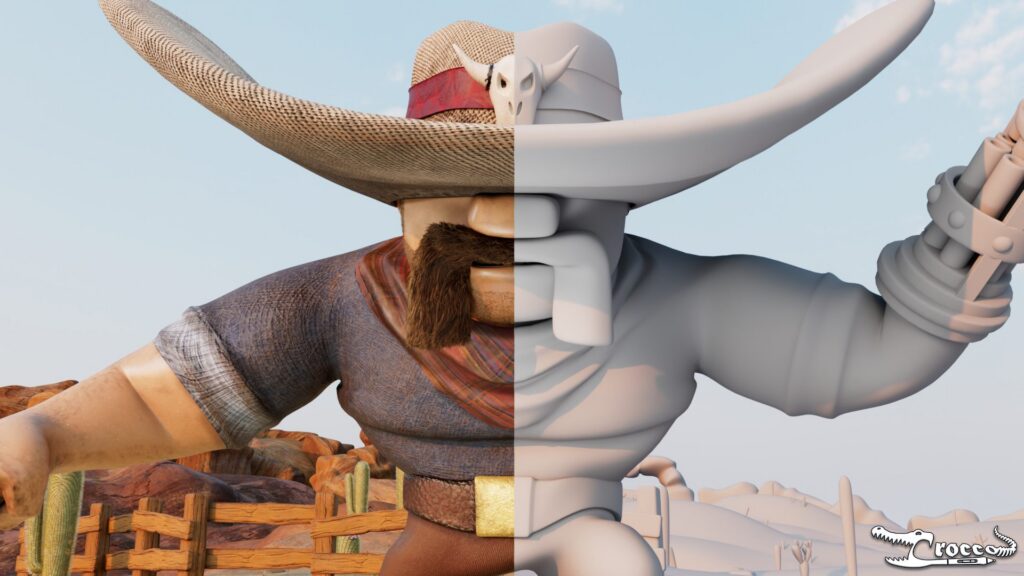
For Giovanni “Gio” Crocco, a third-year Digital Design student at New Jersey Institute of Technology (NJIT), that learning process led to the creation of Buster Boone, an animated short film that earned recognition as the 2026 Digital Design winner at his school’s design showcase, local film festivals, and helped strengthen his professional portfolio.
By combining traditional tools like Autodesk Maya with AI-assisted motion capture with Autodesk Flow Studio, Gio was able to iterate faster, experiment more freely, and bring his character performances to life without relying entirely on manual keyframing.
Meet the student behind the project
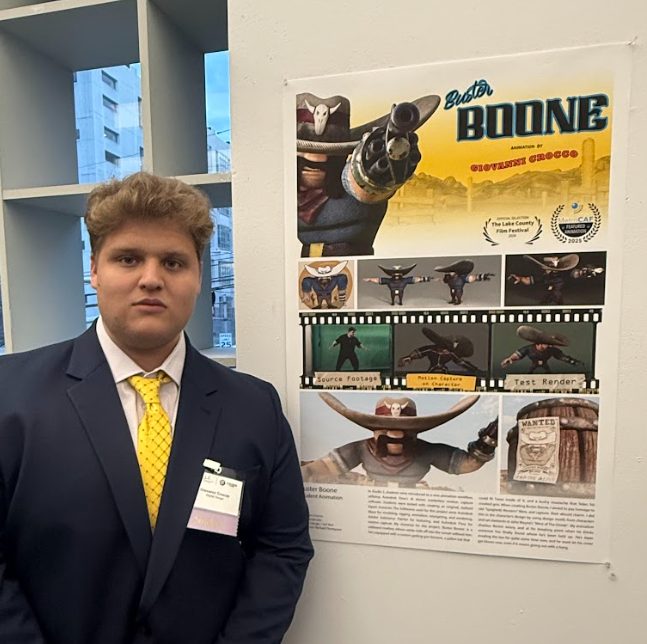
Gio Crocco is a third-year Digital Design student at NJIT and an Autodesk Design & Make Ambassador. His studies focus on animation, game design, and UI/UX within the entertainment track.
“I’m more on the entertainment track where I want to focus in animation… I would like to go to big studios like Pixar or DreamWorks. That would be an end goal dream, but anywhere I can get in computer graphics, I’d be happy and working and improving on my skill set in that field.”
His project Buster Boone became an opportunity to strengthen both his technical animation skills and his creative voice.
How Gio built the Buster Boone animation project
The project originally started as a classroom assignment focused on creating a bipedal character.
What is a bipedal character?
- A bipedal character is any animated figure designed to move on two legs (or feet).
At first, Gio tried simplifying the assignment to reduce production complexity.
“I was so stumped at first, this was the first project with no real limits, and it was hard to narrow down ideas”
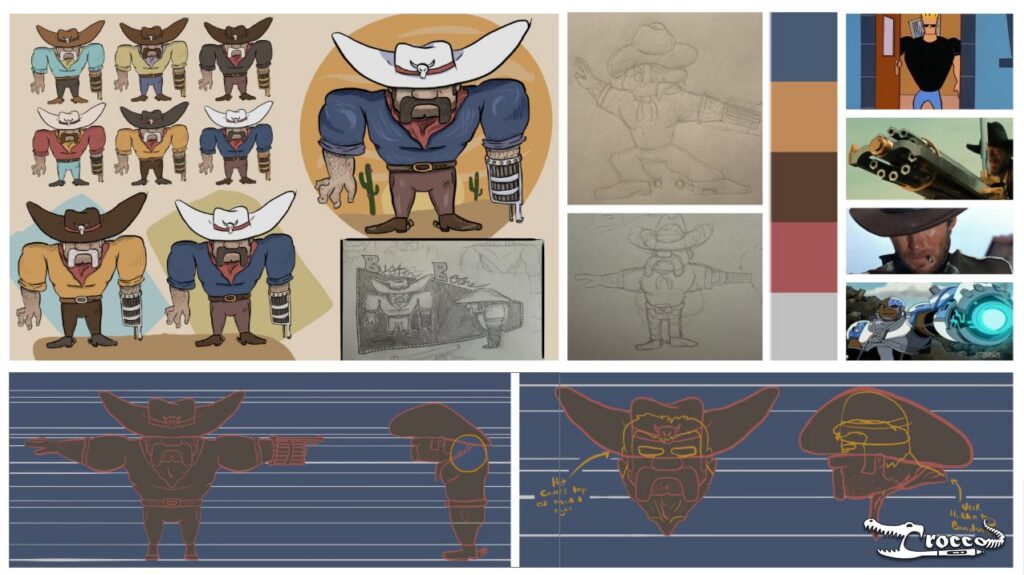
But as the project evolved, he began drawing inspiration from classic cartoons and Western films.
“I wound up taking inspiration kind of from Johnny Bravo, Yosemite Sam… and Clint Eastwood from the Dollar Trilogy.”
What began as a simple character assignment quickly transformed into a more ambitious short film complete with character animation, environments, and narrative storytelling.
AI motion capture for beginners: How Autodesk Flow Studio fits into a modern 3D animation workflow
Gio followed a structured production pipeline, combining traditional 3D animation techniques with AI-assisted motion capture workflows.
Step 1: Ideation and concept sketches
The project began with hand-drawn sketches
These early explorations helped establish:
- Character proportions
- Personality and silhouette
- Costume design
- Animation style
Step 2: Character modeling and rigging in Autodesk Maya
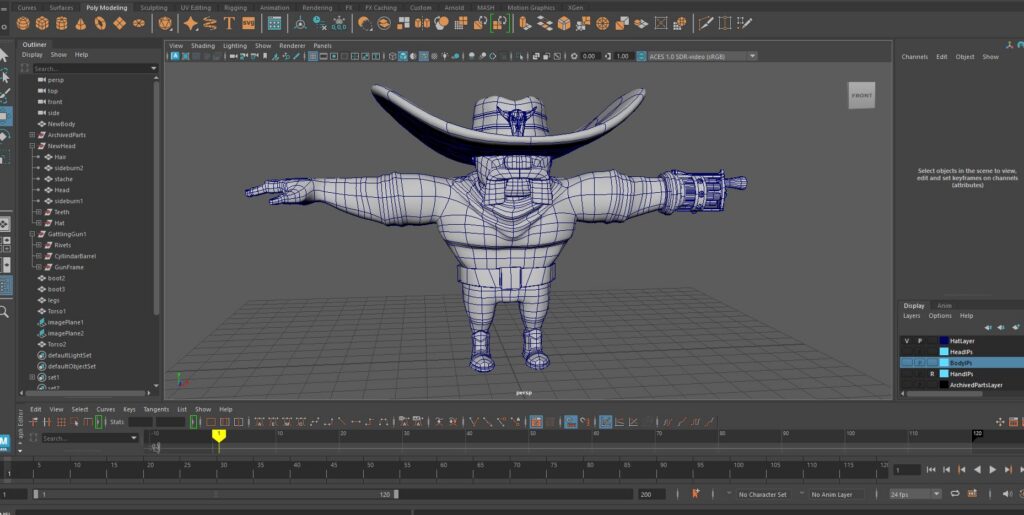
After finalizing the concept, Gio moved into Autodesk Maya to build the character using box modeling techniques.
Once modeling was complete, Gio moved into rigging and character setup.
What is rigging?
- Rigging is the process of adding a skeletal framework and animation controls to a 3D character so it can move believably.
The rigging workflow included:
- Bone hierarchy setup
- Weight painting
- Corrective blend shapes
- Skinning adjustments
This project became one of Gio’s first deeper experiences with professional rigging workflows.
Step 3: AI motion capture with Autodesk Flow Studio
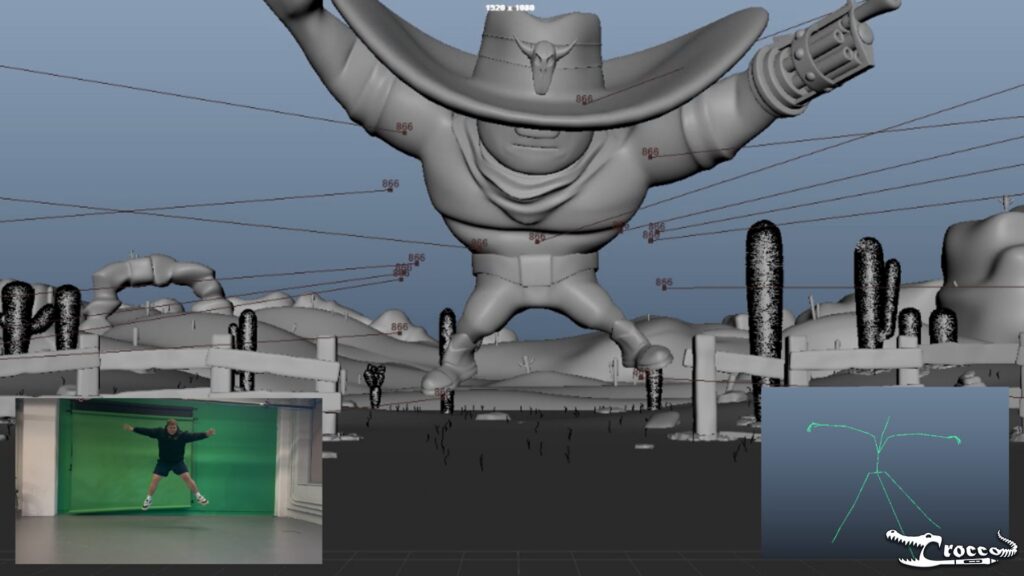
After completing the character rig, Gio transitioned into motion capture using Autodesk Flow Studio.
Although he had never used motion capture before, Flow Studio made the workflow feel approachable and accessible.
“Flow Studio did help us a lot… it brought our animations to life almost instantly before just key framing something from scratch.”
Instead of relying on a traditional motion capture studio setup, Gio used markerless motion capture by recording performances using an iPhone.
“We had our professor’s iPhone on the tripod and just recorded ourselves moving around.”
What is markerless motion capture?
Flow Studio’s markerless motion capture uses AI and machine learning to extract movement data directly from video footage without requiring specialized mocap suits, sensors, or markers.
This allowed Gio to:
- Record multiple takes quickly from anywhere
- Experiment with performance timing
- Test animation ideas
- Iterate without expensive setup
Step 4: Animation refinement and final performance
After generating motion capture performances, Gio refined the animation inside Maya.
“I used seven different Flow Studio recordings… and made them into animation clips to do my final animation.”
The final stage focused on:
- Retargeting
- Timing adjustments
- Animation layering
- Shot refinement
- Performance polish
- Scene composition
While motion capture accelerated the workflow, Gio still needed traditional animation skills to refine performances and improve storytelling.
Common challenges students face when learning 3D animation
Learning animation is not only about mastering software. Students also need to understand how modeling, rigging, animation, and rendering workflows connect.
For Gio, one of the biggest challenges was learning how to combine motion capture with animation layering.
“At first, it was more grappling with the understanding of working with animation layers on top of mocap.”
As the workflow became faster, another challenge emerged: managing project scope.
“Once you have that tool that does help you work faster, you just kind of want to keep going and going and going.”
Flow Studio helped simplify parts of the process by giving Gio a strong performance foundation to build on.
“The mocap just gives you that groundwork to then go and fix rather than making the groundwork yourself.”
Instead of starting entirely from scratch, he could focus more on refining movement, storytelling, and creative direction.
How AI motion capture is changing 3D animation for students
Traditional motion capture workflows often require:
- Expensive hardware
- Dedicated studio spaces
- Specialized suits and markers
- Complex technical setup
For many students, those production barriers make experimentation difficult.
AI-assisted motion capture workflows are changing that.
By using video-based capture and cloud workflows, tools like Flow Studio make performance-driven animation more accessible for students learning modern production pipelines.
For Gio, the ability to record performances quickly using simple video footage created more opportunities for experimentation and iteration.
Instead of depending on a traditional mocap studio, Gio was able to iterate rapidly and refine performances on his own schedule.
Traditional motion capture vs AI motion capture
With Autodesk Flow Studio’s AI mocap, students can experiment more freely and iterate faster without needing specialized hardware or complex motion capture setups.
Key benefits include:
- Motion capture from standard video footage
- No mocap suits, markers, or dedicated studio equipment required
- Capture of detailed body movement, gestures, and facial performance
- Faster iteration for animation and previs workflows
- Cloud-based access through any modern web browser
- Seamless integration with existing pipelines
- Seamlessly export data for Maya, Blender, Unreal Engine, 3ds Max, and USD workflows
| Traditional Motion Capture |
| Requires studio setup |
| Specialized hardware |
| Limited iteration access |
| Complex technical workflows |
| High production overhead |
| AI Motion Capture |
| Uses video footage |
| Accessible for students |
| Faster experimentation |
| Beginner-friendly workflows |
| Easier for coursework and portfolios |
Building a strong animation student portfolio
Projects like Buster Boone can become more than classroom assignments. They can also help students build stronger portfolios, gain recognition, and create opportunities beyond school.
For Gio, the project quickly became one of the strongest pieces in his portfolio.
“It definitely helped my portfolio a lot more than I thought it would, honestly.”
After earning recognition at NJIT’s showcase, Buster Boone was also submitted to local film festivals (MetroCAF, The Lake County Film Festival, and Panther City Film Festival) helping Gio gain additional exposure.
“It just helps put you out there a little more.”
For many animation students, portfolio projects become opportunities to:
- Demonstrate technical ability
- Develop creative storytelling skills
- Experiment with modern workflows
- Build industry-ready work samples
- Gain visibility through showcases and festivals
Key takeaways for animation students
Gio’s experience highlights how AI-assisted workflows are helping animation students experiment more freely, iterate faster, and focus more on storytelling and performance.
The biggest takeaway is that modern AI-assisted workflows can reduce technical friction to accelerate learning and experimentation. In the case of Gio, his creativity was accelerated, allowing him to turn a class project into a finished portfolio piece that opened doors for him professionally.
Key takeaways:
- AI-assisted workflows can accelerate learning and creative experimentation
- AI motion capture lowers barriers to professional-quality animation
- Tools like Autodesk Flow Studio help students iterate more quickly without losing creative control
Explore Autodesk Flow Studio for students
Experiment with your ideas and iterate faster using AI-assisted workflows. Start from real footage, create short CG shots, and get export-ready assets you can refine in tools like Maya, Blender, and Unreal Engine. Flow Studio is free for eligible university students 18+
FAQs about Autodesk Flow Studio for students
| How can students start learning AI motion capture? | One easy way to learn AI motion capture is to start with short animation tests in Autodesk Flow Studio using everyday video footage. Students can record simple performances, generate markerless motion capture, and refine the animation in tools like Autodesk Maya. This helps build practical experience with mocap, animation editing, and production workflows for class projects and portfolio pieces. |
| Can I record motion capture using just an iPhone? | Yes. You can record performances with a smartphone, including an iPhone, or another standard camera. In this article, NJIT student Gio Crocco captured performances using an iPhone mounted on a tripod before importing the footage into Autodesk Flow Studio to generate editable character animation. |
| What is AI motion capture with Autodesk Flow Studio? | Flow Studio’s AI motion capture technology delivers markerless motion capture data from live-action videos shot on any camera. If you can film an actor’s performance, Flow Studio can animate it as a CG character. No complex set-ups, suits, markers, stages, or green screens required. |
| Can beginners use AI motion capture with Autodesk Flow Studio? | Yes. Flow Studio’s AI motion capture workflow helps beginners explore animation ideas faster without complex setup. No suits, markers, stages, or green screens required. |
| What is Autodesk Flow Studio used for? | Autodesk Flow Studio is an AI-assisted workflow that helps students turn live-action footage into editable CG scenes – without complex set up. Students can use it for: – Motion exploration – Previsualization – Character animation – Visual storytelling – Fast iteration – Short project creation |
| How does Autodesk Flow Studio fit into a 3D animation workflow? | Flow Studio is typically used during early-stage workflows such as previs, motion exploration, and story boarding. Students can use it to generate motion and scene layouts quickly, then continue refining and completing their work in tools like Autodesk Maya. |
| Is Autodesk Flow Studio free for students? | Yes. Autodesk Flow Studio for education is free for eligible university students (18+) through the Autodesk Education plan. Use it for individual learning, class projects, and experimentation. With Flow Studio for education, you get access to everything in the Lite tier plus USD export. Get access. |
| Do I need a motion capture suit to use Autodesk Flow Studio? | No. Autodesk Flow Studio uses markerless AI motion capture, so you can capture human movement from standard video footage without wearing a motion capture suit or attaching tracking markers. This makes it easier for students to experiment with character animation, previs, and performance capture without access to a traditional mocap studio. |
| How can Autodesk Flow Studio be used to create student portfolio projects? | Autodesk Flow Studio helps students create portfolio projects by making it easier to explore motion capture, previs, and character animation workflows. Students can use real footage to create character performances, short animated scenes, and VFX projects, then refine their work in tools like Autodesk Maya to build portfolio-ready pieces. |
| How can AI motion capture help students build stronger animation portfolio projects? | AI-assisted motion capture can give students a first pass of character movement faster, so they can spend more time refining performance, storytelling, and polish. Gio Crocco’s Buster Boone project shows how this workflow can support stronger class projects and portfolio pieces when paired with creative direction and technical refinement. |