 Autodesk Media & Entertainment
Great stories are built around memorable characters. And when you’re shaping those characters with AI, you want them to look and feel unmistakably themselves from one shot to the next.
With AI-powered storytelling, that consistency can be hard to maintain. A wide shot becomes a close-up. Your character turns away from the camera, strikes a new pose, or steps into a different environment. As the scene changes, small differences in their appearance can start to show up.
That’s where Neural Layer with LoRA technology in Flow Studio can help.
When using a Wonder 3D character in a Live Action project, LoRA (Low-Rank Adaptation) training can help maintain their appearance as you move between different views, poses, framing, and shots.
Here are a few tips for keeping your Wonder 3D characters consistent from shot to shot with Neural Layer and LoRA.
What is Neural Layer in Flow Studio?
Neural Layer brings enhanced AI rendering into Live Action projects in Flow Studio, helping you take your animated Wonder 3D character from scene to cinematic shot. It improves lighting, compositing, and performance realism, giving you a faster path to a more polished result, all within one platform.
What is LoRA in Flow Studio?
Neural Layer enhancements include LoRA technology to help improve character consistency across angles, motion, and cuts.
For Wonder 3D characters, LoRA training creates a character-specific reference that can be used during live-action video integration. This helps generated results stay closer to your character’s original appearance, including facial features and other defining details, while also improving prompt fidelity.
Start with a well-prepped character
A little preparation can go a long way before you process your first scene.
Take the time to refine your Wonder 3D character before auto-rigging them for animation in Live Action projects. Experiment with prompts, textures, materials, and details until your character looks the way you imagined them.
Think about the features that make the character distinctly them. Starting with a character you’re happy with gives you a solid foundation before you move into training and building out your sequence.
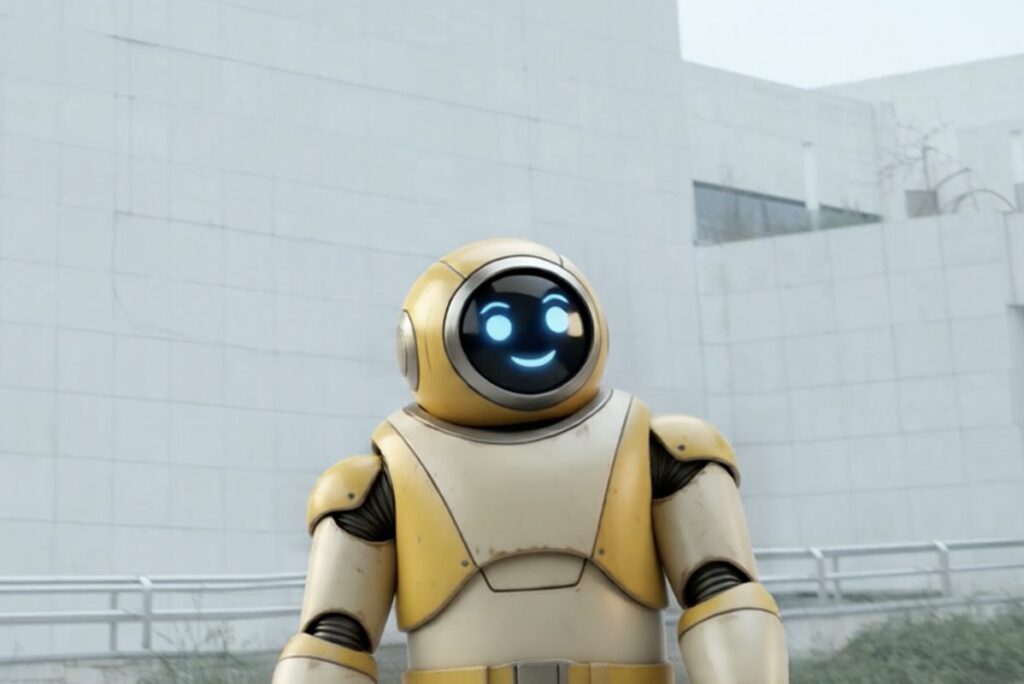
Train your character first for multi-shot sequences
For a quick test or a character that only appears briefly, you may not need LoRA.
But if they’re going to be a familiar face in your story, consider training before you get too far into your sequence.
This is especially useful when you’re planning:
- Multiple shots or scene cuts
- Wide shots, medium shots, and close-ups
- Different camera angles or viewpoints
- Profile views and turns
- Different poses and performances
- Shots where your character moves closer to or farther from the camera
These changes can give the generation process very different views of your character. Training with LoRA can help maintain a more consistent identity between them.
Don’t overlook the details
Sometimes it’s the smallest details that make a character instantly recognizable.
A favorite jacket. A particular hairstyle. A patterned shirt. A logo, symbol, or accessory. Even text on clothing can be an important part of the design.
LoRA can help generated characters stay closer to their original reference, including some of these defining details. Results can still vary depending on the shot, so if a detail is especially important to your character, make sure it’s clearly represented before you train.
This can be especially helpful in close-ups, where changes to facial features or other small quirks may be more noticeable.
Plan ahead for dynamic scenes
Some shots naturally have a lot going on.
Your character might interact with a prop, move through a busy scene, turn away from the camera, or become partially obscured by something in the environment.
LoRA may also help in situations like these. If you know your story includes more dynamic moments, training can give Neural Layer a stronger reference to work from as those shots change.
Train once, then keep creating
Once you’ve trained a Wonder 3D character, you don’t need to repeat the process for every video.
LoRA training is saved with that character in your assets library and automatically applied to future Live Action projects they’re featured in. Using a trained character also doesn’t change the cost of video generation.
Best practice: If you know a character will appear across multiple scenes, projects, or recurring episodes, train them early so they’re ready when you need them.
Bringing it all together
When your character plays a major role in your story, the last thing you want is for small inconsistencies to pull your audience out of the moment.
Starting with a character that best matches your vision and using Neural Layer with LoRA early can help keep the focus where it belongs.
Spend less time thinking about continuity and more time focusing on where your story goes next…
Ready to see it in action? Try Neural Layer with LoRA in Autodesk Flow Studio today.